Nhanganyaya
This manual provides essential information for the proper use and maintenance of the Metcal SFP-CN04 Series SxP Hand Soldering and Rework Cartridge. The SxP Cartridges are designed for use with the MFR-H1-SC soldering cartridge hand-piece of the MFR Single and Dual Platforms (MFR-1100 and MFR-2200). They offer a wide range of options for specialized soldering and rework applications. The 'F' in the second digit denotes FR4/Glass fiber substrate material, suitable for most standard applications.
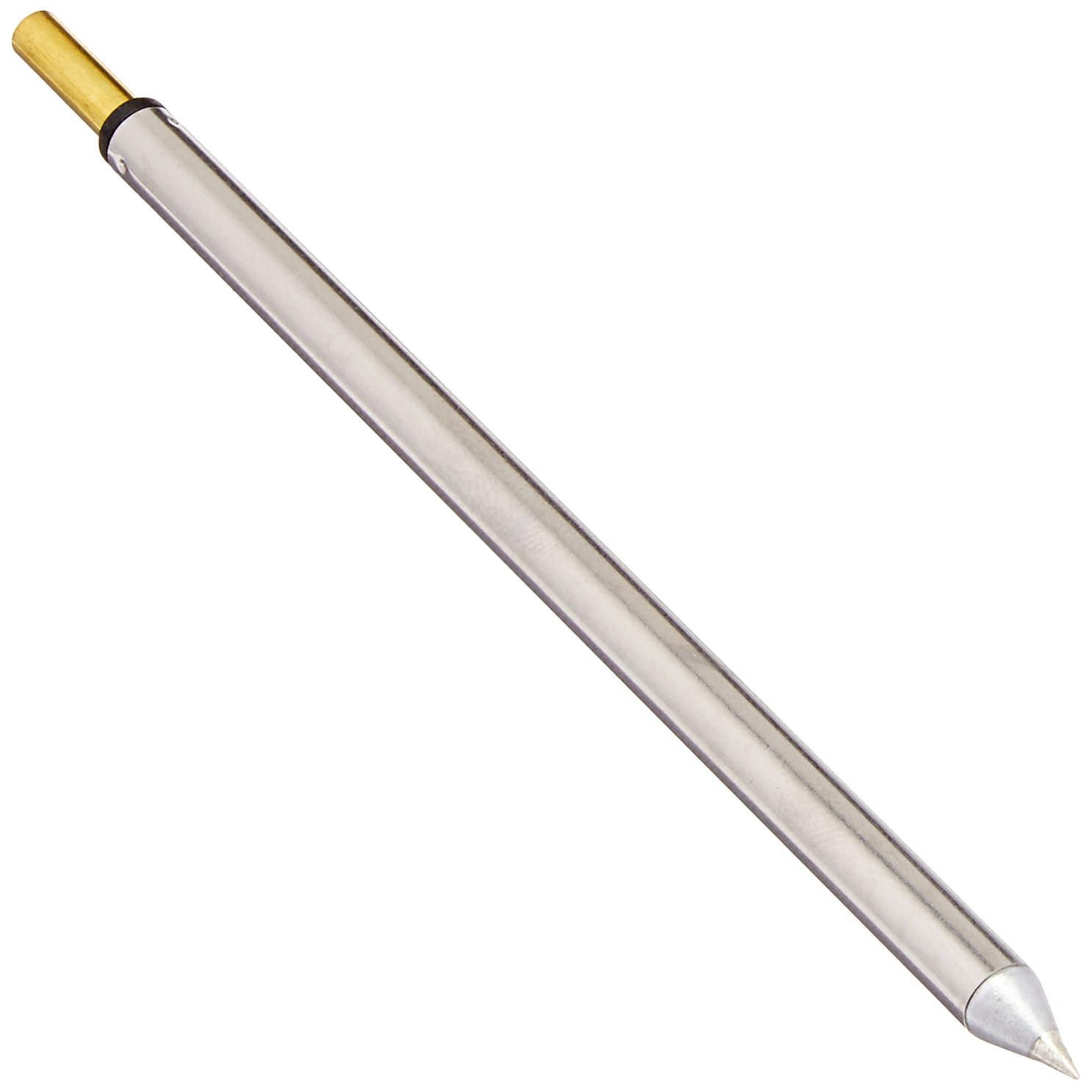
Figure 1: Metcal SFP-CN04 Series SxP Hand Soldering and Rework Cartridge. This image shows the full length of the cartridge, highlighting its conical tip and the connection end.
Setup uye Installation
Before installing the SFP-CN04 cartridge, ensure your Metcal MFR soldering system is powered off and disconnected from the main power supply. Always handle cartridges by their base to avoid damaging the tip or heating element.
- Prepare the Hand-piece: Ensure the MFR-H1-SC hand-piece is clean and free of debris in the cartridge receptacle.
- Isa Cartridge: Gently insert the SFP-CN04 cartridge into the hand-piece receptacle. Push firmly until you feel it seat securely. Do not force the cartridge.
- Verify Connection: A properly seated cartridge will have minimal play and should not easily fall out when the hand-piece is inverted.
- Power On: Once the cartridge is securely installed, you may connect the MFR soldering system to power and turn it on. Allow a few moments for the cartridge to reach operating temperature.
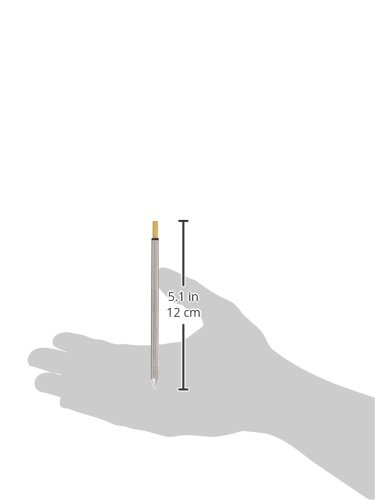
Figure 2: Metcal SFP-CN04 Soldering Cartridge with approximate dimensions. This image provides a visual reference for the cartridge's size, indicating a length of approximately 5.1 inches (12 cm).
Operating Instruction
The Metcal SFP-CN04 cartridge utilizes SmartHeat® technology, which automatically adjusts power to maintain a precise tip temperature, ensuring consistent and reliable soldering performance.
- Mazano ekugadzira: Before first use and periodically during operation, tin the tip of the SFP-CN04 cartridge with a small amount of solder. This protects the tip from oxidation and ensures efficient heat transfer.
- Kudzora Tembiricha: The system automatically maintains the optimal temperature for the cartridge (up to 421°C). No manual temperature adjustment is typically required for standard operation.
- Maitiro Ekugadzirisa: Apply the tinned tip to the joint, then feed solder onto the joint, not directly onto the tip. Allow the solder to flow and wet the components properly.
- Tip Cleaning: Regularly clean the tip using a damp sponge or brass wool to remove excess solder and flux residue. This maintains tip performance and longevity.
Maintenance and Care
Proper maintenance extends the life of your SFP-CN04 cartridge and ensures optimal performance.
- Kuchenesa Nguva Dzose: Clean the cartridge tip frequently during use with a damp sponge or brass wool.
- Oxidation Prevention: Always keep the tip tinned when not actively soldering, especially before storing the hand-piece.
- Kuchengeta: Store cartridges in a dry, clean environment. Avoid dropping or subjecting them to mechanical shock, which can damage the tip or internal heating element.
- Kuongorora: Periodically inspect the cartridge tip for signs of excessive wear, pitting, or corrosion. Replace the cartridge if significant degradation is observed.
Kugadzirisa matambudziko
If you encounter issues with your SFP-CN04 cartridge, consider the following common solutions:
| Dambudziko | Zvinogona Kukonzera | Solution |
|---|---|---|
| Cartridge not heating | Improperly seated cartridge, faulty hand-piece connection, system error. | Ensure cartridge is fully seated. Check hand-piece connection to the power supply. Consult your MFR system manual for error codes. |
| Poor heat transfer / Solder not melting | Oxidized tip, insufficient tinning, incorrect cartridge for application. | Clean and re-tin the tip. Ensure the tip is adequately tinned. Verify the cartridge type is suitable for the thermal mass of the joint. |
| Tip appears corroded or pitted | Excessive heat, aggressive flux, lack of tinning, end of life. | Ensure proper tinning. Use appropriate flux. Replace the cartridge if damage is severe. |
Zvinotsanangurwa
Key specifications for the Metcal SFP-CN04 Series SxP Hand Soldering and Rework Cartridge:
- Model Number: SFP-CN04
- Tip Type: Conical
- Saizi yeZano: 0.4mm
- Tip Length: 8.6mm
- Maximum Tip Temperature: 421°C
- Kuenderana: Metcal MFR Single and Dual Platforms (MFR-1100, MFR-2200) with MFR-H1-SC hand-piece.
- Substrate Material: FR4/Glass fiber (for most standard applications)
- Package Dimensions: 7.1 x 1 x 0.5 inches
- Chinhu Weight: 0.19 ounces
- Mugadziri: OK International (Metcal)
Warranty Information
Specific warranty details for the Metcal SFP-CN04 cartridge are typically provided by the manufacturer or authorized distributor at the time of purchase. Cartridges are consumable items and their lifespan can vary significantly based on usage and maintenance practices.
For detailed warranty terms and conditions, please refer to the documentation included with your purchase or visit the official Metcal website.
Mutengi Support
For technical assistance, product inquiries, or to purchase replacement parts, please contact Metcal customer support or an authorized Metcal distributor.
Unogona kuwana ruzivo rwekuonana nevamwe uye zvimwe zvinhu pawebhusaiti Metcal website.