1. Nhanganyaya
Thank you for choosing the HKC 1818 LED Monitor. This manual provides essential information for the safe and efficient use of your new display. Please read this manual thoroughly before operating the monitor and keep it for future reference.
2. Safety Information
Kuti uve nechokwadi chekushanda kwakachengeteka uye kudzivirira kukuvadzwa, ndapota chengeta zvinotevera zvekuchengetedza:
- Usaise monitor pamvura kana hunyoro kudzivirira moto kana kuvhundutswa nemagetsi.
- Usavhura monitor casing. Iko hakuna zvikamu zvinoshandisika mushandisi mukati. Tumira masevhisi ese kuvashandi vanokwanisa.
- Isa cheki panzvimbo yakatsiga, yakati sandara kuti isadonha.
- Iva nechokwadi chekufema zvakanaka. Usavhare kuvhurika kwemhepo.
- Shandisa chete adapta yemagetsi inopihwa nemonitor.
- Bvisa monira kubva pakubuda kwemagetsi panguva yemadutu emheni kana kana isina kushandiswa kwenguva refu.
3. Package Zviri mukati
Ndapota tarisa zviri mupakeji yako. Kana paine zvinhu zvisipo kana kuti zvakakuvara, taura nemutengesi wako.
- HKC 1818 LED Monitor
- Monitor Stand (Base and Neck)
- Power Adapter
- VGA Cable
- Mushandisi Chinyorwa (gwaro iri)
4. Setup
4.1 Kuunganidza Chigadziko
- Carefully remove the monitor from its packaging and place it face down on a soft, clean surface to prevent scratches.
- Batanidza mutsipa wekumira kumashure kwemonitor, uchigadzirisa maburi ekugadzika. Batanidza ne screws kana dziripo.
- Attach the stand base to the bottom of the stand neck. Tighten the thumb screw or regular screw at the bottom of the base.
- Gently lift the monitor and place it upright on a stable desk.
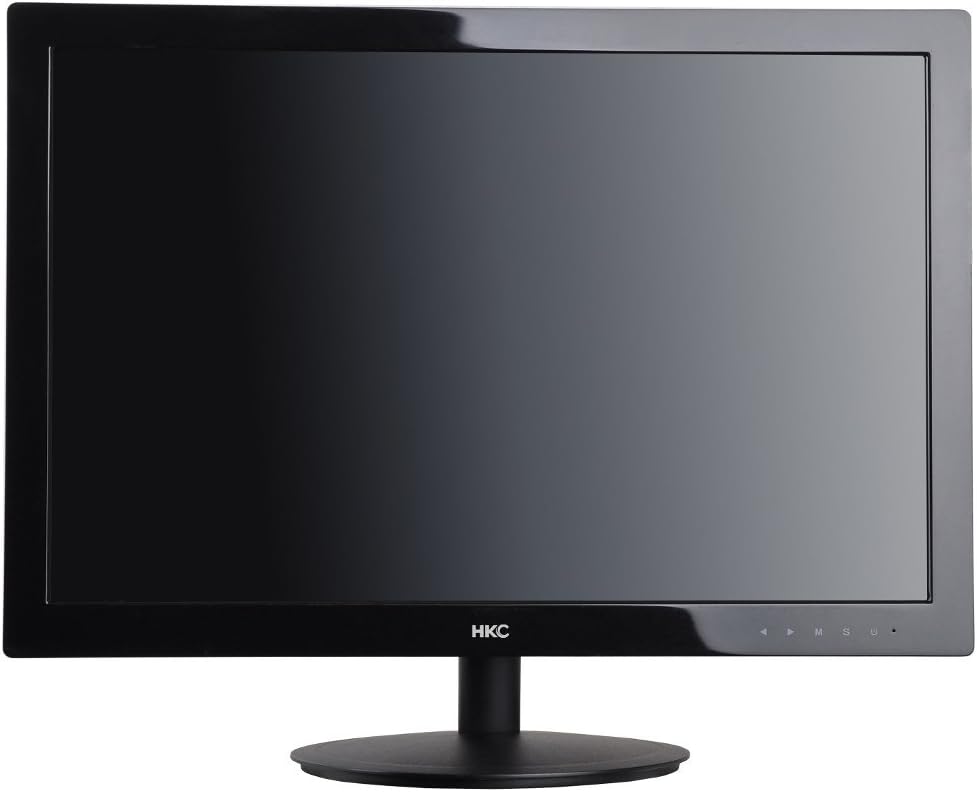
Mufananidzo 1: Mberi view of the HKC 1818 LED Monitor with its stand assembled, ready for connection.
4.2 Kubatanidza Monitor
- Batanidza Vhidhiyo Cable: Locate the VGA port on the back of the monitor. Connect one end of the supplied VGA cable to this port and the other end to the VGA output port on your computer. Secure the connection by tightening the screws on the VGA connector.
- Batanidza Power Cable: Plug the power adapter into the monitor's power input jack. Then, plug the other end of the power adapter into a wall outlet.

Mufananidzo 2: Angled view of the HKC 1818 LED Monitor, highlighting the rear panel where cables are connected.
4.3 Simba rekutanga Rakabatidzwa
Press the power button located on the front or bottom right of the monitor. The power indicator light should illuminate, and the monitor will display an image if connected to an active video source.
5. Kushandisa Monitor
5.1 Kudzora Mabhatani
The control buttons are typically located on the bottom right bezel of the monitor. They allow you to navigate the On-Screen Display (OSD) menu and adjust settings.
- Bhatani reSimba: Inobatidza kana kudzima monitor.
- Bhatani reMenu (M): Opens the OSD menu or enters a sub-menu.
- Up/Down (▲/▼) Buttons: Famba-famba uchishandisa menyu kana kuti gadzirisa kukosha.
- Select (S) Button: Confirms a selection or exits a sub-menu.
- Auto/Exit (U) Button: Performs auto-adjustment or exits the OSD menu.
5.2 OSD Menu Navigation
- Press the Menyu (M) button to open the OSD menu.
- Shandisa iyo Up/Down (▲/▼) buttons to navigate through the main menu categories (e.g., Picture, Color, OSD, Setup).
- Press the Select (S) button to enter a selected category.
- Shandisa iyo Up/Down (▲/▼) buttons to adjust values or select sub-options.
- Press the Select (S) button to confirm changes or the Auto/Exit (U) button to go back or exit.
- Press the Auto/Exit (U) bhatani kasingaperi kuti ubude muOSD menyu.
5.3 Common OSD Settings
- Kupenya: Inogadzirisa kupenya kwese kwesekirini.
- Kusiyanisa: Inogadzirisa musiyano pakati pechiedza nenzvimbo dzerima.
- Ruvara Tembiricha: Inochinja kuenzana kwemavara (semuenzaniso, Inodziya, Inotonhorera, Mushandisi).
- Sarudzo yekupinda: Manually selects the video input source (e.g., VGA).
- Gadzirisa Otomatiki: Optimizes the image automatically for analog (VGA) input.
6. Kuchengeta
6.1 Kuchenesa Monitor
- Gara uchibvisa cheki kubva pamagetsi usati wachenesa.
- Shandisa jira rakapfava, risina lint zvishoma dampened with water or a non-abrasive screen cleaner to wipe the screen. Do not spray cleaner directly onto the screen.
- Nokuti casing, use a soft, dry cloth. Avoid using strong detergents or abrasive cleaners.
6.2 Kuchengeta
If you plan to store the monitor for an extended period, unplug it, disconnect all cables, and store it in a cool, dry place, preferably in its original packaging to protect it from dust and physical damage.
7. Kugadzirisa matambudziko
If you encounter problems with your monitor, please refer to the following common issues and solutions:
| Dambudziko | Zvinogona Kukonzera | Solution |
|---|---|---|
| Hapana Simba | Power cable isina kubatana; Power outlet haisi kushanda. | Iva nechokwadi chekuti tambo yemagetsi yakabatana zvakanaka nemota uye pokubuditsa. Edza pokubuditsa uchishandisa chimwe chishandiso. |
| Hapana Chiratidzo | Video cable not connected; Incorrect input source selected; Computer not on. | Check video cable connection. Select correct input source via OSD. Ensure computer is powered on and not in sleep mode. |
| Mufananidzo hauna kujeka kana kukanganiswa | Incorrect resolution; Auto-adjust needed (VGA); Loose video cable. | Set computer resolution to monitor's native resolution (1366x768 for 18.5"). Use OSD Auto Adjust function. Check video cable connection. |
| Screen is too dark/bright | Kupenya/Kusiyanisa marongero haana kunaka. | Adjust Brightness and Contrast settings in the OSD menu. |
Kana dambudziko rikaramba riripo mushure mekuyedza mhinduro idzi, ndapota taura nerutsigiro rwevatengi.
8. Zvinotsanangurwa
| Feature | Tsanangudzo |
|---|---|
| Brand | HKC |
| Model Number | 1818 |
| Screen Size | 18.5 inches |
| Display Type | LED |
| Aspect ratio | 16:9 |
| Nguva Yekupindura | 2 Milliseconds |
| Refresh Rate | 60 Hz |
| Kubatana Technology | VGA |
| Screen Surface Tsananguro | Glossy |
| Product Weight | 2.8 makirogiramu |
| Package Dimensions | 50 x 38.5 x 12 cm |
9. Warranty uye Tsigiro
9.1 Ruzivo rweWaranti
This HKC monitor comes with a standard manufacturer's warranty. Please refer to the warranty card included in your package or contact your retailer for specific warranty terms and conditions. Keep your purchase receipt as proof of purchase for warranty claims.
9.2 Mutengi Tsigiro
For technical assistance, troubleshooting beyond this manual, or warranty inquiries, please contact HKC customer support or your local retailer. Contact information can typically be found on the manufacturer's official websaiti kana pane chigadzirwa kurongedza.