Nhanganyaya
This manual provides comprehensive instructions for the setup, operation, maintenance, and troubleshooting of your Kanto YU2 Desktop Speakers. Please read this manual thoroughly before using your speakers to ensure optimal performance and longevity.
Chii chiri muBhokisi
Your Kanto YU2 speakers come with all necessary accessories for immediate setup.
- Kanto YU2 Powered Desktop Speakers (Pair)
- Power Cord
- Mutauri Waya
- USB DAC Cable
- 3.5 mm Mubatsiri Cable
- Rubber Feet (8 pieces)
- User Manual
- Kanto USA Warranty Information

Image: All items included in the Kanto YU2 speaker package.
Video: An unboxing video for the Kanto YU2 Powered Desktop Speakers, showing the contents of the box.
Gadzirira
1. Kuiswa kweMutauriri
Place the speakers on a flat, stable surface. For optimal sound, position them at ear level and equidistant from your listening position. The included rubber feet can be applied to the bottom of the speakers to reduce vibrations and improve stability.
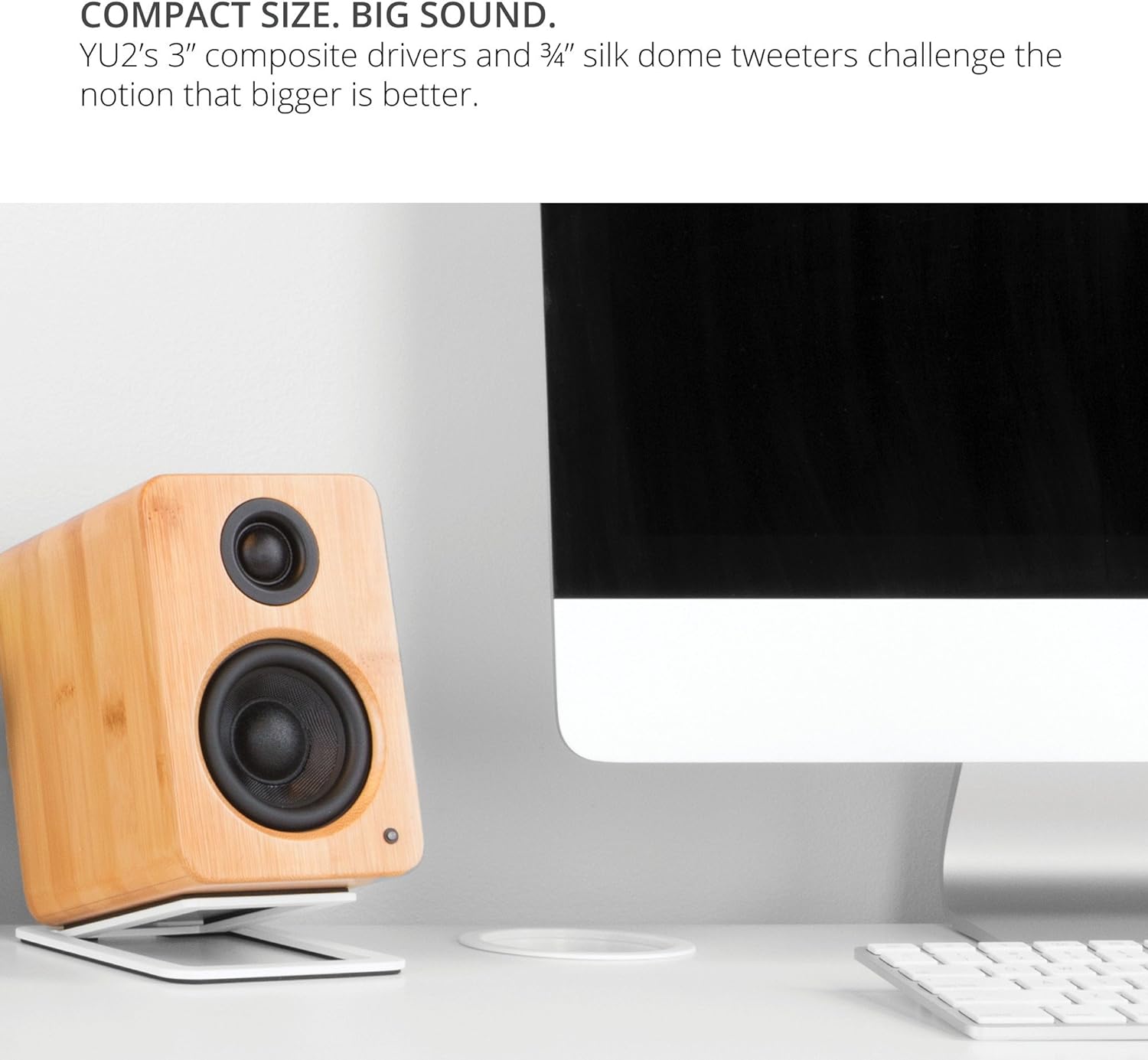
Image: Kanto YU2 speakers positioned on a desktop for optimal listening.
2. Kubatanidza Vatauri
The Kanto YU2 system consists of one active (left) speaker and one passive (right) speaker. Connect the active speaker to the passive speaker using the provided speaker wire. Ensure that the positive (+) terminal on the active speaker connects to the positive (+) terminal on the passive speaker, and similarly for the negative (-) terminals.
Video: Instructions on how to connect speaker wire to Kanto speakers.
3. Simba Connection
Connect the power cord to the active speaker and then to a wall outlet. The LED indicator on the front of the active speaker will illuminate when power is supplied.
Operating Instruction
1. Audio Input Connections
The Kanto YU2 speakers offer multiple input options:
- USB DAC: Connect your computer directly to the USB port on the active speaker using the provided USB DAC cable for high-quality digital audio streaming.
- 3.5mm AUX: Use the 3.5mm auxiliary cable to connect to any device with a headphone jack, such as smartphones, tablets, or other media players.
- Subwoofer Kuburitsa: For enhanced bass, connect an external powered subwoofer to the "Sub Out" port on the active speaker.

Mufananidzo: Rear view of the active Kanto YU2 speaker with various input and output ports labeled.
2. Volume Control
Adjust the master volume using the knob located on the rear of the active speaker. Turn clockwise to increase volume and counter-clockwise to decrease it. Ensure the volume is set to a low level before playing audio to prevent sudden loud sounds.
3. Simba On / Off
The speakers will power on automatically when connected to power and an audio source is detected. To turn off, simply disconnect the power or turn the volume knob to the "OFF" position.
Vhidhiyo: Kuperaview of the Kanto YU2 Powered Desktop Speakers, highlighting features and connectivity.
Maintenance
To maintain the appearance and performance of your Kanto YU2 speakers, follow these guidelines:
- Kuchenesa: Use a soft, dry cloth to wipe the speaker cabinets. Avoid using abrasive cleaners, waxes, or solvents as they may damage the finish.
- Dusting: Regularly dust the speaker grilles and drivers with a soft brush or a microfiber cloth.
- Kuiswa: Dzivisa kuisa masipika pachiedza chezuva chakananga, pedyo nenzvimbo dzinopisa, kana munzvimbo dzine hunyoro hwakawanda.
- Kubata: Handle speakers with care. Avoid touching the drivers directly.
Kugadzirisa matambudziko
If you encounter issues with your Kanto YU2 speakers, refer to the following common solutions:
- Hapana Inzwi:
- Ensure the power cord is securely connected and the speakers are powered on.
- Check all audio cables (USB, AUX, speaker wire) for secure connections.
- Verify the volume knob on the active speaker is turned up.
- Confirm the audio source (computer, phone) is playing and its volume is not muted or too low.
- If using USB, ensure the Kanto YU2 is selected as the audio output device in your computer's sound settings.
- Inzwi Rakakanganiswa:
- Deredza vhoriyamu pamasipika nepanobva ruzha.
- Tarisa kana tambo dzeaudio dzakakuvara wodzitsiva kana zvichidikanwa.
- Ensure speaker wires are correctly connected (positive to positive, negative to negative).
- Ruzha rwekuimba kana ruzha rwekuimba:
- Ita shuwa kuti ese matambo ekubatanidza akachengeteka.
- Try plugging the speakers into a different electrical outlet.
- Move the speakers away from other electronic devices that might cause interference.
If these steps do not resolve the issue, please contact Kanto support for further assistance.
Zvinotsanangurwa
| Feature | Detail |
|---|---|
| Brand | Kanto |
| Model Number | YU2MB |
| Mutauri Rudzi | Vatauri veMakombiyuta |
| Mutauriri Wekubuda Simba | 100 Watts Peak (50 Watts Total RMS) |
| Frequency Response | 80 Hz - 20 kHz |
| Kubatana Technology | Wired (USB, 3.5mm AUX) |
| Audio Output Mode | Stereo |
| Enclosure Material | Acoustic grade MDF cabinets |
| Vatyairi | 3-inch Composite Woofers, 0.75-inch Silk Dome Tweeters |
| USB Ports | 1 (Built-in USB DAC) |
| Audio Channel | 2.0, 2.1 (with Sub Out) |
| Impedance | 4 Ohms |
| Chiratidzo-ku-Ruzha Ratio | 70 dB |
| Zviyero (D x W x H) | 5.3"D x 3.9"W x 5.9"H |
| Kurema | 6 Pondo |
| Simba Source | AC |
| Chiyamuro Voltage | 240 Volts |
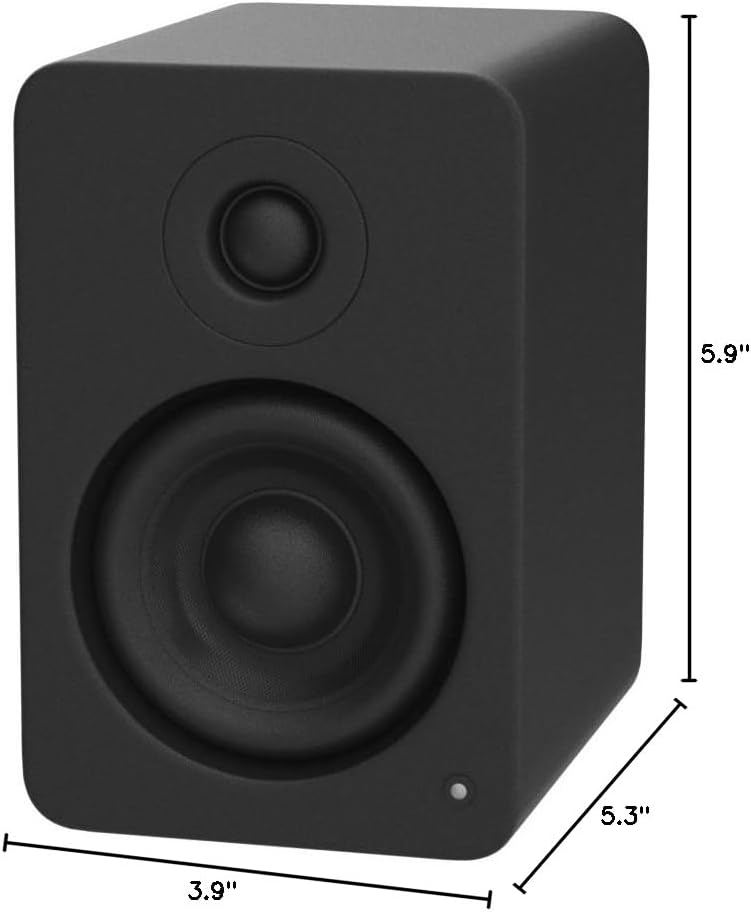
Image: Kanto YU2 speaker dimensions.
Warranty Information
The Kanto YU2 Desktop Speakers come with a 2-gore mugadziri waranti. Iyi waranti inovhara kukanganisa mune zvigadzirwa uye magadzirirwo pasi pekushandiswa kwakajairwa. Ndapota chengetedza humbowo hwako hwekutenga kwezvichemo zvewaranti.
For detailed warranty terms and conditions, please refer to the Kanto USA Warranty information included in your product package or visit the official Kanto website.
Support
For technical support, product inquiries, or assistance with troubleshooting beyond what is covered in this manual, please contact Kanto customer service.
You can find contact information and additional resources on the official Kanto websaiti: www.neworleanscareer.com