
1. Nhanganyaya
The Divoom Voombox Outdoor Speaker is a rugged, water-resistant portable audio device designed for outdoor use. It offers advanced audio performance and a long-lasting rechargeable battery, providing a full-range listening experience. This manual provides detailed instructions for setting up, operating, maintaining, and troubleshooting your Voombox Outdoor Speaker.

Figure 1: Divoom Voombox Outdoor Speaker, showcasindhizaini yayo yakasimba.
2. Chii chiri muBhokisi
Ndokumbira utarise zvirimo pasuru kuti uone kuti zvinhu zvese zviripo:
- (1) Divoom Voombox Outdoor Speaker
- (1) Wrist Sungira
- (1) Auxiliary Connection Cable
- (1) Micro-USB Charging Cable
3. Zvigadzirwa zveChigadzirwa
The Divoom Voombox Outdoor Speaker is equipped with several features for an enhanced audio experience:
- Booming Dual Speakers: Inopa odhiyo ine simba uye yakajeka.
- Wireless Playback: Connects wirelessly via Bluetooth 4.0 from up to 10 meters away.
- Yakavakirwa-mukati Maikorofoni: Enables hands-free calls and conference calls.
- Bhatiri rinogara kwenguva refu: Features a 3200 mAh rechargeable battery providing up to 12 hours of playback.
- Sturdy and Weather-Resistant Design: Built to withstand outdoor conditions with an IP44 rating.

Mufananidzo 2: Pamusoro view of the Voombox Outdoor Speaker, highlighting its control panel.

Figure 3: The Voombox Outdoor Speaker demonstrating its IP44 weather resistance against splashes.
4. Setup
4.1 Kuchaja Mutauriri
- Locate the Micro-USB charging port on the speaker.
- Connect the Micro-USB charging cable to the speaker and the other end to a USB power source (e.g., computer USB port, USB wall adapter).
- The charging indicator light will illuminate. A full charge typically takes 3 to 4 hours.
- Once fully charged, the indicator light will change or turn off, depending on the model.

Figure 4: Visual representation of the Voombox Outdoor Speaker's 12-hour battery life.
5. Operating Instructions
5.1 Kubatidza/Kudzima
- To power on, press and hold the Power button until you hear an audible cue or see the indicator light.
- To power off, press and hold the Power button again until the device shuts down.
5.2 Bluetooth Pairing
- Iva nechokwadi chekuti sipika yakabatidzwa uye iri mukati memamita gumi kubva paBluetooth device yako.
- The speaker will automatically enter pairing mode (indicated by a flashing LED).
- Pafoni yako, tablet, kana chimwe chishandiso cheBluetooth, vhura Bluetooth wobva watsvaga zvishandiso zviripo.
- Select "Voombox Outdoor" from the list of devices.
- Once paired, the speaker will provide an audible confirmation, and the LED indicator will become solid.
- Chinotaurisa chinozobatanidzazve otomatiki kumudziyo wekupedzisira wakabatana kana chabatidzwa, kana mudziyo wacho uri pedyo.
5.3 Audio Playback
- Tamba/Kumbomira: Dzvanya bhatani rePlay/Pause.
- Vhoriyamu Kumusoro: Dzvanya bhatani "+".
- Vhoriyamu Pasi: Dzvanya bhatani "-".
- Next Track: Dzvanya wobata bhatani rekuti "+".
- Previous Track: Dzvanya wobata bhatani rekuti "-".
5.4 Kufona Kwemaoko Kwemahara
- Pindura Call: Press the Call button (often the Play/Pause button) when a call comes in.
- Pedzisa Kufona: Press the Call button again to end the call.
- Ramba Kufona: Press and hold the Call button to reject an incoming call.
- Dhonzazve Nhamba Yekupedzisira: Dzvanya kaviri bhatani reKufona.
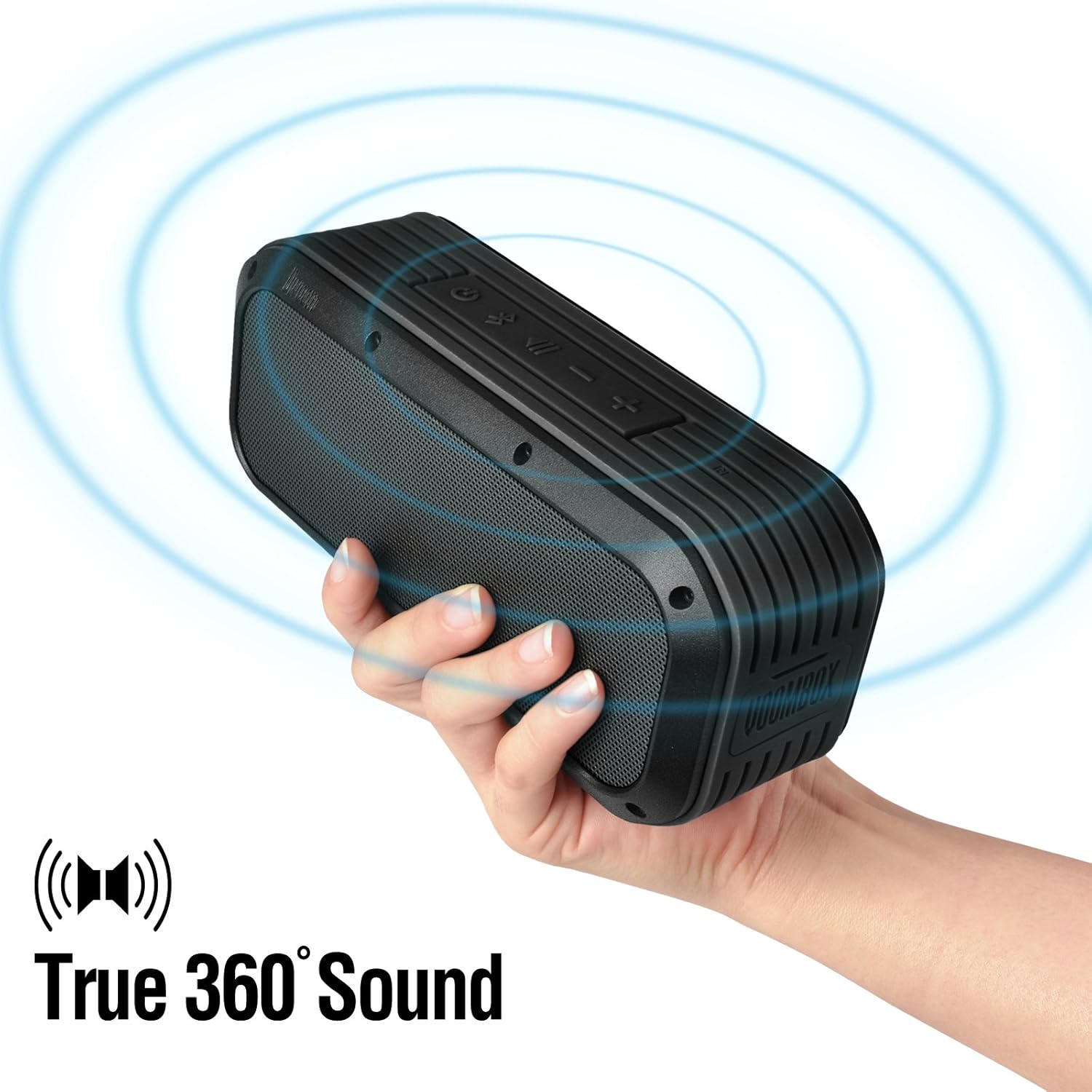
Figure 5: The Voombox Outdoor Speaker's ability to project 360-degree sound.
6. Kuchengeta
Proper care will extend the life of your Divoom Voombox Outdoor Speaker:
- Kuchenesa: Shandisa nyoro, damp cloth to wipe the speaker's surface. Do not use harsh chemicals or abrasive cleaners.
- Kuramba Mvura: While the speaker is weather-resistant (IP44), it is not designed for submersion. Ensure all port covers are securely closed before exposure to water splashes.
- Kuchengeta: Chengetedza mukurukuri munzvimbo inotonhorera, yakaoma kure nechiedza chezuva uye tembiricha yakanyanyisa.
- Battery Care: Kuti bhatiri rirambe richishanda zvakanaka, dzivisa kuburitsa bhatiri rakazara nguva nenguva. Chaja sipika nguva dzose, kunyangwe isingashandiswe kwenguva yakareba.
7. Kugadzirisa matambudziko
| Dambudziko | Zvinogona Kukonzera | Solution |
|---|---|---|
| Mutauri haabati simba. | Bhatiri rapera. | Chaja sipika kwemaawa maviri kusvika matatu. |
| Haikwanise kubatanidzwa neBluetooth mudziyo. | Speaker is not in pairing mode or too far. | Ensure speaker is on and within 10m. Turn Bluetooth off/on on your device. Forget previous pairings. |
| Hapana ruzha kana vhoriyamu yakaderera. | Volume too low on speaker or source device. | Wedzera vhoriyamu paspika nepamudziyo wako wakabatana. |
| Kurasika kwenzwi. | Volume too high or weak Bluetooth signal. | Reduce volume. Move speaker closer to the source device. |
8. Zvinotsanangurwa
| Feature | Detail |
|---|---|
| Kukura Kwemutyairi | 2-inches x 2-inches |
| Output Power | 7.5 W x 2 (Total 15 Watts) |
| Mutauri Dimensions | 165L x 52D x 70 H (mm) |
| Signal to Noise Ratio | ≥75dB |
| Battery Capacity | 3200 mAh |
| Bhatiri Voltage | 3.7 V |
| Nguva yeBattery Charge | 3 kusvika maawa 4 |
| Wireless Range | Kusvika 10 metres |
| Bluetooth Kutevedzera | Bluetooth 4.0 |
| Makaralı Profile Support | A2DP stereo |
| Nguva Yekutaura | Kusvikira kumaawa makumi maviri nemashanu |
| Maikorofoni Sensitivity | -40db |
| Product Dimensions | 18.49 x 5.99 x 7.8 cm |
| Item Weight | 698.53 g |
| Model Number | 17620 |

Figure 6: Internal components of the Voombox Outdoor Speaker, illustrating its robust construction.
9. Warranty uye Tsigiro
Divoom products are designed for durability and performance. For warranty information and technical support, please refer to the official Divoom websaiti kana kubata basa ravo revatengi zvakananga. Chengetedza risiti yako yekutenga sehumbowo hwekutenga kwezvichemo zvewaranti.
Kuti uwane rumwe rubatsiro kana kubvunza, ndapota shanya kune Divoom Official Website.