
1. Nhanganyaya
Thank you for choosing the Lenco PDR-030 DAB+/FM Portable Digital Radio. This manual provides essential information for setting up, operating, and maintaining your device. The PDR-030 offers high-quality digital radio reception (DAB+) and traditional FM radio, along with features such as an integrated rechargeable battery for portability, an RDS display, station memory, and an alarm clock function.
Zvinosanganisirwa Zvikamu:
- Lenco PDR-030 Digital Radio
- AC Power Adapter (220 Volt)
- User Manual
2. Ruzivo Rwakakosha Chekuchengetedza
- Usaise mudziyo pamvura kana hunyoro kudzivirira moto kana kuvhundutswa nemagetsi.
- Ita shuwa kuti adapta yemagetsi voltage inofanana nemagetsi emunharaunda yako.
- Usavhura casing. Tumira masevhisi ese kuvashandi vanokwanisa.
- Dzivisa kuisa chikwata pedyo nezvinopisa kana muzuva rakananga.
- Handle the integrated battery with care. Do not attempt to replace it yourself.
- Chengetedza mudziyo kure nemasimba ane magineti.
3. Chigadzirwa Pamusoroview
Familiarize yourself with the main components and controls of your Lenco PDR-030 radio.
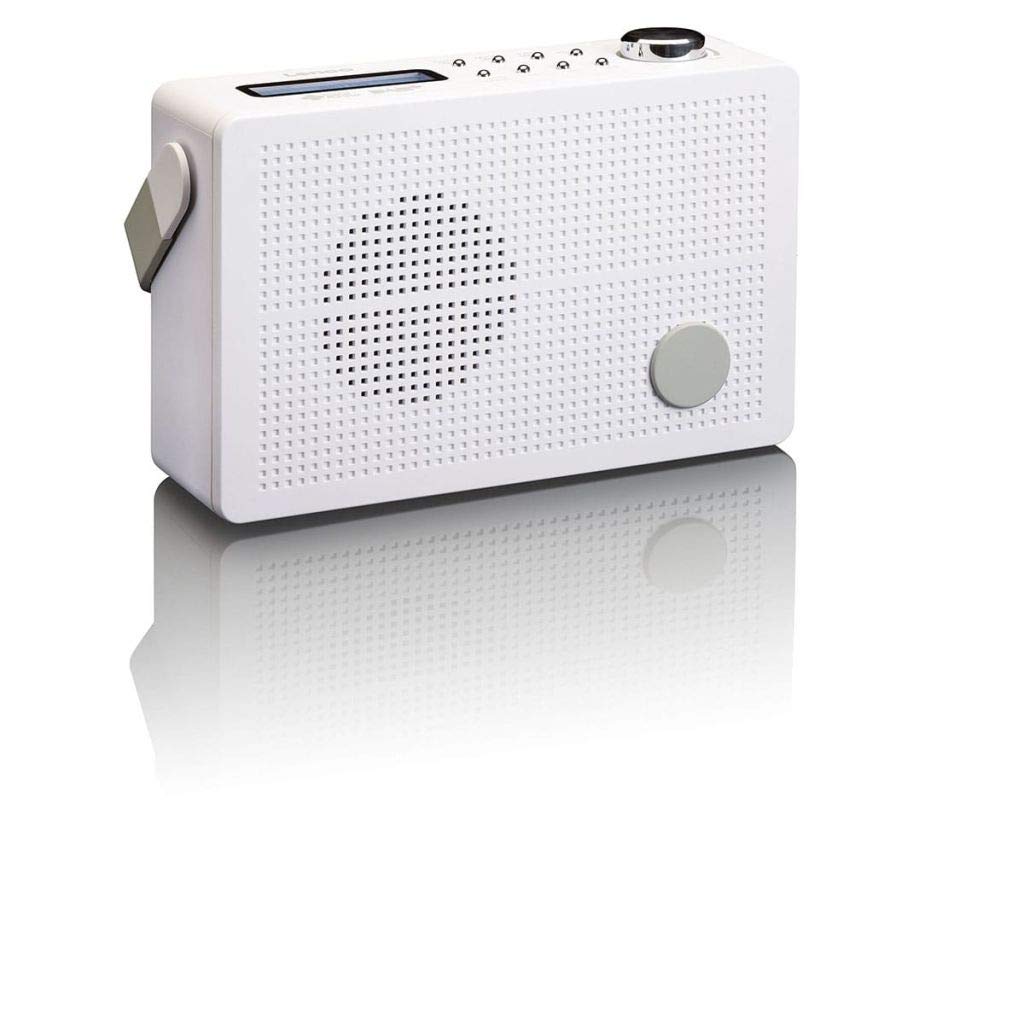
Mufananidzo 3.1: Front Panel of Lenco PDR-030 Radio. Features include a blue backlit LCD display, power/source button, alarm, sleep, info/menu, preset buttons, select/snooze, scan, previous, next buttons, and a rotary volume knob.
Key Controls and Features:
- Ratidza: Two-line illuminated LCD for time, date, station name, and information.
- Bhatani reSimba/Manyuko: Turns the radio on/off and switches between DAB+ and FM modes.
- Vhoriyamu Knob: Inogadzirisa mwero wekubuda kweodhiyo.
- Telescopic Antenna: For optimal radio signal reception.
- Headphone Jack (3.5mm): Zvekuterera wega.
- Alarm/Sleep/Info/Menu/Preset Buttons: For various functions including setting alarms, sleep timer, accessing information, menu navigation, and managing station presets.
- Select/Snooze/Scan/Prev/Next Buttons: For station tuning, menu selection, and snooze function.
4. Setup
4.1 Kupa Simba Redhiyo
The PDR-030 can be powered by the included AC adapter or its integrated rechargeable battery.
- AC Simba: Connect the supplied 220V AC power adapter to the DC input jack on the radio and then to a wall outlet. The radio will automatically begin charging the internal battery.
- Battery Power: The integrated Lithium-ion battery allows for portable use. Ensure the battery is sufficiently charged before use without the AC adapter.
4.2 Antenna Setup
Extend the telescopic antenna fully for optimal reception of both DAB+ and FM signals. Adjust its position for the best signal quality.
4.3 Initial Power On and Station Scan
- Press the Simba / Kunobva bhatani rekubatidza redhiyo.
- Upon first use, the radio will automatically enter DAB+ mode and perform a full scan for available digital radio stations. This may take a few minutes.
- Kana scan yapera, redhiyo ichatanga kuvhura chiteshi chekutanga chiripo.
5. Operating Instructions
5.1 Simba On/Kudzima
Press the Simba / Kunobva bhatani rekuvhura kana kudzima redhiyo.
5.2 Mode Selection (DAB+/FM)
Press the Source button repeatedly to switch between DAB+ and FM radio modes.
5.3 Nzvimbo dzekugadzirisa
- DAB+ Mode:
- After the initial scan, use the Prev uye Next buttons to navigate through the list of available DAB+ stations.
- To perform a new full scan, press the Menu button, navigate to "Full Scan" using Prev / Next, wodzvanya Sarudza.
- FM Maitiro:
- Press the Scan bhatani kuti utarise otomatiki chiteshi chinotevera cheFM chiripo.
- For manual tuning, press and hold the Prev or Next mabhatani ekugadzirisa frequency.
5.4 Kuchengetedza uye Kudzosa Zviteshi Zvakagadziriswa
The radio allows you to store up to 10 DAB+ and 10 FM preset stations.
- Kuchengetedza Preset:
- Tune kune chiteshi chaunoda.
- Dzvanya uye ubate iyo Preset bhatani kusvika "Preset Store" yaonekwa pachiratidziro.
- Shandisa iyo Prev / Next mabhatani ekusarudza nhamba yakatarwa (1-10).
- Press Sarudza kusimbisa nekuchengetedza chiteshi.
- Kuyeuka Preset:
- Press the Preset bhatani pfupi.
- Shandisa iyo Prev / Next mabhatani ekusarudza nhamba yakatarwa yaunoda.
- Press Sarudza to tune to the preset station.
5.5 Kudzora Inzwi
Rotate the Vhoriyamu Knob clockwise to increase the volume and counter-clockwise to decrease it.
5.6 RDS Functionality (FM Mode)
In FM mode, the RDS (Radio Data System) function displays information such as station name, program type, and other broadcast data on the two-line LCD display.
5.7 Alarm Clock Basa
The PDR-030 can be used as an alarm clock with two separate alarm times.
- Kuisa alarm:
- Press the Alarm bhatani.
- Shandisa Prev / Next kuti usarudze Alarm 1 kana Alarm 2, wobva wadzvanya Sarudza.
- Follow the on-screen prompts to set the alarm time, duration, source (Buzzer or Radio), frequency (Daily, Once, Weekdays, Weekends), and volume.
- Ensure the alarm is set to "On" and press Sarudza kuchengetedza.
- Snooze Basa: Kana alarm yarira, tinya pa Snooze bhatani rekuinyararidza kwenguva yakati.
- Kurara Nguva: Press the Rara button repeatedly to set a sleep timer (e.g., 15, 30, 45, 60 minutes) after which the radio will automatically turn off.
5.8 Kubatanidza Mahedhifoni
Connect 3.5mm stereo headphones to the headphone jack for private listening. The internal speaker will be muted automatically.
6. Kuchengeta
6.1 Kuchenesa
Wipe the radio's exterior with a soft, dry cloth. Do not use abrasive cleaners, waxes, or solvents as they may damage the finish. Ensure no liquids enter the device.
6.2 Kuchengeta Battery
The integrated Lithium-ion battery is designed for long life. To maximize battery lifespan:
- Dzivisa kuburitsa bhatiri zvakazara nguva zhinji.
- If storing the radio for an extended period, charge the battery to approximately 50% and store in a cool, dry place.
- Do not attempt to replace the battery yourself. Contact qualified service personnel if battery issues arise.
7. Kugadzirisa matambudziko
| Dambudziko | Zvinogona Kukonzera | Solution |
|---|---|---|
| Hapana simba | AC adapter not connected or faulty; battery discharged. | Check AC adapter connection. Charge the battery. |
| Kusagamuchirwa zvakanaka kweDAB+/FM | Antena haina kuwedzerwa; nzvimbo isina simba yechiratidzo; kupindira. | Fully extend and adjust the telescopic antenna. Move the radio to a location with better signal. Avoid placing near other electronic devices. |
| Hapana ruzha | Vhoriyamu yakaderera zvakanyanya; mahedhifoni akabatana; dzimisa ruzha. | Increase volume. Disconnect headphones. Check if mute is active (if applicable). |
| Alarm haisi kurira | Alarm not activated; alarm volume too low; incorrect time setting. | Ensure alarm is set to "On". Check alarm volume. Verify current time and alarm time settings. |
8. Zvinotsanangurwa
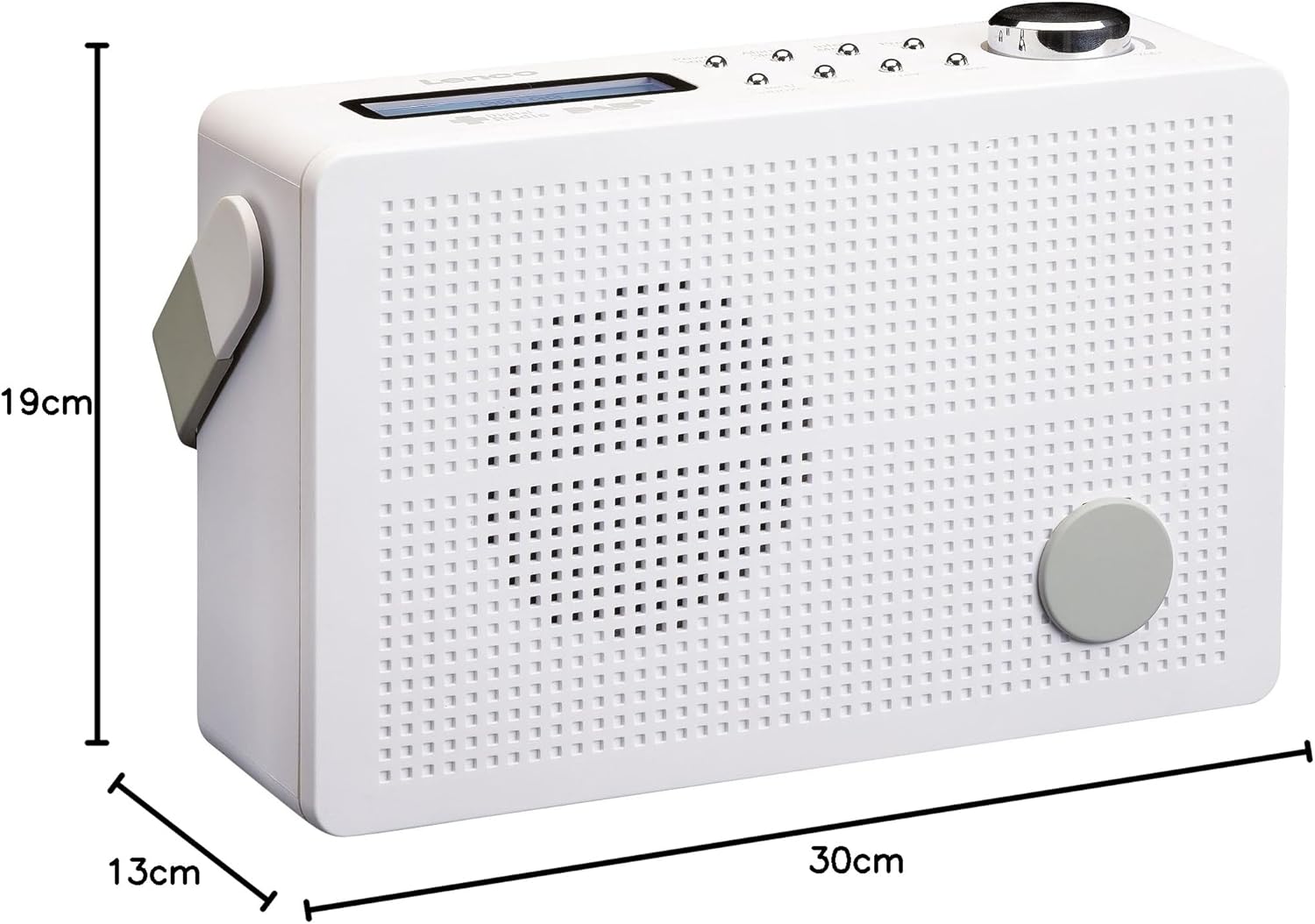
Mufananidzo 8.1: Lenco PDR-030 Dimensions.
| Feature | Detail |
|---|---|
| Model Number | PDR-030 |
| Sravana Sameeralu Serial XNUMXth Tuner Technology | DAB+, FM (Ukw) |
| Simba Source | Battery-Powered (Integrated Lithium-ion), AC Adapter |
| AC Voltage | 220 Volt |
| Chigadzirwa Zviyero (W x D x H) | 21.4 x 6.5 x 13.8 cm (approx. 22.5 x 8.5 x 15 cm as per another spec) |
| Item Weight | 9 g (Note: This seems incorrect, likely 670g from description) |
| Material Type | Plastiki |
| Hardware inowanikwa | 3.5 mm Audio (Headphone Jack) |
| Special Features | Portable, RDS Display, Alarm Clock, Station Memory (10 DAB+, 10 FM) |
Note: Some dimensions and weight specifications provided by the manufacturer may vary slightly. The description states 670 grams for weight, while specifications list 9g. Please refer to the product packaging for the most accurate information.
9. Warranty uye Tsigiro
Lenco products are designed for reliability and performance. This product typically comes with a 24-month manufacturer's warranty from the date of purchase, covering defects in materials and workmanship. Please retain your proof of purchase for warranty claims.
For technical support, service, or warranty inquiries, please refer to the contact information provided on the Lenco official website or your local retailer. Do not attempt to repair the device yourself.
Kuti uwane rumwe ruzivo, unogona kushanyira iyo Lenco Store on Amazon.