
Deiss THMT1515U
Deiss PRO Digital Meat Thermometer User Manual
Model: THMT1515U
Brand: Deiss
Nhanganyaya
The Deiss PRO Digital Meat Thermometer is designed for fast and accurate temperature readings, making it an essential tool for various cooking applications. Its robust design, waterproof capabilities, and user-friendly features ensure reliable performance in your kitchen.
Gadzirira
Kuiswa kweBattery
The thermometer uses a CR2032 battery. A spare battery is included. To install or replace the battery, locate the battery compartment on the back of the device. Use a coin to twist open the cover, insert the battery with the positive (+) side facing up, and securely close the cover.

Mufananidzo: Kumashure view of the Deiss PRO Digital Meat Thermometer, highlighting the battery compartment and the integrated magnet for storage.
Chekutanga Power On
To power on the thermometer, simply unfold the stainless steel probe from the main body. The digital display will illuminate and show the current temperature.
Calibration (Sarudzo)
For optimal accuracy, you may calibrate the thermometer. A common method is to immerse the probe in ice water (a mixture of ice and water). The thermometer should read approximately 32°F (0°C). If it does not, refer to the calibration instructions provided in the original packaging or contact customer support.
Operating Instruction
Kutora Kuverenga Kwekupisa
Unfold the probe to turn on the device. Insert the tip of the stainless steel probe into the thickest part of the food, avoiding bones. The temperature will display within 2-3 seconds.
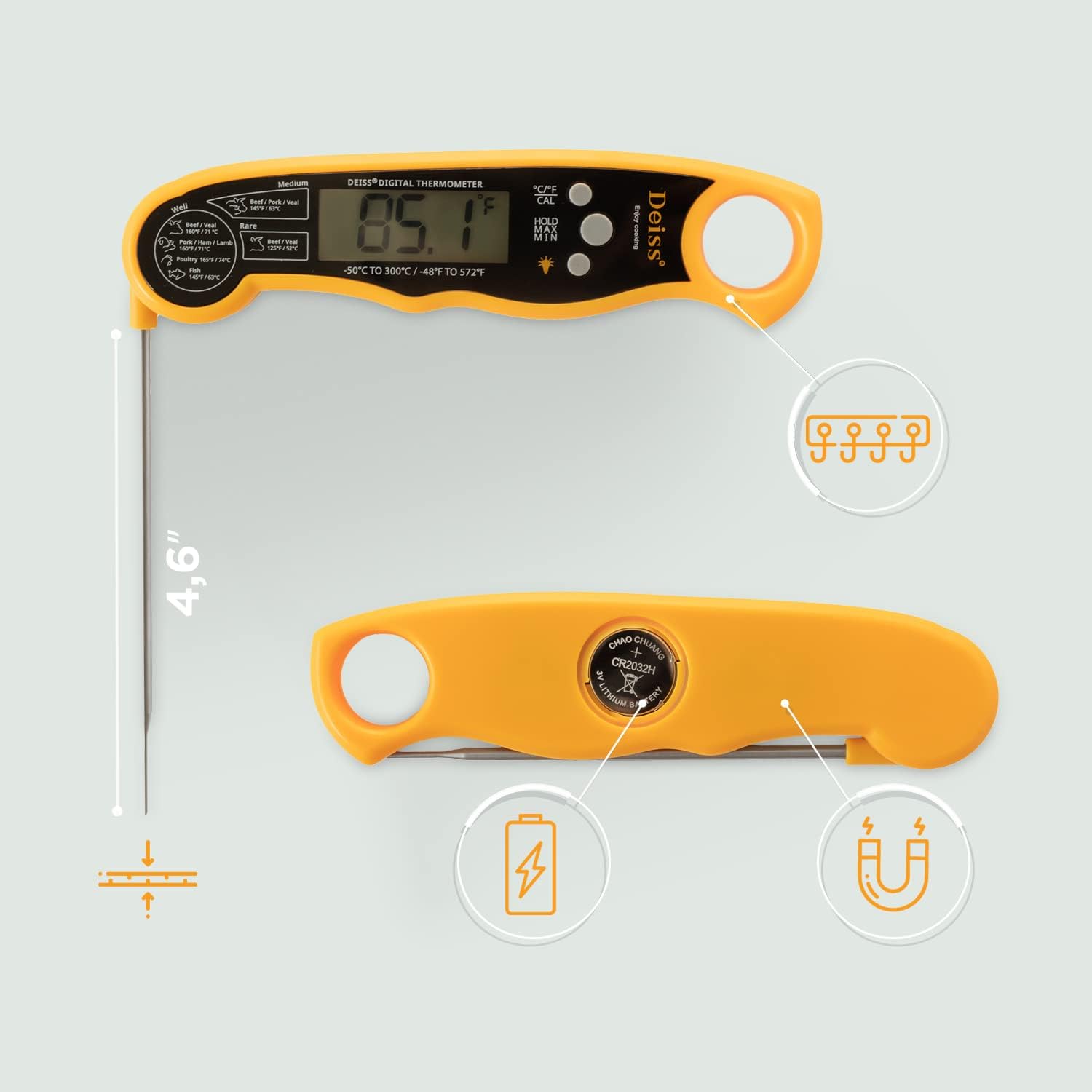
Image: The Deiss PRO Digital Meat Thermometer with its probe inserted into a roasted chicken, demonstrating its use for measuring internal food temperature.
Switching Temperature Units (°C/°F)
Press the "°C/°F CAL" button on the device to toggle between Celsius and Fahrenheit temperature scales.
Memory Function (HOLD/MIN/MAX)
The thermometer features a memory function to view minimum and maximum temperatures recorded. Press the "HOLD/MIN/MAX" button to cycle through the current reading, minimum recorded temperature, and maximum recorded temperature.
Kuratidzwa Kwemwenje
Press the light bulb icon button to activate the backlight for improved visibility in low-light conditions.
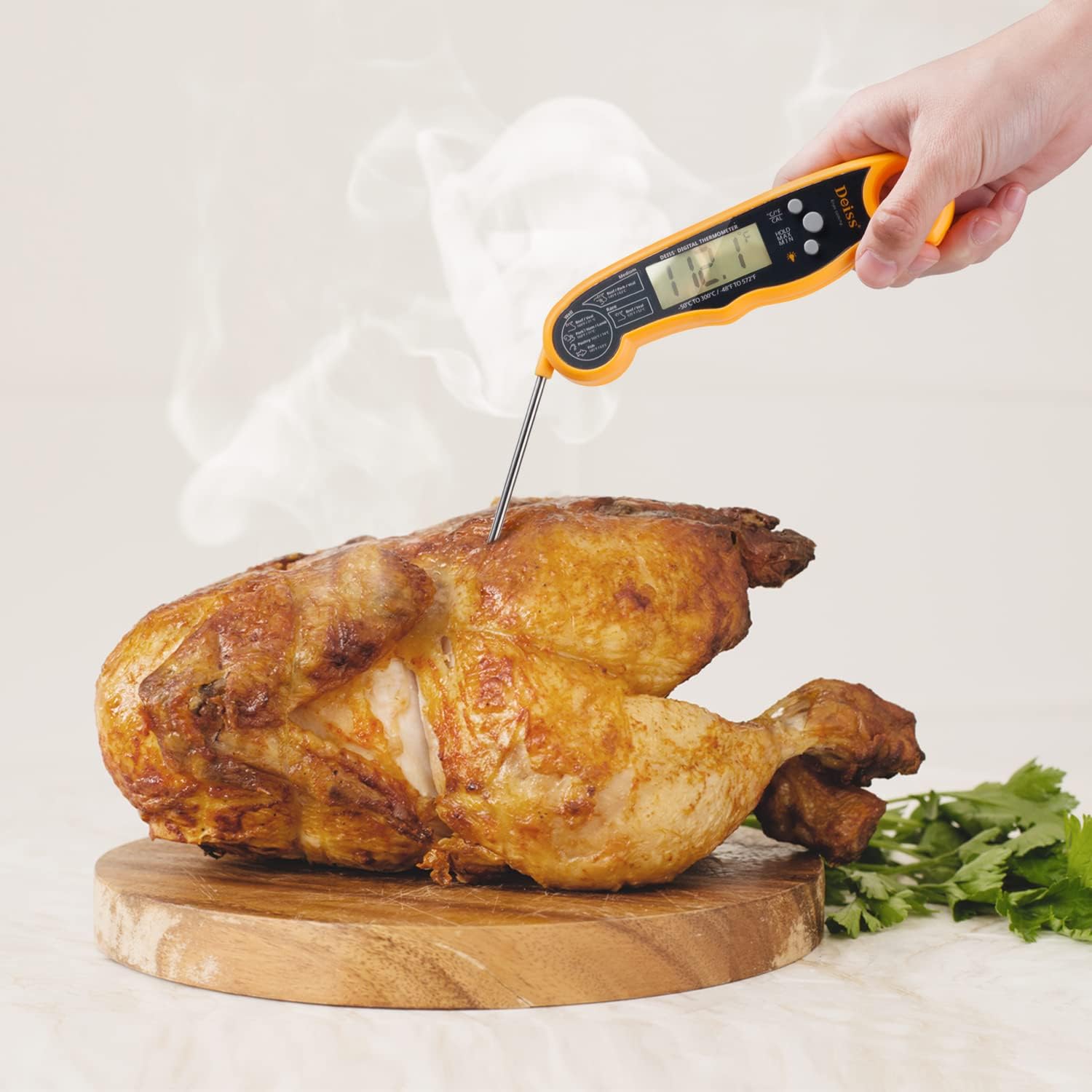
Image: Close-up of the Deiss PRO Digital Meat Thermometer's display, showing the activated backlight for clear reading.
Auto Shut-off
The thermometer will automatically turn off after approximately 10 minutes of inactivity to conserve battery life.
Magnetic Storage
The device features a magnet on its back, allowing for convenient storage on metallic surfaces like refrigerators or oven sides.

Image: The Deiss PRO Digital Meat Thermometer magnetically attached to the side of a white refrigerator, demonstrating its convenient storage feature.
Recommended Internal Temperatures
| Food Type | Doneness | Tembiricha (°F/°C) |
|---|---|---|
| Beef / Veal | Rare | 125°F / 52°C |
| Beef / Pork / Veal | Pakati | 145°F / 63°C |
| Beef / Veal | Zvakanaka | 160°F / 71°C |
| Pork / Ham / Lamb | Zvakanaka | 160°F / 71°C |
| Huku | Zvakanaka | 165°F / 74°C |
| Hove | Zvakanaka | 145°F / 63°C |
| Ground Meats | Zvakanaka | 160°F / 71°C |
Note: These are general guidelines. Always refer to official food safety recommendations for specific food types.

Mufananidzo: Yakadzama view of the Deiss PRO Digital Meat Thermometer's display, showing the printed temperature chart for various meat doneness levels.
Maintenance
Kuchenesa
The Deiss PRO Digital Meat Thermometer is IP67 certified waterproof, allowing for fearless washing under tap water. However, it is recommended to hand wash only. Do not immerse the entire unit in water for extended periods.
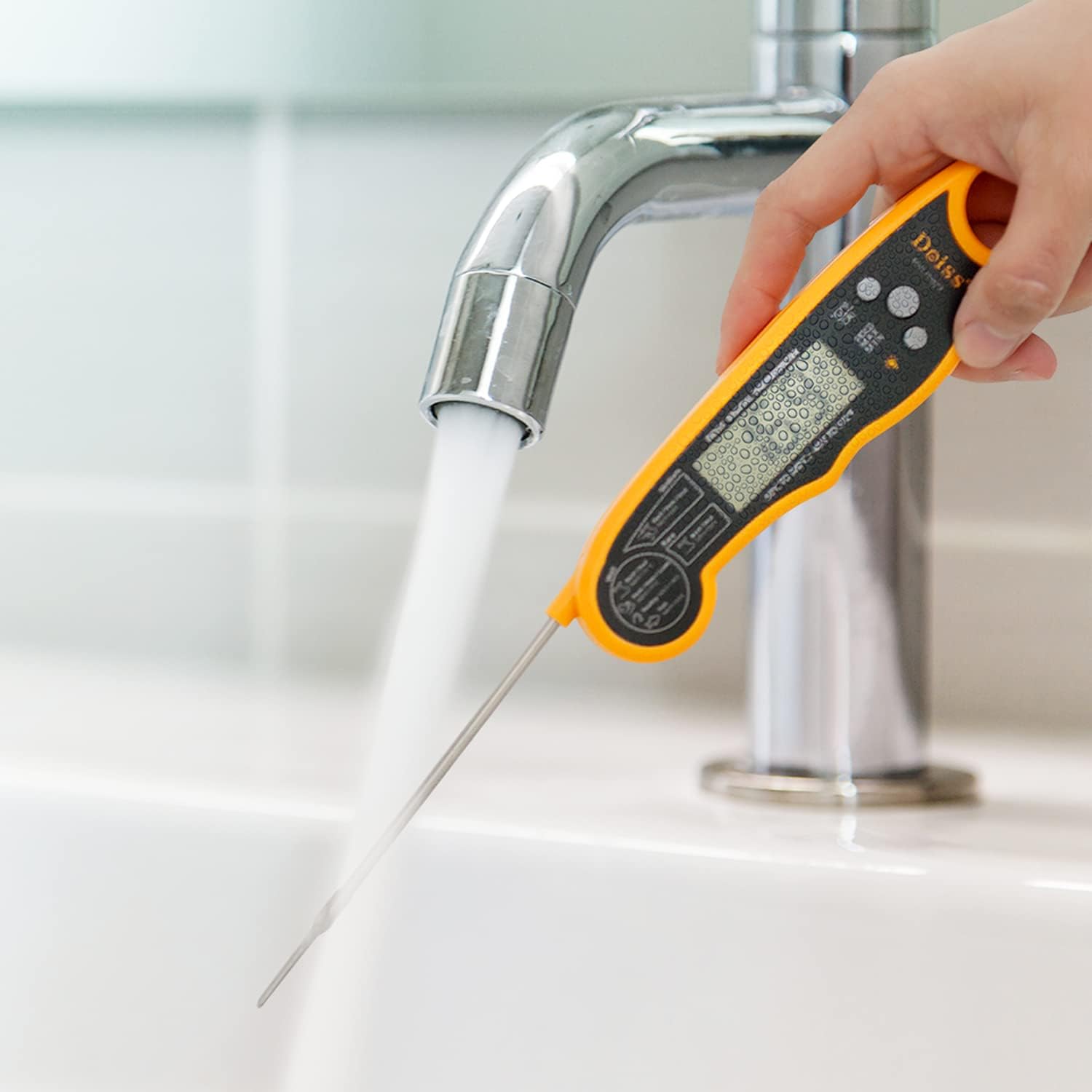
Image: A hand holding the Deiss PRO Digital Meat Thermometer under running tap water, illustrating its waterproof cleaning capability.
Storage
Fold the probe back into the unit to turn it off and protect the probe. Utilize the integrated magnet for convenient storage on metal surfaces, or hang it using the hook hole.
Kugadzirisa matambudziko
Display Shows "LLLL" or "7777"
This typically indicates a sensor error or a low battery. Try replacing the CR2032 battery. If the issue persists, contact customer support.
Kuverenga Kusina Kurongeka
Ensure the probe is inserted correctly into the thickest part of the food. If readings remain inconsistent, recalibrate the thermometer as per the instructions or consider replacing the battery.
Thermometer Not Turning On
Check if the probe is fully unfolded. If it is, the battery might be depleted. Replace the CR2032 battery.
Zvinotsanangurwa
- Brand: Deiss
- Zita remuenzanisi: Deiss PRO Digital Meat Thermometer
- Model Number: THMT1515U
- Ruvara: Nhema
- Outer Material: ABS, Plastiki
- Special Feature: Fast Reading System
- Temperature Range: -58°F kusvika 572°F (-50°C kusvika 300°C)
- Nguva Yemhinduro: 2-3 masekondi
- Waterproof Rating: IP67 Certification
- Ratidza Rudzi: LCD ine Backlight
- Kunobva Simba: Battery Powered (1 x CR2032 included, plus 1 spare)
- Probe Length: 4.5 inches
- Auto Kuvhara: Hongu (anenge maminetsi gumi)
- Kuchengeta: Magnetic back, Hook hole
- Product Care: Kugeza Maoko Chete
Warranty & Support
Hupenyu hwese Warranty
Deiss Kitchenware provides a lifetime warranty on its Deiss PRO Digital Meat Thermometer. This warranty covers defects in materials and workmanship under normal use. For warranty claims or support, please contact Deiss Kitchenware customer service.
Mutengi Support
For further assistance, troubleshooting, or inquiries, please visit the official Deiss Kitchenware websaiti kana tarisa kune ruzivo rwekusangana rwakapihwa neako chigadzirwa kurongedza.
Product Overview Vhidhiyo
Watch this official video from Deiss Kitchenware for a quick overview of the Deiss PRO Digital Meat Thermometer's features and benefits.
Video: An official product video from Deiss Kitchenware demonstrating the key features and ease of use of the Deiss PRO Digital Meat Thermometer, including its fast reading, waterproof design, and magnetic storage.
Ask a question about this manual
Ask about setup, troubleshooting, compatibility, parts, safety, or missing instructions. Manuals+ will review the question and use this page’s manual context to help answer it.