
MEE audio EP-X5G2-GM
MEE audio X5-G2-2019 Wireless In-Ear Sport Headphones
User Manual
Model: EP-X5G2-GM
1. Setup
1.1 Package Zviri mukati
Tarisa kuti zvinhu zvese zviripo mupakeji yechigadzirwa chako:
- X5 Wireless In-Ear Headset
- Micro-USB yekuchaja Cable
- Eartips (4 sizes)
- Nzeve Fins
- User Manual

Image: Retail packaging of the MEE audio X5-G2-2019 headphones, showing the product and accessories.
1.2 Kuchaja mahedhifoni
Before first use, fully charge the headphones. Connect the supplied Micro-USB charging cable to the charging port on the control module and plug the other end into a USB power source (e.g., computer USB port or wall adapter). The LED indicator will show charging status.
1.3 Kupfeka mahedhifoni
The X5-G2-2019 headphones are designed for a secure and comfortable fit. Experiment with the different sizes of eartips and ear fins to find the best seal and stability for your ears. The ergonomic design ensures they stay in place during physical activity.
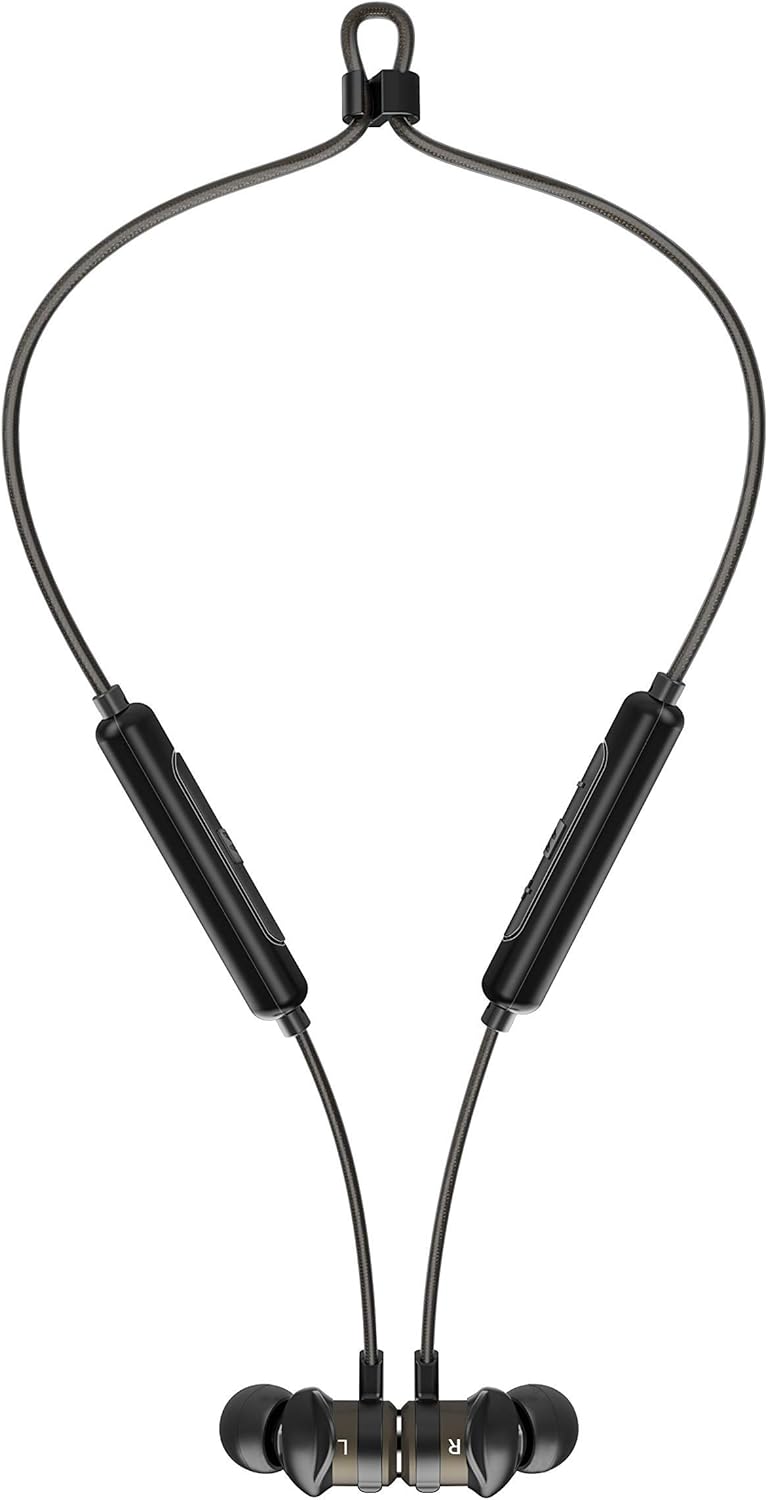

Image: The headphones shown worn around the neck and with earpieces magnetically connected for secure storage.
1.4 Bluetooth Pairing
- Ita shuwa kuti mahedhifoni akachajwa uye akadzimwa.
- Press and hold the multi-function button on the control module until the LED indicator flashes blue and red, indicating pairing mode.
- Pamudziyo wako (smartphone, tablet, nezvimwewo), vhura Bluetooth wotsvaga michina mitsva.
- Select "MEE audio X5-G2-2019" from the list of available devices.
- Kana yabatanidzwa, chiratidzo che LED chinopenya bhuruu nguva nenguva.
2. Kushandisa mahedhifoni
2.1 Kudzora Pamusoroview
The X5-G2-2019 features an integrated remote and microphone for convenient control of calls and music playback.

Image: Close-up of the MEE audio X5-G2-2019 headphones showing the inline control module with volume and multi-function buttons.
- Multi-function Bhatani: Batidza/dzima, tamba/imbomira, pindura/pedza mafoni.
- Kukwidza inzwi (+): Increase volume, next track (long press).
- Vhoriyamu Pasi (-): Decrease volume, previous track (long press).
2.2 Simba On/Kudzima
- Power On: Press and hold the multi-function button until the LED flashes blue.
- Power Off: Press and hold the multi-function button until the LED flashes red and turns off.
2.3 Kuridza Mumhanzi
- Tamba/Kumbomira: Dhinda bhatani remabasa akawanda kamwe chete.
- Next Track: Dzvanya kwenguva refu bhatani reVolume Up (+).
- Previous Track: Dzvanya kwenguva refu bhatani reVolume Down (-).
2.4 Call Management
- Pindura/Pedzisa Kufona: Dhinda bhatani remabasa akawanda kamwe chete.
- Ramba Kufona: Dzvanya uye bata bhatani re-multi-function.
3. Kuchengeta
3.1 Kuchenesa
Clean the headphones regularly with a soft, damp cloth. Do not use harsh chemicals or abrasive materials. Remove eartips and clean them separately with mild soap and water if necessary, ensuring they are completely dry before reattaching.
3.2 Kuchengeta
When not in use, store the headphones in a cool, dry place away from direct sunlight and extreme temperatures. The magnetic earpieces allow for tangle-free storage around your neck or in a pouch.
3.3 Kuramba Mvura uye Kudikitira
The MEE audio X5-G2-2019 headphones feature an IPX5 sweat and weather-resistant design, protecting them from splashes and sweat. Do not submerge the headphones in water or expose them to running water.
4. Kugadzirisa matambudziko
4.1 Matambudziko Anowanikwa uye Magadzirirwo
- Hapana Simba: Ita shuwa kuti mahedhifoni akachajwa zvizere. Batanidza kune sosi yemagetsi uye tarisa chiratidzo chekuchaja.
- Haikwanise Kubatanidza: Ensure the headphones are in pairing mode (flashing blue and red). Turn off and on your device's Bluetooth. Try forgetting the device on your phone and re-pairing.
- Hapana Inzwi: Check the volume level on both the headphones and your connected device. Ensure the headphones are properly paired and connected.
- Hunhu Husina kunaka: Ensure the eartips provide a good seal in your ear. Move closer to your connected device to avoid interference.
5. Zvinotsanangurwa
| Brand | MEE odhiyo |
| Model Name | EP-X5G2-GM |
| Model Number | EP-X5G2-GM |
| Kubatana Technology | Wired, Wireless |
| Wireless Communication Technology | Bluetooth |
| Kuiswa Nzeve | Munzeve |
| Fomu Factor | Munzeve |
| Headphone Jack | Micro USB |
| Color | Gunmetal |
| Product Dimensions | 2 x 2 x 2 cm; 50 magiramu |
| Mabhatiri | 1 Lithium-Polymer Battery required (included) |
| Hupenyu hwebhatiri (Mumhanzi Kutamba) | Kusvikira kumaawa makumi maviri nemashanu |
| Hupenyu hwebhatiri (Nguva yekutaura) | Kusvikira kumaawa makumi maviri nemashanu |
| Water Resistance Rating | IPX5 (Sweat and Weather Resistant) |
| Inosanganisirwa Zvikamu | X5 Wireless In-Ear Headset, Micro-USB charging cable, Eartips (4 sizes), Ear fins, User Manual |
6. Warranty uye Tsigiro
6.1 Ruzivo rweWaranti
MEE audio products are covered by a manufacturer's warranty. Please refer to the warranty card included in your product packaging or visit the official MEE audio websaiti kune yakadzama waranti mazwi uye mamiriro akanangana nedunhu rako.
6.2 Mutengi Tsigiro
For technical assistance, troubleshooting, or warranty claims, please contact MEE audio customer support through their official website. Have your product model number (EP-X5G2-GM) and purchase information ready when contacting support.