
1. Nhanganyaya
This manual provides essential information for the proper setup, operation, and maintenance of your Blueendless Ultra Slim Portable External Hard Drive. This device offers convenient, high-speed storage for your digital files, compatible with various operating systems.
2. Safety Information
- Usaisa mudziyo kumvura kana kunyorova zvakanyanya.
- Avoid extreme temperatures, direct sunlight, or dusty environments.
- Bata mudziyo nekungwarira kudzivirira kukuvara kwemuviri.
- Usaedze kudimbura kana kugadzirisa mudziyo wega. Tarisa kune vashandi vanokwanisa.
- Iva nechokwadi chekuti mhepo inofefetera zvakanaka kana uchiishandisa.
3. Package Zviri mukati
Ona kuti zvinhu zvese zviripo mupasuru yako:
- 1 x Blueendless Portable External Hard Drive
- 1 x USB 3.0 Cable
- 1 x Chinyorwa cheMushandisi (gwaro iri)

Image: The Blueendless portable hard drive shown alongside its included USB 3.0 cable, ready for connection.
4. Setup
- Batanidza Hard Drive: Plug the included USB 3.0 cable into the port on the external hard drive. Then, connect the other end of the USB cable to an available USB port on your computer (PC, Desktop, Laptop, or Mac). For optimal performance, use a USB 3.0 port on your computer.
- Automatic Recognition: The Blueendless external hard drive is designed for plug-and-play operation. Your operating system (Windows 98SE, 2000, Linux, Vista, WIN7, WIN8, WIN10, or macOS) should automatically detect and install the necessary drivers. No additional software installation is typically required.
- Yakagadzirira Kushandiswa: Once recognized, the drive will appear as a new storage device in your computer's file explorer or Finder. You can now begin transferring files.

Image: The Blueendless external hard drive connected to a laptop, illustrating a typical setup for immediate use.
5. Operating Instructions
- Kuendesa Data: Dhonza udonhedze files or folders to and from the external hard drive icon in your computer's file management system. The USB 3.0 connection provides fast data transfer speeds for efficient backups and file management.
- Kukwanisa Kuchengeta: Shandisa iyo ample storage space for your music, movies, documents, and other digital files.
- Kubviswa Kwakachengeteka: Always safely eject the hard drive from your operating system before physically disconnecting the USB cable. This prevents data corruption and ensures the longevity of the device.
6. Kuchengeta
- Kudzivirirwa Pamuviri: The drive features an internal shock sensor and ramp loading technology designed to protect your data. However, avoid dropping or subjecting the drive to strong impacts.
- Kuchenesa: Shandisa jira rakapfava, rakaoma kuchenesa kunze kwedhiraivha. Usashandise zvinochenesa mvura kana zvinonyungudutsa.
- Kuchengeta: When not in use, store the hard drive in a cool, dry place away from direct sunlight and strong magnetic fields.
7. Kugadzirisa matambudziko
- Kutyaira Kusingazivikanwe:
- Ita shuwa kuti tambo ye USB yakabatana zvakachengeteka kune zvese drive uye komputa.
- Edza kubatanidza kune rakasiyana USB chiteshi pakombuta yako.
- If using Windows, check Disk Management to see if the drive is listed but uninitialized or unallocated. You may need to initialize the disk and create a new simple volume.
- For advanced Windows users: If the drive does not appear, ensure the 'Virtual Disk' service is running (set to Automatic start) and check `diskpart` in Command Prompt to ensure `automount` is enabled.
- Kufamba Kunononoka:
- Ensure you are connected to a USB 3.0 port on your computer for optimal speed. USB 2.0 ports will result in slower transfer rates.
- Avoid running multiple data-intensive applications during large file transfers.
- Capacity Discrepancy: The displayed capacity of the hard drive may appear slightly less than the nominal capacity (e.g., 500GB showing as 465GB). This is normal and due to the difference in how hard disk manufacturers (decimal arithmetic: 1GB = 1000MB) and operating systems (binary arithmetic: 1GB = 1024MB) calculate storage space. This is not an indication of a defect.
8. Zvinotsanangurwa
| Hard Drive Type | 2.5" Mechanical Hard Disk |
| Storage Capacity | 500 GB |
| USB Interface | USB 3.0 (kumashure kunoenderana ne USB 2.0) |
| Kutenderera Speed | 5400 RPM |
| Model Number | U23PA |
| Dimensions (L x W x H) | 11.94 x 7.62 x 1.3 masendimita (4.7 x 3 x 0.51 inches) |
| Kurema | 210 g |
| Color | Nhema |
| Inowirirana Devices | PC, Desktop, Laptop, Mac |
| Simba Source | DC (USB-powered) |
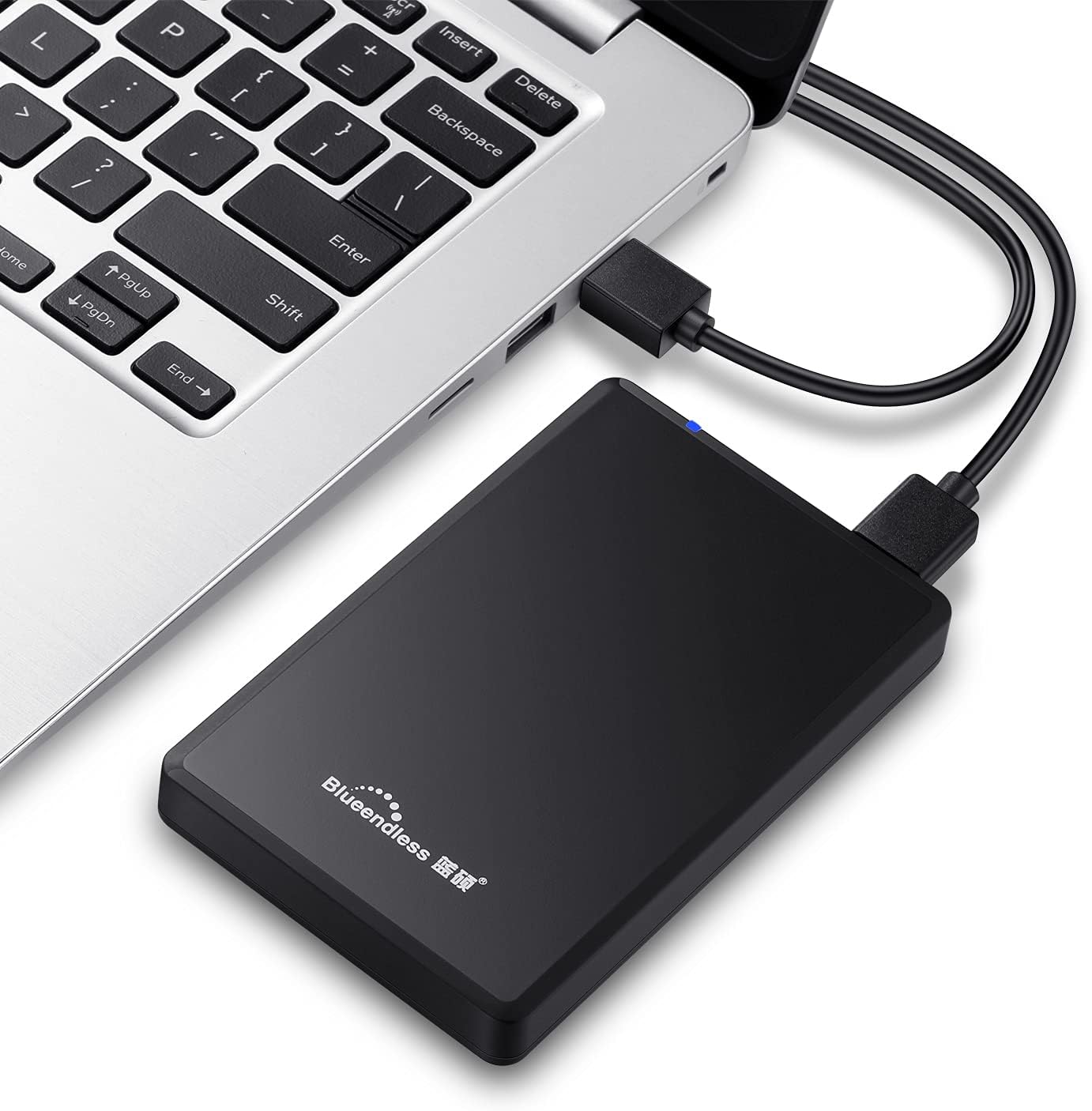
Image: Diagram illustrating the compact dimensions of the Blueendless external hard drive.
9. Ruzivo rweWaranti
This Blueendless external hard drive comes with a 1-Yegore Mugadziri Warranty kubva pazuva rekutenga. Iyi waranti inovhara kukanganisa kwekugadzira pasi pekushandiswa kwakajairwa. Ndapota chengetedza humbowo hwako hwekutenga kwezvichemo zvewaranti.
Warranty haivharidzi kukanganisa kunokonzerwa ne:
- Accident, abuse, misuse, or improper installation.
- Natural disasters or acts of God.
- Kugadziriswa kusina mvumo kana kugadzirisa.
- Kutadza kutevedzera mirairo iri mubhuku rino.
10. Tsigiro
If you encounter any issues not covered in the troubleshooting section or require further assistance, please contact Blueendless customer support through your retailer or the official Blueendless website. Have your product model number (U23PA) and proof of purchase ready when contacting support.