
1. Nhanganyaya
Ndatenda nekutengaasing the WZATCO S2 Native 1080P Full HD LED Projector. This manual provides essential information for the safe and efficient operation of your projector. Please read it thoroughly before use and retain it for future reference.
2. Safety Information
- Magetsi: Shandisa adapta yemagetsi yakatarwa chete. Iva nechokwadi chekuti volttage inofanana nemagetsi emunharaunda yako.
- Kufefetedza Usavhare maburi emhepo. Iva nechokwadi chekuti mhepo inoyerera zvakanaka kutenderedza purojekita kudzivirira kupisa zvakanyanya.
- Kupisa: Usaise purojekita pedyo nenzvimbo dzinopisa kana kuti pachiedza chezuva chakananga.
- Unyoro: Chengeta purojekita kure nemvura, mvura, uye hunyoro hwakawandisa. Usashandise nemaoko akanyorova.
- Kuchenesa: Bvisa purojekita usati waichenesa. Shandisa jira rakapfava, rakaoma. Usashandise zvinochenesa mvura kana zveaerosol.
- Lens Care: Avoid touching the projector lens directly. Use a lens cleaning cloth if necessary.
- Kudzivirira Kweziso: Usatarise zvakananga muprojekita lens kana iyo lamp iri, sezvo chiedza chakajeka chinogona kukonzera kukuvara kwemaziso.
- Sevhisi: Do not attempt to repair this product yourself. Refer all servicing to qualified service personnel.
3. Package Zviri mukati
Ndokumbira utarise kuti zvinhu zvese zviripo uye mune zvakanaka:
- WZATCO S2 1080P Projector
- HDMI Cable
- Waya yeA/V
- 2.4G Remote Control (Note: 2 AAA batteries required, not included)
- Power Cable
- Mushandisi Chinyorwa (gwaro iri)
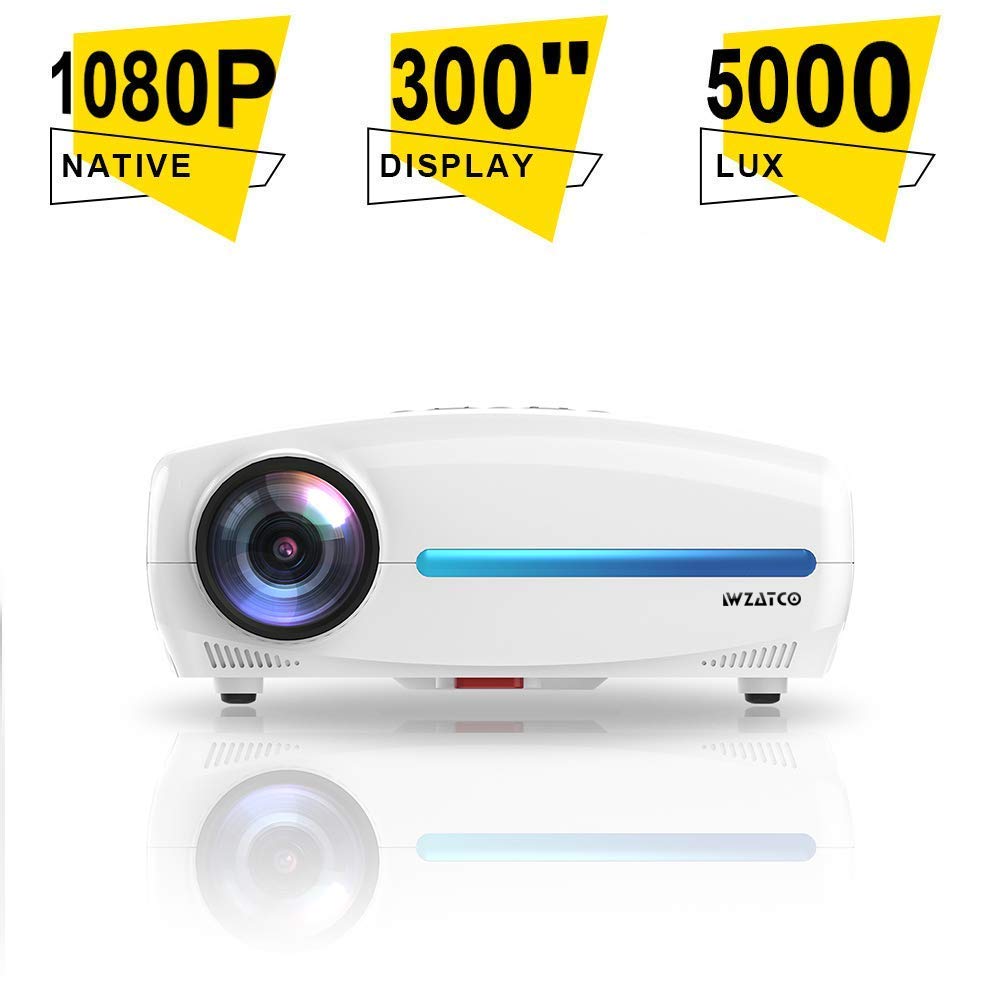
Image: WZATCO S2 Projector with its standard accessories, including cables, remote, and user manual.
4. Chigadzirwa Pamusoroview
The WZATCO S2 is a Native 1080P Full HD LED Projector designed for home cinema and office use. It features a 6-inch LCD display panel, LED light source, and offers 4D Digital Keystone Correction.
4.1. Projector Features
- Native 1920x1080P Full HD Resolution
- 5000 Lumens Brightness (240 ANSI Lumens)
- 5000:1 Max Contrast Ratio
- 4D Digital Keystone Correction (up to 50 degrees)
- Akatungamirira Lamp Hupenyu:> 30,000 maawa
- HiFi Audio System with 10W*2 speakers
- Multiple Input Ports: HDMI (x2), USB (x2), VGA, A/V
4.2. Machiteshi Ekupinda/Kubuda
Familiarize yourself with the available connection ports on the projector:
- HDMI (x2): Connect to Blu-ray players, gaming consoles, laptops, and other HDMI-enabled devices.
- USB (x2): Batanidza madhiraivha e USB kuti utambire midhiya.
- VGA: Connect to older computers or laptops.
- A/V: Connect to legacy devices using composite video and stereo audio.
- 3.5mm Audio Kunze: Batanidza vatauri vekunze kana mahedhifoni.
- Simba Chigadziko: Yekubatanidza tambo yemagetsi.
5. Setup
5.1. Kuiswa kwePurojekita
Position the projector on a stable, flat surface or mount it to the ceiling. Ensure it is within a suitable distance from the projection screen or wall to achieve the desired image size. The throw ratio is 1.5:1.
- For a 53-inch image, place the projector approximately 1.80 meters away.
- For a 106-inch image, place the projector approximately 3.6 meters away.
- For a 200-inch image, place the projector approximately 6 meters away.
5.2. Simba Connection
- Connect the power cable to the projector's power socket.
- Batanidza imwe magumo etambo yemagetsi mune yakafanira magetsi.
5.3. Kubatanidza Input Devices
Connect your desired source device (e.g., laptop, gaming console) to the projector using the appropriate cable (HDMI, VGA, or A/V).
- For HDMI connections, use the provided HDMI cable.
- For USB media playback, insert a USB drive into one of the USB ports.
5.4. Kugadzirisa Kutarisa uye Keystone
- Tarisa: Tenderedza rin'i yekutarisa iri pagirazi reprojekita kusvika mufananidzo waoneka wakajeka uye wakajeka.
- Keystone Kugadziriswa: If the image appears trapezoidal, use the 4D Digital Keystone Correction feature via the remote control or projector menu to adjust the image shape until it is rectangular. The S2 supports up to 50 degrees of correction.
6. Operating Instructions
6.1. Powering On / Off
- Power On: Dzvanya bhatani rekudzima magetsi riri papurojekita kana remote control. Chiratidzo chemwenje chichachinja.
- Power Off: Press the power button again. Confirm shutdown if prompted. Allow the projector to cool down before unplugging.
6.2. Source Selection
Use the "Source" button on the remote control or the projector's control panel to cycle through available input sources (HDMI1, HDMI2, USB1, USB2, VGA, A/V).
6.3. Menu Navigation
Use the arrow keys and "OK" button on the remote control to navigate the on-screen display (OSD) menu. Adjust settings such as picture mode, aspect ratio, sound, and advanced options.
6.4. Zvirongwa zveModhiyo
The WZATCO S2 features a built-in HiFi Audio System with 10W*2 speakers. You can adjust the volume using the remote control. For external audio, connect speakers or headphones to the 3.5mm Audio Out port.
7. Kuchengeta
7.1. Kuchenesa Purojekita
- Kunze: Wipe the projector's exterior with a soft, dry, lint-free cloth. Do not use abrasive cleaners or solvents.
- Lenzi: Gently clean the lens with a professional lens cleaning cloth or lens paper. Avoid applying excessive pressure.
7.2. Lamp Hupenyu hurefu
The WZATCO S2 uses an LED light source with an estimated lifespan of over 30,000 hours, providing long-lasting performance without frequent lamp kutsiva.
8. Kugadzirisa matambudziko
| Dambudziko | Zvinogona Kukonzera | Solution |
|---|---|---|
| Hapana mufananidzo waratidzwa |
|
|
| Mufananidzo hauna kujeka |
|
|
| Mufananidzo uri trapezoidal |
|
|
| Hapana ruzha |
|
|
9. Zvinotsanangurwa
| Brand | WZATCO |
| Model | S2 |
| Display Technology | 6'' LCD @ 8-digit LTPS Panel |
| Lamp Vadivelu Comedy Technology | Chiedza che LED Chitubu |
| Lamp Hupenyu hurefu | >30,000 Maawa |
| Native Resolution | 1920 x 1080 (Full HD) |
| Kupenya | MaLumens e240 ANSI / MaLumens e5000 |
| Kusiyanisa Ratio | 1200:1 (FoFo), 5000:1 (Max) |
| Kanda Ratio | 1.5:1 |
| Mufananidzo Size | 53" @ 1.80M, 106" @ 3.6M, 200" @ 6M |
| Kururamisa dombo rinokosha | 4D Digital Keystone Correction, 50 degrees |
| 3D Tsigiro | Red-Blue 3D |
| Input Ports | 2 x USB2.0, 1 x A/V, 2 x HDMI2.0, 1 x VGA |
| Sound System | HiFi Audio System with 10W*2 speakers |
| Output Port | 3.5mm Audio Kunze |
| Remote Control | 2.4G Kure |
| Kushandisa Simba | 120W |
| Max Kukura | 300mm x 230mm x 130mm |
| Net Weight | 2.6 kg |
| Mounting Type | Ceiling Mount (also suitable for table placement) |
| Inowirirana Devices | Laptop, Gaming Console, Blu-ray Player |
10. Warranty uye Tsigiro
For warranty information, technical support, or service inquiries, please refer to the warranty card included with your product or contact WZATCO customer support directly. Keep your purchase receipt as proof of purchase.
You can often find support contact details on the official WZATCO websaiti kana kuburikidza nemutengesi wako.