
1. Nhanganyaya
This manual provides comprehensive instructions for the Microsoft Surface Laptop 3, Model VGY-00001. Designed for productivity and portability, this device features a 13.5-inch touchscreen, Intel Core i5 processor, 8GB RAM, and a 128GB Solid State Drive. Please read this manual thoroughly to ensure proper setup, operation, and maintenance of your device.
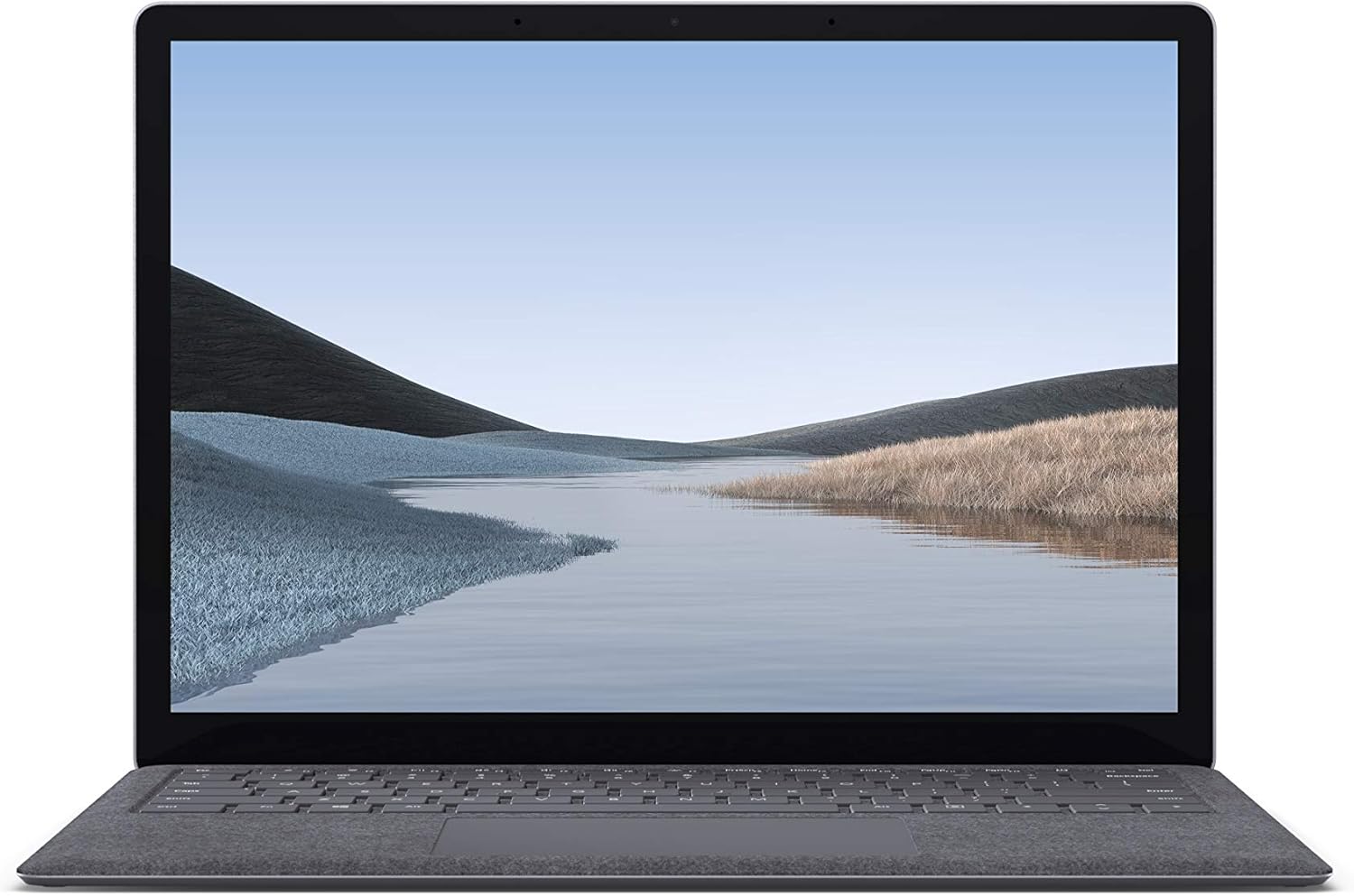
Mufananidzo 1.1: Mberi view of the Microsoft Surface Laptop 3 with its display active.
The Surface Laptop 3 offers a clean, elegant design, weighing approximately 2.79 pounds, making it easy to carry. It features improved speed and performance with its 10th Gen Intel Core processors, offering up to two times faster performance than previous models. Connectivity options include USB-C and USB-A ports for connecting to displays, docking stations, and accessories. The device provides up to 11.5 hours of battery life and supports fast charging, reaching up to 80% in about one hour.
2. Chii chiri muBhokisi
Upon unboxing your Microsoft Surface Laptop 3, verify that all the following items are present:
- Microsoft Surface Laptop 3 (Model VGY-00001)
- Quick Start Guide (QSG)
- Simba remagetsi (adapta yeAC)
3. Setup
3.1 Simba rekutanga Rakabatidzwa
- Batanidza Simba: Plug the power supply into a wall outlet and connect the magnetic Surface Connect port to your laptop. The LED indicator on the connector will light up when properly connected.
- Power On: Open the laptop lid or press the power button located on the keyboard.
- Windows Setup: Follow the on-screen instructions to complete the Windows 10 Home setup. This includes selecting your region, connecting to a Wi-Fi network, and creating a user account.
- Windows Hello: Configure Windows Hello for secure and fast login using facial recognition.
3.2 Kubatanidza Peripherals
Your Surface Laptop 3 includes various ports for connecting external devices:
- USB-C Chiteshi: Yekufambisa data, kubuda kwevhidhiyo, uye kuchaja zvishandiso zvinoenderana.
- USB-A Chiteshi: For connecting traditional USB devices like mice, keyboards, and external storage.
- Jeki reHeadphone re 3.5 mm: Zvekuburitsa odhiyo kune mahedhifoni kana ekunze matauri.
- Surface Connect Port: For the power supply and compatible Surface docking stations.

Mufananidzo 3.1: Kurutivi view illustrating the available ports on the Surface Laptop 3.
4. Operating Your Surface Laptop 3
4.1 Kuratidzwa uye Kubata Screen
The 13.5-inch PixelSense touchscreen display offers a resolution of 2256 x 1504 pixels. It supports multi-touch gestures and is compatible with the Surface Pen (sold separately) for writing and drawing directly on the screen.
4.2 Kiyibhodhi uye Touchpad
The full-size ergonomic keyboard features backlighting for comfortable typing in various lighting conditions. The large precision touchpad supports multi-finger gestures for navigation and control.
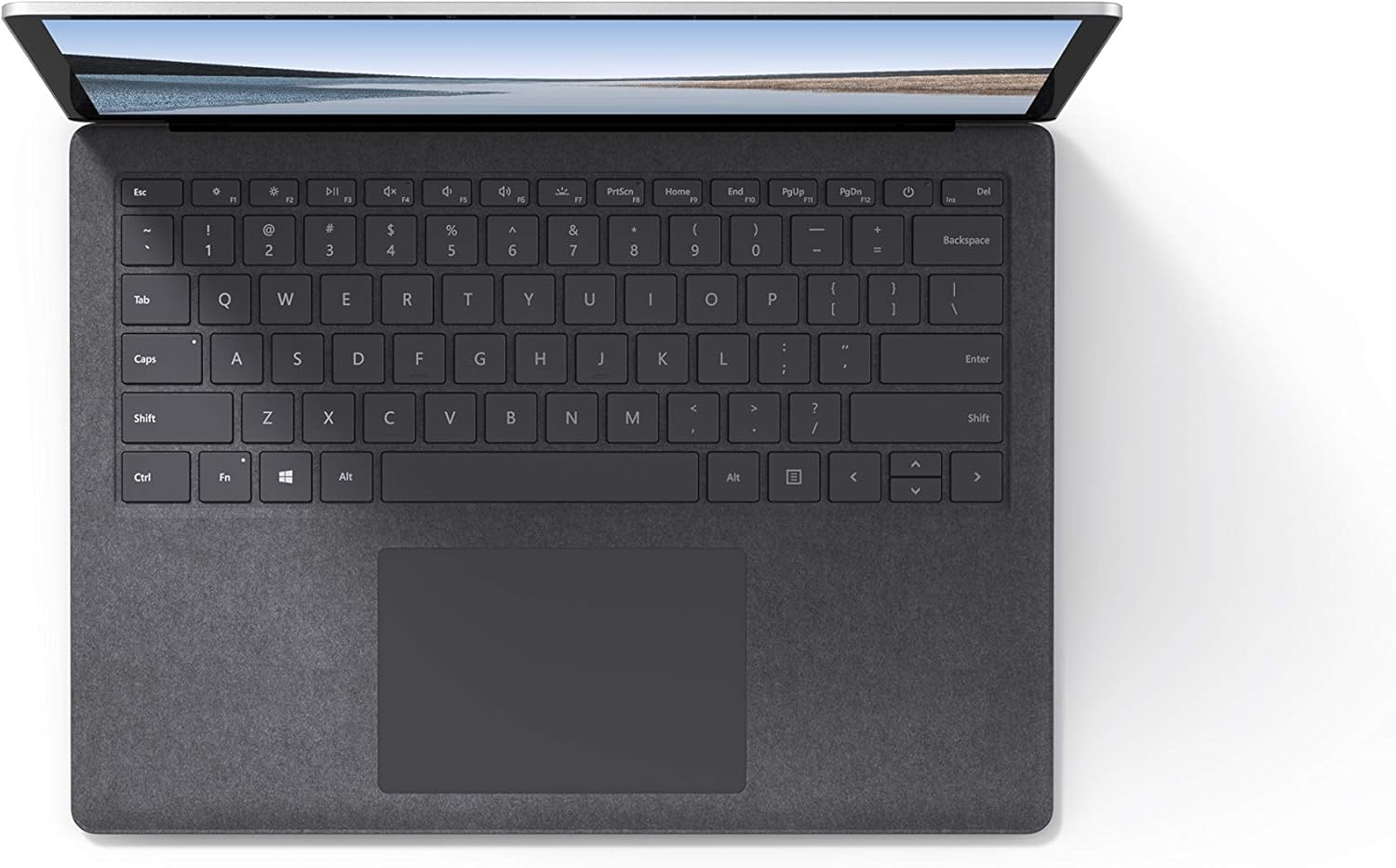
Mufananidzo 4.1: Pamusoro-pasi view ye keyboard uye touchpad nzvimbo.
4.3 Odhiyo neKamera
The laptop is equipped with Omnisonic Speakers with Dolby Audio Premium for clear sound. Dual far-field Studio Mics enhance voice clarity for calls and recordings. A front-facing 720p HD camera supports video conferencing and Windows Hello facial authentication.
4.4 Wireless Kubatana
The Surface Laptop 3 supports Wi-Fi 6 (802.11ax) for fast and reliable internet access, and Bluetooth 5.0 for connecting wireless accessories.
Vhidhiyo 4.1: Kuratidzwa kwevhidhiyo kweMicrosoftasing the Surface Laptop 3's features and design.
5. Kuchengeta
5.1 Kuchenesa mudziyo wako
- Shandisa jira rakapfava, risina mucheka dampened with water or an approved screen cleaner to clean the display.
- Kune keyboard uye chassis, shandisa jira rakapfava, rakaoma. Dzivisa makemikari ane hasha kana abrasive zvinhu.
- Chengetedza zviteshi zvisina guruva nemarara.
5.2 Zvigadziriso zveSoftware
Gara uchitarisa uye kuisa Windows updates kuti uve nechokwadi chekushanda kwakakwana, kuchengetedzeka, uye kuwana kune zvichangobva kuitika. Enda ku Zvirongwa> Gadziridza & Chengetedzo> Windows Kwidziridzo.
5.3 Kuchengeta Battery
- Dzivisa kupisa kwakanyanya.
- For optimal battery longevity, avoid consistently discharging the battery to 0% or keeping it at 100% for extended periods.
- Shandisa simba rakapiwa chete.
6. Kugadzirisa matambudziko
6.1 Nyaya dzeMasimba
- Mudziyo haubatike: Ensure the power supply is securely connected and the outlet is functional. Try a forced shutdown by holding the power button for 30 seconds, then release and press again briefly to restart.
- Bhatiri risiri kuchaja: Verify the Surface Connect cable is properly attached. Check for any damage to the cable or port.
6.2 Matambudziko Ekuita
- Kuita zvishoma nezvishoma: Close unnecessary applications. Check Task Manager for resource-intensive processes. Ensure Windows is up to date.
- Kupisa zvakanyanya: Ensure ventilation vents are not blocked. Avoid using the laptop on soft surfaces that can obstruct airflow.
6.3 Matambudziko ekubatanidza
- Wi-Fi haisi kubatanidza: Restart your router and the laptop. Check Wi-Fi settings and ensure the correct network is selected and password entered.
- Bluetooth mudziyo usingabatanidzwe: Ensure the Bluetooth device is in pairing mode and within range. Check Bluetooth settings on your laptop.
7. Zvinotsanangurwa
| Feature | Detail |
|---|---|
| Brand | Microsoft |
| Model Name | Yepamusoro Laptop 3 |
| Model Number | VGY-00001 |
| Screen Size | 13.5 inches |
| Resolution | 2256 x 1504 Pixels |
| CPU Model | Intel Core i5 (10th Generation) |
| processor Speed | 1.2 GHz (up to 3.7 GHz with Turbo Boost) |
| RAM Memory Yakaiswa Saizi | 8 GB LPDDR4 |
| Hard Disk Size | 128 GB SSD |
| Operating System | Windows 10 Home (Free Upgrade to Windows 11 when available) |
| Graphics Coprocessor | Intel Iris Plus |
| Kubatana Technology | 1 x USB-C, 1 x USB-A, 3.5 mm headphone jack, 1 x Surface Connect port |
| Wireless Technology | Wi-Fi 6 (802.11ax), Bluetooth 5.0 |
| Hupenyu hwebhatiri | Kusvikira kuMaawa mashanu |
| Item Weight | 2.79 Pondo |
| Dimensions (L x W x Thickness) | 8.8"L x 12.1"W x 0.57"Th |
| Kamera | Front-facing 720p HD camera with Windows Hello face authentication |
| Vadivelu Comedy Audio | Omnisonic Speakers with Dolby Audio Premium, Dual far-field Studio Mics |
8. Warranty uye Tsigiro
8.1 Chigadzirwa Chivimbiso
The Microsoft Surface Laptop 3 (Model VGY-00001) comes with a Waranti yemakore maviri yemugadziri. This warranty covers defects in materials and workmanship under normal use. For specific terms and conditions, please refer to the warranty documentation included with your product or visit the official Microsoft support website.
8.2 Mutengi Tsigiro
For technical assistance, troubleshooting, or warranty claims, please contact Microsoft Support. You can find contact information and additional resources on the official Microsoft Surface support webWebhusaiti. Chengeta humbowo hwekutenga kwako uye nhamba yeserial yechigadzirwa chako zviri nyore kana uchibata rutsigiro.
Rutsigiro rwepamhepo: Visit support.microsoft.com/surface ye FAQs, vatyairi, uye kurodha software.