1. Nhanganyaya
This manual provides essential instructions for the safe and effective use of your Wellue Bluetooth Blood Pressure Monitor BP2A. This device is designed for home use to measure systolic blood pressure (SYS), diastolic blood pressure (DIA), mean arterial pressure (MAP), pulse rate, and pulse pressure. It also features an ECG function for additional heart health monitoring. Please read this manual thoroughly before first use and retain it for future reference.
2. Ruzivo Rwakakosha Chekuchengetedza
- Consult your physician before using this device for any medical condition. Self-diagnosis and treatment based on measurements can be dangerous.
- This device is intended for adult home use only. It is not intended for use on infants, children, or pregnant women.
- Do not use this device in conjunction with high-frequency surgical equipment.
- Chengetedza mudziyo kunze kwekusvikirwa nevana nemhuka dzinovaraidza.
- Usabvisa kana kuedza kugadzirisa mudziyo. Tumira mabasa ese ekugadzirisa kune vashandi vane hunyanzvi.
- Avoid strong electromagnetic fields during use, as they may interfere with the device's operation.
- Zvirevo zvine chekuita nekudya zvekuwedzera hazvina kuongororwa neFDA uye hazvina kuitirwa kuongorora, kurapa, kurapa, kana kudzivirira chero chirwere kana hutano.
3. Package Zviri mukati
Tarisa kuti zvinhu zvese zviripo pakuvhura package:
- Wellue Bluetooth Blood Pressure Monitor BP2A (integrated with cuff)
- USB Kuchaja Cable
- User Manual
4. Mudziyo Pamusoroview
The Wellue BP2A monitor features a compact, one-piece design for ease of use and portability. It includes an integrated arm cuff, a digital display, and control buttons.

Figure 4.1: Wellue BP2A Blood Pressure Monitor and ViHealth App Interface.

Figure 4.2: Key features of the Wellue BP2A monitor, including Bluetooth connectivity, FDA clearance, rechargeable battery, and built-in memory for 50 readings.
5. Setup
5.1 Kuchaja Chishandiso
Before initial use, fully charge the device using the provided USB cable. Connect the cable to the monitor's charging port and a standard USB power adapter (not included). A full charge can provide power for up to 300 measurements.
5.2 Installing the ViHealth App
The Wellue BP2A works with the free ViHealth app, available for iOS and Android devices. Tsvaga "ViHealth" in your device's app store and install it.

Figure 5.1: The ViHealth app for Android and iOS, used to track blood pressure and heart measurements.
5.3 Bluetooth Pairing
Ensure Bluetooth is enabled on your smartphone. Open the ViHealth app. Turn on the Wellue BP2A monitor. The device should automatically connect to the app. Follow any on-screen prompts within the app to complete the pairing process.
6. Operating Instructions
6.1 Yakakodzera Cuff Kuiswa
Accurate measurement depends on correct cuff placement. Ensure the cuff is placed directly on your bare upper arm, 1-2 cm above the elbow joint. The air tube (if applicable, though this is a one-piece design, the sensor area should be aligned) should be positioned over the brachial artery. The cuff should fit snugly but not too tightly. Refer to the diagram below for guidance.

Figure 6.1: Correct cuff placement for accurate blood pressure measurement.
6.2 Kutora Muyero Weropa
- Gara zvakanaka wakatsigira musana wako uye tsoka dzako dzakati sandara pasi. Isa ruoko rwako patafura kuitira kuti ruoko rwako ruve padanho remoyo.
- Ensure the device is powered on and, if desired, connected to the ViHealth app.
- Press the Kutanga/Kumira button on the device. The cuff will begin to inflate.
- Ramba wakanyarara panguva yekuyera.
- Once complete, your blood pressure readings (SYS, DIA, MAP, Pulse Rate, Pulse Pressure) will be displayed on the device screen and automatically uploaded to the ViHealth app if connected.

Figure 6.2: User taking a blood pressure measurement with the Wellue BP2A monitor.
6.3 Taking an ECG Measurement
The device also supports ECG measurements. To take an ECG:
- Ensure the device is powered on and connected to the ViHealth app.
- Hold the device with both hands, placing your thumbs on the designated electrodes (usually the metal strips on the sides or top of the device).
- Remain still and relaxed for the duration of the measurement (typically 30 seconds).
- The ECG waveform and heart rate will be displayed on the device and recorded in the app.
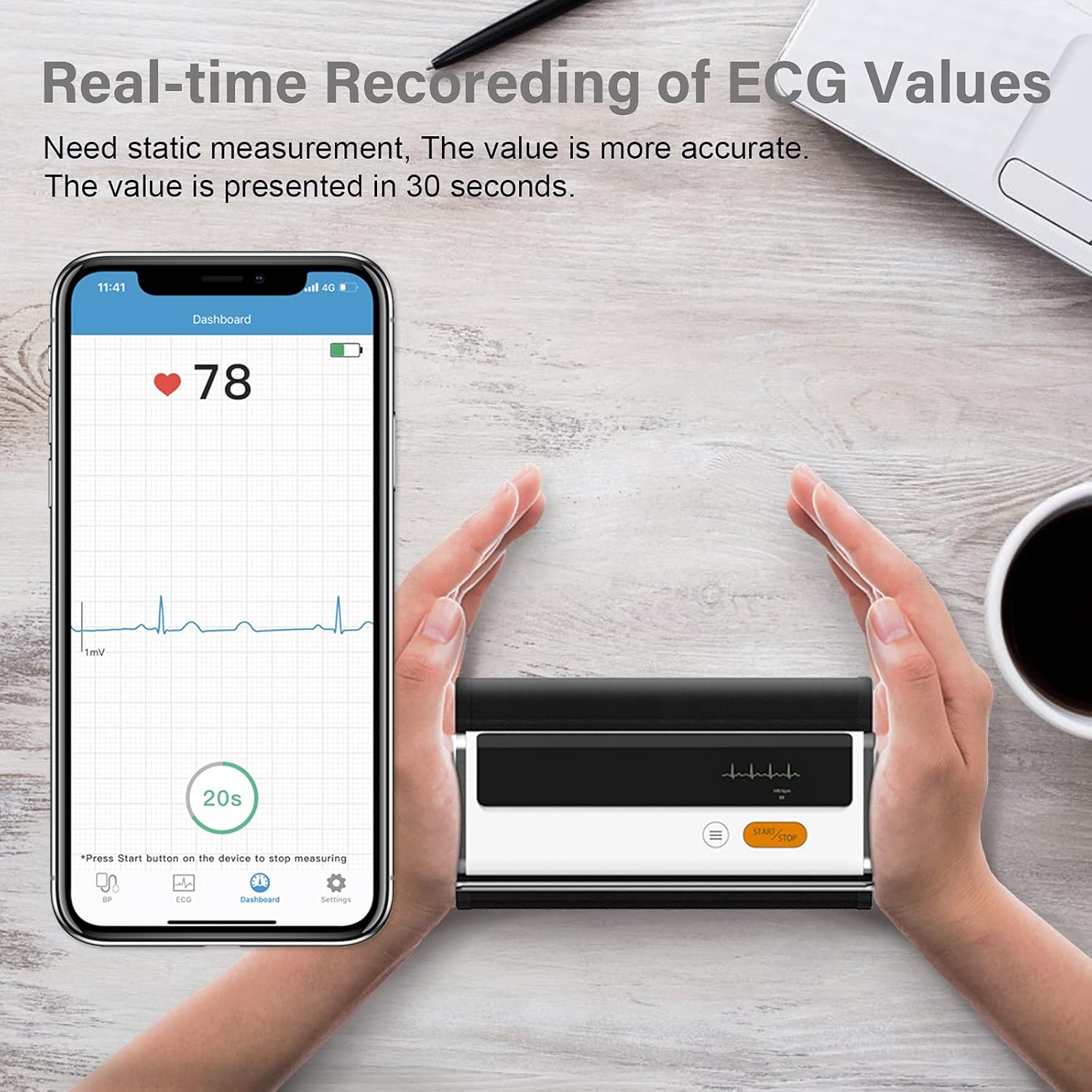
Figure 6.3: Real-time recording of ECG values using the Wellue BP2A monitor.
6.4 Using the ViHealth App for Data Management
The ViHealth app allows you to:
- View real-time readings during measurement.
- Access historical data and trends for multiple users.
- Generate and share PDF/CSV reports with healthcare providers.
- Track both blood pressure and ECG data in one place.
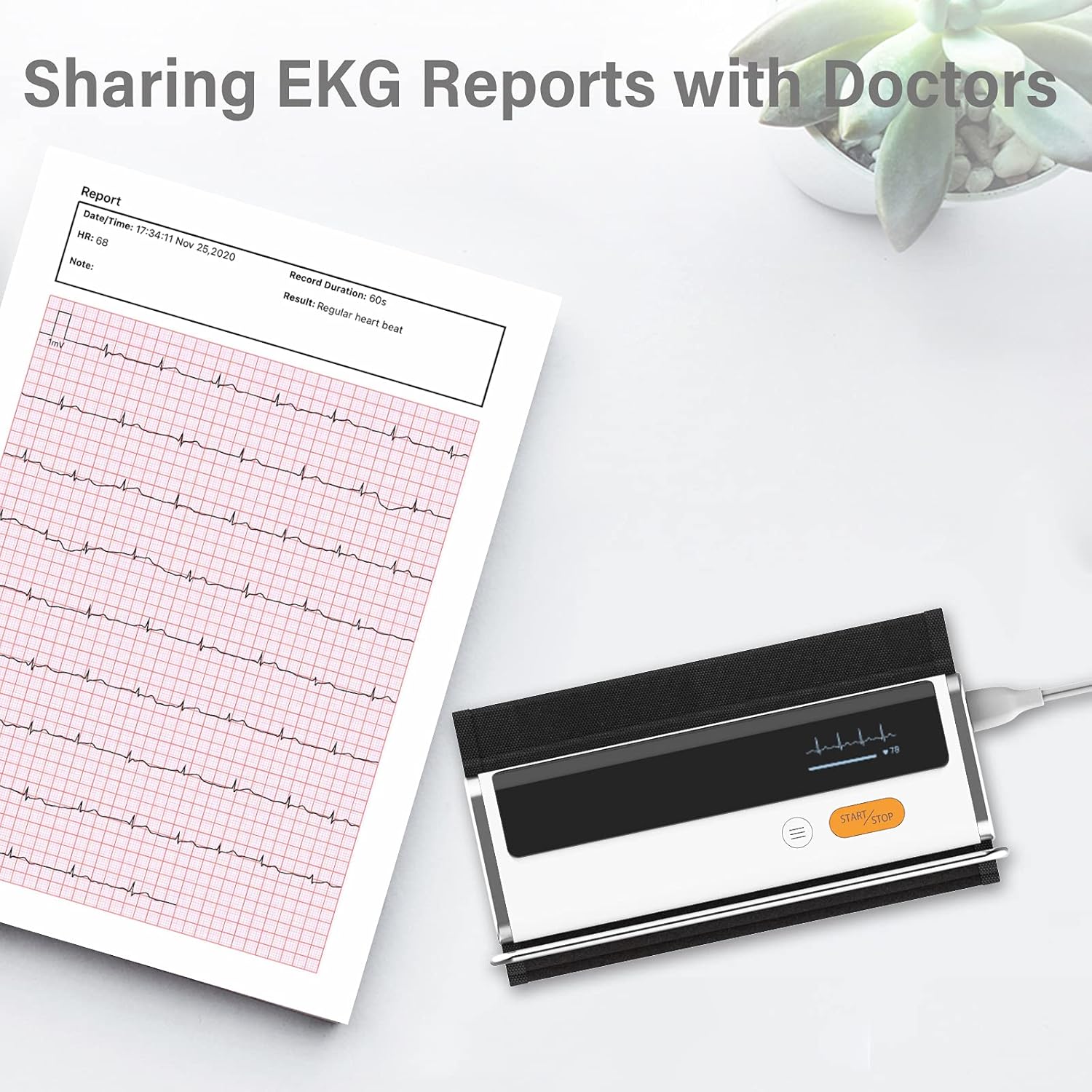
Figure 6.4: Sharing EKG reports generated by the ViHealth app.
Video 6.1: Demonstration of the Wellue blood pressure monitor's features and its integration with the ViHealth app for real-time readings and data sharing.
7. Kuchengeta
7.1 Kuchenesa
Wipe the device and cuff with a soft, dry cloth. If necessary, use a cloth lightly dampened with water or a mild disinfectant. Do not immerse the device in water or use abrasive cleaners.
7.2 Kuchengeta
Store the device in a cool, dry place, away from direct sunlight and extreme temperatures. Keep it in its original packaging or a protective case when not in use.
7.3 Kuchengeta Battery
To prolong battery life, charge the device regularly, even if not used frequently. Avoid fully discharging the battery for extended periods.
8. Kugadzirisa matambudziko
| Dambudziko | Zvinogona Kukonzera | Solution |
|---|---|---|
| Mudziyo haubatike | Bhatiri rakaderera | Chaja mudziyo uchishandisa tambo yeUSB. |
| Haikwanisi kubatana neapp | Bluetooth off, app not open, device not in pairing mode | Ensure Bluetooth is on, open ViHealth app, restart device. |
| Kurava kusina kururama | Incorrect cuff placement, movement during measurement, speaking during measurement | Re-position cuff correctly, remain still and silent during measurement. |
| Cuff haiputi | Cuff not properly attached, air leak | Check cuff connection, ensure no leaks. |
9. Zvinotsanangurwa
- Zita remuenzanisi: Armfit Plus
- Nhamba Yemhando Yechinhu: BP2A
- Brand: Wellue
- Kukura kweCuff: 8.7-16.5 inches (22-42 cm)
- Kunobva Simba: Bhatiri Rinofambiswa Nemagetsi (1 Lithium Ion bhatiri, rinobatanidzwa)
- Ratidza Rudzi: Digital
- Zviyero zvechigadzirwa: 5.9"L x 1.9"W x 1.18"Th
- Kurema Anenge 15.84 ounces
- Kubatana: Bluetooth
- Memory: Built-in memory for 50 sets of readings
10. Warranty uye Tsigiro
For warranty information and technical support, please refer to the official Wellue websaiti kana kubata basa ravo revatengi zvakananga. Chengetedza risiti yako yekutenga sehumbowo hwekutenga kwezvichemo zvewaranti.