1. Safety Information
Please read all safety instructions before operating the Smart Air Sqair Air Purifier. Failure to follow these instructions may result in electric shock, fire, or injury.
- Always unplug the air purifier before moving it, cleaning it, or performing any maintenance.
- Usashandise chikwata netambo yakakanganisika kana plug. Kana tambo kana plug ikakuvadzwa, bata rutsigiro rwevatengi.
- Chengetedza tambo yemagetsi kure nenzvimbo dzinopisa.
- Usashandise chinonatsa mweya mukunyorova kana damp nharaunda, senge dzimba dzekugezera kana dzimba dzekuwachira.
- Usaise zvigunwe kana zvinhu zvekunze mune chero mazaru emuchenesa wemhepo.
- Ita shuwa kuti mhepo yekupinza uye yekubuda haina kuvharika.
- Chishandiso ichi hachina kuitirwa kuti chishandiswe nevanhu (kusanganisira vana) vane masimba emuviri, pfungwa kana pfungwa dzakadzikira, kana kushaya ruzivo neruzivo, kunze kwekunge vapihwa tarisiro kana kuraira maererano nekushandiswa kwemudziyo nemunhu ane mutoro wekuchengetedza kwavo.
- Vana vanofanira kutariswa kuti vaone kuti havasi kutamba nemudziyo wacho.
2. Package Zviri mukati
Carefully unpack your Smart Air Sqair Air Purifier and ensure all items are present:
- Smart Air Sqair Air Purifier Unit
- H13 HEPA Sefa
- Activated Carbon (VOC) Filter
- Power Cord
- Smart Air Handbook (this manual)

Image: Smart Air Sqair Air Purifier with its included HEPA filter.
3. Setup Instructions
Follow these steps to set up your Smart Air Sqair Air Purifier:
- Attach the Wooden Legs: Turn the air purifier upside down. Screw the four wooden legs into the designated holes on the base in a clockwise direction until secure.
- Vhura Chikwata: Press the side buttons on both sides of the unit to lift the top body.
- Remove Filters from Packaging: Take out the HEPA and Activated Carbon (VOC) filters. Remove all plastic packaging from both filters.
- Isa Mafirita: First, insert the Activated Carbon (VOC) filter into the base. Ensure the handle is facing up. Then, place the H13 HEPA filter on top of the VOC filter, making sure the "UP" arrow is facing upwards.
- Close the Unit: Carefully place the top body back onto the purifier base, ensuring it clicks securely into place.
- Batanidza Simba: Plug the short end of the power cable into the port on the back of the air purifier. Then, plug the other end into a standard wall socket.
Video: Official guide on how to set up the Smart Air Sqair air purifier, including attaching legs and installing filters.

Image: Visual guide for easy setup and filter installation.
4. Operating Instructions
The Smart Air Sqair Air Purifier features a simple analog dial for operation:
- Batidza/Kudzima: Rotate the dial clockwise to turn the unit on. Rotate it counter-clockwise to turn it off.
- Speed Settings: The dial offers three fan speed settings:
- Kumhanya 1 (Kwakaderera): Ideal for quiet operation, such as in bedrooms or during sleep. Produces approximately 23 dB(A) of noise.
- Kumhanya 2 (Pakati nepakati): Suitable for continuous purification in most living spaces. Produces approximately 43 dB(A) of noise.
- Kumhanya 3 (Kwakakwirira): Provides maximum airflow for rapid air cleaning, useful for larger areas or when air quality is poor. Produces approximately 52 dB(A) of noise.
- Kuiswa: For optimal performance, place the air purifier in a central location within the room, away from walls or furniture that might obstruct airflow.
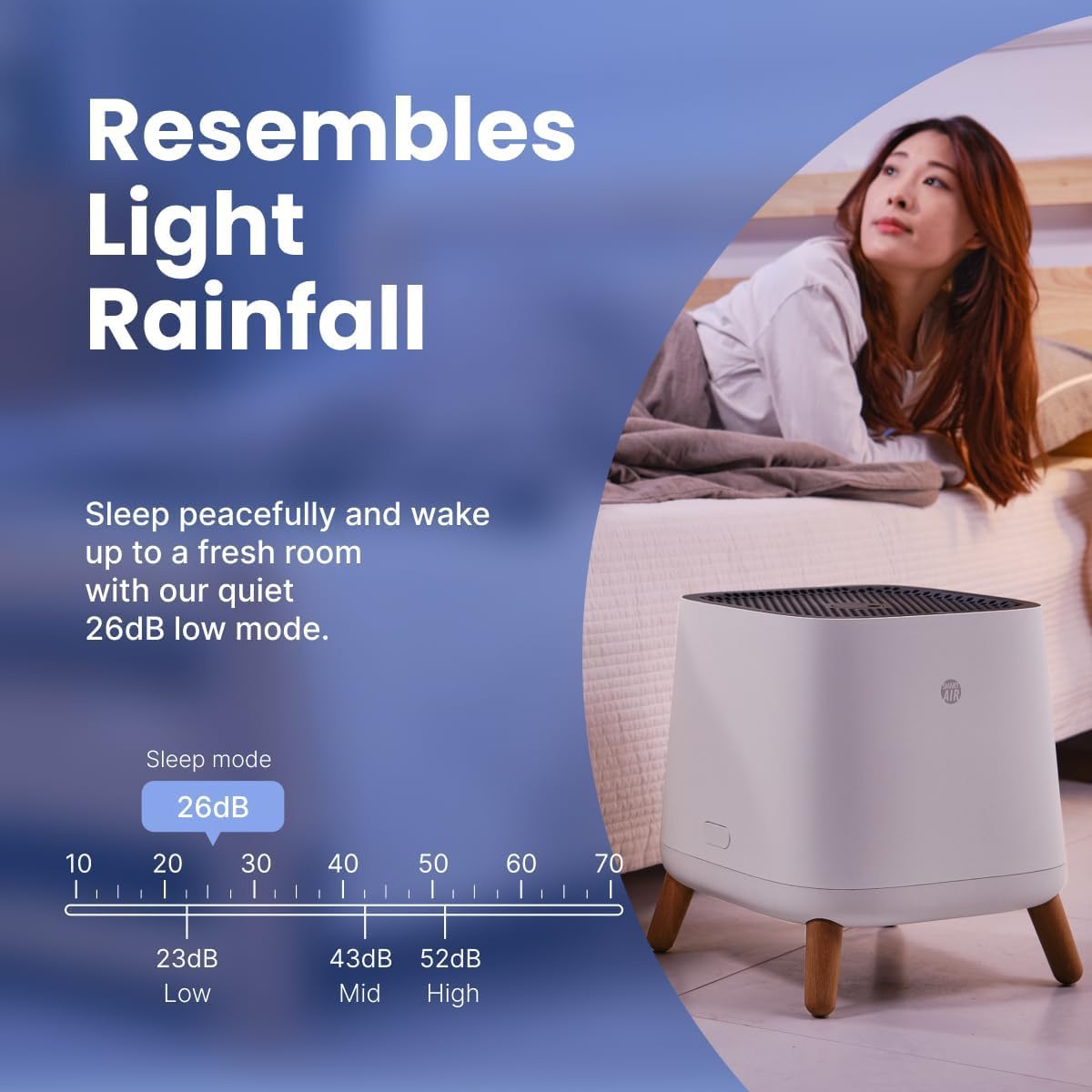
Image: The air purifier operating quietly in a bedroom setting.
5. Maintenance (Filter Replacement)
Regular filter replacement is crucial for maintaining the efficiency and performance of your Smart Air Sqair Air Purifier. It is recommended to change your filters every 9-12 months, depending on usage and air quality.
Sefa Replacement Matanho:
- Power Off uye Unplug: Turn off the air purifier and unplug it from the wall outlet.
- Lift Off Top Body: Press the side buttons on both sides of the unit and lift the top body.
- Bvisa Mafirita Ekare: Carefully remove the old HEPA and Activated Carbon (VOC) filters. Dispose of them responsibly.
- Clean Base (Optional): While the filters are out, you may gently wipe the inside of the purifier base with a dry cloth to remove any accumulated dust.
- Isa Masefa Matsva: Place the new Activated Carbon (VOC) filter into the base first, ensuring its handle is facing up. Then, place the new H13 HEPA filter on top, with the "UP" arrow facing upwards.
- Resemble: Place the top body back onto the purifier base, ensuring it is securely closed.
- Plug In and Resume Operation: Plug the air purifier back into the wall outlet and turn it on.
Replacement Filters:
- HEPA Replacement Filter: ASIN B0DKW2F5TP
- Activated Carbon Sefa: ASIN B091D1KTBV
Video: Official guide on how to replace the filters in the Smart Air Sqair air purifier.

Image: The HEPA and Activated Carbon filters, emphasizing their role in air purification.
6. Kugadzirisa matambudziko
If you encounter any issues with your Smart Air Sqair Air Purifier, refer to the following common problems and solutions:
| Dambudziko | Zvinogona Kukonzera | Solution |
|---|---|---|
| Unit haibatike | Power cord not properly connected; No power from outlet. | Ensure power cord is securely plugged into both the unit and a working wall outlet. Test the outlet with another device. |
| Kuyerera kwemhepo kwakaderera | Filters are dirty or clogged; Air inlet/outlet blocked. | Check and replace filters if necessary. Ensure nothing is obstructing the air intake or exhaust vents. |
| Ruzha rusina kujairika | Foreign object inside; Unit not placed on a flat surface; Filters not installed correctly. | Unplug the unit and check for any foreign objects. Place the unit on a stable, flat surface. Reinstall filters to ensure they are seated properly. |
| Kunhuwa kunoramba kuripo | Activated Carbon filter is saturated. | Replace the Activated Carbon (VOC) filter. |
If the problem persists after trying these solutions, please contact Smart Air customer support.
7. Zvinotsanangurwa
| Feature | Detail |
|---|---|
| Model Number | SA120-3-4 |
| Product Dimensions | 13 x 13 x 14.3 inches |
| Item Weight | 10.1 Pondo |
| Simba Source | AC |
| Kudzora Nzira | Rotary Dial |
| Rudzi rwesefa | H13 HEPA, Activated Carbon |
| Yakachena Air Delivery Rate (CADR) | 300 m³/h (approx. 177 CFM) |
| Nzvimbo yekuvhara | Up to 900 sq ft at 5 ACH (Air Changes Per Hour) |
| Noise Level | 23 - 52 dB(A) |
| Wattage | 203 watts |
| Contaminant Filtration | Dust, Pollen, Pet Dander, Pet Hair, Mold Spores, Smoke Odors, VOC Fumes, Airborne Particles (0.3 microns) |
| Certifications | ETL Certified, CARB Compliant, EPA Approved, Energy Star Rated, FCC Certified |

Image: Dimensions of the Smart Air Sqair Air Purifier.
8. Warranty uye Tsigiro
The Smart Air Sqair Air Purifier SA120-3-4 comes with a 1 Year Warranty.
For warranty claims, technical support, or any questions regarding your air purifier, please contact Smart Air customer support through their official webnzvimbo kana mutengesi uko chigadzirwa chakatengwa.
Ndapota chengetedza humbowo hwako hwekutenga nekuda kwewaranti.