1. Nhanganyaya uye Pamusoroview
The NEJE MASTER 2S PLUS A40640 is a versatile laser engraving and cutting machine designed for hobbyists and professionals. It features a powerful 10W dual-diode laser module with compressed laser spot technology, enabling high-precision engraving and efficient cutting on a variety of materials including wood, metal, and glass. The machine offers a generous working area of 255x440mm, providing ample space for diverse projects.
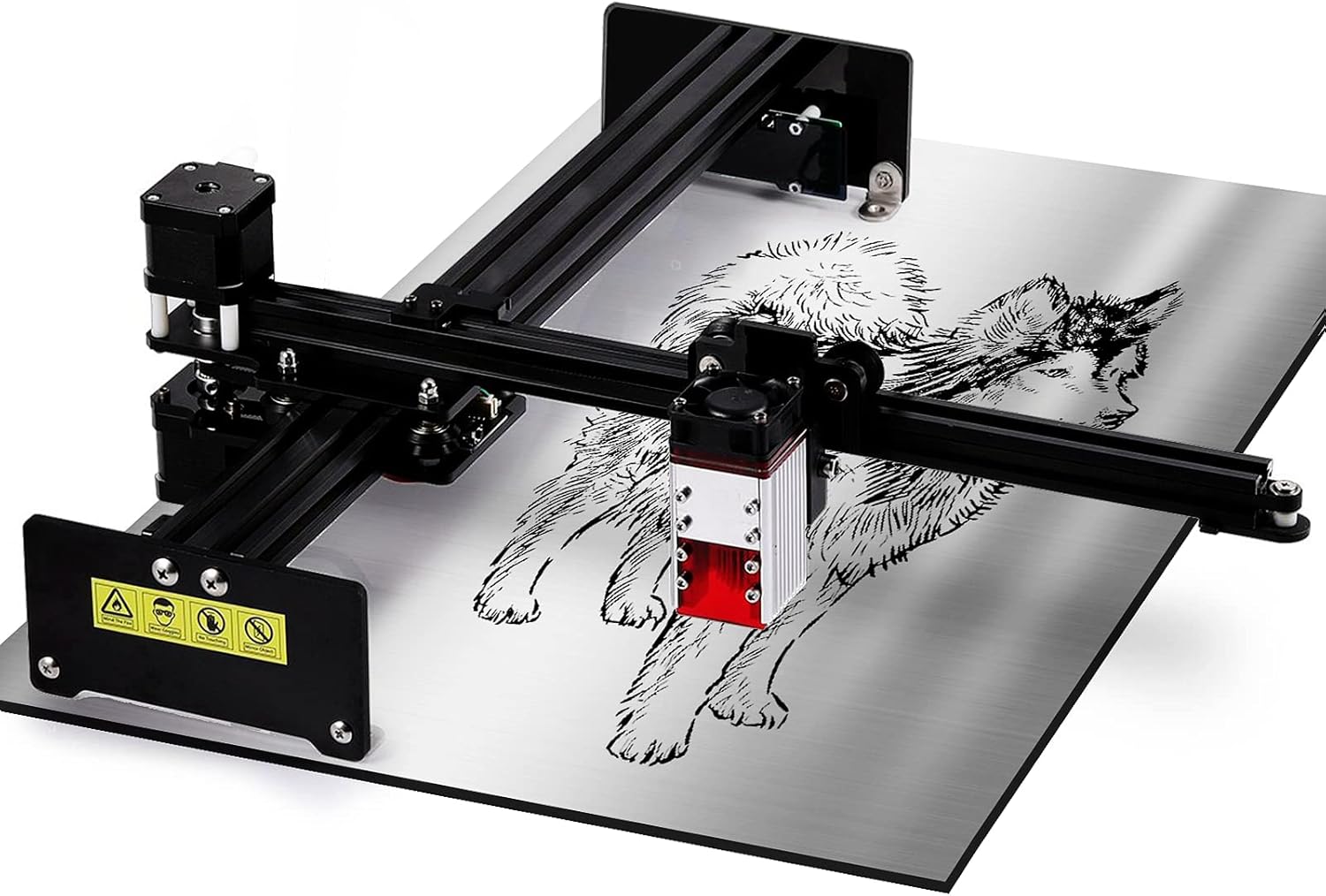
Mufananidzo 1.1: Kupfuuraview of the NEJE MASTER 2S PLUS A40640 Laser Engraving Machine.
Zvinhu zvakakosha zvinosanganisira:
- Module yeLaser ye10W ine Simba: Equipped with the A40640 dual-diode module for strong engraving and cutting capabilities.
- Compressed Laser Spot: Achieves a fine 0.06mm laser spot for high precision and detailed work.
- Nzvimbo Yakakura Yekushanda: 255mm x 440mm (approximately 10 inches x 17.3 inches) for larger projects.
- Versatile Material Kuenderana: Suitable for engraving and cutting wood, acrylic, leather, paper, fabric, and engraving on some metals and glass.
- Mushandisi-Inoshamwaridzana Software: Supports various software platforms for ease of use.
2. Mirayiridzo Yekuchengetedza
WARNING: Laser radiation can cause eye damage and skin burns. Always wear appropriate laser safety goggles when operating the machine. Never look directly into the laser beam.
- Kudzivirira Kweziso: Always wear certified laser safety goggles (OD4+ or higher) that block the laser wavelength (typically 450nm for blue lasers) during operation.
- Kufefetedza Operate the machine in a well-ventilated area or use an exhaust system to remove smoke and fumes produced during engraving/cutting. Some materials can produce toxic fumes.
- Kuchengetedza Moto: Keep a fire extinguisher nearby. Do not leave the machine unattended during operation, especially when cutting flammable materials. Ensure the work surface is non-flammable.
- Material Safety: Only engrave or cut materials that are safe for laser processing. Avoid PVC, vinyl, and other chlorine-containing plastics as they produce corrosive and toxic fumes.
- Vana uye Zvipfuwo: Chengetedza vana nezvipfuyo kure nenzvimbo yekushandira.
- Kuchengetedzwa Kwemagetsi: Ensure the power supply is stable and correctly connected. Do not operate with wet hands or in damp mamiriro.
- Emergency Stop: Familiarize yourself with the location of the emergency stop button (if present) or how to quickly disconnect power.
3. Zvigadzirwa zveChigadzirwa
The NEJE MASTER 2S PLUS A40640 consists of several main components:
- Laser Module (A40640): The core component responsible for emitting the laser beam.
- Gantry System: The moving frame that positions the laser module over the material.
- Control Board: Manages the machine's movements and laser power.
- Power Adapter: Provides power to the machine.
- USB Cable: Zvekubatanidza pakombuta.
- Safety Goggles: Essential for eye protection.

Mufananidzo 3.1: Detailed view of the NEJE A40640 laser module, highlighting its internal components and capabilities.
4. Setup Guide
Follow these steps to set up your NEJE MASTER 2S PLUS A40640 machine:
4.1. Gungano
The NEJE MASTER 2S PLUS is designed for easy assembly. Typically, only a few screws are required to secure the main frame components.
- Vhura zvese zvikamu uye simbisa uchipesana nerondedzero yekurongedza.
- Assemble the gantry system according to the included quick start guide. Ensure all connections are secure.
- Mount the A40640 laser module onto the gantry.
- Connect all cables (power, USB, laser module cable) to the control board.

Figure 4.1: The machine is designed for easy installation, typically requiring only 4 screws for assembly.
4.2. Kuiswa kweSoftware
The NEJE MASTER 2S PLUS A40640 supports various software options, including the NEJE Handy APP for mobile devices and desktop software like LightBurn or NEJE's own PC software.
- Download the latest drivers and software from the official NEJE website.
- Install the drivers first, then the engraving software.
- For mobile use, download the NEJE Handy APP from your device's app store.
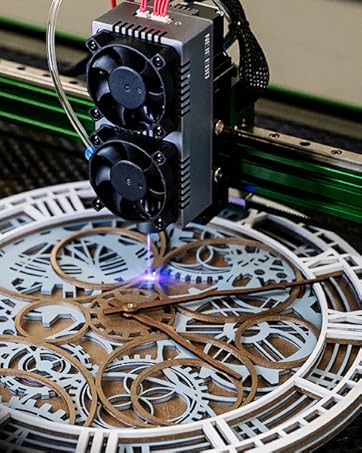
Figure 4.2: The NEJE Handy APP provides a convenient interface for controlling the machine from your smartphone.
5. Operating Instructions
This section outlines the basic steps for operating your laser engraving and cutting machine.
5.1. Preparing Your Material
- Place the material to be engraved or cut on the work surface. Ensure it is flat and securely positioned.
- Verify the material type and thickness to select appropriate laser settings.
5.2. Kutarisa Laser
The A40640 module typically features a fixed focus. For optimal results, ensure the distance between the laser module and the material surface is correct. Refer to the module's specific instructions for the recommended focal length, often indicated by a small spacer or a fixed height.
5.3. Kushanda kweSoftware
- Launch your chosen engraving software (e.g., LightBurn, NEJE software).
- Import your design (image, vector file).
- Adjust the size and position of your design on the virtual workspace to match your material.
- Select the appropriate laser settings (power, speed, number of passes) based on your material and desired effect. Refer to material test guides for starting parameters.
- Preview the job to ensure correct placement and settings.
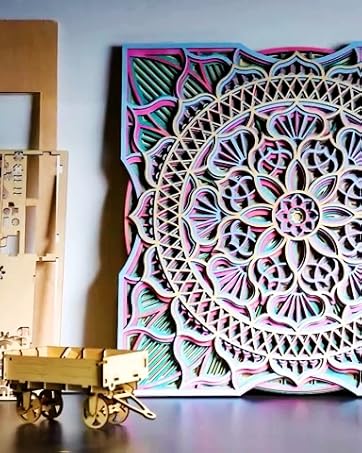
Figure 5.1: Adjusting the laser module height to achieve the optimal engraving effect.
5.4. Starting the Job
- Ensure all safety precautions are in place (goggles on, ventilation active).
- Simba pamushini.
- Click 'Start' or 'Send' in your software to begin the engraving/cutting process.
- Monitor the process closely for any issues.
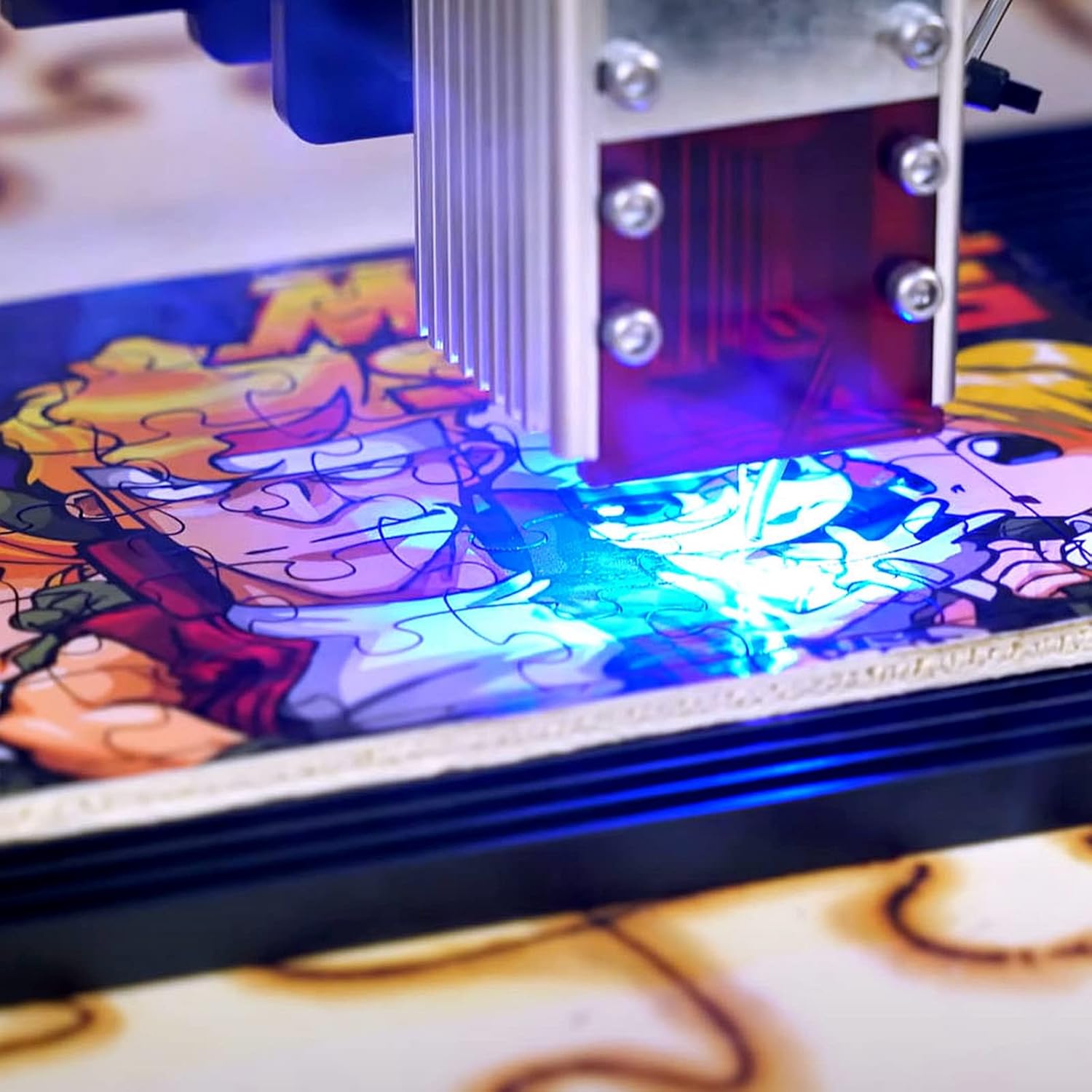
Mufananidzo 5.2: Kuvhara view of the laser module actively engraving a design onto a material.
6. Kuchengeta
Regular maintenance ensures the longevity and optimal performance of your NEJE laser machine.
- Kuchenesa Lenzi yeLaser: Periodically clean the laser lens with a lint-free cloth and lens cleaning solution (e.g., isopropyl alcohol) to remove dust and debris that can affect laser performance.
- Machine Cleaning: Keep the machine free of dust and material residue. Use compressed air to clean hard-to-reach areas.
- Kuongorora Njanji neBhandi: Check the linear rails and belts for smooth movement and proper tension. Lubricate rails if necessary.
- Cable Connections: Iva nechokwadi chekuti zvese zvinobatanidzwa nemagetsi zvakachengeteka uye hazvina kukuvara.
- Laser Module Lifespan: Laser diodes have a finite lifespan. Proper use and maintenance can extend it. Avoid operating at maximum power for extended periods if not necessary.
7. Kugadzirisa matambudziko
Ichi chikamu chinotarisa zvinowanzoitika zvaungasangana nazvo uye mhinduro dzadzo.
| Dambudziko | Zvinogona Kukonzera | Solution |
|---|---|---|
| Laser haisi kupfura kana simba rekubudisa | Loose cable connection, dirty lens, incorrect power setting, laser module failure. | Check all connections. Clean the laser lens. Verify power settings in software. Contact support if module is suspected to be faulty. |
| Kunyora kusina kunaka/kucheka kunaka | Incorrect focus, wrong speed/power settings, material issues, dirty lens. | Adjust focus distance. Optimize speed and power settings for the material. Ensure material is flat. Clean the laser lens. |
| Muchina haubatanidzi pakombuta | Driver not installed, incorrect COM port selected, faulty USB cable. | Install/reinstall drivers. Select the correct COM port in software. Try a different USB cable. Restart computer and machine. |
| Machine stops mid-job | Loose connection, software crash, power interruption. | Check all cables. Restart software and machine. Ensure stable power supply. |
8. Zvinotsanangurwa
Detailed specifications for the NEJE MASTER 2S PLUS A40640:
- Muenzaniso: NEJE 2S PLUS A40640
- Mugadziri: NEJE
- Laser module: A40640 (Dual Diode, FAC 10W Optical Output)
- Saizi yeLaser Spot: 0.06mm (Compressed Laser Spot Technology)
- Engraving nzvimbo: 255mm x 440mm (approximately 10 inches x 17.3 inches)
- Max. Cutting Thickness:
- Up to 18mm wood
- Up to 15mm plywood
- Up to 10mm acrylic
- Chinhu Weight: Anenge 3.03 Makirogiramu
- Package Dimensions: 59 x 27.5 x 16.7 cm
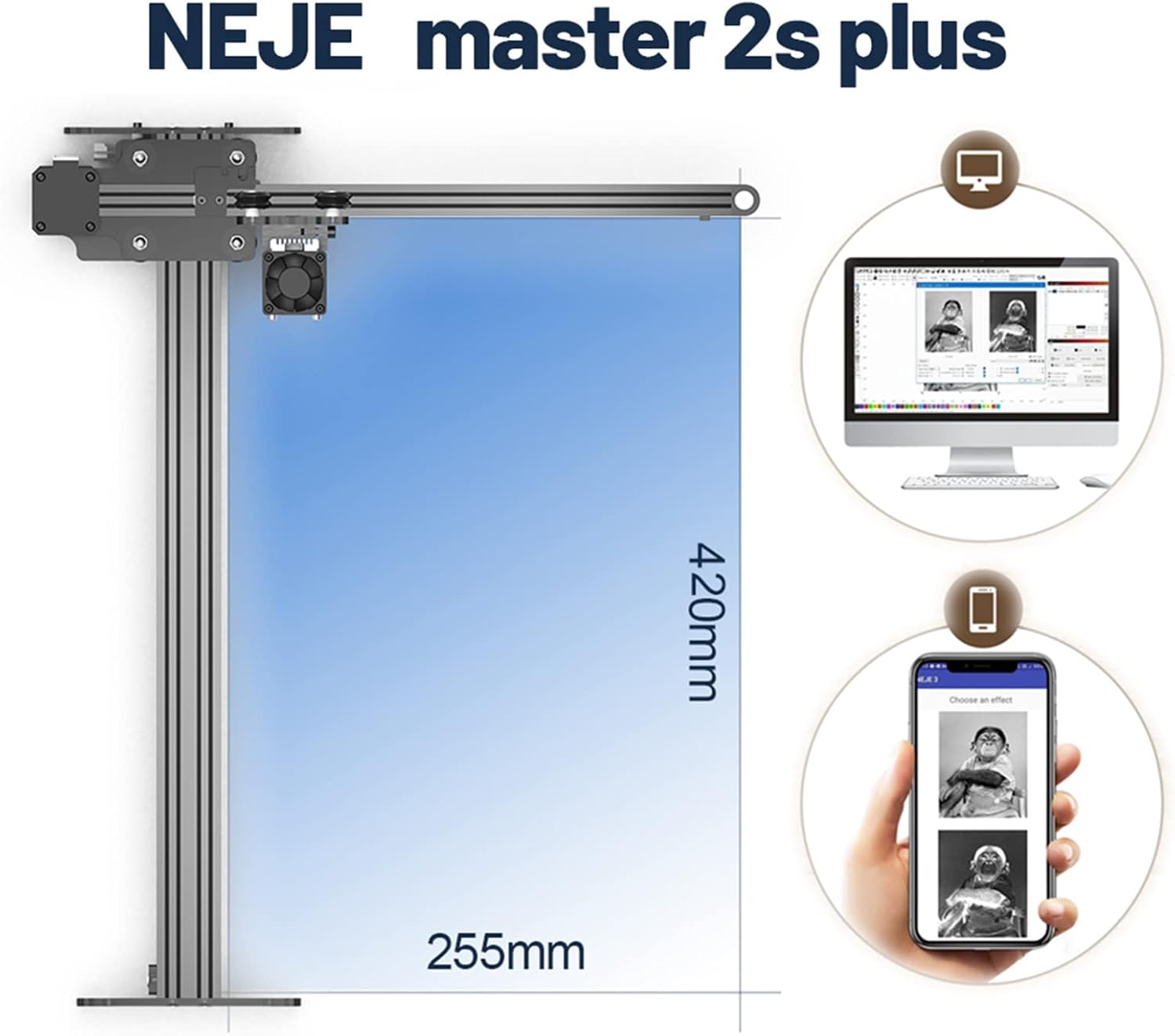
Figure 8.1: The NEJE Master 2S Plus offers a working area of 255mm x 440mm.
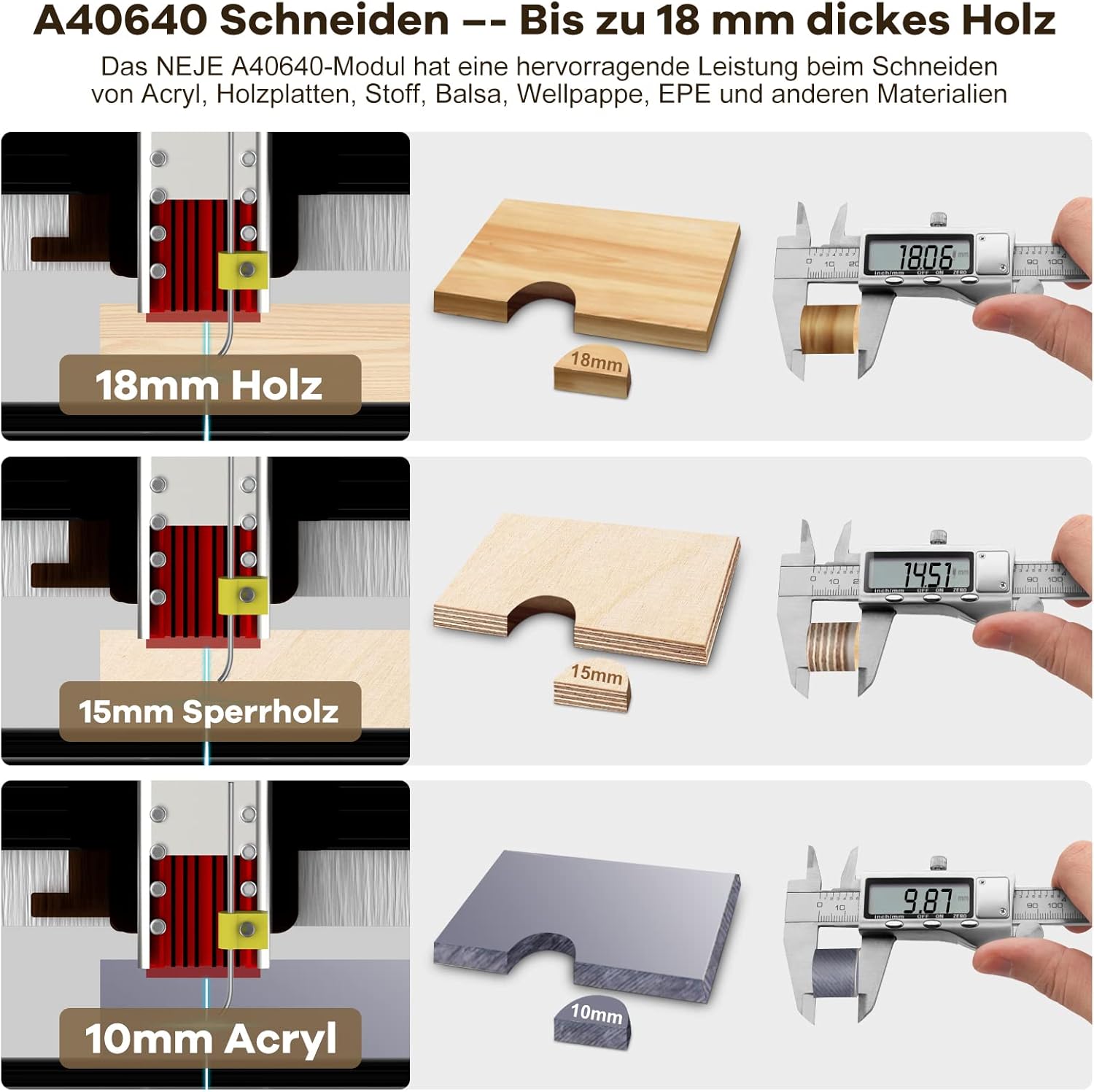
Figure 8.2: The A40640 module demonstrates excellent cutting performance, capable of cutting up to 18mm wood, 15mm plywood, and 10mm acrylic.

Figure 8.3: Illustration of NEJE's dual-beam laser technology, achieving a stable 10W output and a precise 0.06mm compressed laser spot.
9. Warranty uye Tsigiro
NEJE is committed to providing excellent customer service and product support.
- Warranty: We offer a 2-year warranty on the NEJE MASTER 2S PLUS A40640.
- Mabatiro evatengi: Lifelong professional customer service is provided. If you encounter any issues with installation, usage, or product quality, please contact the seller or manufacturer directly for assistance.
Hapana mavhidhiyo ezvigadzirwa zvepamutemo kubva kumutengesi aivepo ekumisikidzwa mubhuku rino.