1. Nhanganyaya
Thank you for choosing the R-Music Novo RM483874 Wireless Bluetooth Earbuds. This manual provides essential information for setting up, operating, and maintaining your earbuds to ensure optimal performance and longevity. Please read this manual thoroughly before use.
2. Package Zviri mukati
Ita shuwa kuti zvinhu zvese zviripo mupakeji yako:
- R-Music Novo RM483874 Wireless Earbuds
- Wireless Charging Case
- USB-C Kuchaja Cable
- User Manual
3. Chigadzirwa Pamusoroview
The R-Music Novo RM483874 earbuds are designed for daily use, offering clear stereo sound and an integrated microphone for calls. The compact charging case provides extended battery life.

Figure 3.1: R-Music Novo RM483874 wireless earbuds and open charging case.
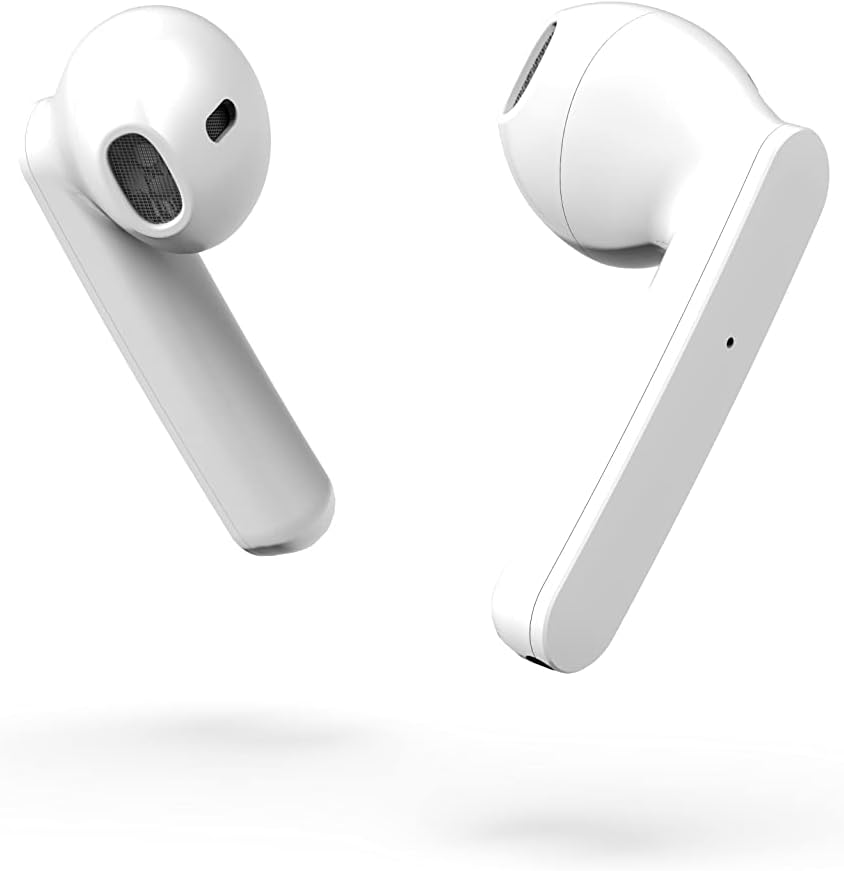
Mufananidzo 3.2: Rutivi rwepedyo view of the earbuds, highlighting their design.
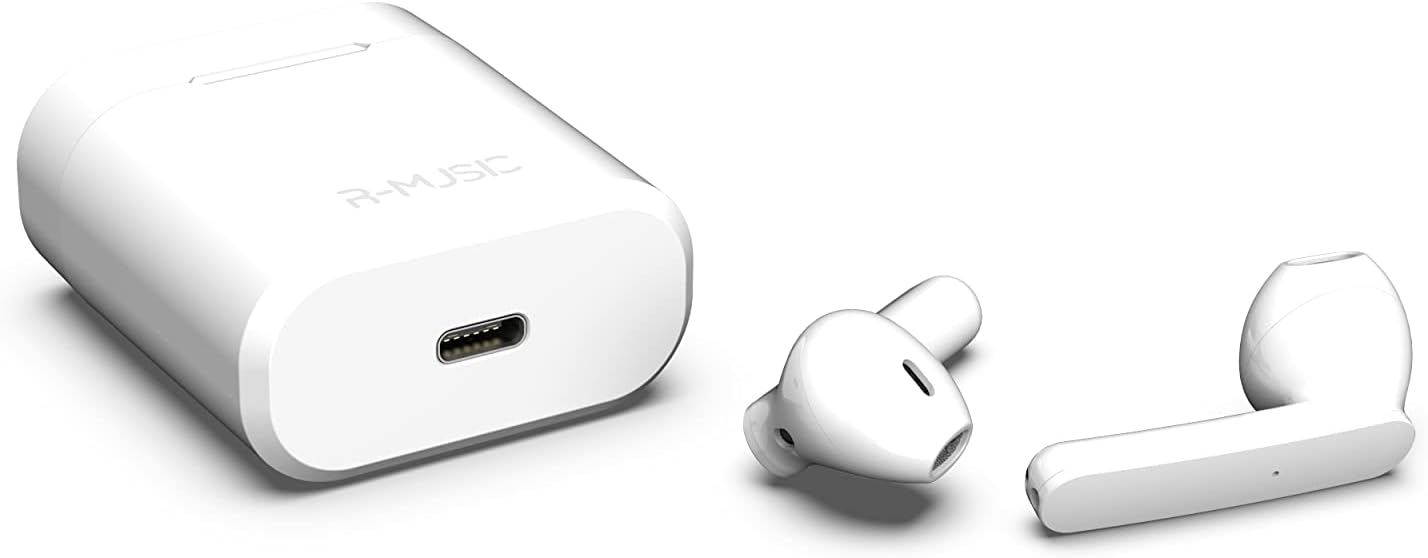
Figure 3.3: Charging case with USB-C port and earbuds.
4. Setup
4.1 Kutanga Kuchaja
- Usati watanga kushandisa, isa maearbud ese ari maviri mubhokisi rekuchaja.
- Connect the USB-C charging cable to the port on the charging case and to a power source.
- An indicator light inside the case will show the battery level during charging. Ensure the case and earbuds are fully charged.
4.2 Kubatanidza neChishandiso
The R-Music Novo RM483874 earbuds feature quick and easy pairing:
- Vhura bhokisi rekuchaja wobvisa maearbud ese ari maviri. Anopinda otomatiki mumodhi yekuwiriranisa.
- On your device (e.g., smartphone), navigate to the Bluetooth settings.
- Tsvaga available devices and select "R-Music Novo" (or similar name) from the list.
- Kana wangobatanidzwa, uchanzwa kusimbiswa kwezwi, uye maearbud achange agadzirira kushandiswa.
5. Operating Instructions
5.1 Simba On/Kudzima
- Power On: Remove the earbuds from the charging case. They will automatically power on and attempt to connect to the last paired device.
- Power Off: Dzorera maearbud mubhokisi rekuchaja. Anodzima otomatiki otanga kuchaja.
5.2 Kubata Kudzora
The earbuds are equipped with touch controls for convenient operation:
- Tamba/Kumbomira: Top kamwechete pane imwe earbud.
- Next Track: Tokonya kaviri pane earbud yekurudyi.
- Previous Track: Tokonya kaviri kuruboshwe rwenzeve.
- Pindura/Pedzisa Kufona: Tinya kamwe chete pane imwe earbud panguva yekupinda runhare kana inoshanda.
- Ramba Kufona: Dzvanya uye ubate pane imwe earbud panguva yekufona.
- Shandisa Izwi Mubatsiri: Tokonya katatu pane chero earbud (kushanda kunogona kusiyana nemudziyo).
5.3 Kufona
The integrated microphone allows for hands-free calling. Ensure the earbuds are connected to your phone via Bluetooth. Use the touch controls to manage calls.
5.4 Kuteerera Mimhanzi
Enjoy clear and balanced stereo sound. Use the touch controls to manage playback.
6. Kuchaja
The earbuds provide approximately 3 hours of playback on a single charge. The charging case offers an additional 11 hours of battery life, allowing for multiple recharges on the go.
- Kuchaja maEarbuds: Place the earbuds into the charging case. They will automatically charge.
- Nyaya yekuchaja: Connect the supplied USB-C cable to the charging port on the case and a compatible USB power adapter. The indicator light will show charging status and battery level.
7. Kuchengeta
- Kuchenesa: Shandisa jira rakapfava, rakaoma kuchenesa maearbuds nebhokisi rekuchaja. Dzivisa kushandisa makemikari akaomarara kana zvinhu zvinokwesha.
- Kuchengeta: Kana isiri kushandiswa, chengeta maearbuds mukesi yavo yekuchaja kuti uzvidzivirire uye ugare wakachajwa.
- Kuramba Mvura: The earbuds are water-resistant. However, they are not designed for swimming or prolonged submersion. Avoid exposure to saltwater or other corrosive liquids.
8. Kugadzirisa matambudziko
| Dambudziko | Possible Solution |
|---|---|
| Maearbud haabatidzike. | Ensure the charging case and earbuds are charged. Place earbuds in case, then remove them. |
| Earbuds do not pair. | Make sure Bluetooth is enabled on your device. Forget the device in your Bluetooth settings and try pairing again. Ensure earbuds are removed from the case. |
| Hapana ruzha kubva kune imwe nzeve. | Place both earbuds back into the charging case, close the lid, then reopen and remove them. Check device audio settings. |
| Kesi yekuchaja haichaji. | Check the USB-C cable and power adapter. Ensure the cable is securely connected. |
9. Zvinotsanangurwa
| Feature | Detail |
|---|---|
| Model Name | Novo |
| Model Number | RM483874 |
| Kubatana Technology | Bluetooth (Wireless) |
| Control Type | Bata Kudzora |
| Maikorofoni | Integrated |
| Hupenyu hwebhatiri (Earbuds) | Approx. 3 maawa |
| Hupenyu hwebhatiri (neCase) | Approx. 3H + 11H (total 14 hours) |
| Kuchaja Port | USB-C |
| Mvura Resistance Level | Kudzivirira mvura |
| Material | Plastiki |
| Kurema | 37 magiramu |
| Dimensions | 5.3 x 4.7 x 2.4 cm |
| Impedance | 3 Ohm |
| Noise Control | Acoustic Isolation |
| Frequency Response | 20 Hz |
| Sensitivity | 109 dB |
10. Safety Information
- Usabvisa, kugadzirisa, kana kugadzirisa chigadzirwa.
- Chengeta maearbud nechikwama chekuchaja kure nekupisa kwakanyanya, chiedza chezuva chakananga, uye hunyoro.
- Dzivisa kuteerera nepamusoro-soro mazinga kwenguva yakareba kudzivirira kukuvara kwekunzwa.
- Chengetedza kure nevana nemhuka dzinovaraidza.
- Rasa chigadzirwa zvine hungwaru maererano nemitemo yenzvimbo.
11. Warranty uye Tsigiro
R-Music products are designed for reliability and performance. For warranty information or technical support, please refer to the contact details provided at the point of purchase or visit the official R-Music website. Ndapota chengetedza humbowo hwako hwekutenga kwezvichemo zvewaranti.


