
CDN DTTC-W
CDN Digital Probe Cooking Thermometer DTTC-W User Manual
Model: DTTC-W
Nhanganyaya
The CDN Digital Probe Cooking, Cooling Thermometer, Smoker Oven Grill Candy Deep Frying, Multifunctional Thermometer/Timer/Clock (Model DTTC-W) is a versatile tool designed to assist in precise temperature monitoring for various cooking and cooling applications. This manual provides detailed instructions for setup, operation, maintenance, and troubleshooting to ensure optimal performance and longevity of your device.
Safety Information
- Always handle the stainless steel probe with care as it can become very hot during use. Use oven mitts or heat-resistant gloves when removing the probe from hot food or ovens.
- Do not immerse the main thermometer unit in water or any other liquid. The unit is not waterproof. Clean only the probe and cable.
- Ensure the probe cable is not pinched or damaged by oven doors or grill grates, as this can affect accuracy and damage the cable.
- Chengetedza mudziyo usingasvikike nevana.
- Usashandise thermometer muvheni rewa microwave.
- Only use the specified battery type (1 AAA).
Zvikamu
Your CDN DTTC-W package includes the following components:
- Digital Thermometer/Timer/Clock Unit
- Stainless Steel Probe with High-Heat Sensor Cable
- Pot Clip
- 1 AAA Bhatiri (inosanganisirwa)

Image: The CDN Digital Probe Thermometer DTTC-W unit, showing the main display, control buttons, the stainless steel probe, and the pot clip.
Gadzirira
- Kuisa Battery:
Locate the battery compartment on the back of the main unit. Open the compartment cover and insert one AAA battery, ensuring correct polarity (+/-). Close the cover securely.
- Probe Connection:
Insert the plug of the stainless steel probe cable into the jack located on the side of the main unit. Ensure it is fully inserted for proper connection.

Mufananidzo: Kuvhara view of the stainless steel probe and its high-heat sensor cable, ready for connection to the main unit.
- Unit Placement:
The DTTC-W offers two mounting options:
- Magnetic Back: The unit has magnetic strips on its back, allowing it to be securely attached to metal surfaces like a refrigerator door or oven exterior.
- Chigadziko Chinopetwa: A hinge allows the unit to sit upright on a countertop or stovetop for easy viewing.
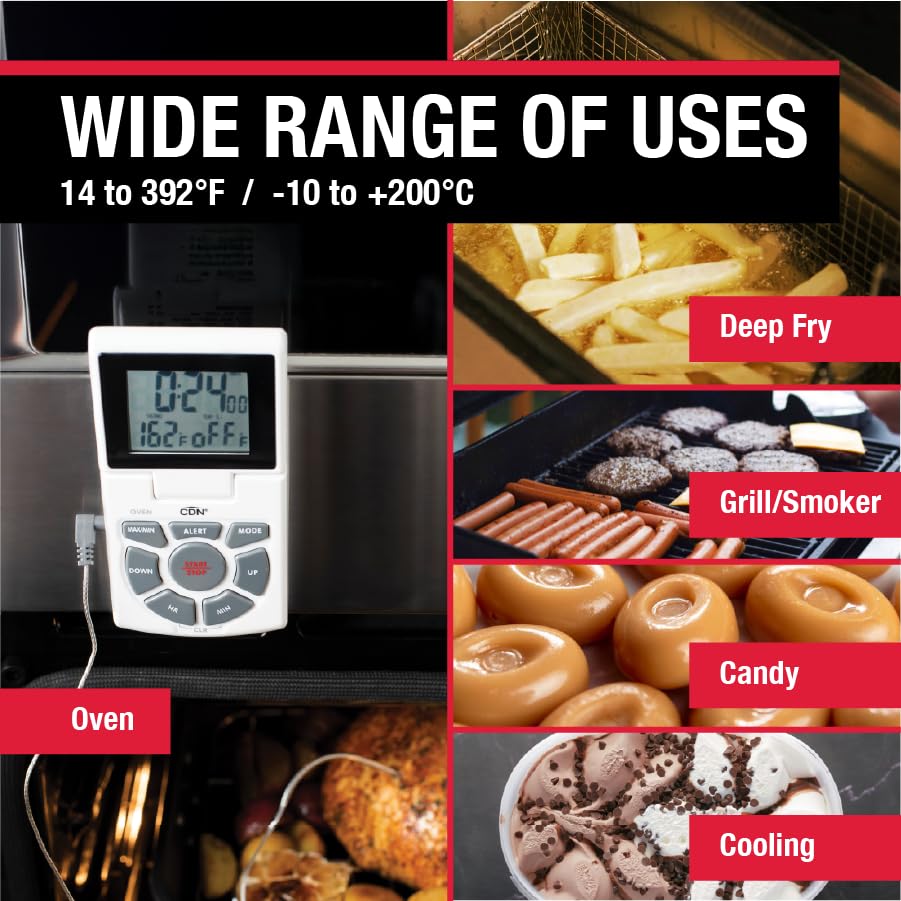
Image: The thermometer unit attached to an oven door via its magnetic back, demonstrating the magnetic mounting option.
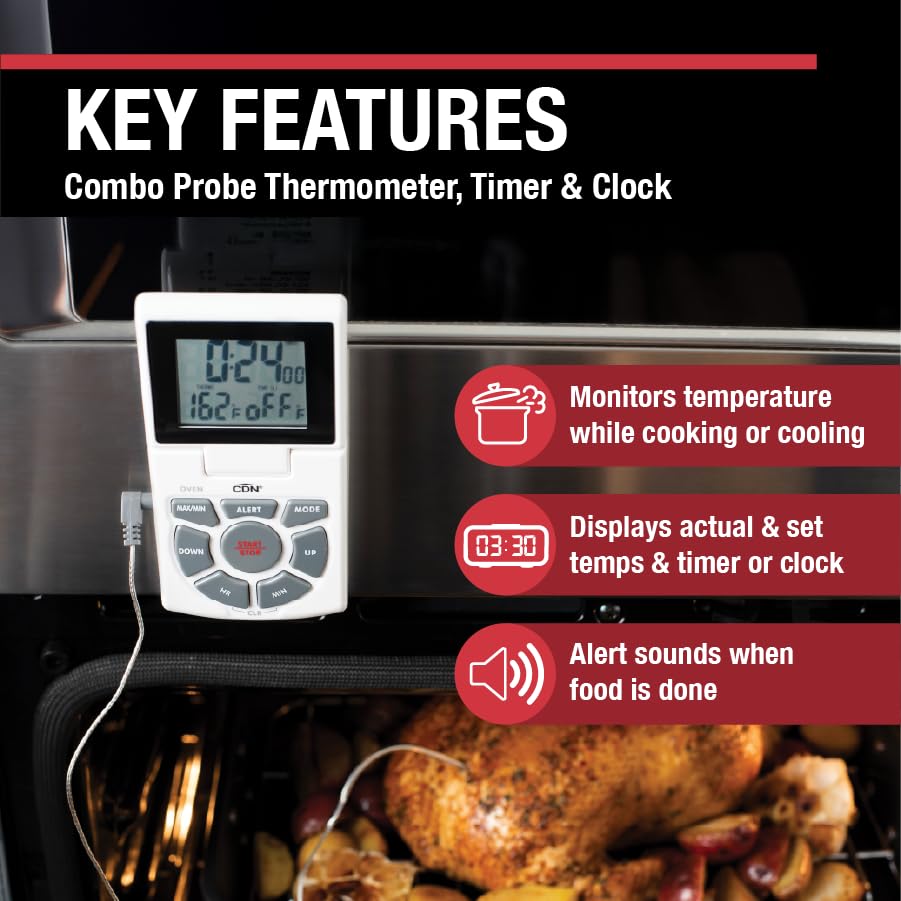
Image: The thermometer unit standing upright on a countertop using its integrated fold-out stand.
Operating Instruction
The DTTC-W features a clear LED screen displaying time, current food temperature, and set temperature. Buttons are clearly marked for ease of use.
Maitiro Okushandisa:
Press the MODE button to cycle through the three main modes: Thermometer, Timer, and Clock.
1. Thermometer Mode:
- Tembiricha Kuyera: Insert the stainless steel probe into the thickest part of the food, avoiding bone or gristle. The current internal temperature will be displayed on the screen.
- Setting Temperature Alert:
- Press the ALERT button. The set temperature will flash.
- Shandisa iyo UP uye PASI mabhatani ekugadzirisa tembiricha yaunoda.
- Press ALERT zvakare kusimbisa marongero.
- When the food reaches the set temperature, an alarm will sound. Press any button to silence the alarm.
- Sarudzo yeFahrenheit/Celsius: Use the switch on the back of the unit to toggle between Fahrenheit (°F) and Celsius (°C) temperature scales.
- Using the Pot Clip: For deep frying or candy making, attach the pot clip to the side of your saucepan. Insert the probe through the clip, ensuring the probe tip is submerged in the liquid but not touching the bottom of the pan.
Image: The pot clip securely attached to the rim of a saucepan, holding the probe in place for accurate temperature monitoring during cooking.
2. Timer Mode:
- Setting Countdown Timer:
- Press the HR uye MIN mabhatani ekuisa nguva yekuverengera yaunoda.
- Press TANGA/MIRA kutanga kuverenga kuverenga.
- Kumbomira, dzvanya TANGA/MIRA zvakare. Dzvanya zvakare kuti utangezve.
- Kuti ubvise timer, tinya CLR.
- An alarm will sound when the timer reaches zero. Press any button to silence.
- Count-Up Timer:
From Timer mode, ensure the timer is set to 0:00. Press TANGA/MIRA to begin counting up. Press TANGA/MIRA to pause/resume, and CLR to reset.
3. Clock Mode:
- Kuisa wachi:
- In Clock mode, press and hold the MODE bhatani kusvika manhamba eawa apenya.
- Shandisa iyo HR uye MIN buttons to set the hour and minute respectively.
- Press MODE kusimbisa yega yega mamiriro.
- The clock displays 12-hour or 24-hour time.

Image: The thermometer probe accurately measuring the internal temperature of a chicken roasting inside an oven.

Image: The thermometer probe inserted into chicken breasts cooking on a grill, demonstrating its use for outdoor cooking.
Maintenance
- Kuchenesa:
The stainless steel probe and cable can be cleaned with a damp cloth and mild detergent. Rinse thoroughly and dry immediately. The main unit should be wiped clean with a damp cloth only. Do not immerse the main unit in water.

Image: The thermometer unit and probe resting on a wooden cutting board, illustrating the ease of access for cleaning after use.
- Kutsiva Bhatiri: Replace the AAA battery when the display dims or the unit stops functioning correctly.
- Kuchengeta: Store the thermometer in a clean, dry place when not in use. Avoid extreme temperatures or direct sunlight.
Kugadzirisa matambudziko
| Dambudziko | Zvinogona Kukonzera | Solution |
|---|---|---|
| Hapana kuratidza kana dim kuratidza. | Rafa kana kuisirwa zvisina kunaka bhatiri. | Replace the AAA battery, ensuring correct polarity. |
| Kuverenga kwekushisa kusina kururama. | Probe not fully inserted, damaged probe/cable, or probe tip touching bone/pan. | Ensure probe is fully inserted. Check cable for damage. Reposition probe to avoid bone/pan. If issues persist, the probe may need replacement. |
| Alarm haisi kurira. | Alarm volume too low (if adjustable, though this model doesn't specify), or alarm setting incorrect. | Verify alarm temperature is set correctly. Ensure the unit is not in a location where the sound is muffled. |
| Unit resets or freezes. | Low battery or internal malfunction. | Replace battery. If problem persists, contact customer support. |
Zvinotsanangurwa
- Measurement Range: 14 to 392°F / -10 to +200°C
- Timer Range: Up to 24 hours by hr/min
- Probe Length: 5.5 inches (14.0 cm)
- Sensor Cable Kureba: 3 tsoka (91.4cm)
- Sensor Cable Heat Resistance: Kusvikira ku600°F/315°C
- Kunobva Simba: 1 x 1.5V AAA IEC LR03 Alkaline Battery (included)
- Ratidza Rudzi: Dhijitari LCD
- Mounting Options: Magnetic back, Fold-out stand
- Zvekushandisa: Stainless Steel probe, Plastic unit casing
- Zviyero zvechigadzirwa: 10.5 x 6 x 1.3 inches; 4 ounces (inenge)
Warranty
The CDN Digital Probe Cooking Thermometer (DTTC-W) is covered by a two-year warranty against defects in materials and workmanship from the date of purchase. This warranty does not cover damage resulting from misuse, abuse, accident, or unauthorized alteration or repair. Please retain your proof of purchase for warranty claims.
Support
For technical assistance, warranty claims, or general inquiries, please contact CDN Customer Service. Refer to the official CDN websaiti yeruzivo rwazvino rwekusangana.
Websaiti: www.cdn-timeandtemp.com
Related Documents - DTTC-W
 |
CDN DTTC Combo Probe Thermometer, Timer & Clock - User Manual and Specifications Comprehensive guide for the CDN DTTC Combo Probe Thermometer, Timer & Clock. Learn about its features, operating instructions, temperature guides for cooking, candy making, and deep frying, plus specifications, precautions, and warranty information. |
 |
Homtronics PROBE PLUS Smart Wireless Thermometer User Manual Chinyorwa chemushandisi cheHomtronics PROBE PLUS Smart Wireless Thermometer, inotsanangura kuseta, mashandiro, zvakatemwa, uye yambiro yekubika nekubikisa. |
 |
PROBE PLUS Smart Window Thermometer User Guide Dzidza maitiro ekumisikidza uye kushandisa PROBE PLUS Smart Window Thermometer yekubika zvine hunyanzvi. Gwaro iri rinobata kudhawunirodha app, kubatanidza mudziyo, mirairo yekushandisa, zvakatemwa, uye yakakosha yambiro. |
 |
SIYOTEAM Wireless Meat Thermometer Probe Insertion Guide Learn the correct method for inserting the SIYOTEAM wireless meat thermometer probe to ensure accurate temperature readings and prevent damage. Includes guidelines on probe placement, temperature limits, and troubleshooting. |
 |
ThermoPro TP806BW Wireless Remote Food Thermometer User Manual User manual for the ThermoPro TP806BW wireless remote food thermometer, detailing its features, setup, operation for grilling and smoking, troubleshooting, and warranty information. |
 |
ThermoPro TP-21 Remote Food Thermometer Instruction Manual Comprehensive instruction manual for the ThermoPro TP-21 remote food thermometer. Learn how to use its features, including temperature monitoring, timer functions, pairing, and maintenance. |
Ask a question about this manual
Ask about setup, troubleshooting, compatibility, parts, safety, or missing instructions. Manuals+ will review the question and use this page’s manual context to help answer it.