
1. Nhanganyaya
Thank you for choosing the LFF DAB/FM Digital Radio YT81107. This manual provides essential information for the safe and efficient use of your new radio. Please read these instructions carefully before operating the device and retain them for future reference.
Safety Information
- Usaise mudziyo wacho pamvura kana hunyoro kudzivirira moto kana kuvhundutswa nemagetsi.
- Usavhura casing. Tumira masevhisi ese kuvashandi vanokwanisa.
- Shandisa adapta yemagetsi kana mabhatiri akatarwa chete.
- Avoid extreme temperatures, direct sunlight, and dusty environments.
2. Chigadzirwa Pamusoroview
The LFF DAB/FM Digital Radio YT81107 offers versatile listening options with DAB+ and FM radio, Bluetooth connectivity, and convenient features like a dual alarm and sleep timer. Its compact design and dual power options make it suitable for various environments.
Key Features
- DAB+ and FM Digital Radio Tuner
- Bluetooth Connectivity for Audio Streaming
- Yakazara-Ruvara LCD Ratidza
- 60 Preset Stations (30 DAB+, 30 FM)
- Dual Alarm Clock Function
- Inogadziriswa Kurara Nguva
- 3.5mm Headphone Jack
- AC Power Adapter or Battery Operated (4x AA batteries, not included)

Mufananidzo 2.1: Mberi view of the LFF DAB/FM Digital Radio highlighting its main features.
Zvinodzora uye Zvikamu
Familiarize yourself with the buttons and ports on your radio:

Mufananidzo 2.2: Kumberi nepamusoro view of the radio with labeled controls.
- Simba / Mode Bhatani: Turns the radio on/off and switches between modes (DAB, FM, Bluetooth).
- Bhatani reMenyu/Ruzivo: Accesses menu settings or displays station information.
- Alarm Bhatani: Anogadza uye anotarisira maaramu.
- Mabhatani Akagadziriswa (1-5): Svika nekukurumidza pazviteshi zvaunofarira zvakachengetedzwa.
- Volume Knob/Select: Inotenderera kugadzirisa vhoriyamu kana kufamba-famba pamenyu; dzvanya kuti usimbise sarudzo.
- Tuning/Scroll Buttons: Inofamba-famba kuburikidza nezviteshi kana sarudzo dzemenyu.
- Ratidza: Full-color LCD screen.
- Mutauri Integrated audio output.
- Antenna: Yakawedzerwa telescopic antenna yekugamuchira redhiyo.
- DC IN Port: Yekubatanidza iyo AC magetsi adapta.
- Headphone Jack: 3.5mm yakabuda yekuteerera wega.
- Battery Compartment: Located on the back for 4x AA batteries.
3. Setup
Kusimbisa Radio
Your radio can be powered by the included AC adapter or by batteries for portable use.
- AC Simba: Connect the supplied AC adapter to the DC IN port on the back of the radio and plug it into a standard wall outlet.
- Battery Power: Open the battery compartment on the back and insert 4x 1.5V AA (LR6) batteries (not included), ensuring correct polarity. Close the compartment securely.

Figure 3.1: Power options and physical dimensions of the radio.
Antenna Adjustment
For optimal radio reception, fully extend the telescopic antenna. Adjust its position for the best signal quality.
4. Operating Instructions
Kuvhura/Kudzima uye Kusarudza Mode
- Press the Simba/Modhi bhatani rekuvhura kana kudzima redhiyo.
- While on, press the Simba/Modhi bhatani kakawanda kuti utenderere nenzira dziripo: DAB, FM, uye Bluetooth.
DAB/FM Radio Operation
Ensure the antenna is fully extended for best reception.

Figure 4.1: Radio reception ranges and preset capacity.
- Automatic Scan: MuDAB kana FM modhi, tinya uye ubate iyo Menyu/Info button to initiate an automatic scan for available stations. The radio will store them automatically.
- Chinyorwa Kugadziridza: Shandisa iyo Tuning/Scroll mabhatani ekugadzirisa nemaoko frequency.
- Kusarudza Zviteshi: Rotate the Volume Knob/Select to browse through available stations. Press the knob to select a station.
- Kuchengeta Presets: To save a station, tune to the desired station, then press and hold one of the Mabhatani Akagadziriswa (1-5) until the display confirms it's saved. You can save up to 30 DAB+ and 30 FM stations.
- Kuyeuka Presets: Muchidimbu dzvanya imwe yeiyo Mabhatani Akagadziriswa (1-5) kudzorera chiteshi chakachengetwa.
Makaralı Mode
Connect your smartphone, tablet, or other Bluetooth-enabled device to stream audio wirelessly.
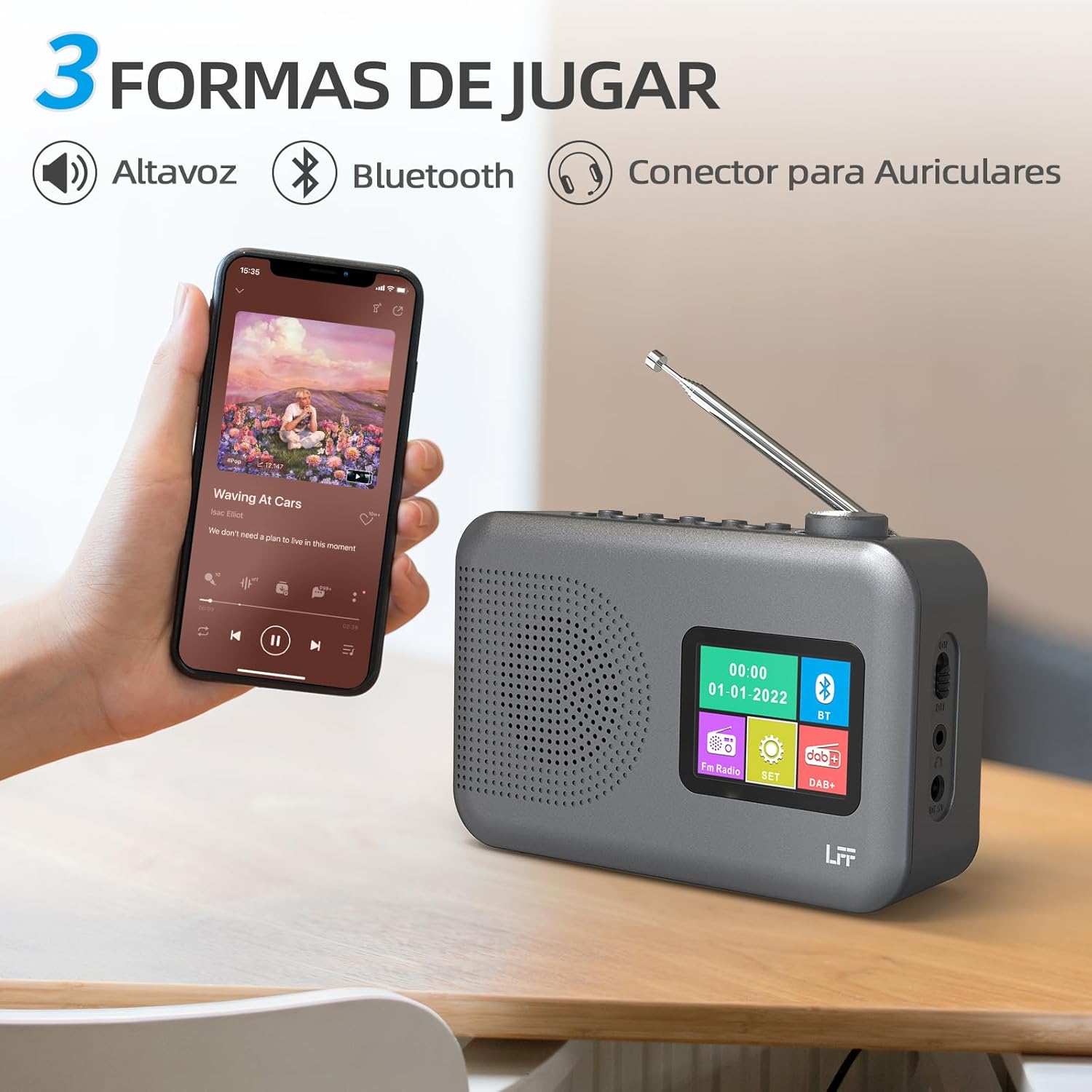
Figure 4.2: Bluetooth connectivity and audio playback options.
- Switch the radio to Bluetooth mode using the Simba/Modhi button. The display will show "Bluetooth Pairing" or similar.
- On your device, enable Bluetooth and search for "LFF YT81107" (or similar).
- Select the radio to pair. Once connected, you can play audio from your device through the radio's speaker.
- Adjust volume using the radio's Vhoriyamu Knob or your connected device.
Alarm Clock Basa
Set up to two independent alarms.
- Press the Alarm bhatani rekupinda mumarongero eararm.
- Shandisa iyo Tuning/Scroll mabhatani uye Volume Knob/Select to set the alarm time, source (DAB, FM, or buzzer), and frequency (daily, weekdays, weekends, once).
- Press the Alarm button again to confirm and activate the alarm.
- When an alarm sounds, press any button (except Power) to snooze, or press the Simba/Modhi bhatani kuidzima.
Kurara Nguva
The sleep timer allows the radio to turn off automatically after a set period.

Figure 4.3: Sleep timer function in use.
- Press the Menyu/Info bhatani kuti uwane iyo huru menyu.
- Navigate to the "Sleep Timer" option using the Tuning/Scroll mabhatani uye tinya iyo Volume Knob/Select.
- Select your desired duration (15, 30, 45, 60, 90, or 120 minutes) and confirm. The radio will automatically turn off after the selected time.
Kushandisa Headphone
For private listening, connect standard 3.5mm headphones to the headphone jack on the side of the radio. The internal speaker will be muted automatically.
Note: This radio does not support Bluetooth headphones. The 3.5mm headphone jack is for wired headphones only.
5. Kuchengeta
- Kuchenesa: Pukuta redhiyo nejira rakapfava, rakaoma. Usashandise zvinochenesa zvinogumbura kana zvinonyungudutsa.
- Kutsiva Bhatiri: If using batteries, replace all four AA batteries when the low battery indicator appears on the display or when performance degrades. Ensure proper disposal of old batteries.
- Kuchengeta: Kana ukachengeta redhiyo kwenguva yakareba, bvisa mabhatiri kudzivirira kubuda kwemvura.
6. Kugadzirisa matambudziko
| Dambudziko | Zvinogona Kukonzera | Solution |
|---|---|---|
| Hapana simba | AC adapter not connected or faulty; batteries depleted or incorrectly inserted. | Check AC adapter connection and power outlet. Replace batteries or ensure correct polarity. |
| Kugamuchirwa kweredhiyo kusina kunaka | Antena haina kuwedzerwa; nzvimbo isina simba yechiratidzo; kupindira. | Fully extend and adjust the telescopic antenna. Try moving the radio to a different location. |
| Bluetooth haina kubatana | Radio not in Bluetooth mode; device not in pairing mode; radio already connected to another device. | Ensure radio is in Bluetooth mode. Put your device in pairing mode. Disconnect from other Bluetooth devices. |
| Alarm haisi kurira | Alarm not activated; volume too low; incorrect alarm settings. | Check alarm settings and ensure it is enabled. Increase volume. Verify alarm time and source. |
7. Zvinotsanangurwa
| Feature | Detail |
|---|---|
| Model Number | YT81107 |
| Brand | LFF |
| Tekinoroji Yekugadzirisa | DAB+, FM |
| Mabhendi eRadio Anotsigirwa | DAB+ (174.928 - 239.2 MHz), FM (87.5 - 108 MHz) |
| Kubatana | Bluetooth, 3.5mm Headphone Jack |
| Simba Source | AC Adapter (included), 4x 1.5V AA (LR6) Batteries (not included) |
| Dimensions (L x W x H) | 16.1 masendimita x 5.9 masendimita x 10.9 masendimita |
| Color | Gireyi |
| Special Features | DAB Radio, DAB Plus Radio, DAB+ Radio, FM Radio, Color Display, Bluetooth, Dual Alarm, Sleep Timer |
| Inowirirana Devices | Headphones, MP3 Player, Smartphone, Laptop, Speaker, Tablet |
8. Warranty uye Tsigiro
LFF is committed to providing high-quality products. If you encounter any quality issues with your LFF DAB/FM Digital Radio YT81107, please contact us directly. Our customer support team is available to assist you and resolve any problems you may experience.
Ndokumbira utarise kumagwaro ako ekutenga kune yakatarwa waranti mazwi uye ruzivo rwekufonera.