
1. Nhanganyaya
The Silkland USB 4 Thunderbolt 4 Cable (Model S3601) is designed for high-performance connectivity, offering rapid data transfer, efficient power delivery, and high-resolution video output. This manual provides essential information for setting up, operating, maintaining, and troubleshooting your cable to ensure optimal performance.
2. Setup
This cable is designed for plug-and-play functionality, requiring no additional drivers for most devices. Simply connect the USB-C ends to compatible ports on your devices.
2.1 Connecting for Data Transfer, Charging, and Video Output
Connect one end of the Silkland USB 4 Thunderbolt 4 cable to your host device (e.g., laptop, tablet, smartphone) and the other end to your peripheral device (e.g., external SSD, monitor, docking station, power adapter). Ensure both devices support the desired functions (data, power, video) via their USB-C or Thunderbolt ports.

Image: Silkland USB 4 Thunderbolt 4 Cable connected to various devices, highlighting its capability for data, charging, and video.
Video: Demonstrates the plug-and-play functionality of the Silkland Thunderbolt 4 cable for connecting a MacBook Pro to an external display.
Cherechedza: For stable performance when connecting to a docking station, it is recommended to use cables below 5FT in length.
3. Operating Instructions
3.1 High-Speed Data Transfer
The Silkland USB 4 Thunderbolt 4 cable supports data transfer speeds of up to 40Gbps, which is twice as fast as previous generation USB4 cables. This allows for rapid transfer of large files, such as music, movies, or entire seasons of TV shows, in mere seconds. Connect your compatible SSDs or other storage devices for optimal performance.

Image: Visual representation of 40Gbps data transfer speed, demonstrating how the cable facilitates quick file backups.
Video: Shows a data transfer test with the Silkland Thunderbolt 4 cable, demonstrating that a 10GB video can be transferred in approximately 7 seconds.
3.2 Power Delivery and Fast Charging
This cable supports up to 240W (48V/5A) fast charging, compatible with PD3.1, QC 4.0, FCP, and AFC fast charging technologies. It is backward compatible with 100W, 140W, and 180W chargers. The integrated E-Marker chip ensures safety, stability, and battery protection during charging. It is compatible with devices like iPhone 15/16/17, MacBook, iPad Pro, and GaN chargers.

Image: Illustrates the rapid charging capability of the Silkland 240W cable compared to standard 100W cables.
Video: Demonstrates the fast charging speed of the Silkland Thunderbolt 4 cable for an iPhone 15.
Video: Shows a charging test of the Silkland Thunderbolt 4 cable with a MacBook Pro, indicating 97W power delivery.
3.3 High-Resolution Video Output
Experience stunning visual quality with support for a single 8K@60Hz, 6K/5K@60Hz, or dual 4K@60Hz display. Connect your laptop or docking station to a compatible monitor to extend or mirror your display for presentations, video editing, or gaming.

Image: A high-resolution monitor showcasing 8K content, connected using the Silkland USB 4 cable.
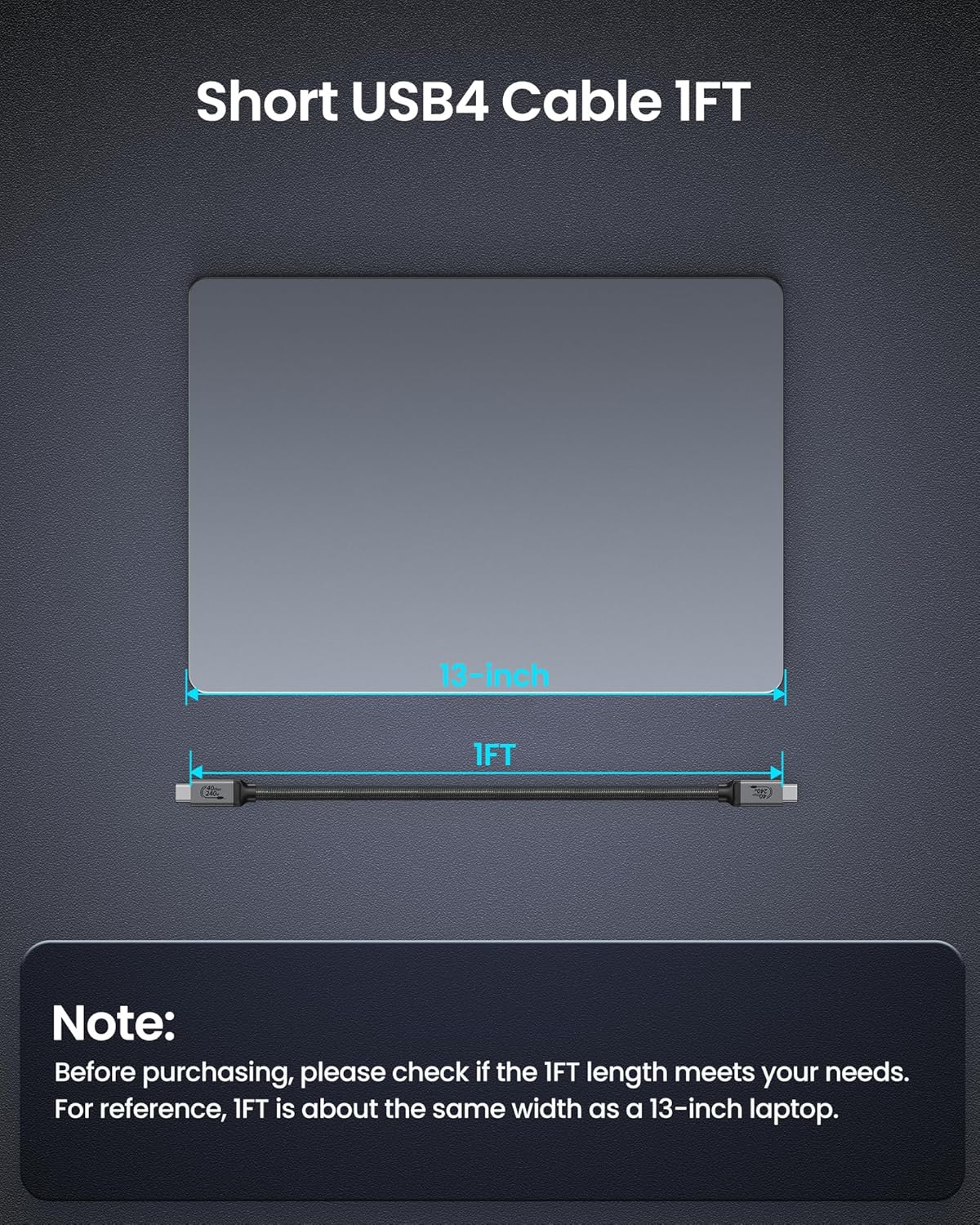
Image: Multiple monitors set up in an MST Daisy Chain configuration, powered by the Silkland USB 4 cable for an efficient workspace.
Vhidhiyo: Kuperaview of the Silkland Thunderbolt 4 cable's functions, including data transfer, charging, and video output capabilities.
4. Kuchengeta
The Silkland USB 4 Thunderbolt 4 cable is constructed with top-notch materials for durability and longevity. The double nylon braided exterior provides flexibility and resistance to wear, while the aluminum alloy shell and sturdy tinplate connectors ensure stable connections.

Mufananidzo: Zvakadzama view of the cable's robust construction, emphasizing its durability and stable connection features.

Image: Illustration of the Smart E-Marker Chip, which intelligently matches current to extend device and battery lifespan.
4.1 Kutarisira Kwese
- Avoid extreme bending or sharp angles to prevent internal damage.
- Chengetedza majoini akachena uye asina guruva kana marara.
- Chengeta waya yacho munzvimbo inotonhorera, yakaoma kana isiri kushandiswa.
Cherechedza: The shell dimensions of the connector are 12.2mm x 6.5mm. We recommend removing your phone case if it obstructs the connector for a secure fit.
5. Kugadzirisa matambudziko
5.1 No Data Transfer / Slow Speeds
- Tarisa Kuenderana: Ensure both your host and peripheral devices support USB 4 or Thunderbolt 4/3 for optimal speeds. Older USB standards will operate at their maximum supported speed.
- Verify Connection: Disconnect and reconnect the cable firmly at both ends.
- Edza neMimwe Midziyo: Try the cable with different compatible devices to isolate if the issue is with the cable or a specific device.
5.2 No Charging / Slow Charging
- Power Adapter: Ita shuwa kuti adapta yako yemagetsi inokwanisa kuendesa wat yakakwanatage (e.g., 240W, 140W, 100W) and supports PD3.1 or other fast charging protocols.
- Kuenderana Nemudziyo: Confirm your device supports fast charging via USB-C/Thunderbolt.
- Cable Integrity: Ongorora tambo pane chero kukuvara kunoonekwa.
5.3 No Video Output / Incorrect Resolution
- DisplayPort Alt Mode: Ensure your host device's USB-C/Thunderbolt port supports DisplayPort Alternate Mode.
- Monitor Input: Sarudza sosi chaiyo yekuisa pane yako monitor.
- Resolution Settings: Adjust display settings on your computer to match the monitor's capabilities.
- Cable Length: For high-resolution displays, shorter cables generally provide more stable signals.
6. Zvinotsanangurwa
| Feature | Tsanangudzo |
|---|---|
| Brand | Silkland |
| Model Name | S3601 |
| Connector Type | USB4 for Thunderbolt 4/3; USB C; Type C |
| Cable Type | USB4 |
| Data Transfer Rate | 40 Gigabits paSekondi |
| Power Delivery | Up to 240W (48V/5A), PD3.1, QC 4.0, FCP, AFC |
| Video Output | 8K@60Hz, 6K/5K@60Hz, Dual 4K@60Hz |
| Inowirirana Devices | Docking Station, Monitor, SSD, Smartphone, Laptop, iPad (Thunderbolt 4/3/Type-C devices) |
| Special Features | E-Marker Chip, Double Nylon Braided, Aluminum Alloy Shell, Sturdy Tinplate Connectors |
| Color | Gireyi |
| Outer Material | Nylon |
| Item Weight | 0.704 ounces |
7. Warranty & Tsigiro
Silkland offers a 24-month customer care period for this product. If you encounter any issues or have questions regarding your Silkland USB 4 Thunderbolt 4 Cable, please do not hesitate to contact our dedicated support team. We are committed to resolving your concerns within 18 hours.
For support, please visit the official Silkland webwebhusaiti kana kuti taura nemutengesi zvakananga kuburikidza nepuratifomu yako yekutenga.