
TEYES CC3 2K
TEYES CC3 2K Car Radio Multimedia Navigation System User Manual
Model: CC3 2K | Brand: TEYES
Nhanganyaya
This manual provides comprehensive instructions for the installation, operation, and maintenance of your TEYES CC3 2K Car Radio Multimedia Navigation System. Designed for Toyota Sienna 3 XL30 models from 2014-2020, this Android 10 head unit offers advanced multimedia, navigation, and connectivity features. Please read this manual thoroughly before using the device to ensure proper function and safety.
Package Zviri mukati
Tarisa kuti zvinhu zvese zvakanyorwa pazasi zvinosanganisirwa mupakeji yako. Kana chero zvinhu zvisipo kana kukuvadzwa, ndapota taura nerutsigiro rwevatengi.

Head Unit CC3 2K: The main display and processing unit.
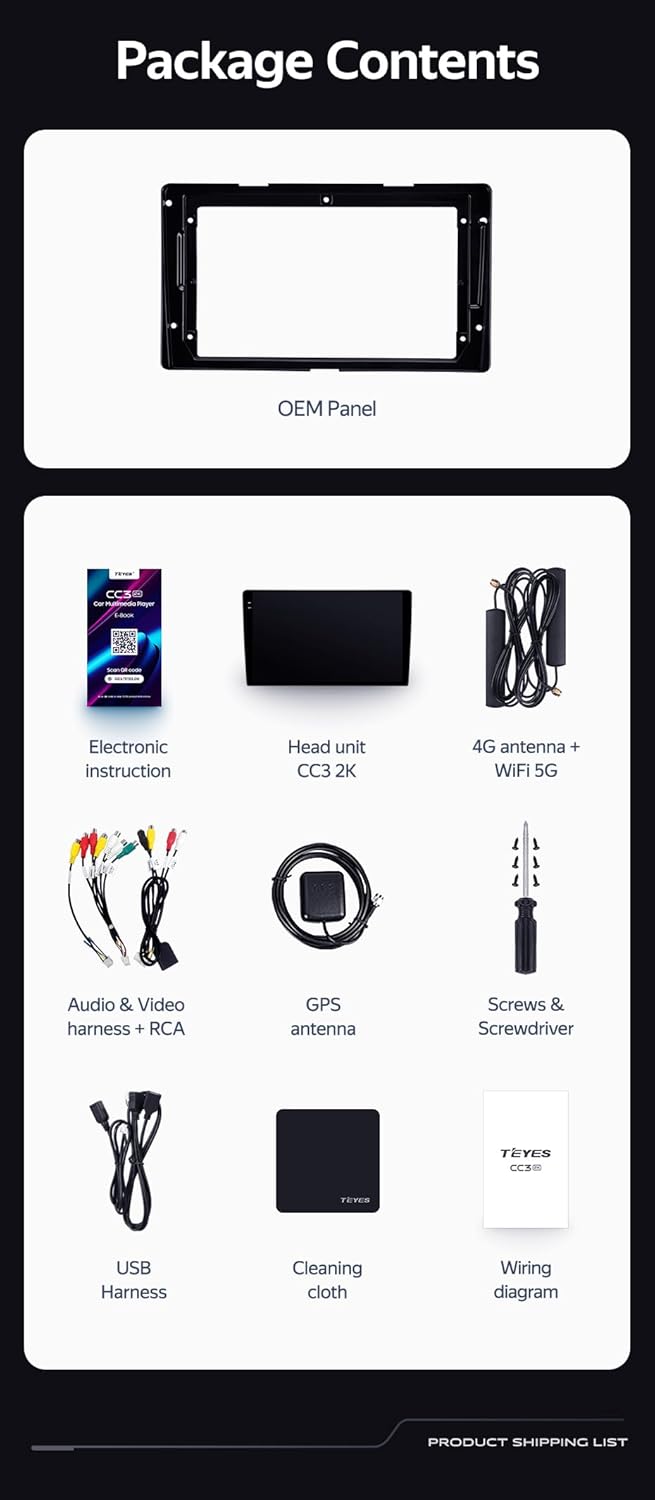
OEM Panel (Frame): Custom-fit panel for seamless integration into your vehicle's dashboard.

USB Cable: For data transfer and connecting external devices.

GPS Antena: For accurate navigation and location services.

AUX Cable: For auxiliary audio input.

4G WiFi Antenna: Zvekubatanidza network.

AHD 1080p Rear Camera: For enhanced reverse visibility.

Simba Cable: For connecting the head unit to the vehicle's power supply.
Wiring Diagram: Essential for correct electrical connections.
Electronic Instruction: Digital manual for detailed guidance.

Mucheka Wekuchenesa: For maintaining the display's clarity.
Setup uye Installation
Installation of the TEYES CC3 2K head unit requires technical knowledge and familiarity with car audio systems. It is recommended to seek professional installation to avoid damage to your vehicle or the device. Always disconnect the vehicle's battery before beginning installation.
Kuiswa Kwaperaview
- Kugadzirira: Ensure the vehicle's power is off. Remove the original car radio and dashboard trim.
- Mounting the OEM Panel: Secure the provided OEM panel to the head unit.
- Wiring Connections: Connect the power cable, USB cables, GPS antenna, 4G WiFi antenna, AUX cable, and rear camera according to the wiring diagram. Ensure all connections are secure.
- Steering Wheel Control Integration: The unit supports original car steering wheel buttons. Connect the appropriate wires as per the wiring diagram. Configuration may be required in the unit's settings.
- Kuedza: Before fully reassembling the dashboard, connect the battery and power on the unit to test basic functions.
- Final Assembly: Carefully reassemble the dashboard trim and secure the head unit in place.

Tsanangudzo yemufananidzo This image displays a side-by-side comparison of a Toyota Sienna dashboard before and after the installation of the TEYES CC3 2K head unit. The 'before' image shows the original car radio, while the 'after' image shows the integrated TEYES CC3 2K unit, demonstrating a seamless fit and updated aesthetic.

Tsanangudzo yemufananidzo A pedyo-up view of a car's steering wheel with integrated control buttons. The text indicates that the TEYES CC3 2K supports these original car steering wheel buttons, allowing for convenient control of the multimedia system.
Operating Instruction
The TEYES CC3 2K operates on an Android 10 system, providing a user-friendly interface. The 2K in-cell touch screen offers responsive interaction.
Basic Operation
- Batidza/Kudzima: Press and hold the power button (if physical) or use the vehicle's ignition.
- Bata Screen Navigation: Swipe, tap, and pinch to navigate through menus and applications.
- Sikirini Yemba: Access frequently used apps and widgets. Customize the layout as desired.
- Kudzora inzwi: Adjust volume using the on-screen controls or steering wheel buttons.
Multimedia Mabasa
- Redhiyo Access the built-in radio tuner. Supports RDS for enhanced information display.
- Bluetooth: Pair your smartphone for hands-free calling and audio streaming via the upgraded QCC3031QFN Qualcomm Bluetooth module.
- USB Kutamba: Connect USB drives to play audio and video files.
- Mutambi weVhidhiyo Play various video formats on the 2K display.
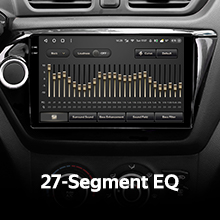
- Audio Output: Utilize the 2*DSP ADAU1701 + ROHM32107 for high-quality audio, including optical and coaxial digital audio output.
Kufamba uye Kubatana
- GPS Navigation: Use pre-installed navigation apps or download others from the app store. Supports North America maps.
- 4G Internet & WiFi: Connect to the internet via 4G or WiFi hotspot for online services, app downloads, and real-time traffic updates.
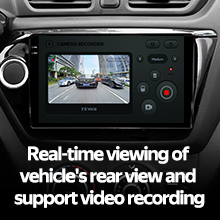
- Rear Camera: The included AHD 1080p rear camera provides real-time viewing when reversing and supports video recording.
Tsanangudzo yeVhidhiyo: This video demonstrates the TEYES CC3 2K head unit's user interface and features, including its responsive touch screen, multimedia playback, and integration into a car dashboard. It highlights the visual quality and various functionalities of the system.
Tsanangudzo yemufananidzo A akadzama view of the TEYES CC3 2K head unit's display, showcasing its modern user interface with various application icons for video, radio, folders, and Teyes Yahu. It also displays a music player widget and a car speed indicator, illustrating the system's multimedia and informational capabilities.
Maintenance
Proper maintenance ensures the longevity and optimal performance of your TEYES CC3 2K head unit.
- Kuchenesa Screen: Use the provided cleaning cloth or a soft, lint-free cloth with a screen-safe cleaner. Avoid abrasive materials or harsh chemicals.
- Zvigadziriso zveSoftware: Regularly check for and install software updates to ensure the system has the latest features and security patches.
- Environmental Conditions: Regedza kuisa chikamu kune tembiricha yakanyanyisa, zuva rakananga kwenguva refu, kana hunyoro hwakanyanya.
- Cable Connections: Nguva nenguva tarisa zvese zvakabatana netambo kuti uve nechokwadi chekuti zvakachengeteka uye hazvina kukuvara.
Kugadzirisa matambudziko
If you encounter issues with your TEYES CC3 2K, refer to the following common troubleshooting steps. For persistent problems, contact customer support.
- Chikamu Haisi Kubatidzwa:
- Check vehicle's battery connection.
- Verify power cable connections to the head unit.
- Ensure vehicle ignition is on.
- Hapana Inzwi:
- Check volume levels on the unit and vehicle.
- Verify speaker wire connections.
- Ensure correct audio source is selected.
- GPS Haisi Kushanda:
- Iva nechokwadi chekuti antenna yeGPS yakabatana zvakanaka uye ine tambo yakajeka view yedenga.
- Check GPS settings in the unit's menu.
- Bata Sikirini Haidaire:
- Restart the head unit.
- Ita shuwa kuti skrini yakachena uye haina tsvina.
- Matambudziko eBluetooth Connectivity:
- Ensure Bluetooth is enabled on both the head unit and your device.
- Delete previous pairings and re-pair the device.
- Move devices closer to the head unit.
Zvinotsanangurwa
| Feature | Detail |
|---|---|
| Model Number | CC3 2K |
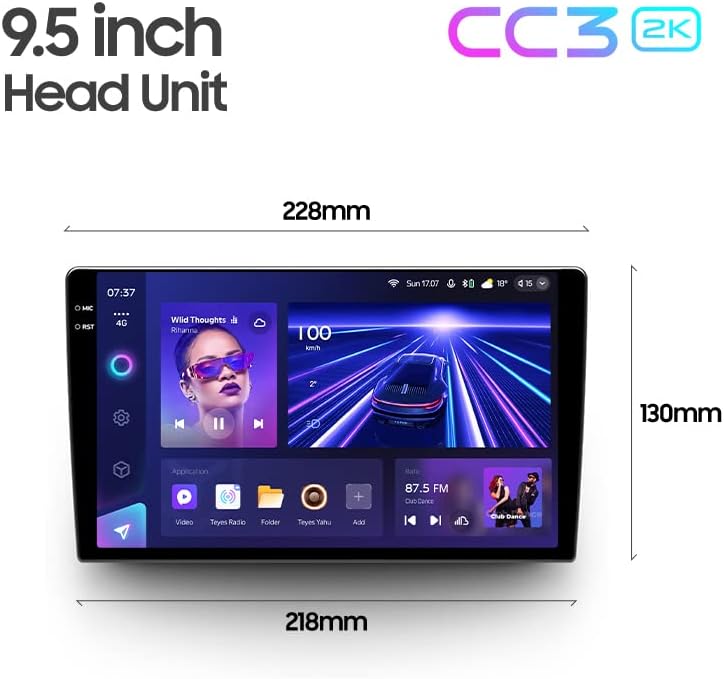
| Kukura Kwekuratidza | 9.5 inches |
| Operating System | Android 10 |
| RAM | 6GB |
| ROM | 128GB |
| processor | 8 Cores 2.0GHz |
| Display Technology | 2K In-cell Display, Gamut Coverage 157% |
| Bluetooth Module | QCC3031QFN Qualcomm |
| Audio processors | 2*DSP ADAU1701 + ROHM32107 |
| Audio Output | Optical and Coaxial Digital Audio Output, Stereo |
| Kubatana | Bluetooth, USB, WiFi, Hotspot, 4G Internet |
| Mepu Type | North America |
| Special Features | Touchscreen, RDS Support, Real-time Rear View, Video Recording Support, 3D Software (TEYES Vision & TEYES Yahu) |
| YeMotokari Sevhisi Type | Car (Toyota Sienna 3 XL30 2014-2020) |

Tsanangudzo yemufananidzo This image provides a dimensional diagram of the TEYES CC3 2K 9.5-inch head unit, showing its width (228mm at the top, 218mm at the bottom) and height (130mm). The display also shows the user interface with music playback and car speed information.
Warranty Information
The TEYES CC3 2K Car Radio Multimedia Navigation System comes with a 1-makore waranti from the date of purchase. This warranty covers manufacturing defects and malfunctions under normal use. It does not cover damage caused by improper installation, accidents, misuse, unauthorized repairs, or normal wear and tear. Please retain your proof of purchase for warranty claims.
Mutengi Support
For technical assistance, troubleshooting, or warranty inquiries, please contact TEYES customer support. Refer to the contact information provided with your product packaging or visit the official TEYES webnzvimbo yekutsigira zviwanikwa.
Mugadziri: Shenzhen TEYES High tech Co., Ltd.
Ask a question about this manual
Ask about setup, troubleshooting, compatibility, parts, safety, or missing instructions. Manuals+ will review the question and use this page’s manual context to help answer it.