
TEYES CC3 2K
TEYES CC3 2K Car Radio Multimedia System
User Manual
1. Nhanganyaya
The TEYES CC3 2K is an advanced car radio multimedia system designed to enhance your driving experience with cutting-edge technology. Featuring a high-resolution 2K in-cell display, Android 10 operating system, and comprehensive navigation capabilities, this head unit integrates seamlessly into compatible vehicles, offering superior audio-visual performance and smart connectivity. This manual provides detailed instructions for installation, operation, maintenance, and troubleshooting.

Figure 1.1: TEYES CC3 2K Head Unit Interface
2. Package Zviri mukati
Tarisa kuti zvinhu zvese zvakanyorwa pazasi zvinosanganisirwa mupakeji yako. Kana chero zvinhu zvisipo kana kukuvadzwa, ndapota taura nerutsigiro rwevatengi.

Figure 2.1: TEYES CC3 2K Package Contents
- 1x TEYES CC3 2K Head Unit
- 1x Power Cable
- 1x USB Cable
- 1x GPS Antenna
- 1x AUX Cable
- 1x 4G WiFi Antenna
- 1x E-book (Digital Manual)
- 1x Frame (OEM Panel)
- 1x AHD 1080p Rear Camera
- 1x Audio & Video Harness + RCA
- 1x Screws & Screwdriver
- 1x Mucheka Wokuchenesa
- 1x Wiring Diagram
3. Key Features
The TEYES CC3 2K system offers a range of advanced features for an enhanced in-car experience:
- Kuita Kwepamusoro: Equipped with RAM 6GB and ROM 128GB for smooth operation.
- Superior Display: CC3 2K In-cell Display with 157% Gamut Coverage for vivid and accurate colors.
- Advanced Touchscreen: 2K touch screen technology with integrated display and touchscreen.
- Seamless Kubatana: Built-in wireless CARPLAY and ANDROID AUTO.
- Hardware ine Simba: 8 cores 2.0GHz processor, support for RDS, and 4G internet.
- Enhanced Bluetooth: Upgraded Bluetooth module with QCC3031QFN Qualcomm.
- Innovative Software: Includes TEYES Vision & TEYES Yahu 3D software.
- Customizable Interface: Multiple color styles available to suit user preference.
- Premium Audio: Dual DSP ADAU1701 + ROHM32107, with optical and coaxial digital audio output.
- Safety Features: Nguva chaiyo viewing of vehicle's rear view and support for video recording.
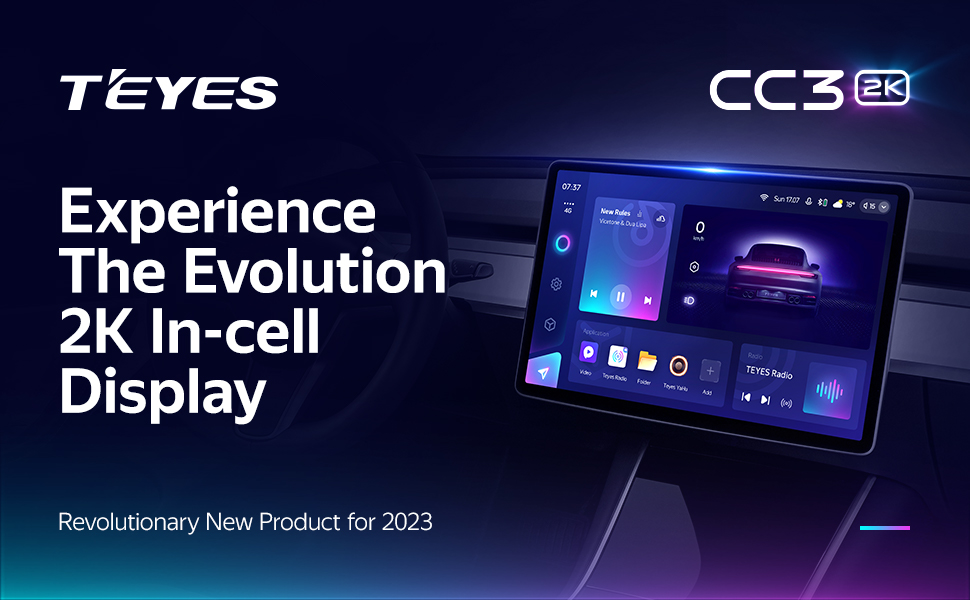
2K In-cell Display
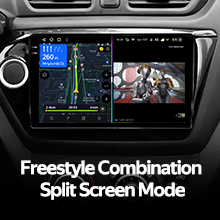
Freestyle Combination Split Screen Mode
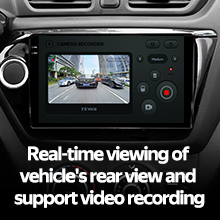
Real-time Rear View & Video Recording

Optical and Coaxial Digital Audio Output
4. Setup uye Kuiswa
4.1. Kugarisana
The TEYES CC3 2K head unit is specifically designed for Ferrari California models manufactured between 2008 and 2017. Ensure your vehicle falls within this range for proper fitment and functionality.

Mufananidzo 4.1: Pamberi uye Mushure mekuiswa
4.2. Wiring uye Connections
Refer to the included wiring diagram for detailed connection instructions. Key connections include the power cable, USB cables, GPS antenna, AUX cable, and 4G WiFi antenna. Professional installation is recommended.
- Simba Cable: Connect to the vehicle's power supply according to the wiring diagram.
- USB Cables: Utilize the multiple USB outputs for data transfer and connecting external devices.
- GPS Antena: Mount in a location with clear sky view kuitira kugashira kwechiratidzo.
- 4G WiFi Antenna: Install for stable internet connectivity.
- Rear Camera: Connect the AHD 1080p rear camera for parking assistance and recording.
- Kudzora Wheel: The system supports original steering wheel controls. Refer to the wiring diagram for integration.
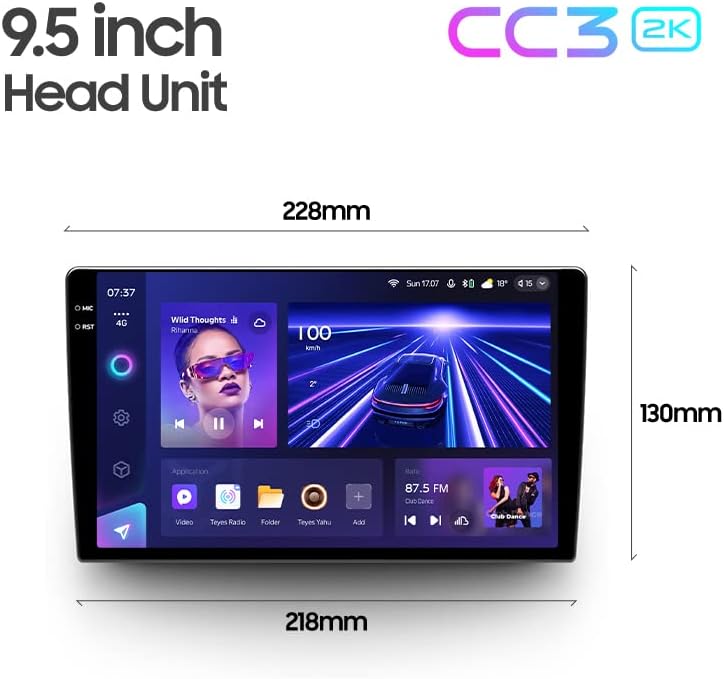
Figure 4.2: USB Output Cables

Figure 4.3: Steering Wheel Control Support
5. Operating Instructions
5.1. Basic Operation
The TEYES CC3 2K operates on Android 10, providing a familiar and intuitive user interface. Navigate through menus and applications using the responsive 2K touchscreen. Voice commands are also supported via the touchscreen interface.
5.2. Navigation
Utilize the built-in GPS for accurate navigation. The system supports North America map types. Access navigation applications directly from the main interface.
5.3. Multimedia Playback
The system functions as a comprehensive multimedia player, supporting various audio and video formats. Enjoy premium local radio with RDS support. The audio output mode is stereo, providing a rich sound experience.

Figure 5.1: Premium Local Radio Interface
5.4. Kubatana
- Bluetooth: Connect your smartphone for hands-free calling and audio streaming via the upgraded QCC3031QFN Qualcomm Bluetooth module.
- Wi-Fi & Hotspot: Connect to Wi-Fi networks or use your phone's hotspot for internet access.
- CarPlay isina waya uye Android Auto: Seamlessly integrate your smartphone for navigation, music, and messaging.
5.5. Zvirongwa zveModhiyo
Fine-tune your audio experience with the dual DSP (ADAU1701 + ROHM32107) and a 27-segment equalizer. The system also features optical and coaxial digital audio output for high-fidelity sound.

Figure 5.2: Dual DSP Audio Processing
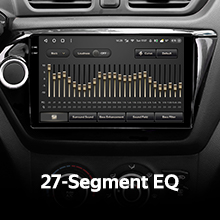
Figure 5.3: 27-Segment Equalizer
5.6. Kumashure View Kamera uye Kurekodha
The included AHD 1080p rear camera provides real-time viewing of your vehicle's rear surroundings, aiding in parking and maneuvering. The system also supports video recording from the camera.
6. Kuchengeta
To ensure the longevity and optimal performance of your TEYES CC3 2K system, follow these maintenance guidelines:
- Kuchenesa: Use the provided cleaning cloth or a soft, lint-free cloth to gently wipe the screen and unit. Avoid abrasive cleaners or solvents.
- Zvigadziriso zveSoftware: Periodically check for software updates from TEYES to ensure you have the latest features and bug fixes.
- Environmental Conditions: Regedza kuisa chikamu kune tembiricha yakanyanyisa, zuva rakananga kwenguva refu, kana hunyoro hwakanyanya.
7. Kugadzirisa matambudziko
If you encounter issues with your TEYES CC3 2K system, refer to the following common problems and solutions:
| Dambudziko | Zvinogona Kukonzera | Solution |
|---|---|---|
| Unit haibatike | Yakasununguka simba rekubatanidza, fuse inoputika | Check power cable connections; inspect vehicle's fuse box. |
| Hapana inzwi rinobuda | Volume too low, incorrect audio settings, loose speaker wires | Increase volume; check audio output settings; verify speaker connections. |
| Chiratidzo cheGPS chakarasika/hachina kururama | GPS antenna obstructed or improperly installed | Ita shuwa kuti antenna yeGPS ine denga rakajeka view; re-seat antenna connection. |
| Touchscreen haidaire | Software glitch, temporary freeze | Restart the unit (refer to manual for specific restart procedure); if persistent, contact support. |
| Bluetooth nyaya dzekubatanidza | Device not discoverable, interference | Ensure Bluetooth is enabled on both devices; try re-pairing; minimize interference. |
For issues not listed here, or if solutions do not resolve the problem, please contact TEYES customer support.
8. Zvinyorwa zveUnyanzvi
| Feature | Tsanangudzo |
|---|---|
| Model Number | CC3 2K |
| Operating System | Android 10 |
| Kukura Kwekuratidza | 9.5 inches |
| Display Technology | 2K In-cell Touch Screen |
| RAM | 6GB |
| ROM | 128GB |
| processor | 8 Cores 2.0GHz |
| Bluetooth Module | QCC3031QFN Qualcomm |
| DSP | 2*DSP ADAU1701 + ROHM32107 |
| Audio Output | Stereo, Optical and Coaxial Digital Audio Output |
| Kubatana | Bluetooth, USB, WIFI, Hotspot, 4G Internet |
| Navigation | GPS, North America Map Type |
| Special Features | Wireless CarPlay, Android Auto, Steering Wheel Control, Rear View Camera Support, Video Recording |
| Mounting Type | Panel Gomo |
| Mugadziri | Shenzhen TEYES High tech Co., Ltd. |
| Kutanga Kuwanikwa Zuva | Nyamavhuvhu 2, 2023 |
9. Ruzivo rweWaranti
The TEYES CC3 2K Car Radio Multimedia System comes with a 1-makore waranti from the date of purchase. This warranty covers manufacturing defects and malfunctions under normal use. Please retain your proof of purchase for warranty claims. For detailed warranty terms and conditions, refer to the official TEYES websaiti kana kubata rutsigiro rwevatengi.
10. Mutengi Tsigiro
For further assistance, technical support, or inquiries regarding your TEYES CC3 2K system, please visit the official TEYES store or contact their customer service team:
TEYES Official Store: https://www.amazon.com/stores/TEYES/page/1420A196-4C01-48FA-BED8-462791F44D56
Please have your product model number (CC3 2K) and purchase details ready when contacting support.
Ask a question about this manual
Ask about setup, troubleshooting, compatibility, parts, safety, or missing instructions. Manuals+ will review the question and use this page’s manual context to help answer it.