Product Overview
The hohem iSteady XE Kit is a 3-axis gimbal stabilizer designed for smartphones, offering enhanced stability and creative filming options. It features a portable, foldable design and includes a magnetic fill light for optimal illumination.
Chii chiri muBhokisi
- XE phone stabilizer*1
- Magnetic Fill Light*1
- Katatu * 1
- Storage pouch*1
- USB-Type-C Charging cable*1
Setup Guide
1. Attaching the Tripod
Attach the included tripod to the 1/4"-20 UNC port located at the bottom of the gimbal handle. Ensure it is securely tightened.
Video: Demonstrates how to attach the tripod to the gimbal stabilizer and unfold the gimbal arm. This video is provided by hohem global (Seller).
2. Expanding and Securing the Gimbal Arm
Expand the iSteady XE gimbal arm until it is vertical. Tighten the knob by turning it clockwise to secure the arm in position. Failure to tighten the knob may result in improper gimbal function.

Image: A hand expanding the gimbal arm to a vertical position and tightening a knob to secure it. This shows the initial setup of the gimbal.
3. Kuisa Smartphone Yako
Tenderedza foni clamp so the "hohem" logo faces upwards. Insert your mobile device by first placing it into the bottom of the phone clamp, then pulling the top side of the clamp to secure it into place. Ensure the phone camera is on the left side and the phone is clamped centrally and clinging to the rubber pads. This prevents vibration and automatic shutdown. For thick phone cases, it is recommended to remove the case before mounting.
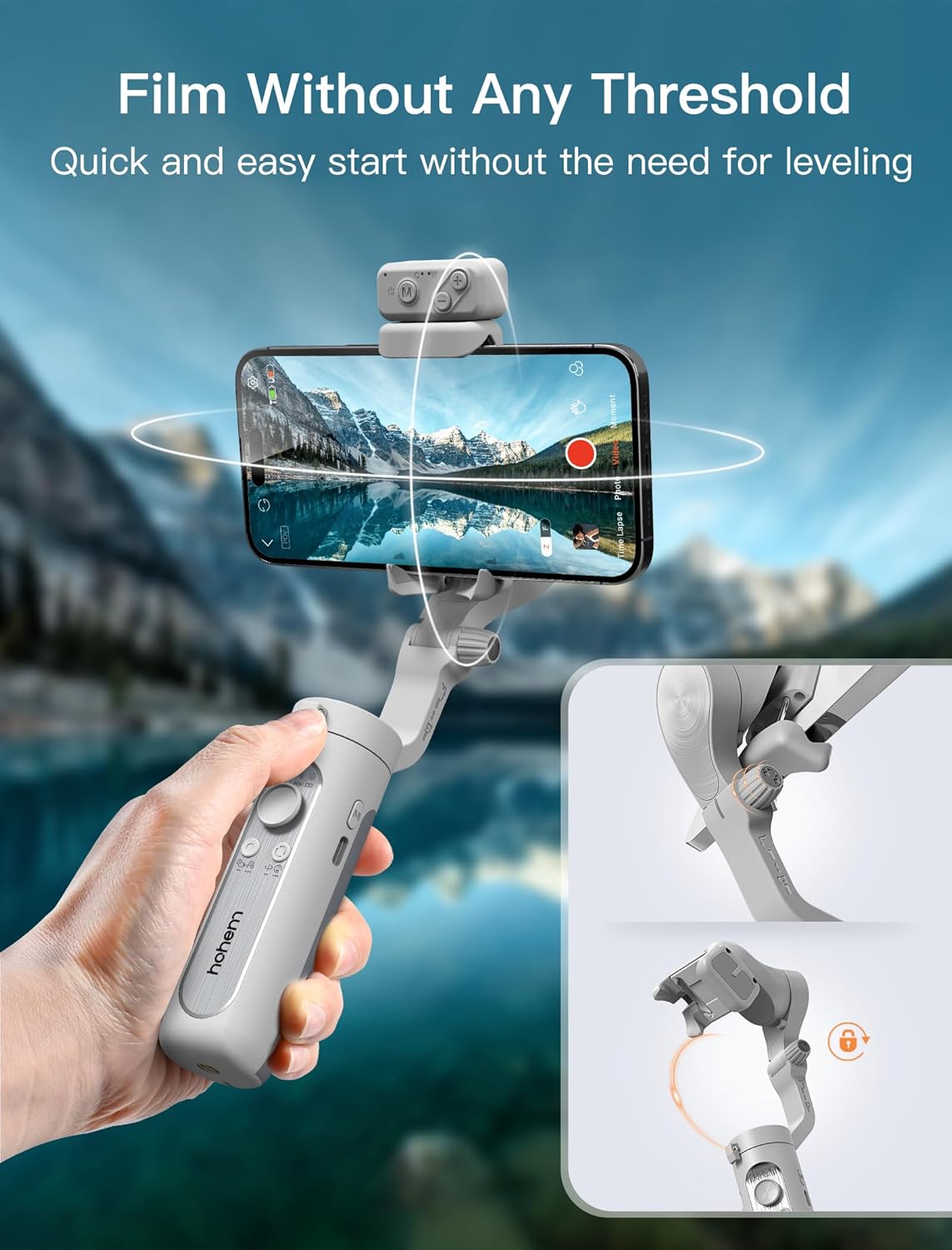
Image: A hand demonstrating how to properly mount a smartphone into the gimbal's clamp, ichiita kuti ive pakati nepakati uye yakachengeteka.
4. Powering On and App Connection
Hold down the power (M) button on the side of the gimbal to activate it. Download the "Hohem Joy" app from your smartphone's app store. Pair your smartphone with the gimbal via Bluetooth for full functionality, including face and object tracking, and creative templates.
Video: An introduction to the hohem Gimbal Stabilizer for Smartphone, showing its features and initial setup steps. This video is provided by hohem global (Seller).
Operating Instruction
Kudzora kweGimbal
The iSteady XE Kit features intuitive controls for seamless operation:
- M Button (Power Button):
- Dzvanya uye ubate: Simba on/off.
- Press twice (when powered on): Enable standby mode.
- Press once (in standby mode): Exit standby mode.
- Press once (when powered on): Switch between working modes (PTF, PF, L, POV).
- Joystick:
- Push Up/Down: Controls tilt rotation (+45° to -45°).
- Push Left/Right: Controls pan rotation (320°).
- Shutter Bhatani: (Requires Hohem Joy app / Android 10.0 or later with Bluetooth pairing)
- Press once: Take photo or start/end video recording.
- Press twice: Switch between photo and video modes.
- Press three times: Switch between front and rear cameras.
- Chinotsvedza Zoom: (Requires Hohem Joy app / Android 10.0 or later with Bluetooth pairing)
- Push up: Zoom in.
- Push down: Zoom out.
Video: Explains the functions of various buttons and controls on the hohem Gimbal Stabilizer. This video is provided by hohem global (Seller).
Magnetic Zadza Chiedza
The magnetic fill light offers 3 color temperature settings (3000K, 5500K, 6500K) and 10 brightness levels. It can be attached magnetically to the phone stabilizer and rotated 180° for front or rear illumination. The fill light has a battery life of up to 60 minutes and charges via USB-C.

Image: Illustrates the magnetic fill light's adjustable color temperatures (3000K, 5500K, 6500K) and 10 brightness levels, highlighting its versatility.
Key Features
- iSteady 7.0 3-Axis Stabilization: Provides 3 times more anti-shake performance for smoother video footage.
- Magnetic Fill Light: Adjustable with 3 color temperatures and 10 brightness levels, 180° rotatable, and 60-minute battery life.
- Hohem Joy App: Enables face and object tracking, creative templates, and advanced filming features.
- Kurumidza Kutanga: No tedious leveling required; simply clip your phone centrally.
- One-Key Inception Mode: Activate 180° inception videos with a single button tap.
- Yakareruka uye Inotakurika: Weighs only 0.57 lbs (259g) with a foldable design, ideal for on-the-go use.
- Increased Motor Torque: 30% increase in motor torque, supporting a maximum payload of 0.62 lbs.
- Hupenyu hweBhatiri hwemaawa makumi mana: Extended use for long filming sessions.
- 1/4" Universal Screw Hole: Inoenderana nemhando dzakasiyana dzezvishongedzo.

Image: The hohem iSteady XE Kit Gimbal Stabilizer in grey, with a smartphone mounted, showcasing its compact and ready-to-use design.
Zvigadzirwa Zvinotsanangurwa
| Feature | Detail |
|---|---|
| Product Dimensions | 3.1 x 1.5 x 7 inches (7.05*3.12*1.54 inch folded) |
| Item Weight | 9.1 ounces (259g) |
| Bhatiri | 1 Lithium Ion bhatiri inodiwa (inosanganisirwa) |
| Inowirirana Devices | iPhone 15/14/Pro Max/Pro/Plus, SE2, Samsung Galaxy S22/S21/S20/+/Ultra, Huawei P50/40/30/20/Pro, Mate50/40/Pro (Payload up to 0.62 lbs) |
| Brand | hohem |
| Color | Gireyi |
| Mugadziri | hohem Technology Co., LTD. |
Kugadzirisa matambudziko
- Gimbal Vibrates or Turns Off Automatically: Ensure your phone is clamped centrally and securely clinging to the rubber pads. Remove thick phone cases if necessary.
- Fill Light Not Charging/Functioning: The magnetic fill light is a separate component and needs to be charged independently via its USB-C port. Ensure it is fully charged.
- Gimbal Not Stabilizing Properly: Ensure the gimbal arm is fully expanded and the knob is tightened clockwise. If issues persist, recalibrate the gimbal via the Hohem Joy app.
- Matambudziko eApp Connectivity: Ensure Bluetooth is enabled on your smartphone and the Hohem Joy app is updated to the latest version.
- Joystick Sensitivity: Adjust joystick speed settings (Low, Medium, High) within the Hohem Joy app to achieve smoother control. Low sensitivity is recommended for precise movements.
Warranty & Support
Kuti uwane ruzivo rwewarandi uye rutsigiro rwehunyanzvi, ndapota tarisa kune hohem yepamutemo website or contact hohem customer service directly. Keep your purchase receipt for warranty claims.
- Mugadziri: hohem Technology Co., LTD.
- Mutengesi: hohem global
- Zvirongwa zvekudzivirira: Optional 2-Year or 3-Year Protection Plans are available for purchase.