
1. Nhanganyaya
The BOTSLAB W302 Outdoor Dual-Lens Security Camera is designed to provide comprehensive surveillance for your home or business. Featuring advanced dual-lens technology, it offers a 170° super-wide viewing angle and crystal-clear 4MP resolution. This manual provides detailed instructions for setting up, operating, and maintaining your security camera to ensure optimal performance.
2. Package Zviri mukati
Ndokumbira utarise kuti zvinhu zvese zvakanyorwa pazasi zvinosanganisirwa mupakeji yako. Kana chero zvinhu zvisipo kana kukuvadzwa, ndapota taura nerutsigiro rwevatengi.
- Kamera unit x 1
- Bhureki x 1
- Kunamira kwechinzvimbo x 1
- Chikwangwani chenyevero x 1
- Kurumidza kutanga gwara x 1
- Adapta yemagetsi x 1
- Screw kurongedza x 1

Figure 2.1: All components included in the BOTSLAB W302 camera package.
3. Zvigadzirwa zveChigadzirwa
- Dual-Lens Vision: Captures a wide 170° super-wide viewing angle with 4MP (2MP+2MP) resolution for seamless panoramic images without blind spots.
- Color Night Vision: Provides continuous color views 24/7, even in low light, thanks to automatic light adaptation (ColorGuard) and up to 100ft night vision range.
- Smart Security & Precise Alerts: Detects people and vehicles with motion detection, sending precise alerts. Features a customizable siren and light alarm for enhanced security.
- AI-Powered Tracking: Intelligently focuses on humans, offering close-up views and dual live views (wide panorama and close-up) simultaneously via the Botslab app.
- Seamless Kubatana: Supports faster and more stable dual-band Wi-Fi (2.4GHz/5GHz).
- Mbiri-Nzira Audio: Stay connected and communicate with visitors or deter intruders.
- Weatherproof Dhizaini: IP66 rated, ensuring reliable performance in temperatures from -20°C to 60°C.
- Smart Home Kubatanidzwa: Seamlessly integrates with Amazon Alexa and Google Assistant for voice control.

Figure 3.1: Dual-Lens Vision with 170° Super-Wide Angle.

Figure 3.2: Non-Stop Color Night Vision.

Figure 3.3: Smart Security with Person, Vehicle, and Motion Detection.
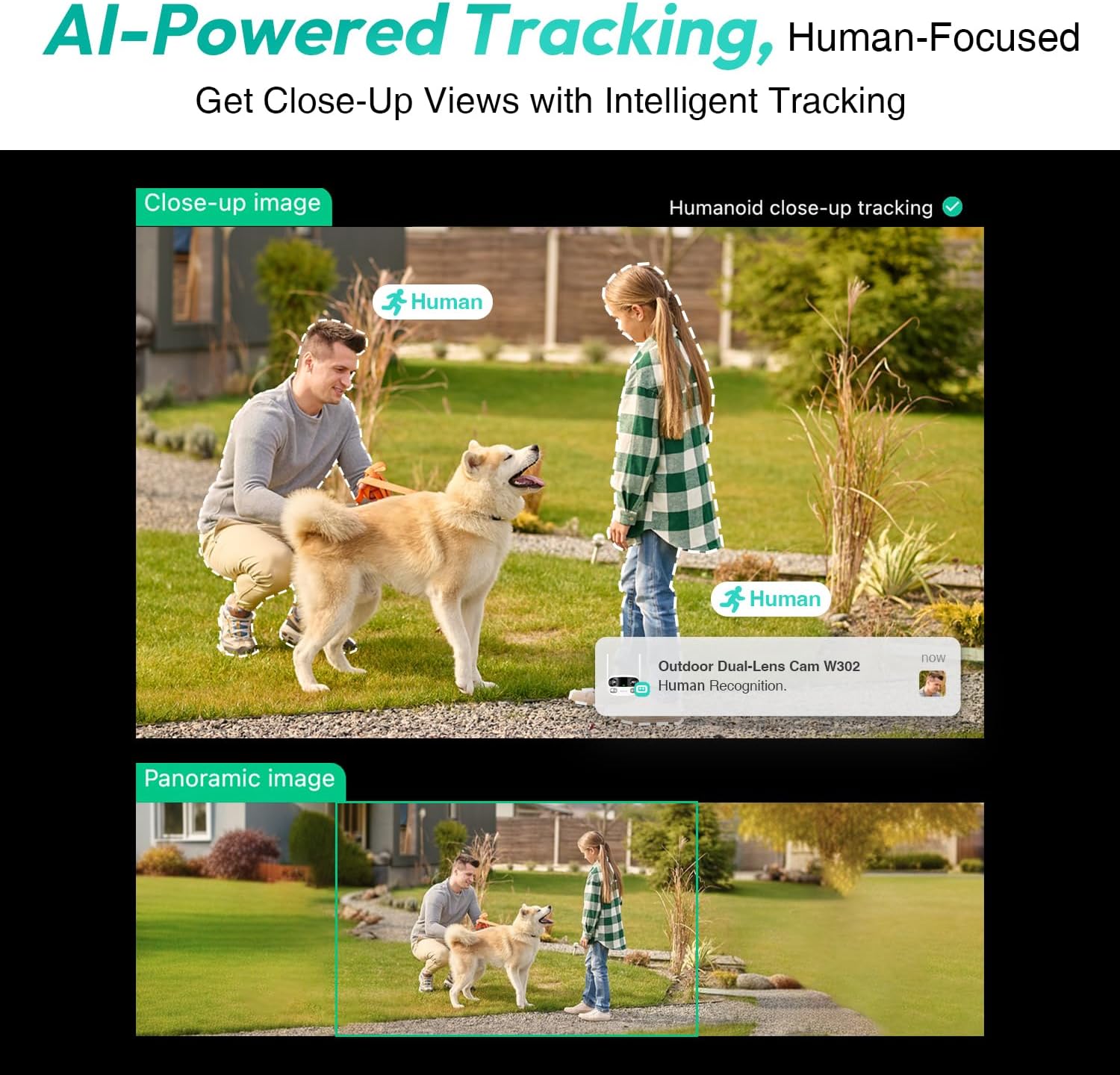
Figure 3.4: AI-Powered Human Tracking with Dual Live Views.
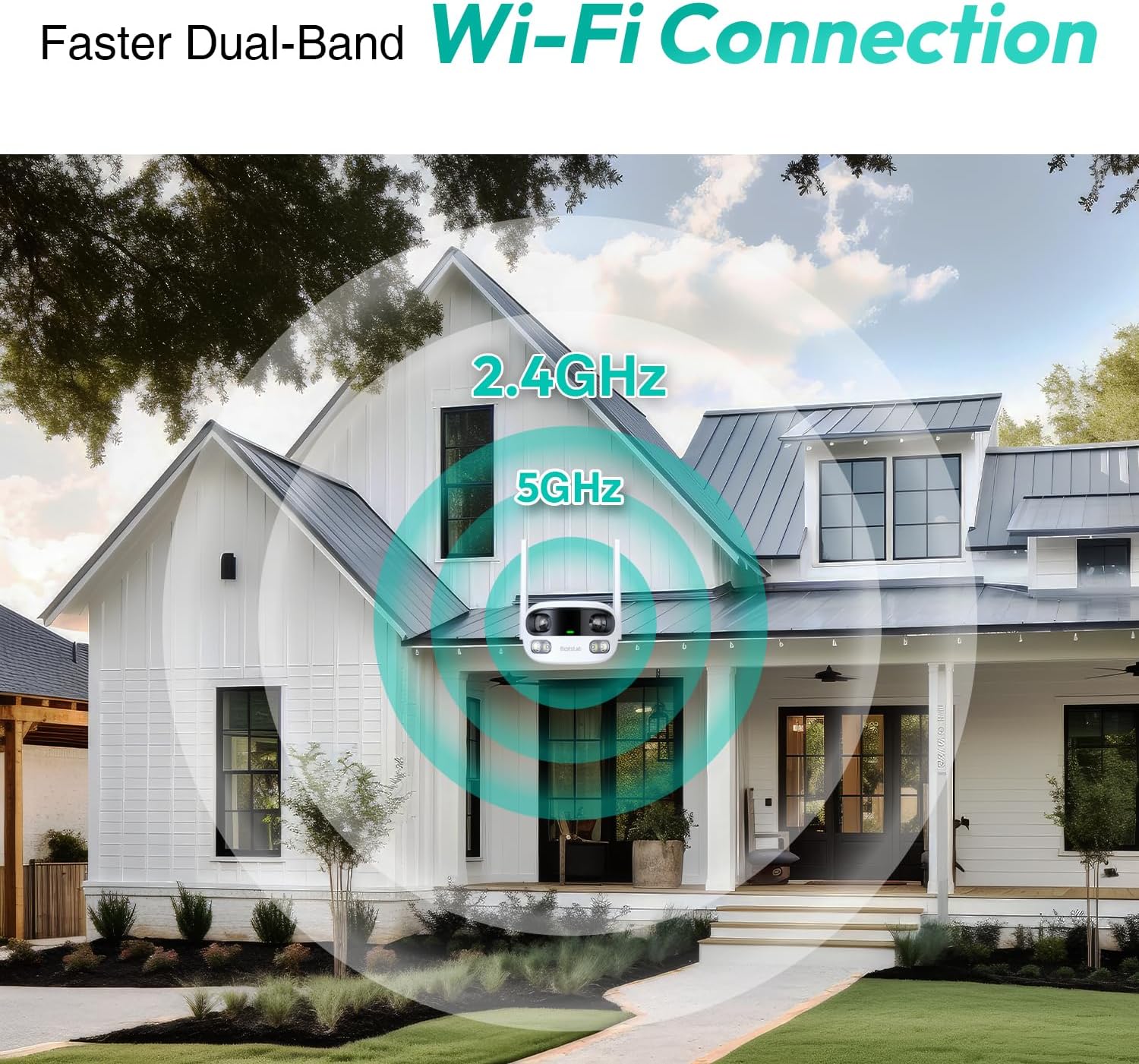
Figure 3.5: Faster Dual-Band Wi-Fi Connection.

Figure 3.6: Two-Way Audio Communication.

Figure 3.7: IP66 Weatherproof Design.

Figure 3.8: Alexa & Google Assistant Integration.
4. Setup uye Kuiswa
Follow these steps to properly install your BOTSLAB W302 camera.
- Sarudza Nzvimbo: Select an outdoor location with a clear view of the area you wish to monitor. Ensure it's within Wi-Fi range and near a power outlet.
- Mount the Bracket: Use the provided positioning sticker to mark drill holes on the wall or ceiling. Drill the holes, insert expansion tubes, and securely fasten the bracket with screws.
- Batanidza Kamera: Rotate the camera body and screw it onto the bracket. Adjust the camera's position and tighten the bracket.
- Batanidza Simba: Plug the power adapter into the camera and then into a power outlet. The indicator light will turn green and start flashing when ready for pairing.

Figure 4.1: Versatile Installation Options (Wall and Ceiling).
Vhidhiyo 4.1: Kuperaview of the Botslab Security Camera Outdoor, including its features and installation process. This video is provided by Botslab Security.
5. App Configuration
The Botslab app is essential for controlling and monitoring your camera. Download and install the app on your smartphone (available on App Store and Google Play).
- Nyoresa/Pinda: Open the Botslab app and register a new account or log in with an existing one.
- Wedzera Mudziyo: Tap 'Add Device' or the '+' icon in the app.
- Scan QR kodhi: Skena iyo QR kodhi iri pasi pekamera yako.
- Batanidza kuWi-Fi: Follow the in-app instructions to connect the camera to your 2.4GHz or 5GHz Wi-Fi network. Ensure your phone is near the camera during this process.
- Kusunga Mudziyo: The app will bind the device to your account. Once connected, the indicator light on the camera will turn solid blue.
Vhidhiyo 5.1: Yakadzama review of the Botslab W302 Outdoor Dual Lens Security Camera, including app setup and features. This video is provided by Galaxy Tech Review.
6. Operating Instructions
Once configured, you can access and control your camera through the Botslab app.
- Rarama View: Access the live feed from both lenses. You can switch between close-up and panoramic views, or use the left/right mode for individual lens feeds.
- Pan/Zoom: In panoramic mode, slide the bottom image to pan left or right. Pinch to zoom on the close-up image.
- Mbiri-Nzira Audio: Tap the phone icon to speak through the camera's speaker. Tap the mute icon to silence audio from the camera's microphone.
- Siren & Light Alarm: Activate the siren and floodlights manually from the app to deter intruders.
- Motion/Vehicle/Person Detection: Enable these features in the app settings to receive precise alerts.
- Zvakavanzika Zones: Isa nzvimbo dzakatarwa mukati mekamera view that will not be monitored for privacy.
- Night Vision: The camera automatically adapts to low light. You can choose between full-color night vision (using floodlights) or infrared night vision.

Figure 6.1: Dual Live Views on the Botslab App.

Figure 6.2: Siren & Light Alarm for Instant Deterrence.

Figure 6.3: Configuring Privacy Zones.

Figure 6.4: Smart Security with Precise Alerts.
7. Kuchengeta Sarudzo
The BOTSLAB W302 offers flexible storage solutions for your recorded footage.
- Botslab Cloud Storage: Includes a one-year trial with 7-day storage for motion-detected clips at 5-minute intervals.
- Nzvimbo Yekuchengetera: Supports up to 256GB MicroSD cards (not included). The MicroSD card slot is located under a protective cover at the bottom of the camera.

Figure 7.1: Cloud and Local Storage Options.
8. Zvinotsanangurwa
| Feature | Tsanangudzo |
|---|---|
| Vhidhiyo Capture Resolution | 4 MP |
| Viewing Angle | 170 madhigirii |
| Kubatana Technology | 2.4GHz/5GHz Wi-Fi |
| International Protection Rating | IP66 |
| Operating Temperature | -20°C kusvika 60°C |
| Smart Imba Kuenderana | Amazon Alexa, Google Mubatsiri |
| Nzvimbo Yekuchengetera | Up to 256GB MicroSD (Not Included) |
| Simba Source | Wired (AC power cord included) |
| Color | White Pro |
| Item Weight | 1.63 makirogiramu |
9. Kuchengeta
- Kuchenesa: Gara uchipukuta lenzi yekamera nemuviri wayo nekanyoro, damp jira rekubvisa guruva netsvina. Usashandise makemikari ane simba.
- Firmware Dzokorora: Check the Botslab app periodically for firmware updates to ensure optimal performance and security.
- Magetsi: Ensure the camera is connected to a stable power source. Avoid using unofficial power adapters.
- SD Kadhi Management: If using local storage, regularly back up important footage and format the MicroSD card to maintain performance.
10. Kugadzirisa matambudziko
- Kamera Pasina Indaneti: Check Wi-Fi connection and power supply. Try restarting the camera and your router.
- Hunhu Hwakashata hweVhidhiyo: Ensure the lens is clean. Check your Wi-Fi signal strength. Adjust camera placement if necessary.
- Mamiriro Ekuona Matambudziko: Verify detection zones are correctly set in the app. Adjust sensitivity settings.
- Matambudziko Eruzha Rwenzira Dzose: Tarisa marongero emamaikorofoni nemasipika ari muapp. Iva nechokwadi chekuti vhoriyamu yakakwana.
- Kadhi reSD Harirekodhwe: Ensure the MicroSD card is inserted correctly and is not full. Format the card if issues persist.
11. Warranty uye Tsigiro
BOTSLAB is committed to providing high-quality products and excellent customer service.
- Quality Guarantee: Enjoy a 365-day quality guarantee.
- Rubatsiro rwehunyanzvi: Rutsigiro rwehunyanzvi rwehupenyu hwese rwuripo.
- Inodzoka: 30-day free returns.
- Fast Support: Expect support within 48 hours.
Kuti uwane rumwe rubatsiro, ndapota shanya global.botslab.com kana kuonana service@botslab.com.