
Nhanganyaya
This manual provides detailed instructions for the setup, operation, and maintenance of your TAKSTAR S360 XLR Studio Condenser Microphone. Please read this manual thoroughly before using the product to ensure proper function and longevity.
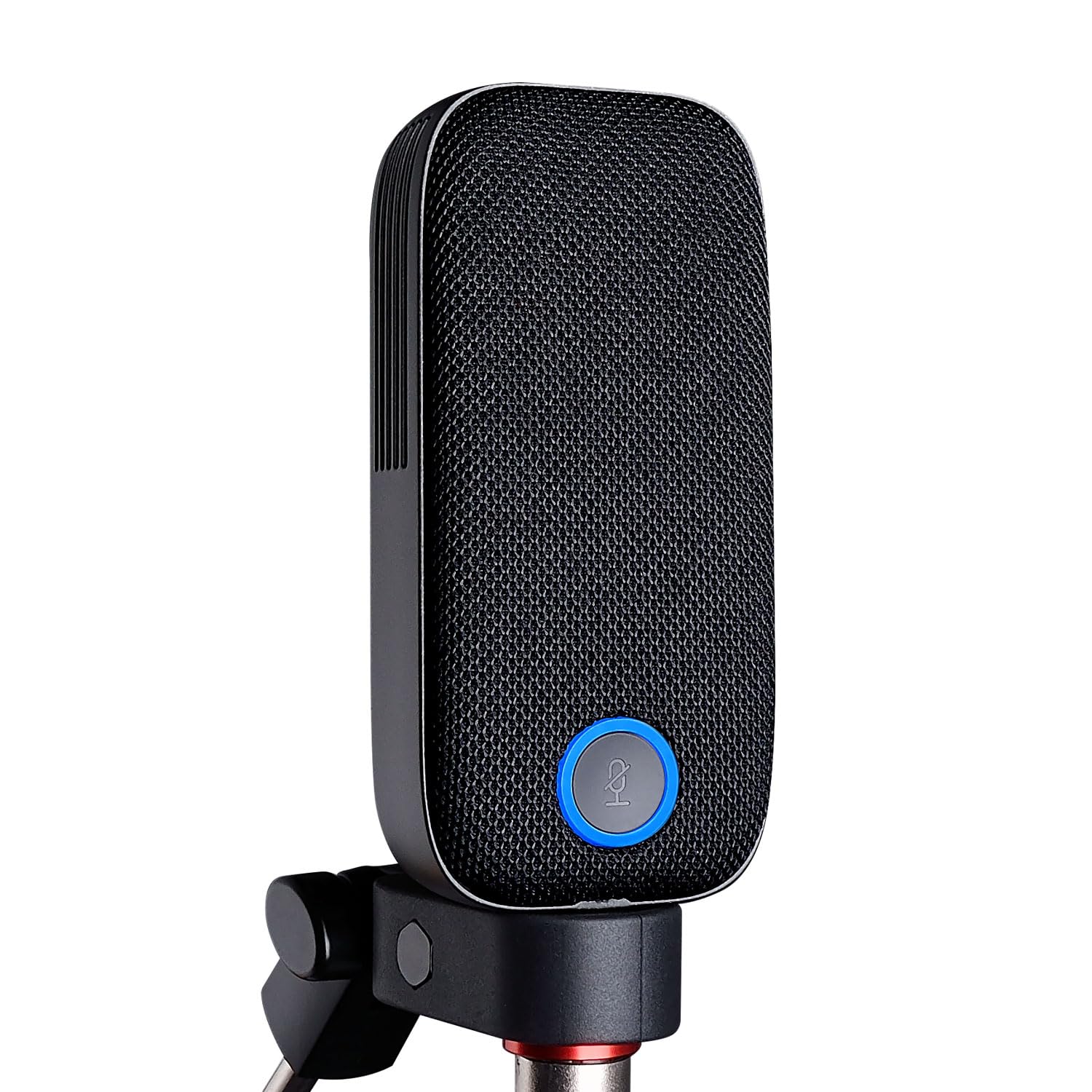
Image: The TAKSTAR S360 XLR Studio Condenser Microphone, a sleek black microphone designed for professional audio recording.
Chii chiri muBhokisi
Wona kuti zvinhu zvese zvinotevera zvakaverengerwa mupasuru yako:
- S360 Microphone (1)
- Magnetic Pop Filters (2)
- Microphone Clip (1)
- Bottle Opener (1) - Note: This is an accessory and not directly related to microphone function.
- Bhuku rekushandisa (1)
Product Features
- 34mm Gold-Plated Large Diaphragm: Designed for clear and transparent sound reproduction.
- Cardioid Pickup Pateni: Focuses on sound directly in front of the microphone, reducing side and rear noise.
- XLR Interface: Standard professional audio connection for studio-quality sound.
- One-Touch Mute Function: Conveniently mute the microphone during recording or streaming.
- Interchangeable Magnetic Pop Filters: Includes two types for varied sound characteristics:
- Vertical Strip Filter: Provides a wide, clear, and detailed sound.
- Honeycomb Filter: Offers efficient spray filtering, full low frequency, and a warm sound.
- Ultra-Low Self-Noise Circuit: Ensures a clean audio signal with high SPL handling capability.

Image: The TAKSTAR S360 microphone highlighting its key features: integrated pop filter, one-key mute, swappable magnetic covers, and 34mm gold diaphragm capsule.

Image: The TAKSTAR S360 microphone shown with its two interchangeable magnetic pop filters: a vertical strip filter and a honeycomb filter, each offering distinct sound characteristics.
Setup Instructions
- Kuisa Maikorofoni:
Attach the S360 microphone to the provided microphone clip. Secure the clip onto a standard microphone stand or boom arm. Ensure the microphone is stable and positioned correctly for your recording needs.
- Connecting to Audio Interface:
Connect an XLR cable (not included) from the microphone's XLR output to an audio interface or mixer that provides 48V phantom power. The S360 requires 48V phantom power to operate.
Note: Ensure your audio interface or mixer is capable of supplying 48V phantom power. Connecting without phantom power will result in no audio output.
- Attaching Pop Filters:
Select one of the two magnetic pop filters. Align the filter with the microphone's front grille and allow the magnets to secure it in place. Experiment with both filters to find the sound profile that best suits your application.
- Kutanga Simba-Kubatidza:
Once connected, activate the 48V phantom power on your audio interface or mixer. The microphone's indicator light will illuminate, indicating it is powered on and ready for use.
Operating Instruction
Maikorofoni Kuiswa
For optimal sound quality, position the microphone approximately 6-12 inches (15-30 cm) from the sound source. Adjust the angle to capture the desired sound while minimizing unwanted room reflections.
Kushandisa Mute Basa
The S360 features a one-touch mute button. Press the button to mute the microphone. The indicator light will change color (e.g., from blue to red) to show the mute status. Press again to unmute.

Image: The TAKSTAR S360 microphone showing the mute button with its working (blue) and mute (red) status indicators.
Selecting Pop Filters
The two included magnetic pop filters offer different acoustic properties:
- Vertical Strip Filter: Ideal for capturing a broad, clear, and detailed sound. Suitable for vocals and instruments where clarity is paramount.
- Honeycomb Filter: Provides effective plosive reduction and enhances low-frequency response, resulting in a warmer, fuller sound. Recommended for close-up vocals or when a richer tone is desired.
To change filters, gently pull the current filter off the microphone and align the desired filter until it magnetically snaps into place.
Maintenance
- Kuchenesa: Use a soft, dry cloth to wipe the microphone body. Do not use liquid cleaners or solvents, as they may damage the finish or internal components.
- Kuchengeta: When not in use, store the microphone in a dry, dust-free environment, preferably in its original packaging or a protective case.
- Kubata: Avoid dropping or subjecting the microphone to strong impacts, which can damage the sensitive internal capsule.
Kugadzirisa matambudziko
| Dambudziko | Zvinogona Kukonzera | Solution |
|---|---|---|
| Hapana inzwi rinobuda |
|
|
| Inzwi rakaderera kana kuti ruzha rwakakanganisika |
|
|
| Excessive popping sounds (plosives) |
|
|
Zvinotsanangurwa
| Feature | Detail |
|---|---|
| Brand | TAKSTAR |
| Model Name | S360 |
| Kubatana Technology | XLR |
| Connector Type | XLR |
| Special Feature | Mute Function |
| Inowirirana Devices | Audio Mixer (with 48V phantom power) |
| Color | Nhema |
| Polar Pattern | Unidirectional (Cardioid) |
| Audio Sensitivity | 33.5 Decibel |
| Impedance | 200 Ohms |
| Maikorofoni Fomu Factor | Large Diaphragm (34mm) |
| Simba Source | Corded Electric (48V Phantom Power required) |
| Chiratidzo-ku-Ruzha Ratio | 20 dB |
| Frequency Response | 20 Hz - 20 KHz |
| Enclosure Material | Metal |
Official Product Videos
TAKSTAR S360 Studio Microphone Overview
Video: A demonstration of the TAKSTAR S360 studio microphone in use, showcasing its sound quality and features during a vocal recording session.
TAKSTAR S360 Studio Microphone Features
Vhidhiyo: Kuperaview of the TAKSTAR S360 studio microphone, highlighting its design, interchangeable pop filters, and mute function in various recording scenarios.
Warranty uye Support
The TAKSTAR S360 microphone comes with a 1-year warranty from the date of purchase. For warranty claims, technical support, or any questions regarding your product, please contact TAKSTAR customer service.
You can find contact information and additional resources on the official TAKSTAR websaiti: Visit the TAKSTAR Store on Amazon