Nhanganyaya
This manual provides essential information for the installation, operation, and maintenance of your Generic Protective Phone Case designed for the Infinix Smart 7 (model X6515). Please read these instructions carefully to ensure proper use and to maximize the lifespan of your product.
Setup: Case Installation
- Gadzirira Chishandiso Chako: Ensure your Infinix Smart 7 phone is clean and free of dust or debris.
- Gadzirisa Nyaya: Hold the phone case with the camera cutout aligned with your phone's camera module.
- Isa Runhare: Gently push your phone into the case, starting with one side (e.g., the top or bottom). Ensure all corners are securely seated within the case.
- Tarisa Fit: Verify that all buttons, ports, and the camera are properly aligned with the case's cutouts and that the phone is fully enclosed.

Image: The protective case shown installed on an Infinix Smart 7 phone, highlighting its fit and design.
Operating: Key Features
This protective case is designed to offer comprehensive protection for your Infinix Smart 7. Key features include:
- Enhanced Camera and Screen Protection: The case features raised edges around the camera module and screen bezel to prevent direct contact with flat surfaces, reducing the risk of scratches and minor drops.
- Anti-Drop Shockproof Design: Constructed with a durable TPU material and a multi-layer structure, the case provides shock absorption to protect your device from impacts and drops. It is designed to meet military-standard drop protection.
- Precise Cutouts: All ports, buttons, and features of the Infinix Smart 7 are easily accessible thanks to precisely engineered cutouts, ensuring full functionality without removing the case.
- Silky Touch and Comfortable Grip: The case features a smooth, liquid silicone exterior with a nano-oleophobic coating, providing a comfortable grip, resisting fingerprints, and offering scratch resistance.
- Three-Layer Structure: The case is built with a silicone outer layer, a PC (polycarbonate) layer, and a soft fluff inner lining (0.2mm) for comprehensive protection and a comfortable feel.
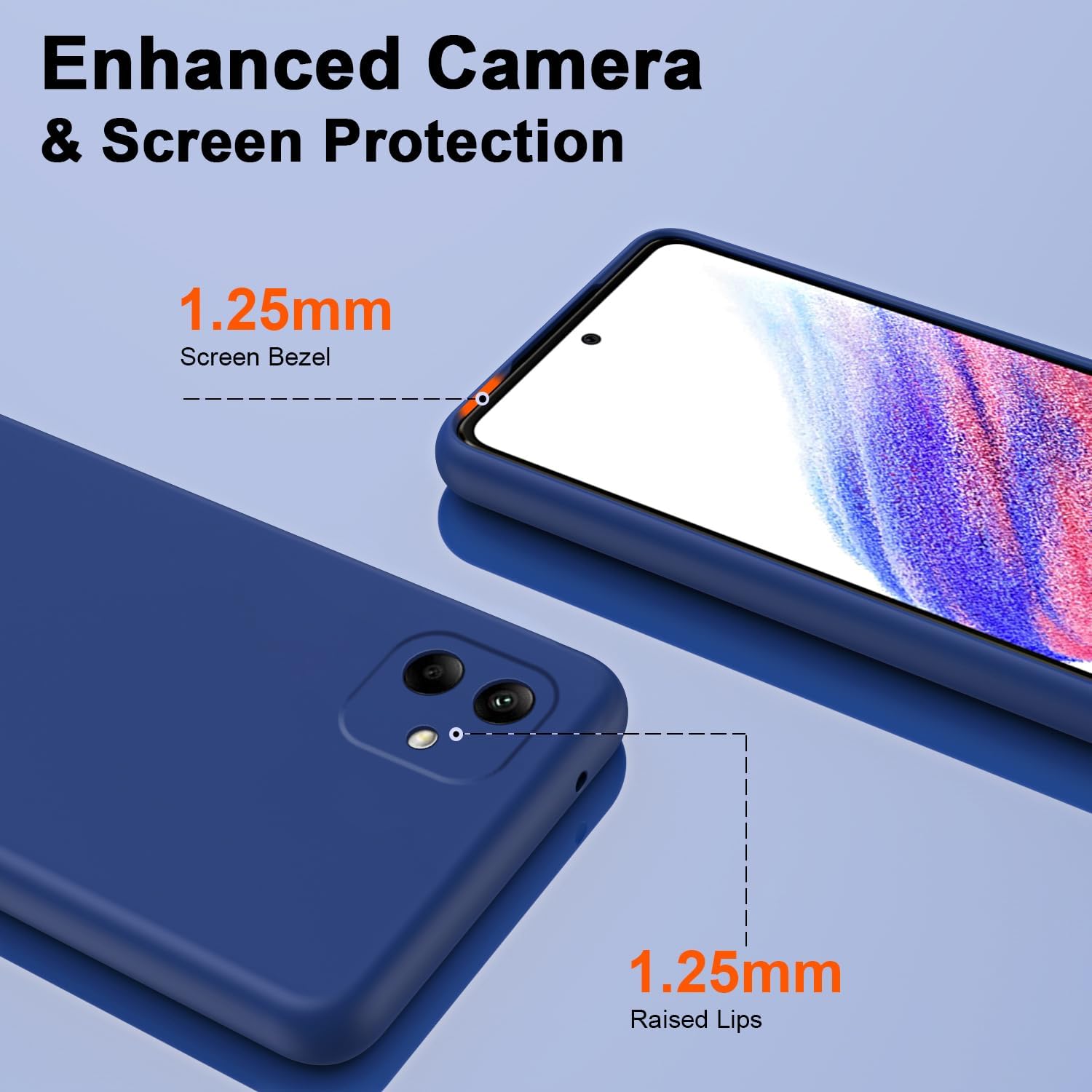
Image: Illustration of the case's raised lips (1.25mm) around the screen and camera for enhanced protection.

Image: Visual representation of the case's anti-drop capabilities, indicating a 10ft drop height and 3000+ drop tests.

Image: Depiction of the case's "Silky Touch" surface, highlighting anti-fingerprint, scratch resistance, and comfortable grip properties.

Image: Cross-sectional view illustrating the three-layer structure: liquid silicone, PC layer, and soft lining.
Maintenance: Cleaning and Care
To maintain the appearance and protective qualities of your phone case, follow these cleaning instructions:
- Kuchenesa Nguva Dzose: Pukuta nyaya yacho nguva nenguva nenyoro, damp jira rekubvisa huruva nemasmudges.
- Akasindimara Stains: For more stubborn stains, use a mild soap solution or a small amount of rubbing alcohol on a soft cloth. Avoid harsh chemicals or abrasive cleaners, as these can damage the case material.
- Kuomesa: Allow the case to air dry completely before reattaching it to your phone.
- Dzivisa Zvakanyanya Mamiriro ezvinhu: Do not expose the case to extreme temperatures or direct sunlight for prolonged periods, as this may affect its material integrity and color.
Kugadzirisa matambudziko
If you encounter any issues with your phone case, consider the following:
- Case Not Fitting: Ensure you have the correct model case for your Infinix Smart 7 (X6515). This case is specifically designed for this model. If it does not fit, double-check your phone model.
- Mabhatani Asingapinduri: Verify that the phone is correctly seated within the case and that the case's button covers are aligned with your phone's buttons. Gently press around the edges to ensure a snug fit.
- Discoloration: Over time, some materials may show signs of wear or slight discoloration depending on usage and exposure. Regular cleaning as described in the Maintenance section can help.
Zvinotsanangurwa
| Inoenderana Foni Model | Infinix Smart 7 (X6515) |
| Material | TPU (Thermoplastic Polyurethane) with PC layer and microfiber lining |
| Color | Bhuruu |
| Dimensions | 0.39 x 0.39 x 0.39 inches (Chigadzirwa) |
| Item Weight | 2.46 ounces |
| Special Features | Camera protrusion protection, Drop Protection, Drop protection on all four corners, Slim Fit, TPU+Microfiber lining |
| Chii chiri muBhokisi | 1 x Higher quality TPU Shell |
Warranty uye Support
As this product is from a generic brand, specific warranty details may vary. Please refer to the seller or retailer from whom you purchased the product for information regarding warranty coverage and customer support. For any questions or concerns, it is recommended to contact the seller directly.


