
1. Nhanganyaya
This manual provides detailed instructions for the setup, operation, and maintenance of your JOYROOM JR-CB3 Bluetooth 5.4 Car Adapter. This device is designed to enable wireless audio streaming and hands-free calling in vehicles equipped with a 3.5mm AUX input and a USB power source.
The JR-CB3 features Bluetooth 5.4 technology for stable connections, dual microphones with CVC8.0 noise cancellation for clear calls, and a plug-and-play design for ease of use.

Image 1.1: The JOYROOM JR-CB3 Bluetooth 5.4 Car Adapter, showing the main unit, USB power cable, and 3.5mm AUX audio cable.
2. Package Zviri mukati
Ndokumbira utarise kuti zvinhu zvese zviripo mupakeji:
- JOYROOM JR-CB3 Bluetooth Car Adapter x 1
- 3M adhesive patch x 2
- Mushandisi Wekushandisa x 1 (Iri gwaro)
3. Zvigadzirwa zveChigadzirwa
- Bluetooth 5.4 Tekinoroji: Provides a faster, more stable, and smarter connection with minimal sound quality loss. Offers a working distance of up to 100ft (approximately 30 meters).
- Enhanced Dual Microphones with CVC8.0 Noise Cancellation: Equipped with two microphones that work together to capture your voice from 360 degrees. The upgraded CVC8.0 technology and built-in filter IC effectively reduce road noise, current sound, and other distractions for clearer hands-free calls.
- Hi-Fi Stereo Odhiyo: Delivers high-fidelity stereo sound for an immersive audio experience.
- Plug uye Play Mashandiro: Simple connection by plugging into a 3.5mm AUX jack and a USB power port. The adapter automatically pairs with your phone upon car startup after initial setup.
- Multifunction Buttons and LED Light Design: Independent buttons for track control (up/down), volume adjustment (up/down), call management (answer/hang up/call back). LED lights assist in locating buttons in low-light conditions.
- Dual Device Connection: Allows simultaneous pairing and sharing with two devices, enabling seamless switching between music and hands-free calls.
- Multi-Safety Dziviriro: Built-in protection against over-voltage, over-current, short circuit, and NTC overheat, ensuring safe operation.

Image 3.1: Visual representation of Bluetooth 5.4 technology benefits, including faster connection, faster transmission, and enhanced noise cancellation.
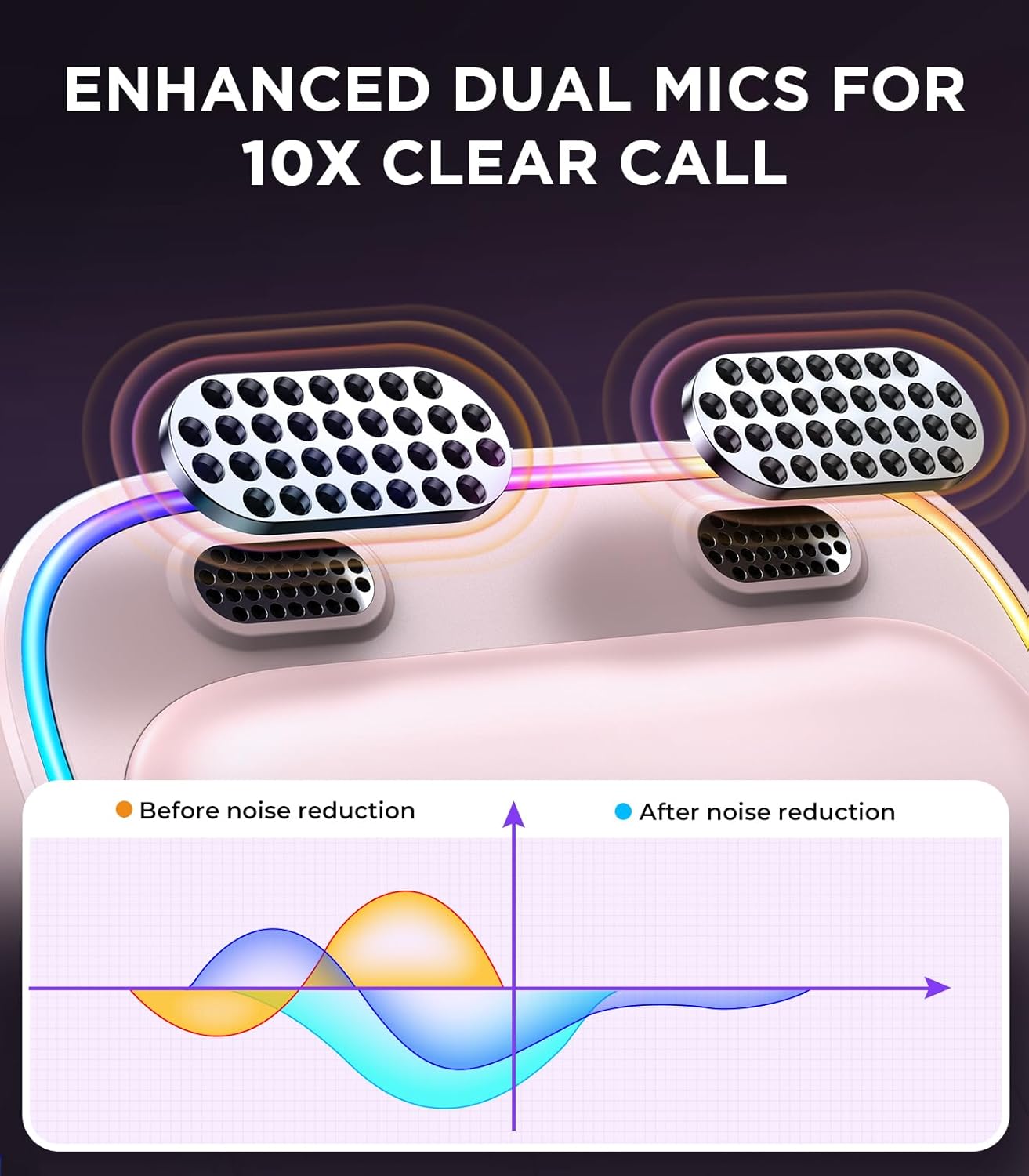
Image 3.2: Illustration of the dual microphone system and a graph demonstrating the effect of noise reduction before and after processing.
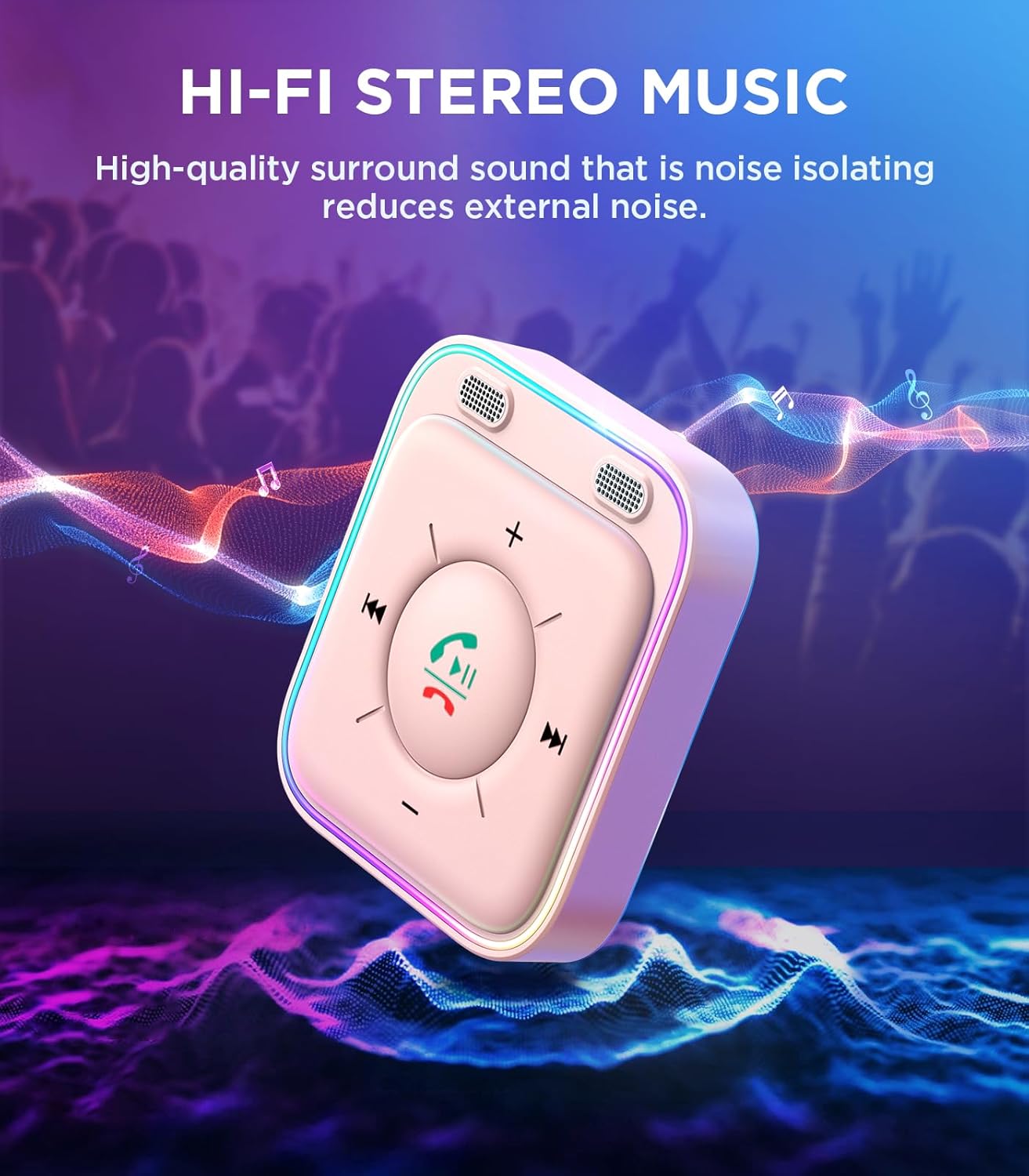
Image 3.3: The JOYROOM adapter depicted with visual elements suggesting high-fidelity stereo music playback.
4. Setup Instructions
- Batanidza kuSimba: Plug the USB connector of the JR-CB3 adapter into a USB power port in your vehicle. This can be a car charger, a dedicated USB port, or a power bank.
- Connect to Audio Input: Plug the 3.5mm AUX connector of the JR-CB3 adapter into your vehicle's 3.5mm auxiliary audio input jack.
- Power On uye Pairing:
- Start your car. The adapter will power on automatically.
- Pafoni yako kana chimwe chinhu chinoshandisa Bluetooth, enda kuBluetooth settings.
- Tsvaga available devices and select "JR-CB3" (or similar name) to pair.
- Once paired, the adapter's LED lights will indicate a successful connection.
- Kubatanidzazve otomatiki: After the initial pairing, the JR-CB3 will automatically connect to the last paired device when the car is started and the adapter receives power.
- Kuisa (Zvichida): Use the provided 3M adhesive patches to secure the adapter in a convenient location within your vehicle, ensuring the microphones are not obstructed.

Image 4.1: The adapter connected to a car's audio system and power source, demonstrating the plug-and-play setup.
5. Operating Instructions
5.1. Kudzora Kutamba Mimhanzi
- Tamba/Kumbomira: Press the central call button once.
- Next Track: Press the "Next Track" button (usually indicated by ▶▶ or similar icon).
- Previous Track: Press the "Previous Track" button (usually indicated by ◀◀ or similar icon).
- Vhoriyamu Kumusoro: Dzvanya bhatani "+".
- Vhoriyamu Pasi: Dzvanya bhatani "-".
5.2. Call Management
- Pindura Call: Press the central call button once when an incoming call is received.
- Pedzisa Kufona: Press the central call button once during an active call.
- Ramba Kufona: Press and hold the central call button for approximately 2 seconds when an incoming call is received.
- Dhonzazve Nhamba Yekupedzisira: Double-press the central call button when no call is active.
5.3. Dual Device Connection
The JR-CB3 supports simultaneous connection with two Bluetooth devices. After connecting the first device, you can pair a second device. The adapter will manage audio and calls from both devices, prioritizing incoming calls.

Image 5.1: The adapter shown connected to two mobile phones, highlighting its dual connection feature for music and calls.
6. Kuchengeta
- Chengetedza mudziyo wakaoma. Dzivisa kusangana nehunyoro kana zvinwiwa.
- Geza mudziyo nejira rakapfava, rakaoma. Usashandise makemikari ane hasha kana abrasive cleaners.
- Avoid extreme temperatures. Do not store the device in very hot or very cold environments.
- Usaedze kudimbura kana kugadzirisa mudziyo wega. Izvi zvinobvisa waranti.
7. Kugadzirisa matambudziko
| Dambudziko | Zvinogona Kukonzera | Solution |
|---|---|---|
| Hapana simba/Mudziyo usingabatidzi | USB power source issue; loose connection | Ensure the USB cable is securely plugged into a working USB port. Try a different USB port or car charger. |
| Haikwanise kubatana nefoni | Bluetooth not enabled; device too far; adapter in pairing mode | Ensure Bluetooth is enabled on your phone. Keep the phone within range. Restart the adapter and your phone, then try pairing again. Ensure no other devices are actively connected to the adapter. |
| Hapana audio inobuda | AUX cable not connected; car stereo input incorrect; volume too low | Verify the 3.5mm AUX cable is fully inserted into both the adapter and the car's AUX input. Ensure your car stereo is set to the AUX input source. Increase volume on both your phone and car stereo. |
| Poor call quality/Noise during calls | Microphone obstruction; environmental noise; weak Bluetooth signal | Ensure the adapter's microphones are not covered. Position the adapter closer to you if possible. Reduce background noise in the car. |
8. Zvinotsanangurwa
| Feature | Detail |
|---|---|
| Model Name | JR-CB3 |
| Bluetooth Version | 5.4 |
| Wireless Kutaurirana Standard | Bluetooth |
| Connector Type | Stereo Audio (3.5mm AUX) |
| Input Power | USB |
| Special Features | Dual Microphones, Noise Cancellation, Multifunction Button, LED Light Design |
| Color | Pink |
| Package Dimensions | 13.79 x 9.8 x 1.9 cm |
| Kurema | 68 g |
| Mugadziri | JOYROOM |

Image 8.1: The product packaging displaying technical parameters and regulatory compliance information.
9. Warranty uye Tsigiro
JOYROOM products are manufactured to high-quality standards and have passed certifications including FCC, CE, RoHS, and BQB. The JR-CB3 Bluetooth Car Adapter includes built-in safety features such as withstand voltage protection, overcurrent protection, short circuit protection, and NTC overheat protection.
For any technical issues or dissatisfaction with the product, please contact the JOYROOM customer support team. Lifetime technical support is provided. Issues will typically be resolved within 24 hours.
Kuti uwane rumwe ruzivo kana rutsigiro, ndapota shanyira mukuru Joyroom Store on Amazon.