1. Nhanganyaya
The AUTOUTLET EFU152 192kHz DAC Digital to Analog Audio Converter is designed to convert digital optical (SPDIF/Toslink) audio signals into analog RCA and 3.5mm stereo audio outputs. This device allows you to connect modern digital audio sources, such as HDTVs, DVD/Blu-Ray players, and game consoles, to older analog audio systems, headphones, or speakers. It features a professional audio amplifier chip for clear sound and supports a 192kHz/24-bit sampling rate for high-fidelity audio experiences.
2. Package Zviri mukati
Ndokumbira utarise kuti zvinhu zvese zviripo mupakeji:
- 1 x AUTOUTLET 192kHz DAC Digital to Analog Audio Converter (Model EFU152)
- 1 x Optical Cable (3ft/1m)
- 1 x USB Power Cable (3ft/1m)
- 1 x Chinyorwa cheMushandisi

Image: The AUTOUTLET EFU152 DAC converter, optical cable, USB power cable, and user manual shown within its product packaging.
3. Chigadzirwa Pamusoroview
The AUTOUTLET EFU152 converter is a compact device with integrated cables for ease of use. It features an optical input for digital audio and RCA (red/white) and 3.5mm stereo outputs for analog audio. A USB port provides power to the unit.

Image: The AUTOUTLET EFU152 DAC converter unit with its integrated optical input cable and attached RCA and 3.5mm output cables, along with the USB power input.
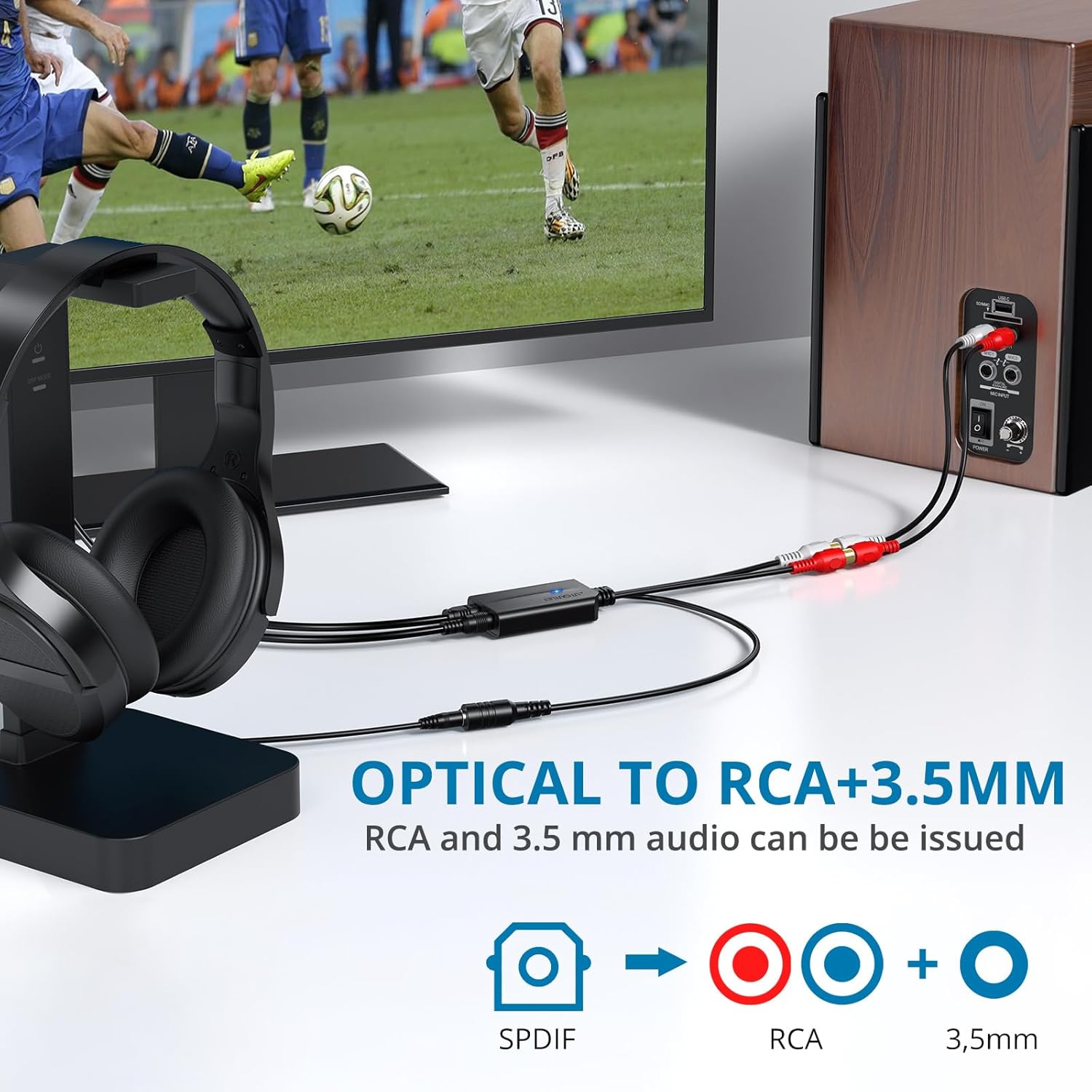
Image: A visual representation illustrating the conversion process from a single SPDIF digital audio input to dual analog outputs: RCA (red and white) and a 3.5mm stereo jack.
4. Setup Instructions
Follow these steps to connect and set up your AUTOUTLET EFU152 converter:
- Connect the Optical Input: Connect one end of the provided optical cable to the digital optical audio output (SPDIF/Toslink) of your source device (e.g., TV, DVD player, game console). Connect the other end to the optical input on the AUTOUTLET EFU152 converter.
- Connect the Analog Outputs: Connect the RCA (red and white) cables from the converter to the corresponding analog audio input ports on your amplifier, stereo receiver, or active speakers. Alternatively, connect a 3.5mm audio cable from the converter's 3.5mm output to headphones or speakers.
- Batanidza Simba: Connect the USB power cable to the converter's power input port and the other end to a USB power source (e.g., a TV's USB port, a USB wall adapter, or a computer's USB port). A 5V 1A power adapter (not included) is recommended for stable operation.
- Configure Source Device Audio Output: It is crucial to set your source device's digital audio output format to PCM (Pulse Code Modulation). The converter does not support 5.1 channel signals like Dolby AC3 or DTS. Refer to your source device's manual for specific audio settings.

Image: A diagram illustrating how to connect the optical output from devices like HDTVs, TV Boxes, Game Consoles, and DVD/Blu-Ray players to the DAC converter, which then outputs to analog devices like wireless headsets, Bose speakers, or computer speakers. Important note about setting TV audio format to PCM is also shown.
Example PCM Setting Paths (may vary by device):
- General: Home → System Settings → Picture and Sound → Sound Settings → Digital audio output → PCM
- Samsung TV: Settings → Sound → Expert settings → Audio format → PCM
- LG TV: Menu → All settings → Sound output → Optical → Digital sound output → PCM
5. Operating Instructions
Once properly connected and configured, the AUTOUTLET EFU152 converter operates automatically. It is a plug-and-play device that requires no additional software or drivers.
- Ita shuwa kuti tambo dzese dzakabatana zvakachengeteka.
- Verify your source device's audio output is set to PCM.
- The blue indicator light on the converter will illuminate when powered on and receiving a valid digital audio signal.
- Adjust the volume directly on your connected analog audio device (amplifier, headphones, speakers). The converter does not have volume control.

Image: A person watching television with the DAC converter connected, demonstrating its plug-and-play functionality and integrated cable design for minimal space usage. Notes indicate that RCA on SPDIF is not supported and TV fiber optic output volume is controlled via TV system settings.
6. Zvinotsanangurwa
| Feature | Tsanangudzo |
|---|---|
| Housing Material | ABS |
| Inotsigirwa Audio Format | PCM |
| Sampling Rate | 32 ~ 192 kHz |
| Bit Rate | 16 ~ 24 bit |
| Input Electrical Level | -0.3V ~ +3.6V |
| Output Electrical Level | 2V |
| Maximum Output Power | 0.3W |
| Kushanda Voltage | +5.5V |
| Kunyanya Kushandisa Simba | 100mA |
| Operating Temperature Range | -10°C ~ 70°C |
| Storage Temperature Range | -60°C ~ 150°C |
| Dimensions (Converter Unit) | 5.8cm x 3.4cm (approx. 2.28in x 1.34in) |
| Optical Cable Length | 1m (3ft) |
| USB Power Cable Length | 1m (3ft) |
| Audio Cable Length (RCA/3.5mm) | 0.18m (7.08in) |

Mufananidzo: Yemukati view of the DAC converter's circuit board, highlighting its capability to support optical input sampling rates of 32, 44.1, 48, 96, and 192 kHz, along with 24-bit bitstreams.

Mufananidzo: Chiratidziro chakadzama chedhayagiramuasing the compact and lightweight design of the DAC converter, including its dimensions (5.8cm x 3.4cm) and the lengths of the integrated optical cable (1m), audio cable (0.18m), and USB power cable (1m).
7. Kugadzirisa matambudziko
If you encounter issues with your AUTOUTLET EFU152 converter, please refer to the following common problems and solutions:
- Problem: The converter is not working or producing sound.
Solution:- Ensure the converter is properly powered via the USB cable. The blue indicator light should be on.
- Verify that your source device's digital audio output is set to PCM. This converter is not compatible with 5.1 channel signals such as Dolby AC3 or DTS.
- Tarisa zvese zvakabatana netambo kuti uve nechokwadi chekuti zvakachengeteka uye zvakaiswa nemazvo.

Image: A troubleshooting guide explaining that the converter is not compatible with 5.1-channel signals like Dolby AC3 and instructs users to set their TV's audio output to PCM, with examples for Samsung and LG TVs.
- Problem: The sound volume is not adjustable from the converter.
Solution: The AUTOUTLET EFU152 converter does not have its own volume control. Volume must be adjusted directly on your connected analog output device (e.g., amplifier, headphones, speakers). - Problem: Intermittent noises or poor sound quality.
Solution:- Ensure the USB power cable is connected to a stable 5V 1A power adapter. Insufficient power can cause instability.
- Check that the RCA or 3.5mm audio cables are fully and securely connected to both the converter and your output device.
- Test with different cables if possible to rule out faulty cables.
Image: A troubleshooting guide for intermittent noises, advising to connect the USB cable to a 5V 1A adapter, check RCA cable connections, and power the DAC with a 5V 1A adapter if noise persists.

Image: A troubleshooting guide addressing non-adjustable sound, clarifying that the converter's volume is controlled by the connected audio system via the optical interface, and users should adjust volume on the output device.
8. Kuchengeta
To ensure the longevity and optimal performance of your AUTOUTLET EFU152 converter, follow these simple maintenance guidelines:
- Chengetedza chigadziro munzvimbo yakaoma, kure nekunyorova uye kutonhora kwakanyanya.
- Avoid exposing the converter to direct sunlight or heat sources.
- Clean the device with a soft, dry cloth. Do not use liquid cleaners or abrasive materials.
- Handle cables carefully to prevent damage to connectors or wiring.
9. Warranty uye Tsigiro
For warranty information or technical support, please refer to the documentation included with your purchase or contact AUTOUTLET customer service through their official channels. Specific warranty terms and conditions may vary.