
1. Nhanganyaya
The Hello Kitty Sunrise Alarm Clock is designed to provide a gentle and natural waking experience with its sunrise simulation feature. This digital alarm clock includes multicolor lights, an LED display showing time, date, and temperature, a USB charging port, and a convenient snooze function. Its charming Cinnamoroll design adds a whimsical touch to any room.

Image 1: Hello Kitty Cinnamoroll Sunrise Alarm Clock with multicolor lighting.
2. Safety Information
- Usaisa mudziyo kune tembiricha yakanyanyisa, zuva rakananga, kana hunyoro hwepamusoro.
- Use only the provided USB power cable or a certified equivalent.
- Chengetedza mudziyo kure nemvura kana zvimwe zvinwiwa.
- Usaedze kudimbura kana kugadzirisa mudziyo wega. Bata nevashandi vanokwanisa.
- Ita shuwa kuti mudziyo waiswa panzvimbo yakagadzikana, yakati sandara.
3. Package Zviri mukati
Ndokumbira utarise pasuru yezvinhu zvinotevera:
- Hello Kitty Sunrise Alarm Clock (Cinnamoroll design)
- USB Simba Cable
- Mushandisi Chinyorwa (gwaro iri)
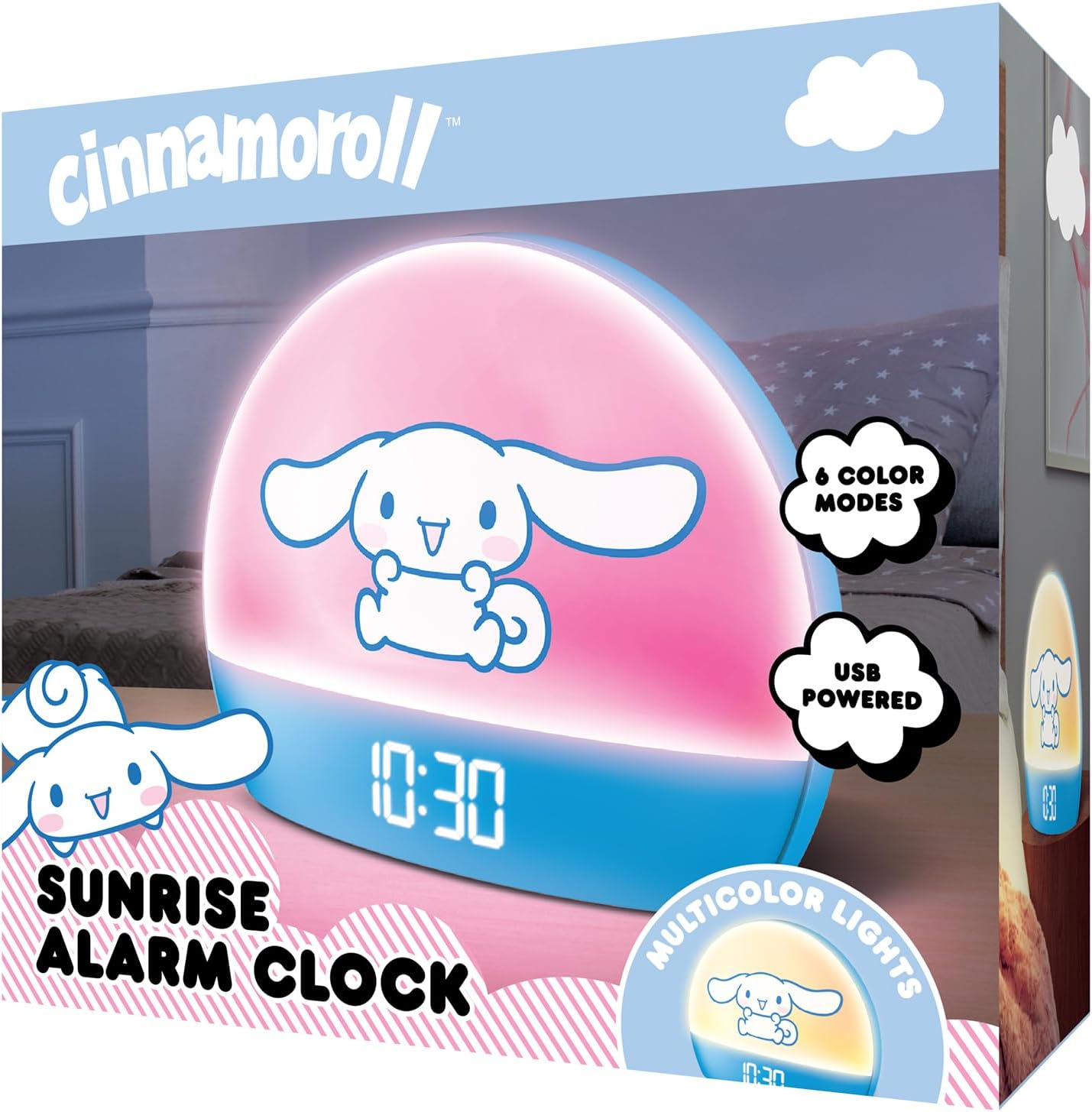
Image 2: Front packaging of the Hello Kitty Cinnamoroll Sunrise Alarm Clock.
4. Chigadzirwa Pamusoroview
Ziva zvinhu zvikuru zviri muwachi yako yekuridza alarm.
- Akatungamirira Ratidza: Inoratidza nguva, zuva, uye tembiricha.
- Light Panel: Emits multicolor and sunrise simulation lights.
- Mabhatani ekudzora: Located on the back or bottom for setting time, alarm, and light functions.
- USB kuchaja Port: For powering the device and charging external devices.
- Bhatani reSnooze: Typically a prominent button on the top or front.

Image 3: Hello Kitty Cinnamoroll Sunrise Alarm Clock in a bedroom setting.
5. Setup
5.1 Simba Connection
- Connect the provided USB power cable to the USB port on the back of the alarm clock.
- Batanidza rimwe divi retambo yeUSB muadapta yemagetsi yeUSB inoenderana nayo (isina kuiswa) kana chiteshi cheUSB chinofambiswa nemagetsi.
- The LED display will light up, indicating the device is powered on.
5.2 Kuisa Nguva neDate
Specific button names are not provided, so general instructions are given. Refer to the physical device for exact button labels.
- Press the "SET" or "TIME" button to enter time setting mode.
- Use the "UP" and "DOWN" buttons to adjust the hour. Press "SET" again to confirm.
- Adjust the minute using "UP" and "DOWN" buttons. Press "SET" to confirm.
- Ramba uchiita izvi kuti usarudze gore, mwedzi, nezuva.
- The clock may offer 12-hour or 24-hour format selection. Follow on-screen prompts or consult the device's specific button functions.
6. Operating Instructions
Kuisa Alarm
- Press the "ALARM" button to enter alarm setting mode.
- Use "UP" and "DOWN" buttons to set the desired alarm hour. Press "ALARM" to confirm.
- Adjust the alarm minute. Press "ALARM" to confirm.
- Some models may allow setting alarm volume or sound. Follow prompts if available.
- To activate/deactivate the alarm, look for an "ALARM ON/OFF" button or a toggle within the alarm setting menu.
6.2 Sunrise Simulation
The sunrise simulation feature gradually increases light intensity before your set alarm time, mimicking a natural sunrise.
- This feature is typically linked to the alarm function. When the alarm is active, the light will begin to brighten a set period (e.g., 30 minutes) before the alarm sounds.
- Consult the device's specific controls for adjusting the duration or intensity of the sunrise simulation, if applicable.
6.3 Multicolor Mwenje
The clock offers various color modes for ambient lighting.
- Press the "LIGHT" or "COLOR" button to cycle through different color options or activate a color-changing mode.
- Press and hold the "LIGHT" button to turn off the ambient light.
- Brightness of the display and ambient light can often be adjusted using dedicated buttons or by holding the "LIGHT" button.
6.4 Zivai Rinoshanda
When the alarm sounds, press the large "SNOOZE" button (usually on top) to temporarily pause the alarm. The alarm will sound again after a short interval (e.g., 5-10 minutes).
6.5 USB Yekuchaja Port
The integrated USB port can be used to charge small electronic devices like smartphones or tablets. Simply connect your device's charging cable to the USB port on the alarm clock.
6.6 Kuratidzwa kweTembiricha
The LED display shows the current room temperature. No specific action is usually required to view this, as it cycles with time and date or is displayed continuously.
7. Kuchengeta
- Geza wachi nejira rakapfava, rakaoma. Usashandise zvinochenesa zvinogumbura kana zvinonyungudutsa.
- Ensure the USB port is free from dust and debris.
- Chengeta wachi yacho munzvimbo inotonhorera, yakaoma kana isingashandiswe kwenguva yakareba.
8. Kugadzirisa matambudziko
| Dambudziko | Zvinogona Kukonzera | Solution |
|---|---|---|
| Wachi haibatidzi. | USB cable not connected properly or power source issue. | Check USB cable connection. Try a different USB power adapter or port. Ensure the cable is securely inserted. |
| Time is incorrect or drifts. | Time not set correctly or internal clock issue. | Re-set the time following Section 5.2. If the issue persists, try disconnecting and reconnecting power. |
| Alarm hainzwi. | Alarm haina kushanda kana kuiswa zvisizvo. | Verify the alarm is set and activated (check for an alarm icon on the display). Ensure the volume is not set to zero if adjustable. |
| Mabhatani haapindure. | Temporary software glitch or physical button issue. | Disconnect power for a few seconds and reconnect to reset the device. If buttons remain unresponsive, contact support. |
| USB charging port not working. | Cable issue, device not fully powered, or port malfunction. | Ensure the clock is properly powered. Try a different USB charging cable. Check if the port is clean and free of debris. |
9. Zvinotsanangurwa
| Brand | Mhoro Kitty |
| Model Number | HKCLK01CR-MFN |
| Color | Cinnamoroll |
| Display Type | Digital |
| Special Features | Adjustable Brightness, Alarm, Charging Port, LED Display, Temperature Display, Sunrise Simulation, Multicolor Lights |
| Product Dimensions | 7"W x 6"H |
| Simba Source | Corded Electric (USB) |
| Material | Plastiki |
| Item Weight | 0.4 Makirogiramu (14 ounces) |
| Kubatana Technology | USB |
| Mugadziri | Southern Telecom |
10. Warranty uye Tsigiro
For warranty information or technical support, please refer to the contact details provided on the product packaging or visit the official Hello Kitty product support website. Chengeta risiti yako yekutenga yezvichemo zvewaranti.