
Nhanganyaya
This manual provides detailed instructions for the proper use and maintenance of your ACEFAST H2 Wireless Headset. Designed with advanced Active Noise Cancelling (ANC) technology and Bluetooth 5.3 connectivity, these headphones offer a high-quality audio experience. Please read this manual thoroughly before using the product to ensure optimal performance and longevity.
Package Zviri mukati
- ACEFAST H2 Wireless Headset
- USB-C Kuchaja Cable
- 3.5mm Aux Cable
- Mushandisi Chinyorwa (gwaro iri)
Product Overview
Familiarize yourself with the components and controls of your ACEFAST H2 headset.
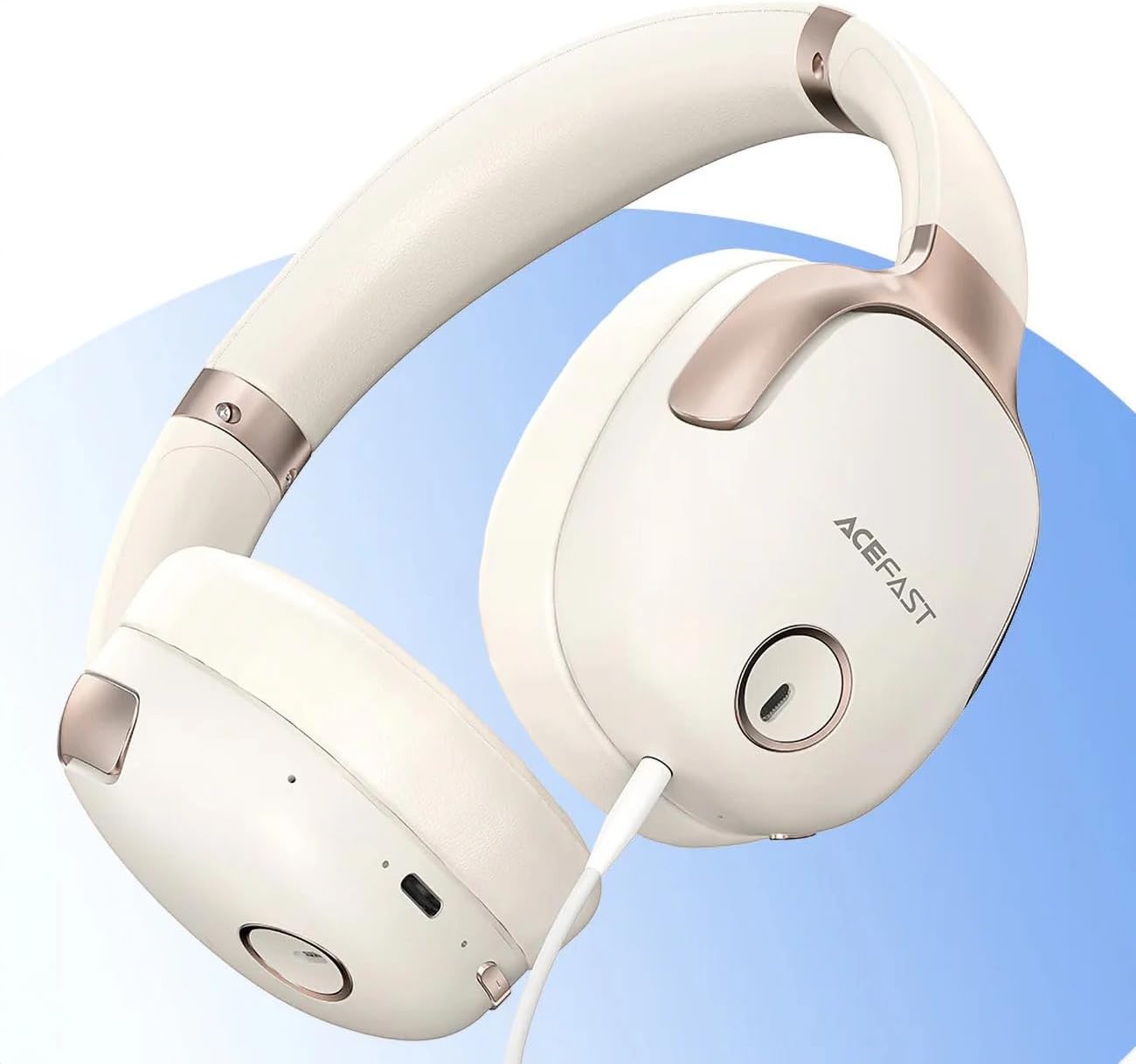
Mufananidzo 1: ACEFAST H2 Headset showing USB-C charging port, 3.5mm audio jack, and control buttons.
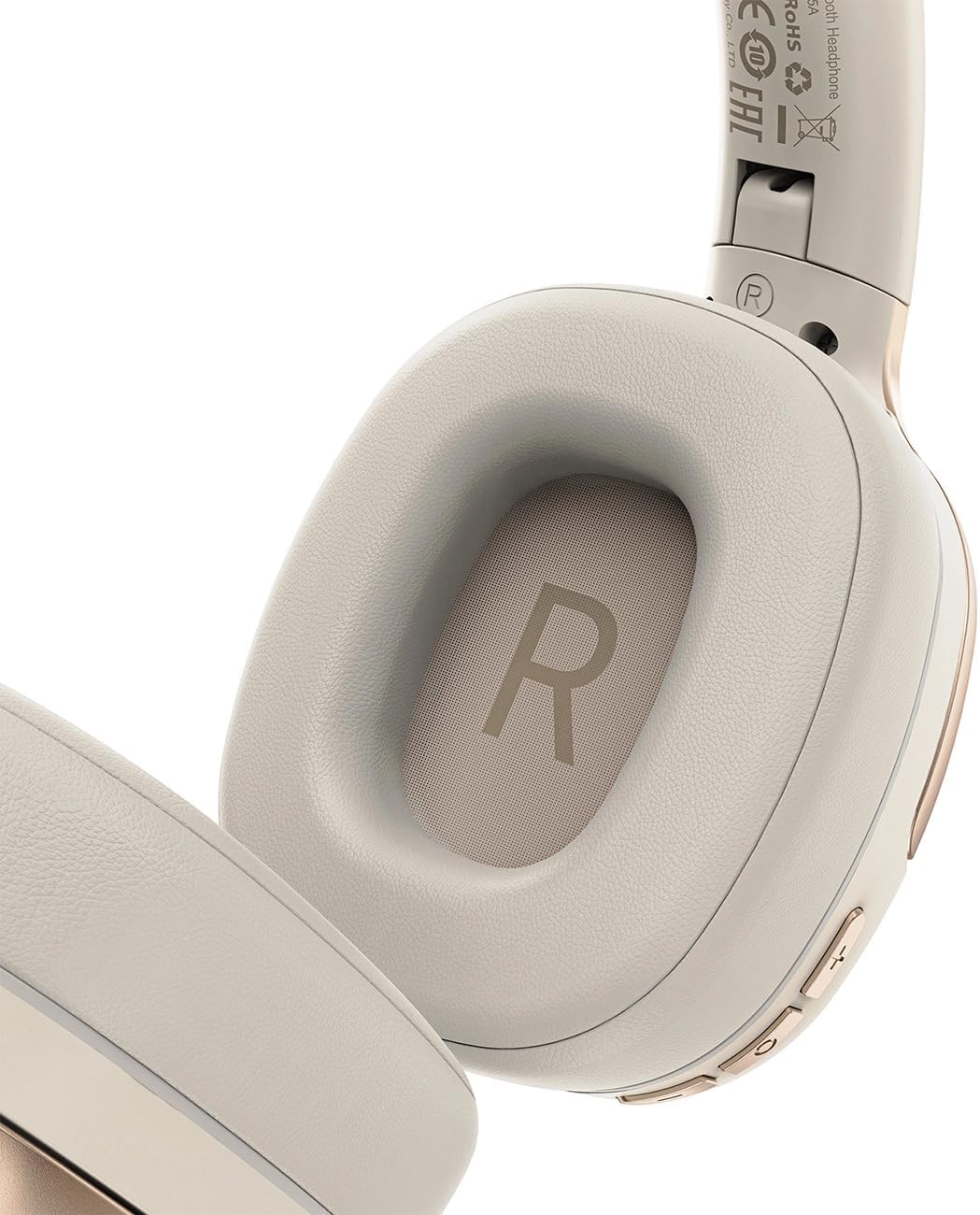
Mufananidzo 2: Interior of the right earcup, indicating proper orientation for wearing.

Mufananidzo 3: Headband adjustment mechanism and ear cup swivel for comfortable fit.

Mufananidzo 4: The foldable design of the headset for easy storage and transport.
Zvikamu Zvikuru:
- Bhatani reSimba/Multi-function: Used for power on/off, play/pause, answer/end calls.
- Bhatani reKukwidza/Kunoteera Track: Dzvanya kuti vhoriyamu ikwidze, bata kune inotevera track.
- Bhatani reVolume Down/Previous Track: Dzvanya kuti vhoriyamu idzike, batirira rwiyo rwapfuura.
- ANC Bhatani: Inomisikidza kana kudzima Active Noise Cancellation.
- USB-C yekuchaja Port: Yekuchaja mahedhifoni.
- 3.5mm Audio Jack: For wired connection using the Aux cable.
- Maikorofoni: Built-in for calls.
- Chiratidzo che LED: Inoratidza simba, kuchaja, uye kubatanidza chimiro.
Gadzirira
1. Kuchaja Headset
- Connect the provided USB-C charging cable to the headset's USB-C port.
- Batanidza imwe magumo etambo kune USB magetsi adapta (isina kuisirwa) kana komputa USB port.
- Chiratidzo che LED chicharatidza mamiriro ekuchaja (semuenzaniso, tsvuku paunenge uchichaja, bhuruu kana wachaja zvizere).
- A full charge takes approximately 2 hours and provides up to 80 hours of music playback.
2. Powering On / Off
- Kubatidza: Press and hold the Power/Multi-function button for approximately 3 seconds until the LED indicator flashes.
- Kudzima: Press and hold the Power/Multi-function button for approximately 5 seconds until the LED indicator turns off.
3. Bluetooth Kubatanidza
- Iva nechokwadi chekuti headset inobviswa.
- Press and hold the Power/Multi-function button for about 5-7 seconds until the LED indicator flashes red and blue alternately, indicating pairing mode.
- Pamudziyo wako (smartphone, piritsi, komputa), gonesa Bluetooth uye tsvaga zvishandiso zviripo.
- Select "ACEFAST H2" from the list of found devices.
- Kana yabatanidzwa, chiratidzo che LED chinopenya bhuruu zvishoma nezvishoma.
- The headset will automatically connect to the last paired device when powered on, if within range.
4. Wired Connection (Aux Mode)
- Connect one end of the 3.5mm Aux cable to the headset's 3.5mm audio jack.
- Connect the other end to your audio source's 3.5mm audio output.
- In wired mode, the headset functions passively, and Bluetooth features are disabled. ANC may still be active if powered on.
Operating Instruction
Music Playback
- Tamba/Kumbomira: Pfupi dzvanya bhatani reSimba/Multi-function.
- Vhoriyamu Kumusoro: Dzvanya pfupi bhatani reVolume Up.
- Vhoriyamu Pasi: Dzvanya pfupi bhatani reVolume Down.
- Next Track: Dzvanya kwenguva refu bhatani reVolume Up.
- Previous Track: Dzvanya kwenguva refu bhatani reVolume Down.
Kufona
- Pindura/Pedzisa Kufona: Pfupi dzvanya bhatani reSimba/Multi-function.
- Ramba Kufona: Dzvanya bhatani rePower/Multi-function kwenguva refu.
- Izwi Mubatsiri: Double-press the Power/Multi-function button (if supported by your device).
Active Noise Cancellation (ANC)
- Shandisa/Dzima ANC: Press the dedicated ANC button. The LED indicator will change to confirm status.
- ANC reduces ambient noise up to -40dB, providing a quieter listening environment.
Maintenance
- Kuchenesa: Shandisa jira rakapfava, rakaoma kuchenesa mahedhifoni. Usashandise abrasive cleaners kana solvents.
- Kuchengeta: Store the headset in a cool, dry place away from direct sunlight and extreme temperatures. When not in use, it is recommended to fold the headset for compact storage.
- Kuramba Mvura: The headset is IPX4 water-resistant, meaning it is protected against splashing water from any direction. It is not designed for submersion or exposure to heavy rain. Avoid exposing the charging port and audio jack to moisture.
- Battery Care: To preserve battery life, charge the headset fully before long periods of storage and recharge it at least once every three months.
Kugadzirisa matambudziko
| Dambudziko | Zvinogona Kukonzera | Solution |
|---|---|---|
| Headset haibatike. | Bhatiri rakaderera. | Chaja mahedhifoni zvizere. |
| Haikwanise kubatanidzwa nemudziyo. | Mahedhifoni haasi mumodhi yekuwiriranisa; Bluetooth yemudziyo yadzimwa; kure zvakanyanya nemudziyo. | Ensure headset is in pairing mode (flashing red/blue). Turn on device Bluetooth. Move headset closer to device (within 10 meters). |
| Hapana ruzha kana kuti ruzha rwakashata. | Volume too low; headset not connected; interference; incorrect audio output selected. | Adjust volume on headset and device. Re-pair headset. Move away from sources of interference. Check device's audio output settings. |
| ANC haisi kushanda nemazvo. | ANC haina kushanda; kukodzera kwayo hakukodzeri. | Press the ANC button to activate. Adjust headset for a snug fit over your ears. |
Zvinotsanangurwa
| Model Name | H2 |
| Kubatana Technology | Wireless (Bluetooth 5.3) / Wired (3.5mm Aux) |
| Bluetooth Range | Kusvika 10 metres |
| Noise Control | Active Noise Cancellation (ANC) up to -40dB, Environmental Noise Cancelling (ENC) for microphone |
| Hupenyu hwebhatiri | Kusvika maawa masere (kuridza mimhanzi) |
| Kuchaja Nguva | Approximately 2 hours (via USB-C) |
| Kuramba Mvura | IPX4 (splash resistant) |
| Kuiswa Nzeve | On Ear |
| Material | Acrylonitrile Butadiene Styrene (ABS) |
| Color | Beige |

Mufananidzo 5: Illustration of the dynamic HiFi audio driver components.
Warranty Information
The ACEFAST H2 Wireless Headset comes with a 6-mwedzi mugadziri waranti kubva pazuva rawakatenga. Waranti iyi inovhara zvikanganiso zvekugadzira uye hunyanzvi hwekugadzira pasi pekushandiswa kwakajairika. Haivhari kukuvara kunokonzerwa nekushandiswa zvisizvo, tsaona, shanduko dzisina mvumo, kana kusakara kwakajairika. Ndapota chengetai humbowo hwekutenga kwenyu kuti muwane zvikumbiro zvewarandi.
Support
For further assistance, technical support, or warranty inquiries, please refer to the contact information provided by your retailer or visit the official ACEFAST website. Ensure you have your product model number (H2) and proof of purchase ready when contacting support.