
1. Nhanganyaya
Thank you for choosing the Amazon Basics Bluetooth Speaker. This compact and portable speaker is designed to deliver premium sound with enhanced bass, featuring IPX5 waterproofing for versatile indoor and outdoor use. This manual provides essential information for setting up, operating, and maintaining your speaker.

Figure 1: Amazon Basics Bluetooth Speaker highlighting key features.
2. Safety Information
- Usaisa mutauri panzvimbo inopisa zvakanyanya kana kuti pachiedza chezuva chakananga.
- Dzivisa kudonhedza kana kuita kuti mukurukuri apedzisire akasimba.
- Keep the speaker away from water sources, despite its IPX5 rating, to prevent damage to internal components.
- Usaedze kupatsanura kana kugadzirisa sipika wega. Bata vashandi vane hunyanzvi.
- Shandisa chete tambo yekuchaja yeUSB-C yakapihwa kana imwe yakasimbiswa.
3. Package Zviri mukati
Ita shuwa kuti zvinhu zvese zviripo mupakeji:
- Amazon Basics Bluetooth Speaker
- 30cm USB Charging Cable
- Wrist Strap
- Quick Setup Guide (QSG)
- Mushandisi Chinyorwa (gwaro iri)
4. Chigadzirwa Pamusoroview
4.1 Kudzora uye Maports

Figure 2: Top control panel of the speaker.
- Bhatani reBluetooth: Dhinda uye ubatisise kupinda pairing mode.
- Vhoriyamu Pasi (-): Dzvanya kwenguva pfupi kuti uderedze vhoriyamu. Dzvanya kwenguva refu kuti uone rwiyo rwekare.
- Kukwidza inzwi (+): Dzvanya kwenguva pfupi kuti uwedzere vhoriyamu. Dzvanya kwenguva refu kuti uwane rwiyo runotevera.
- Bhatani reSimba: Dzvanya wobata kuti ubate/udzime. Dzvanya pfupi kuti utambe/umbomira.
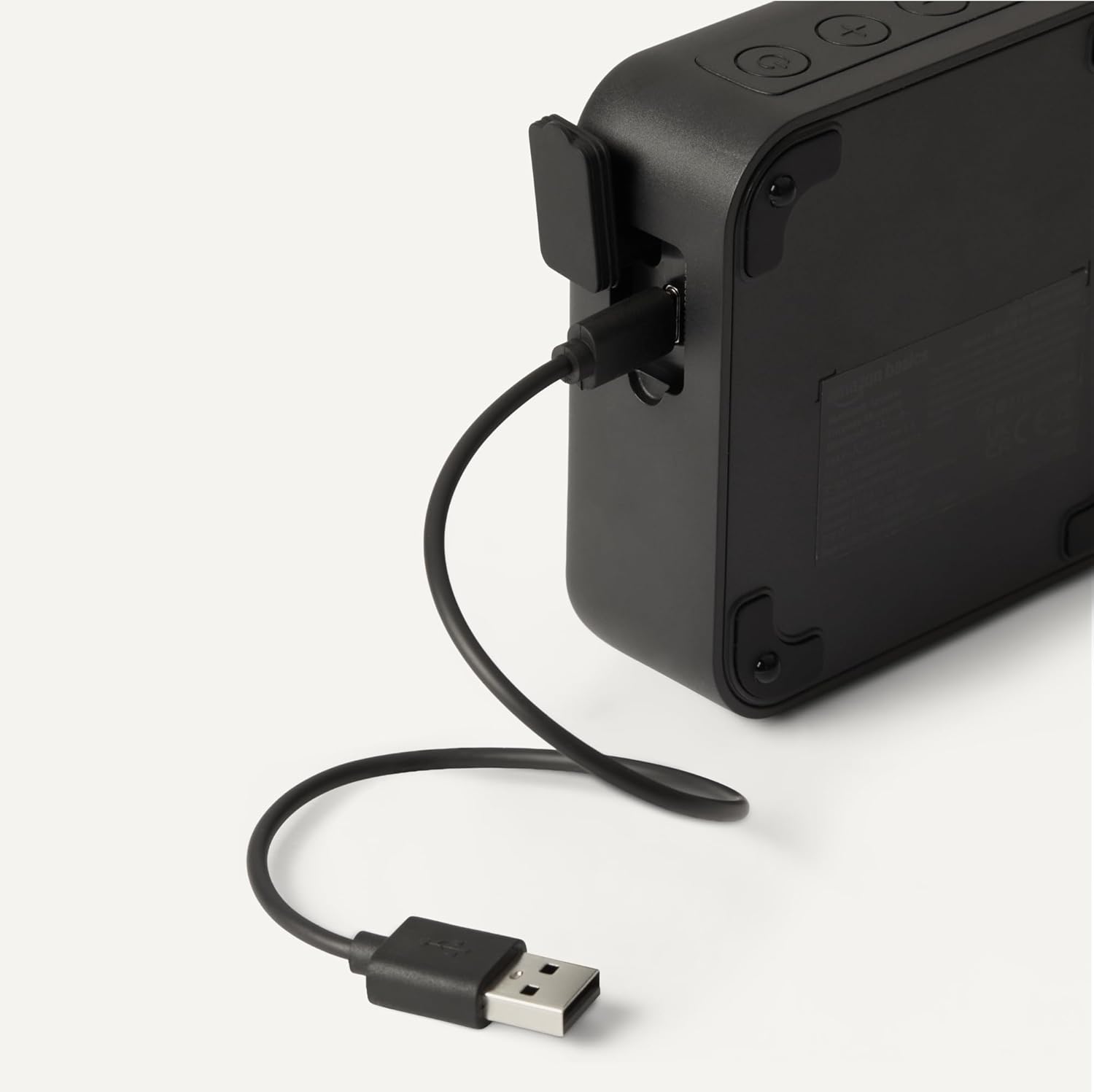
Figure 3: USB-C charging port.
- USB-C yekuchaja Port: Connect the provided USB-C cable for charging.
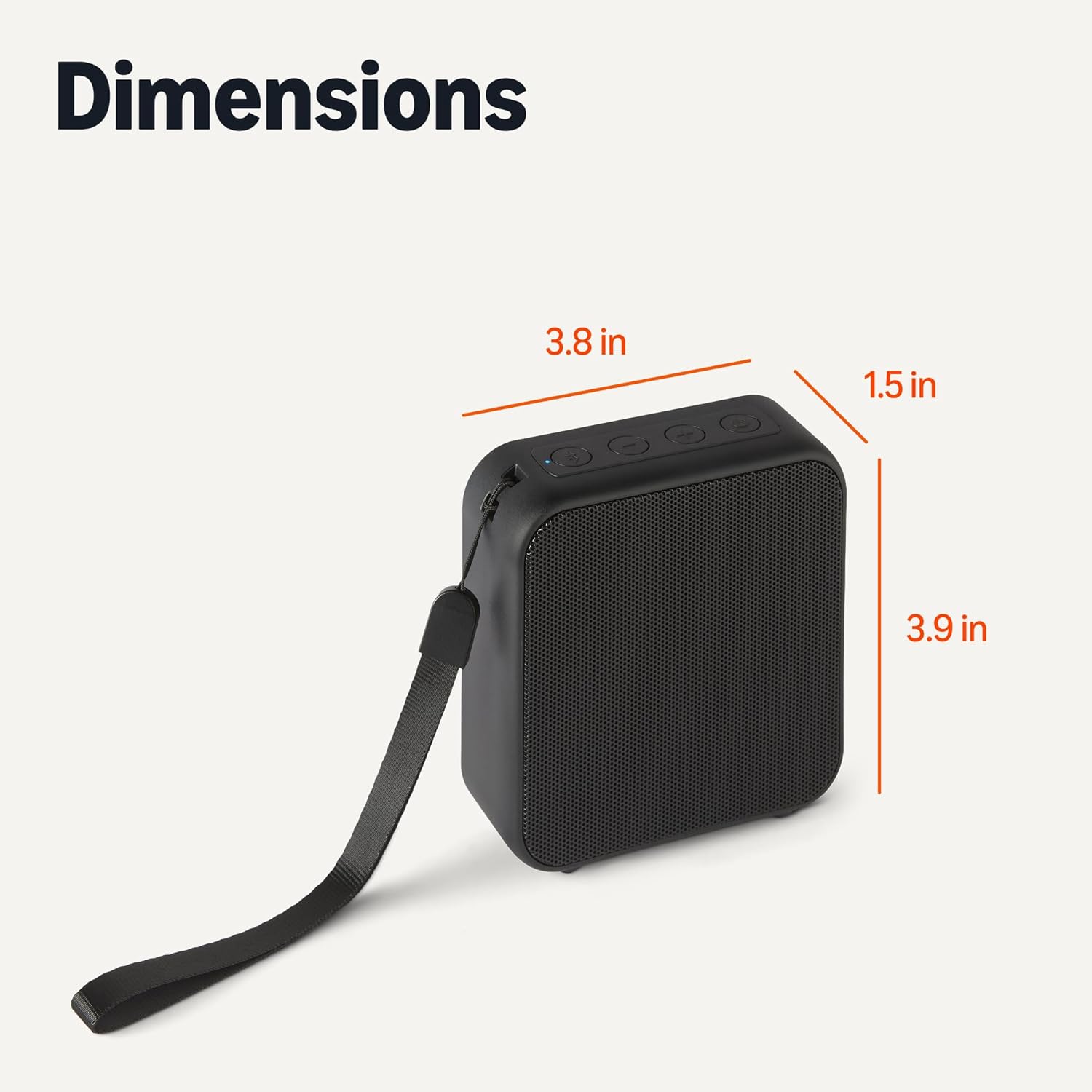
Figure 4: Speaker with wrist strap.
- Wrist Strap: Attach the included wrist strap for easy portability.
5. Setup
5.1 Kuchaja Mutauriri
- Connect the small end of the USB-C charging cable to the speaker's USB-C port.
- Batanidza kumucheto hombe kwetambo ye USB kune USB power adapta (isina kuisirwa) kana USB port yekombuta.
- Chiratidzo che LED chicharatidza mamiriro ekuchaja. Kuchaja kwakazara kunotora maawa maviri.
5.2 Bluetooth Pairing
- Iva nechokwadi chekuti sipika yachajwa uye yadzimwa.
- Press and hold the Power button to turn on the speaker. The speaker will enter pairing mode automatically, indicated by a flashing blue LED.
- Pamudziyo wako unoshanda neBluetooth (smartphone, tablet, laptop), enda kuzvirongwa zveBluetooth.
- Tsvaga available devices and select "Amazon Basics BT Speaker" from the list.
- Once connected, the blue LED will stop flashing and remain solid. You will hear an audible confirmation.
- Chinotaurisa chinozobatanidzazve otomatiki kumudziyo wekupedzisira wakabatana kana chabatidzwa, kana mudziyo uri pedyo uye Bluetooth yakabatidzwa.
6. Kushanda
6.1 Simba On/Kudzima
- Kubatidza: Dzvanya wobata bhatani rePower kwemasekondi maviri kusvika matatu.
- Kudzima: Dzvanya wobata bhatani rePower kwemasekondi maviri kusvika matatu.
6.2 Kuridza Audio
- After successful Bluetooth pairing, open your music application on your device and start playing audio.
- Tamba/Kumbomira: Short press the Power button to play or pause the audio.
6.3 Kudzora Vhoriyamu uye Nziyo
- Wedzera Vhoriyamu: Dzvanya bhatani rekuti "+" pfupi.
- Deredza Vhoriyamu: Dzvanya pfupi bhatani "-".
- Next Track: Dzvanya bhatani rekuti "+" kwenguva refu.
- Previous Track: Dzvanya bhatani rekuti "-" kwenguva refu.
7. Kuchengeta
7.1 Kuchenesa nekuchengetedza
- Pukuta mutauri nemucheka wakapfava, wakaoma. Usashandise abrasive cleaners kana solvents.
- Chengetedza mukurukuri munzvimbo inotonhorera, yakaoma kure nechiedza chezuva uye tembiricha yakanyanyisa.
- If not used for extended periods, charge the speaker at least once every three months to maintain battery health.
8. Kugadzirisa matambudziko
Tarisa kune tafura iri pazasi kune zvakajairika nyaya uye mhinduro dzadzo:
| Dambudziko | Solution |
|---|---|
| Mutauri haabati simba. | Ensure the speaker is fully charged. Connect to a power source and try again. |
| Haikwanise kubatanidzwa neBluetooth mudziyo. | Make sure the speaker is in pairing mode (flashing blue LED). Ensure Bluetooth is enabled on your device and it is within 10 meters of the speaker. Forget the device in your phone's Bluetooth settings and try pairing again. |
| Hapana ruzha kana vhoriyamu yakaderera. | Tarisa huwandu hwevhoriyamu pane zvese mutauri uye mudziyo wako wakabatana. Iva nechokwadi chokuti mutauri akanyatsopetwa. |
| Kurasika kwenzwi. | Move the speaker closer to your device to reduce interference. Lower the volume on both the speaker and your device. |
| Speaker disconnects frequently. | Ensure the speaker and your device are within Bluetooth range (10 meters) and there are no significant obstacles. Check for other interfering wireless devices. |
9. Zvinotsanangurwa
Detailed technical specifications for the Amazon Basics Bluetooth Speaker:
| Feature | Detail |
|---|---|
| Model Name | Amazon Basics BT Speaker |
| Item Model Number | AMZ-B5520A |
| Kubatana Technology | Bluetooth 5.3 |
| Bluetooth Range | Kusvika kumamita gumi (10 tsoka) |
| Mutauri Rudzi | Portable Nomukurukuri |
| Audio Output Mode | Stereo |
| Mutauri Mukuru Wekubuda Simba | 3 Watts |
| Mutauri Mukuru | 1.75 inches |
| Simba Source | Battery Powered |
| Battery Capacity | 800 mAh |
| Kuchaja Nguva | Anenge maawa maviri |
| Nguva yekutamba | Kusvika kumaawa 6 (pa50% vhoriyamu) |
| Mvura Resistance Level | IPX5 (Isingapindi mvura) |
| Zviyero zveChigadzirwa (LxWxH) | 3.90 x 3.78 x 1.46 inches (9.9 x 9.6 x 3.7 cm) |
| Item Weight | 10 ounces (283.5 gramu) |
| Color | Nhema |
10. Ruzivo rweWaranti
This Amazon Basics Bluetooth Speaker comes with a Limited Warranty. For specific details regarding warranty coverage, duration, and terms, please refer to the warranty card included in your product packaging or visit the official Amazon Basics website.
11. Mutengi Tsigiro
For further assistance, troubleshooting, or product inquiries, please contact Amazon Basics customer support through the Amazon website or your purchase platform. Have your product model number (AMZ-B5520A) and purchase details ready.