1. Nhanganyaya
This manual provides detailed instructions for the assembly, operation, and maintenance of your DEVAISE ASJZ026 L-Shaped Electric Standing Desk. Please read this manual thoroughly before assembly and use to ensure proper function and safety. This desk features adjustable height, dual motors, and an L-shaped design for an ergonomic workspace.
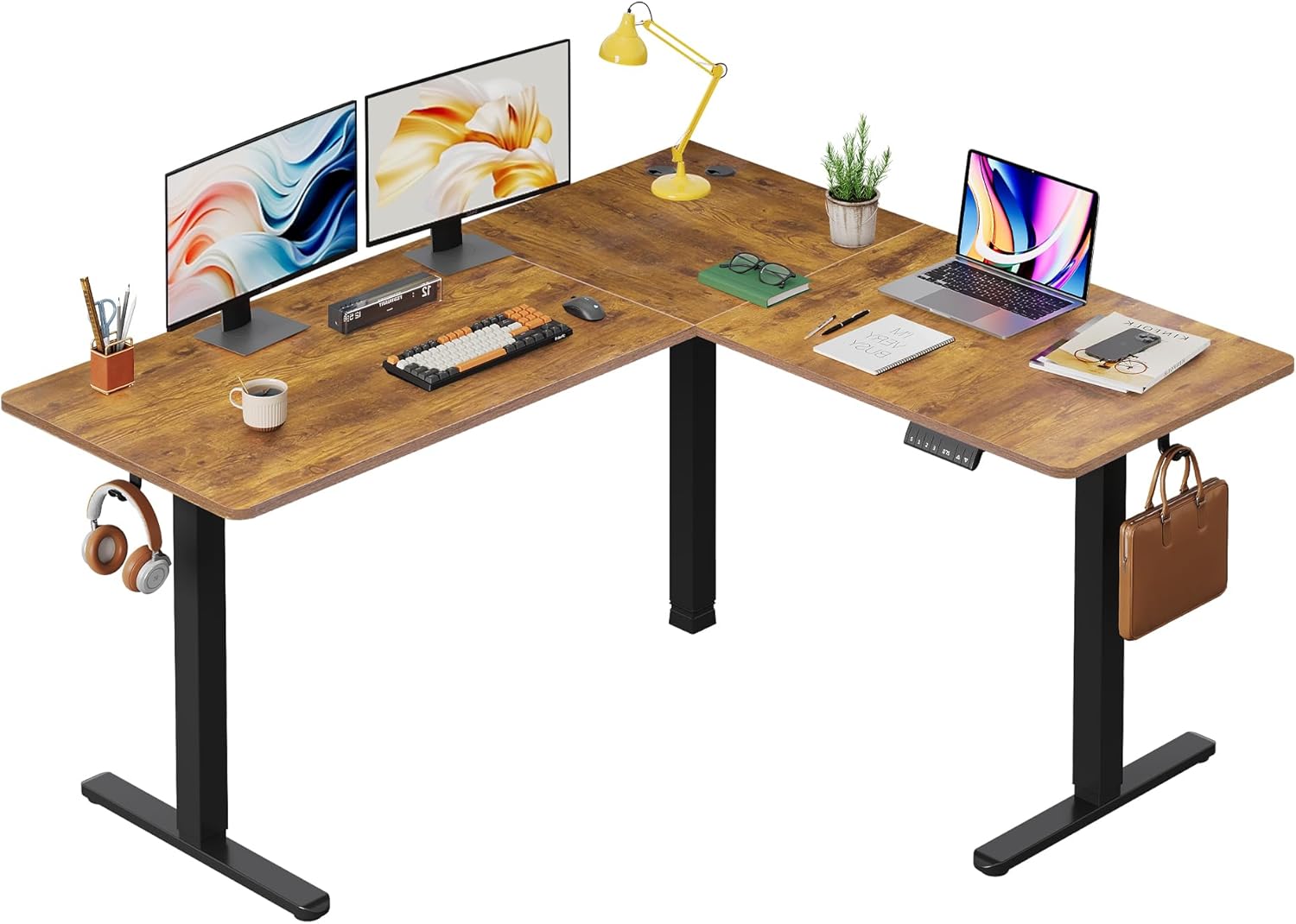
Mufananidzo 1.1: Pamusoroview of the DEVAISE L-Shaped Electric Standing Desk.
2. Safety Information
YAmbiro: Kutadza kutevedzera iyi mirairo yekuchengetedza kunogona kukonzera kukuvara kana kukuvara kuchigadzirwa.
- Potential hazards include injury from moving parts if not used with caution. Keep hands and objects clear of moving components during height adjustment.
- Usapfuure huremu hwepamusoro hwe 220 lbs (100 kg). Overloading the desk can cause instability and damage.
- Always ensure proper assembly and use according to the manufacturer's instructions. Incorrect assembly can lead to structural failure.
- Chengeta vana nezvipfuyo kure nedhesiki panguva yekushanda.
- Ensure the power cord is not pinched or damaged. Do not operate the desk with a damaged cord or plug.
- Bvisa simba usati wachenesa kana kugadzirisa.
3. Setup uye Gungano
Assembly of the DEVAISE L-Shaped Electric Standing Desk requires careful attention to detail. It is recommended to have two people for assembly. Please ensure all parts are present before beginning.
3.1. Kusunungura uye Kuongorora
Carefully unpack all components and lay them out on a clean, soft surface to prevent scratches. Verify that all parts listed in the packing list (not provided in this document, refer to your product packaging) are present and undamaged.
3.2. Desk Orientation
The L-shaped desk can be configured for either a left-sided or right-sided return, offering flexibility to suit your workspace layout.

Image 3.1: Flexible left or right orientation of the L-shaped desk.
3.3. General Assembly Steps (Consult provided assembly guide for detailed steps)
- Assemble the desk frame components, including the legs and crossbars, ensuring all screws are tightened securely.
- Attach the dual motors to the frame as per the assembly instructions.
- Secure the tabletop sections to the assembled frame. Ensure the splice board is correctly aligned.
- Connect the control panel and power supply to the motor system.
- Install accessories such as headphone hooks and cable clips as desired.
- Adjust the leveling feet to ensure the desk is stable on uneven surfaces.

Image 3.2: Illustration of the dual motor system for smooth height adjustment.
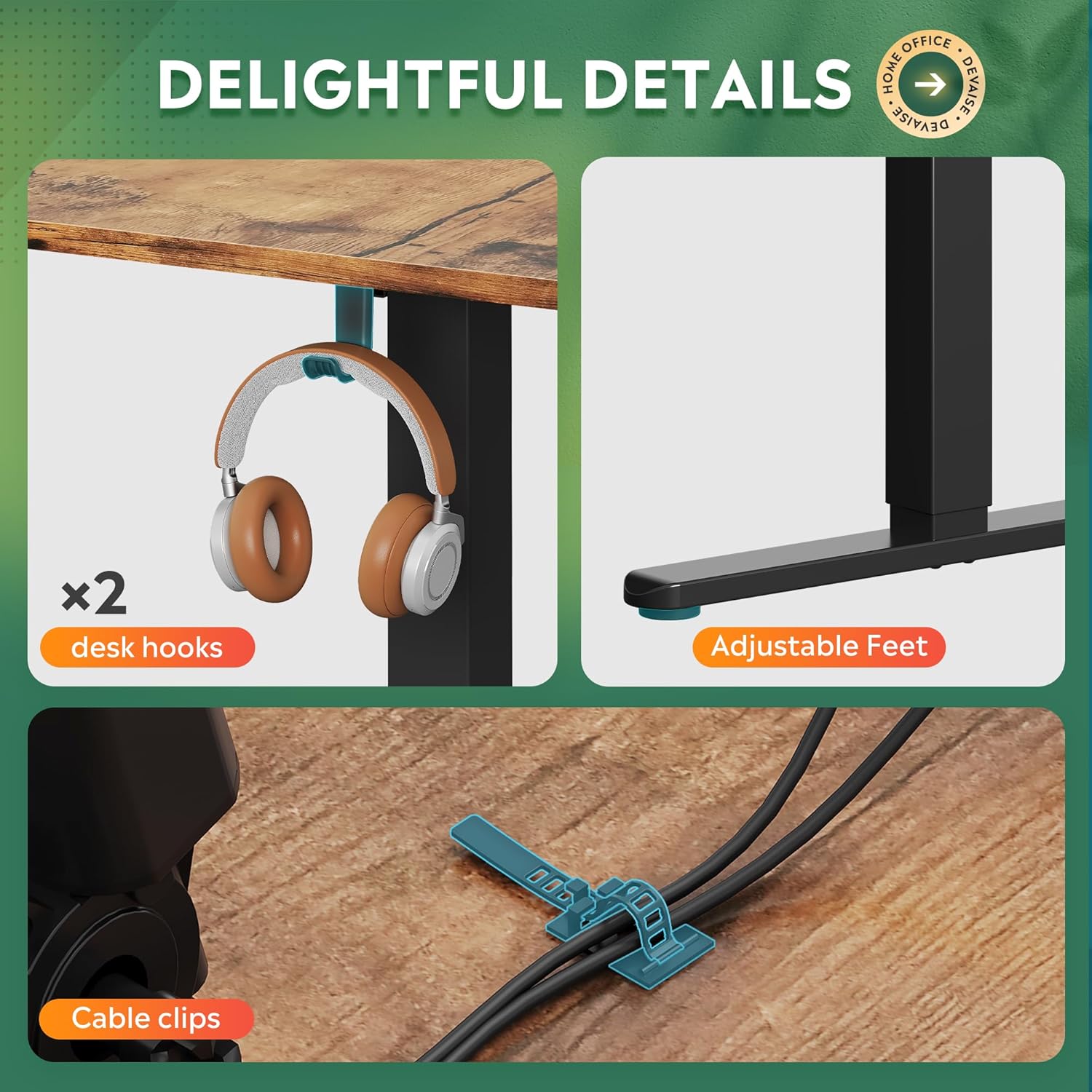
Image 3.3: Included accessories: two desk hooks, adjustable feet, and cable clips for organization.
4. Operating Instructions
The DEVAISE ASJZ026 desk features an electric height adjustment system with a multi-function control panel.

Image 4.1: Multi-function control panel for height adjustment and memory settings.
4.1. Basic Height Adjustment
Shandisa iyo kumusoro (▲) uye Pasi (▼) buttons on the control panel to manually adjust the desk height. The current height will be displayed on the LED screen.

Image 4.2: The desk's height can be adjusted from 28.5 inches to 47.2 inches.
4.2. Kugadzirisa Memory Presets
Iyo control panel inobvumidza iwe kuchengetedza anosvika matatu akasarudzika ekukwirira marongero:
- Gadzirisa dhesiki kuti rienderane nekukwirira kwaunoda uchishandisa mabhatani eKumusoro kana Kudzika.
- Press the "S" button (Set/Save). The LED display will flash.
- Dzvanya bhatani rimwe chete rekurangarira ipapo ipapo ("1", "2", kana "3") before the display stops flashing. The height is now saved to that preset.
4.3. Using Memory Presets
To move the desk to a saved height, simply press the corresponding memory button ("1", "2", kana "3"). Tafura inozozvigadzirisa yega kuti ienderane nenzvimbo yakachengetedzwa.
4.4. Chinhu Chinodzivirira Kubonderana
The desk is equipped with an anti-collision system. If the desk encounters an obstacle during height adjustment, it will automatically stop and reverse slightly to prevent damage. Ensure the area around the desk is clear during operation.
5. Kuchengeta
Regular maintenance ensures the longevity and optimal performance of your DEVAISE standing desk.
- Kuchenesa: Pukuta pamusoro pedhesiki uye furemu nekanyoro, damp jira. Dzivisa abrasive cleaners kana makemikari ane hutsinye anogona kukanganisa kupera.
- Cable Management: Periodically check cable clips and ensure all cables are neatly organized and not pinched or strained.
- Kuongorora kweMotor: Listen for any unusual noises during operation. If you hear grinding or excessive noise, discontinue use and consult the troubleshooting section or contact support.
- Weight Distribution: Distribute weight evenly across the desk surface to prevent undue stress on the frame and motors.
6. Kugadzirisa matambudziko
If you encounter issues with your DEVAISE standing desk, refer to the following common problems and solutions:
| Dambudziko | Zvinogona Kukonzera | Solution |
|---|---|---|
| Desk does not move or respond to control panel. | Power cord disconnected, circuit breaker tripped, motor error. | Check power connections. Ensure the outlet is functional. Unplug and replug the desk after 30 seconds. If error persists, contact support. |
| Desk rinofamba zvisina kuenzana kana kuita ruzha rusina kujairika. | Uneven weight distribution, loose connections, motor issue. | Ensure weight is evenly distributed. Check all assembly screws for tightness. If noise persists, contact support. |
| Anti-collision feature triggers frequently. | Obstruction in the desk's path, sensitive setting. | Clear any objects from the desk's path. Refer to the full product manual for potential anti-collision sensitivity adjustments (if available). |
| Memory presets are not saving or recalling correctly. | Incorrect saving procedure, temporary glitch. | Review Section 4.2 for correct saving procedure. Unplug the desk for 30 seconds and try again. |
7. Zvinotsanangurwa
| Feature | Detail |
|---|---|
| Brand | DEVAISE |
| Model Number | ASJZ026 |
| Zviyero zveChigadzirwa (D x W x H) | 23.62"D x 62.99"W x 25.84"H |
| Minimum Height | 28.5 inches |
| Maximum Height | 47.2 inches |
| Color | Rustic Brown |
| Top Material Type | Engineered Wood |
| Base Material | Iron |
| Item Weight | 80.7 Pondo |
| Maximum Weight Recommendation | 220 Pondo |
| Special Feature | Adjustable Height, Dual Motor, Anti-Collision Technology |
| Inosanganisirwa Zvikamu | Headphone Hook, Cable Clips |
| Gungano Rinodiwa | Ehe |

Image 7.1: Key dimensions and load capacity of the L-shaped standing desk.
8. Warranty uye Tsigiro
8.1. Ruzivo rweWaranti
This DEVAISE ASJZ026 L-Shaped Electric Standing Desk comes with a Yakakwana WarrantyNdapota tarisa kadhi rewarandi riri muchigadzirwa chako kuti uwane mitemo chaiyo, mamiriro, uye nguva yekuvhara.
8.2. Mutengi Tsigiro
For technical assistance, missing parts, or warranty claims, please contact DEVAISE customer support. Contact information can typically be found on the product packaging, the official DEVAISE webwebhusaiti, kana kuburikidza nepuratifomu yako yekutenga.
Mutengesi: DEVAISE