
1. Kupfuuraview
The Amazon Basics USB Flash Drive is a versatile storage solution designed for seamless data transfer between various devices. Featuring both USB-C and USB-A dual ports, this 128GB thumb drive offers broad compatibility and efficient performance for your storage needs. Its durable metal construction and rotating design ensure protection and convenience.
2. Key Features
- 128 GB Storage Capacity: Inopa ample space for documents, photos, videos, and other files. Note: Actual usable capacity may be slightly less due to formatting and system files.
- Dual Port Design: Equipped with both USB-C and USB-A connectors for universal compatibility with a wide range of devices.
- Kuita Kwakanaka: Offers reliable data transfer with a default exFAT format, ensuring lower power consumption and broad device support.
- High Read Speed: Capable of read speeds up to 400 Megabytes Per Second. Actual speeds may vary based on device, file size, and type.
- Premium Kuvaka: Features a robust metal exterior casing with a rotating open/close design to protect the connectors, and a hanging hole for convenient attachment to keychains or lanyards.
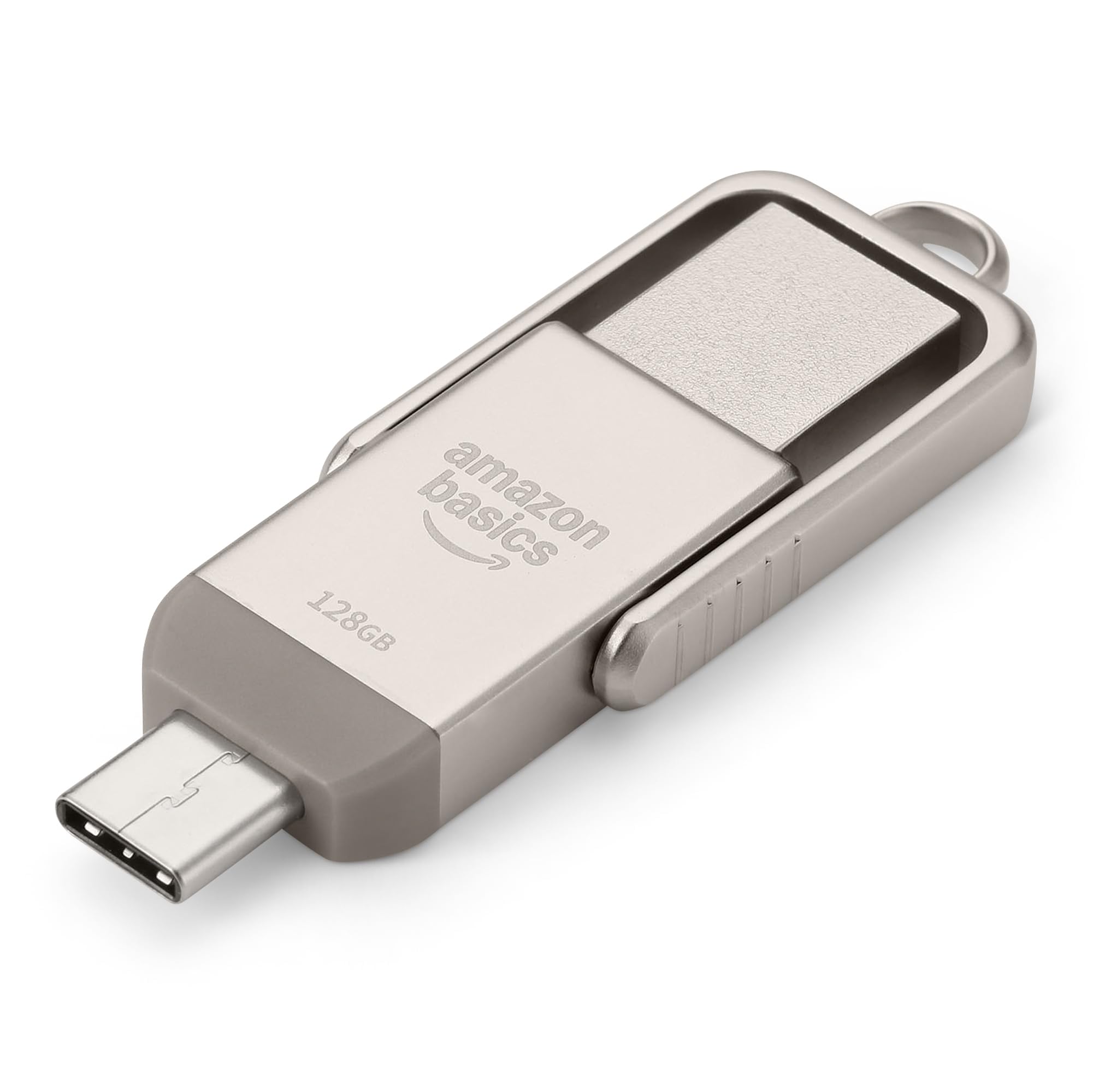
Figure 1: Amazon Basics 128GB USB Flash Drive, showcasing dhizaini yayo diki uye zvinobatanidza zviviri.
3. Setup
- Identify Device Port: Determine whether your device (phone, tablet, computer) uses a USB-A or USB-C port.
- Select Correct Connector: Rotate the metal casing of the flash drive to expose the appropriate connector (USB-A or USB-C).
- Isa Flash Drive: Carefully insert the exposed connector into the corresponding port on your device. Ensure a secure connection.
- Kuzivikanwa Kwemudziyo: Your device should automatically detect the flash drive. On most operating systems, a notification will appear, or the drive will be accessible through your file manager (e.g., File Explorer on Windows, Finder on macOS, Files app on mobile devices).

Figure 2: USB Flash Drive connected to a laptop's USB-A port.
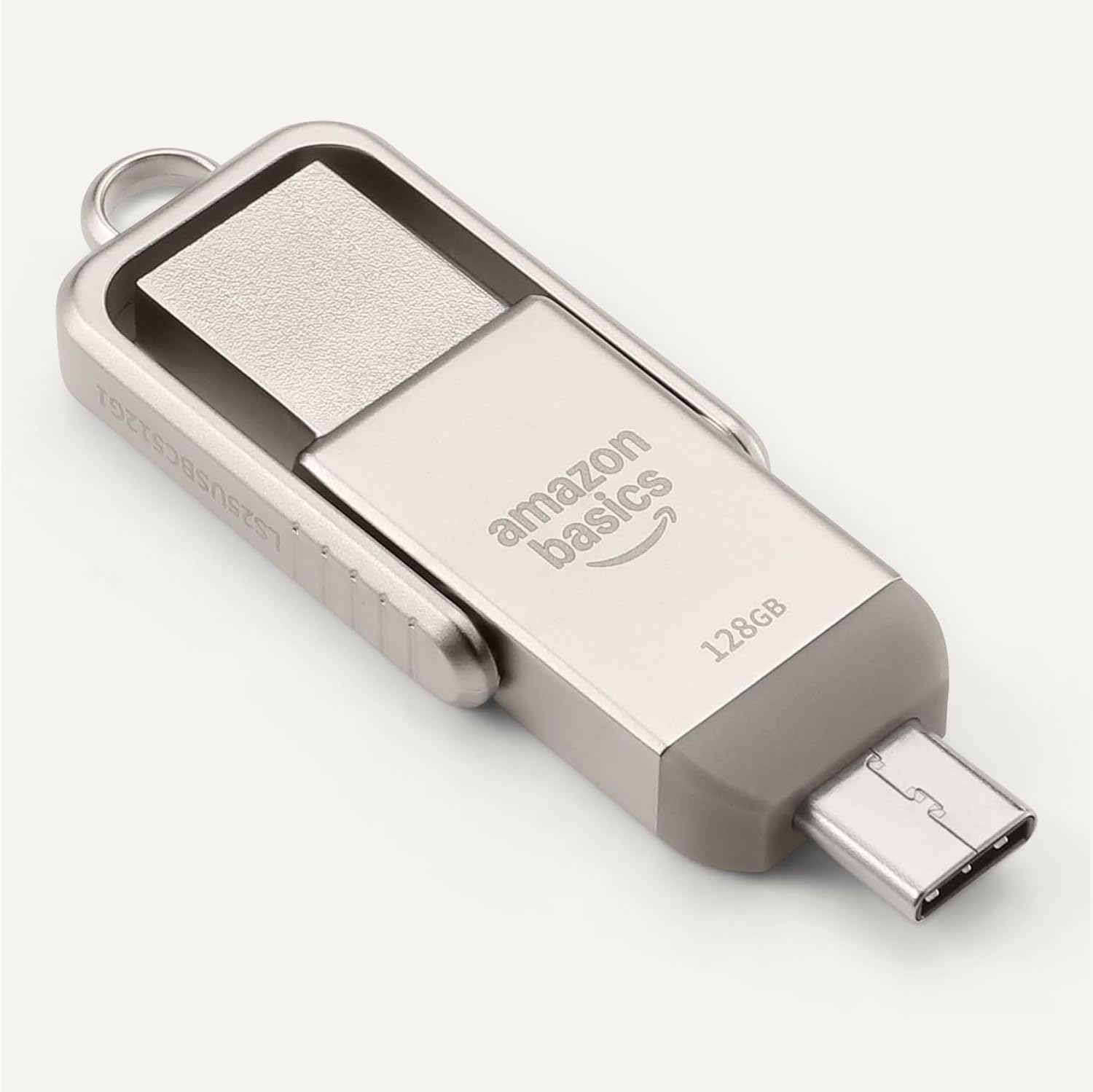
Figure 3: USB Flash Drive connected to a smartphone's USB-C port.
4. Operating Instructions
4.1. Kutamisa Files
- Kopa/Namira: Enda ku files you wish to transfer. Select them, then right-click (or long-press on touch devices) and choose 'Copy'. Navigate to the flash drive's directory, right-click (or long-press), and select 'Paste'.
- Dhonza udonhe: Vhura yako file manager and arrange windows so you can see both the source folder and the flash drive's folder. Click and drag the desired files from the source folder to the flash drive's folder.
4.2. Safe Removal
To prevent data corruption, always safely remove the flash drive before physically disconnecting it.
- Windows: Click the 'Safely Remove Hardware and Eject Media' icon in the taskbar, then select the flash drive.
- macOS: Drag the flash drive icon from your desktop to the Trash, or right-click the icon and select 'Eject'.
- Android/iPadOS: Look for an 'Eject' or 'Unmount' option within the file manager app or notification panel.
5. Kugarisana
The Amazon Basics USB Flash Drive is designed for broad compatibility:
- Operating Systems: Compatible with Windows, macOS, Linux, Android, and iPadOS devices that support USB mass storage.
- Mhando dzemidziyo: Works with computers, laptops, tablets, and smartphones featuring USB-A or USB-C ports.
- File System: Pre-formatted with exFAT for maximum compatibility across different operating systems and larger file saizi.
- Chiziviso Chakakosha: This flash drive is incompatible with Lightning ports found on some Apple devices.
5.1. Compatibility Demonstration
Video 1: Demonstration of the Amazon Basics USB Flash Drive's compatibility with various phone cases and devices, highlighting successful and unsuccessful fits.
Video 2: Demonstration of using a thumb drive with a mini projector, showing file format requirements (FAT32) for video, audio, and image playback.
6. Kuita
The Amazon Basics USB Flash Drive is engineered for efficient data handling:
- Kumhanya Kwekuverenga: Up to 400 Megabytes Per Second.
- Nyora Kumhanya Varies depending on the device, file saizi, file types, and other environmental factors.
- Kushandisa Simba Kuderera: Designed for energy efficiency, contributing to longer battery life on connected mobile devices.
For optimal performance, ensure your device's USB port supports USB 3.2 Gen 1 or higher standards.
7. Kuchengeta uye Kuchengeta
- Dzivirira Zvibatanidza: Always rotate the metal casing to cover the unused connector when not in use to prevent dust and physical damage.
- Bata Nekungwarira: Avoid dropping the drive or subjecting it to excessive force.
- Tembiricha: Store the drive in a cool, dry place away from extreme temperatures.
- Kuchenesa: Use a soft, dry cloth to clean the exterior. Avoid liquid cleaners or solvents.
8. Kugadzirisa matambudziko
- Kutyaira Kusingazivikanwe:
- Ensure the drive is fully inserted into the correct USB port.
- Edza imwe USB port pane yako kifaa.
- Tangazve mudziyo wako uye edza zvakare.
- Check your device's file manager or disk management utility to see if the drive is listed.
- Kufamba Kunononoka:
- Ensure you are using a USB 3.0 (or higher) compatible port for optimal speeds. USB 2.0 ports will result in slower transfers.
- Kutamisa akawanda madiki files can be slower than transferring a single large file yehukuru hwakafanana.
- Vhara mamwe maapplication angave achishandisa zviwanikwa zvesystem.
- "Unsupported File" Error:
- This error typically occurs when the device you are connecting the flash drive to (e.g., a projector or smart TV) does not support the file format (e.g., .mov, .mp4, .txt, .png) or the file system (e.g., NTFS vs. FAT32/exFAT).
- Iva nechokwadi files are formatted to FAT32 or exFAT for broad compatibility.
- Shandura files to a format supported by your playback device. Common formats include .mp4 for video, .mp3 or .wav for audio, and .jpeg for images.
- Kutyaira Kunodziya:
It is normal for the metal casing of the flash drive to become warm during prolonged use or heavy data transfers. This does not indicate a malfunction.
9. Zvinotsanangurwa
| Feature | Tsanangudzo |
|---|---|
| Model Name | LS25USBC128G1 |
| Memory Storage Capacity | 128 GB (Nominal) |
| Kubatana Technology | USB |
| Hardware inowanikwa | USB 3.2 Gen 1 |
| Tekinoroji yekubatanidza Hardware | USB Type A, USB Type C |
| Read Speed | 400 Megabytes paSekondi |
| Special Feature | Chinongedzo cheDual USB |
| Color | Champagne Silver |
| Item Weight | 2.11 ounces |
| Package Dimensions | 9.21 x 7.01 x 0.71 inches |
10. Warranty uye Tsigiro
This Amazon Basics product is backed by Amazon's customer service and return policies.
- Return Policy: Typically 30 days for refunds or replacements. Please refer to Amazon's current return policy for specific details.
- Zvirongwa zvekudzivirira zveSarudzo: Additional photo and data recovery plans are available for purchase (e.g., 2-year or 3-year plans).
- Tsigiro yeVatengi: For assistance, please visit the Amazon Basics Store or contact Amazon Customer Service directly through your Amazon account.