Nhanganyaya
Ndatenda nekutengaasing the Oilsky D26 MP3 Player. This device combines a 2.8-inch full touchscreen with Bluetooth 5.0 connectivity, a built-in speaker, and a robust alloy design. It offers 64GB of internal storage, expandable up to 128GB with a microSD card, and supports various audio formats. This manual provides essential information for setup, operation, and maintenance to ensure optimal performance.
Package Zviri mukati
Ndokumbira utarise pasuru yezvinhu zvinotevera:
- Oilsky D26 MP3 Player Unit
- Maearphone
- Type-C USB Cable
- Bhuku reMirayiridzo
- Protective Case

Kana paine zvinhu zvisipo kana kuti zvakakuvara, ndapota taura nerutsigiro rwevatengi.
Product Overview
The Oilsky D26 MP3 Player features a sleek alloy design with a 2.8-inch full touchscreen for intuitive navigation. It includes a home button for easy return to the main menu.

Gadzirira
1. Kuchaja Chishandiso
Before first use, fully charge the MP3 player. Connect the provided Type-C USB cable to the player's charging port and the other end to a USB power adapter (not included) or a computer's USB port. The battery indicator on the screen will show charging status.
2. Inserting a microSD Card (Optional)
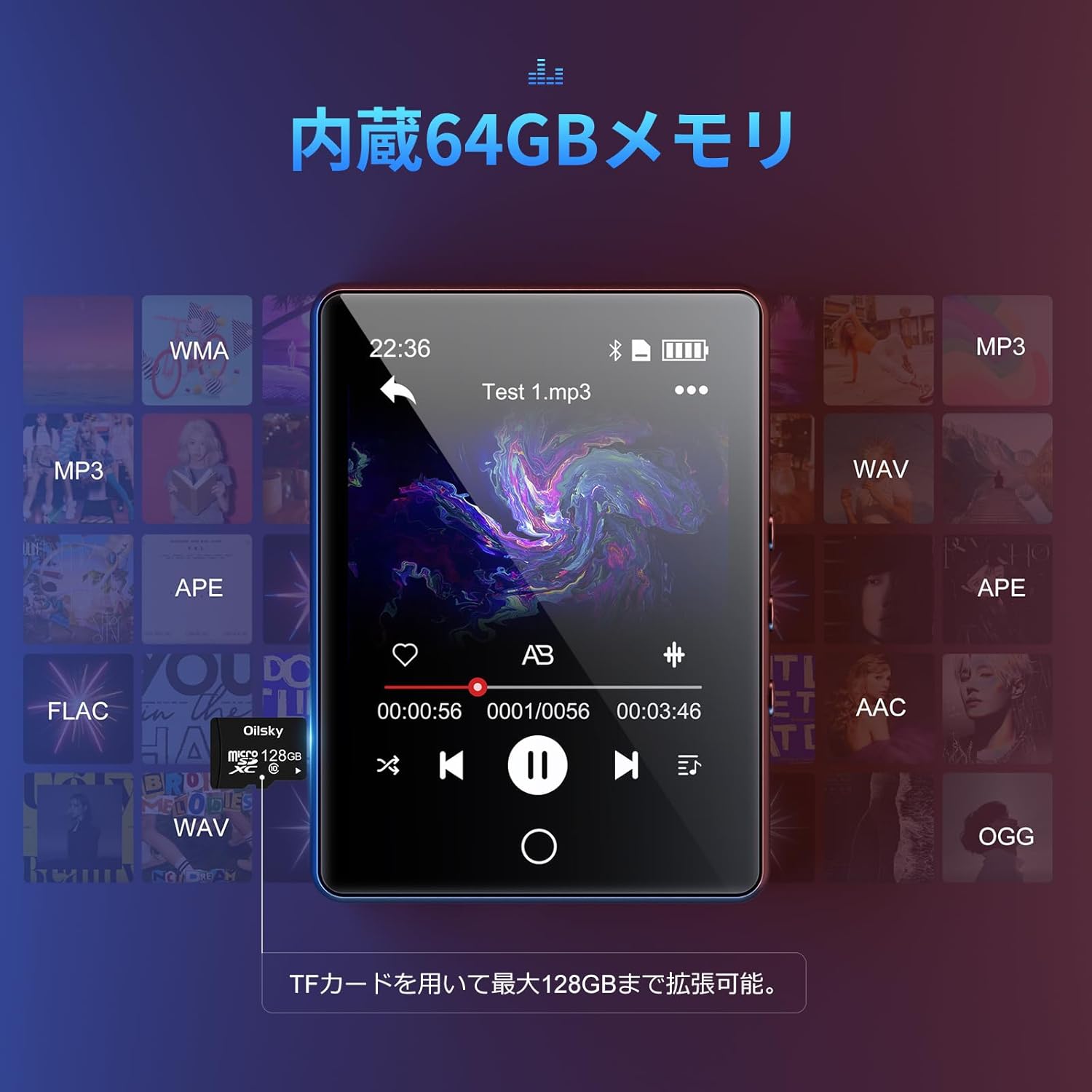
The device has 64GB of internal storage. To expand storage up to 128GB, insert a microSD card into the designated slot. Ensure the card is inserted correctly until it clicks into place.

3. Kutamisa Files
Connect the MP3 player to your computer using the Type-C USB cable. The device will appear as a removable disk. You can then drag and drop audio files (MP3, WMA, APE, FLAC, AAC, WAV, OGG) into the player's internal storage or the inserted microSD card.
Operating Instruction
1. Basic Navigation
The D26 features a 2.8-inch full touchscreen. Tap icons to select functions and swipe to navigate menus. The physical home button at the bottom allows you to return to the main menu from any application.

2. Mumhanzi Playback
Tap the 'Music' icon on the main screen to access your audio library. The player supports various formats including MP3, WMA, APE, FLAC, AAC, WAV, and OGG, ensuring high-quality audio playback with minimal loss.
3. Kubatana kweBluetooth
The D26 features Bluetooth 5.0 for stable wireless connections. To pair with Bluetooth headphones or speakers:
- Enda ku 'Settings' wobva wasarudza 'Bluetooth'.
- Batidza Bluetooth wotsvaga zvishandiso zviripo.
- Select your Bluetooth headphones or speaker from the list to pair.
Cherechedza: This device can only pair with Bluetooth headsets or speakers. It cannot pair with mobile phones, cars, or computers. Ensure you are in an area free from strong electromagnetic interference to maintain a stable Bluetooth connection.

4. FM Radio
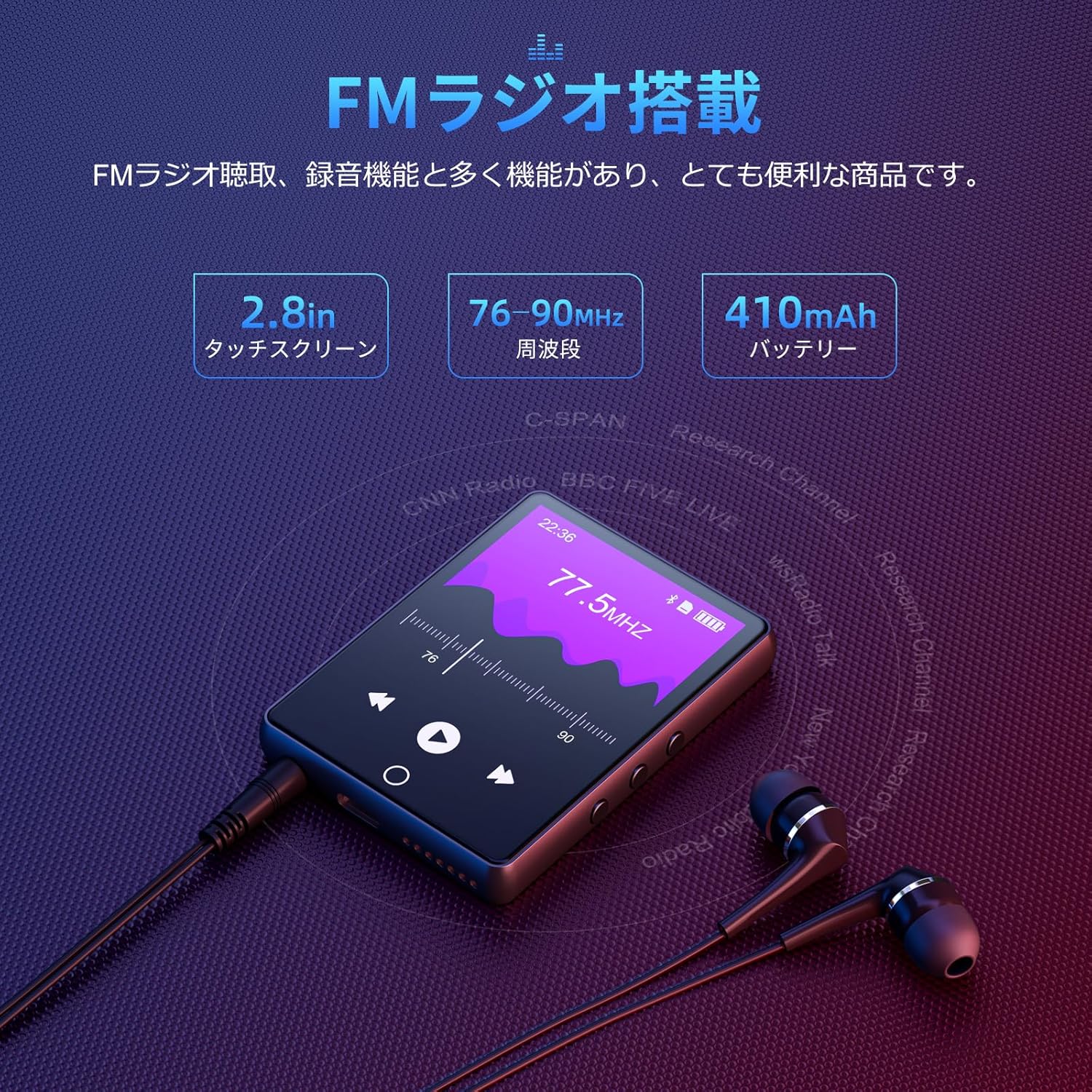
To use the FM radio function, connect the wired earphones (included) as they act as the antenna. Tap the 'FM Radio' icon on the main screen. You can then scan for stations and listen to broadcasts.
5. Kurekodha Basa
The D26 includes a recording function, useful for lectures, meetings, or personal notes. Tap the 'Record' icon to start and stop recordings. Recorded files are saved on the device.

6. Mamwe Mabasa
The device also includes additional utilities such as a timer, calendar, and calculator. Access these features from the main menu.

Maintenance
- Chengetedza mudziyo wakaoma. Dzivisa kusangana nehunyoro kana zvinwiwa.
- Geza sikirini uye muviri nejira rakapfava, rakaoma. Usashandise abrasive cleaners.
- Dzivisa kupisa kwakanyanya.
- Usaedze kudimbura kana kugadzirisa mudziyo wega.
Kugadzirisa matambudziko
Mudziyo haubatike:
- Ita shuwa kuti mudziyo wachajiwa zvizere.
- Dzvanya uye bata bhatani remagetsi kwemasekonzi mashoma.
Haikwanise kubatana neBluetooth:
- Ensure Bluetooth is enabled on both the player and the receiving device (headphones/speaker).
- Make sure the receiving device is in pairing mode.
- Confirm that you are attempting to pair with a compatible device (Bluetooth headphones or speakers only).
- Bvisa kubva kune zvinogona kukonzera kukanganiswa kwemagetsi.
Hapana ruzha:
- Tarisa chiyero chevhoriyamu.
- Ensure earphones are properly connected or Bluetooth device is paired and connected.
- Test with different earphones or Bluetooth device.
Filehaisi kutamba:
- Tarisa kuti audio yacho file format is supported (MP3, WMA, APE, FLAC, AAC, WAV, OGG).
- Iva nechokwadi chekuti files haina kusvibiswa.
Zvinotsanangurwa
| Feature | Tsanangudzo |
|---|---|
| Model Number | D26 |
| Brand | Oilsky |
| Screen Size | 2.8 inches |
| Display Technology | LCD |
| Kuchengeta Kwemukati | 64 GB |
| Expandable Storage | Kusvika ku128GB kuburikidza nekadhi re microSD |
| Kubatana | Bluetooth 5.0 |
| Inotsigirwa Audio Formats | MP3, WMA, APE, FLAC, AAC, WAV, OGG |
| Mamwe Mabasa | FM Radio, Built-in Speaker, Recording, Calculator, Timer, Calendar |
| Dimensions | 14.7 x 14.6 x 1.9 cm |
| Kurema | 200 g |
Warranty uye Support
This product comes with a standard manufacturer's warranty. For specific warranty details, please refer to the warranty card included in your package or contact the seller directly. If you encounter any issues or have questions regarding your Oilsky D26 MP3 Player, please reach out to our customer support team for assistance.
Contact Information: Please refer to the contact details provided on the product packaging or the seller's information page.