
MPU9250
MPU9250 9-Axis Sensor Instruction Manual
Muenzaniso: MPU9250
1. Nhanganyaya
The MPU9250 is a high-performance 9-axis motion tracking device that combines a 3-axis gyroscope, a 3-axis accelerometer, and a 3-axis magnetometer. It is designed for a wide range of applications requiring precise motion sensing, such as robotics, drones, and wearable devices. This sensor module provides digital output of 9-axis motion data, making it suitable for integration with microcontrollers like Arduino.
2. Key Features
- Integrated 9-axis motion tracking: 3-axis gyroscope, 3-axis accelerometer, and 3-axis magnetometer.
- Primary communication interface: I2C (Inter-Integrated Circuit).
- Secondary communication interface: Serial communication for third-party sensors.
- Wide power supply voltage range: 3V to 5V, ensuring compatibility with various development boards.
- Compact and robust design for easy integration.
3. Setup Guide
This section outlines the basic steps for connecting and preparing your MPU9250 sensor for use.
3.1 Pinout Tsanangudzo
| Pin | Tsanangudzo |
|---|---|
| VCC | Power Supply (3V-5V) |
| GND | Ground |
| SCL | I2C Serial Clock Line |
| SDA | I2C Serial Data Line |
| ADO | I2C Slave Address Pin (connect to GND for 0x68, VCC for 0x69) |
| INT | Dimburira Pini |
| FSYNC | Frame Synchronization Pin |
| ACL | Auxiliary I2C Clock Line |
| ADA | Auxiliary I2C Data Line |
3.2 Wiring Instructions (Example for Arduino)
- Batanidza iyo VCC pin of the MPU9250 to the 5V or 3.3V pin on your Arduino board.
- Batanidza iyo GND pin of the MPU9250 to the GND pin on your Arduino board.
- Batanidza iyo SCL pin of the MPU9250 to the A5 (SCL) pin on Arduino Uno/Nano or 21 (SCL) on Arduino Mega.
- Batanidza iyo SDA pin of the MPU9250 to the A4 (SDA) pin on Arduino Uno/Nano or 20 (SDA) on Arduino Mega.
- For the ADO pin, connect it to GND for the default I2C address (0x68). If you need to change the address, connect it to VCC.
- Other pins (INT, FSYNC, ACL, ADA) can be connected as required by your specific application or left unconnected if not used.
4. Operating Instructions
Once wired, the MPU9250 communicates via I2C. You will need to use a microcontroller and appropriate libraries to read data from the sensor.
4.1 Kugadzira Software
- Install the necessary libraries for MPU9250 (e.g., 'MPU9250' or 'Adafruit MPU9250' library) in your Arduino IDE or preferred development environment.
- Include the Wire.h library for I2C communication.
4.2 Reading Sensor Data
The sensor provides raw data for acceleration, angular velocity, and magnetic field strength. These raw values typically need to be converted to meaningful units (g, deg/s, microTesla) and often filtered or processed using algorithms like a Kalman filter or Mahony filter for accurate attitude estimation.
- Accelerometer: Measures linear acceleration along X, Y, and Z axes. Useful for detecting tilt and motion.
- Gyroscope: Measures angular velocity (rate of rotation) around X, Y, and Z axes. Essential for tracking orientation changes.
- Magnetometer: Measures magnetic field strength along X, Y, and Z axes. Used for heading and orientation relative to magnetic north.
5. Kuchengeta
The MPU9250 sensor module is a robust electronic component that requires minimal maintenance. Follow these guidelines to ensure its longevity:
- Chengeta module yakachena uye isina guruva kana marara. Shandisa jira rakapfava, rakaoma pakuchenesa.
- Dzivisa kufumura module kune yakanyanya tembiricha kana humidity.
- Ensure proper ventilation if used in an enclosed space to prevent overheating.
- Handle the module by its edges to avoid touching the sensitive electronic components.
- Regularly check connections for looseness or corrosion.
6. Kugadzirisa matambudziko
If you encounter issues with your MPU9250 sensor, consider the following troubleshooting steps:
- No Data/Incorrect Readings:
- Verify all wiring connections are secure and correct (VCC, GND, SDA, SCL).
- Tarisa simba rekupa voltage to ensure it is within the 3V-5V range.
- Confirm the I2C address (0x68 or 0x69) matches what is configured in your code and the ADO pin connection.
- Ensure the correct library is installed and initialized in your code.
- Try running an I2C scanner sketch to confirm the sensor is detected on the bus.
- Kuverenga Kusina Kugadzikana:
- Ensure the sensor is mounted securely and not subject to vibrations.
- Implement digital filtering or sensor fusion algorithms (e.g., Kalman filter) in your code to smooth out readings.
- Calibrate the accelerometer, gyroscope, and magnetometer as per the library's instructions.
- Mhosho dzeKutaurirana:
- Check for short circuits or damaged traces on the module or connecting wires.
- Ensure your microcontroller's I2C pins are correctly configured and not being used by other devices.
7. Zvinotsanangurwa
| Feature | Detail |
|---|---|
| Model | MPU9250 |
| Axes | 9-Axis (3-axis Gyroscope, 3-axis Accelerometer, 3-axis Magnetometer) |
| Communication Interface | I2C (Primary), Serial (Secondary) |
| Power Supply Voltage | 3V - 5V |
| Mugadziri | Generic |
| Kutanga Kuwanikwa Zuva | Kukadzi 16, 2025 |
8. Product Images
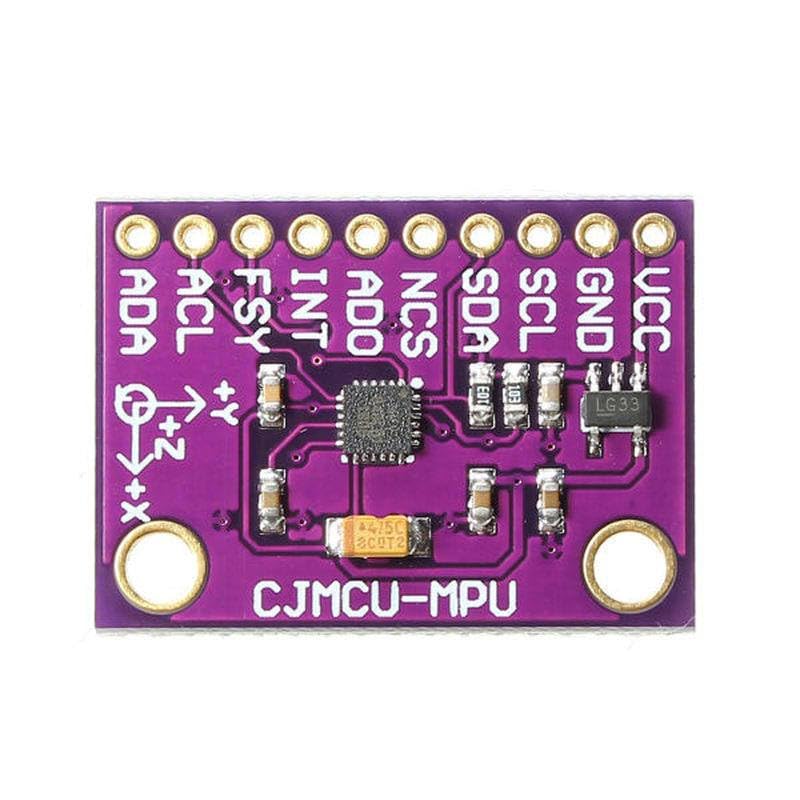
Mufananidzo 1: Top view of the MPU9250 sensor module, showing the main chip and pin labels for VCC, GND, SCL, SDA, ADO, INT, FSY, ACL, and ADA.
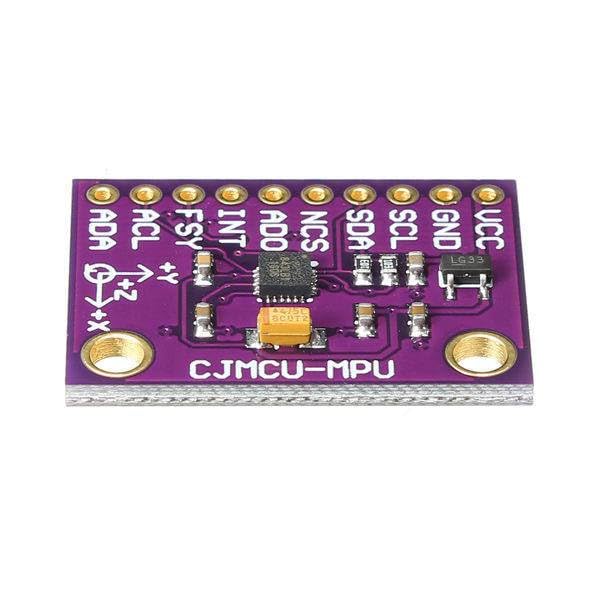
Mufananidzo 2: Angled view of the MPU9250 sensor module, highlighting the compact size and the arrangement of the header pins.
Mufananidzo 3: A slightly different top-down perspective of the MPU9250 module, providing a clear view of the integrated components and pin labels.
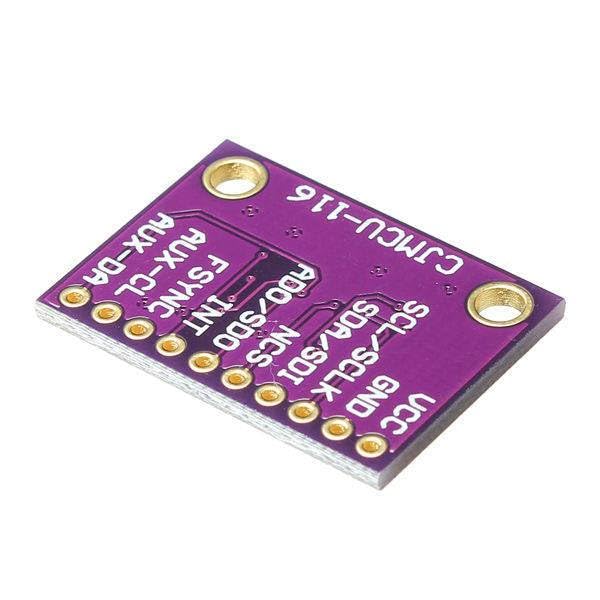
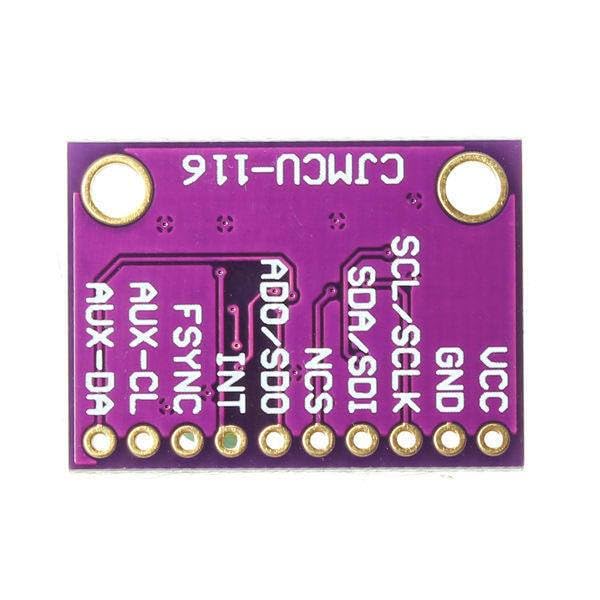
Mufananidzo 4: Pasi view of the MPU9250 sensor module, showing the reverse side of the PCB and the 'CJMCU-116' marking.
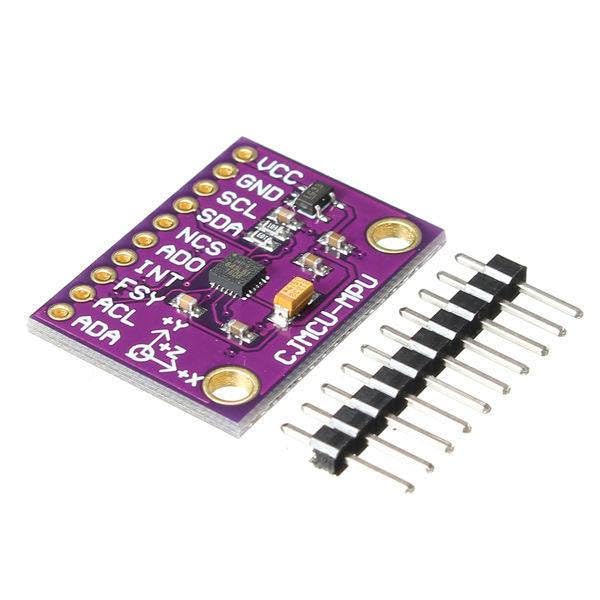
Mufananidzo 5: The MPU9250 sensor module displayed alongside a set of pin headers, indicating its readiness for breadboard or PCB mounting.
9. Warranty uye Tsigiro
Information regarding specific warranty terms or dedicated support channels for this Generic brand product is not available in the provided data. Please refer to the seller or retailer from whom the product was purchased for any warranty claims or technical assistance.
Ask a question about this manual
Ask about setup, troubleshooting, compatibility, parts, safety, or missing instructions. Manuals+ will review the question and use this page’s manual context to help answer it.