
1. Nhanganyaya
The BOTSLAB 4K Dash Cam G980H is a high-performance front and rear dash camera system designed to enhance your driving safety and vehicle security. Featuring true 4K resolution for the front camera and 1080P for the rear, it captures clear footage day and night. Equipped with advanced features like 24/7 parking monitoring, ADAS (Advanced Driver-Assistance Systems), and built-in GPS, this dash cam provides comprehensive protection and real-time alerts.
Zvinokosha:
- True 4K Quality: Front camera with IMX 415 Sensor and 1080P rear camera for sharp, detailed footage.
- 360° Swivel Rear Cam: Adjustable rear camera to monitor both the road behind and the vehicle's interior.
- Nzvimbo yekupaka mota 24/7: Continuous surveillance even when the engine is off, with included hardwired kit for theft and vandalism protection.
- ADAS Driving Safety: AI-powered alerts for pedestrian collision, front vehicle movement, lane deviation, and vehicle distance, plus fatigue monitoring.
- 5G/2.4G WiFi & GPS: Ultra-fast data transfer and stable connection for APP viewing, accurate recording of driving track and real-time speed.
- WDR & Night Vision: Optimizes image quality in complex lighting conditions, ensuring clear recordings in low light.
- Super Capacitor: Enhanced durability and reliable operation in extreme temperatures (-20°C to 70°C).
2. Chii chiri muBhokisi
Ndokumbira utarise zvirimo pasuru kuti uone kuti zvinhu zvese zviripo:
- Kumberi Kamera (Main Unit)
- Rear Camera
- USB Power Tambo
- Car Charger
- Installation Pry Bar
- 64GB MicroSD Kadhi
- Type C Hardwired Kit
- Electrostatic Film (x2)
- User Manual
- Quick Start Guide
- Yambiro Card

Image: Contents of the BOTSLAB 4K Dash Cam G980H package, including the main unit, rear camera, cables, and accessories.
3. Setup & Installation
3.1 Kuisa Kamera Yepamberi
- Chenesa Windshield: Ensure the mounting area on the windshield is clean and free of dust or grease for secure attachment.
- Apply Static Sticker: Place the static sticker on the cleaned windshield area, right below the rearview mirror and away from any tinted sections.
- Kuisa Dash Cam: Mount the dash cam to the static sticker using its 3M adhesive pad. Press firmly to ensure a strong bond.
- Batanidza Power Cable: Link the front camera to its power source using the provided car charger or hardwired kit.
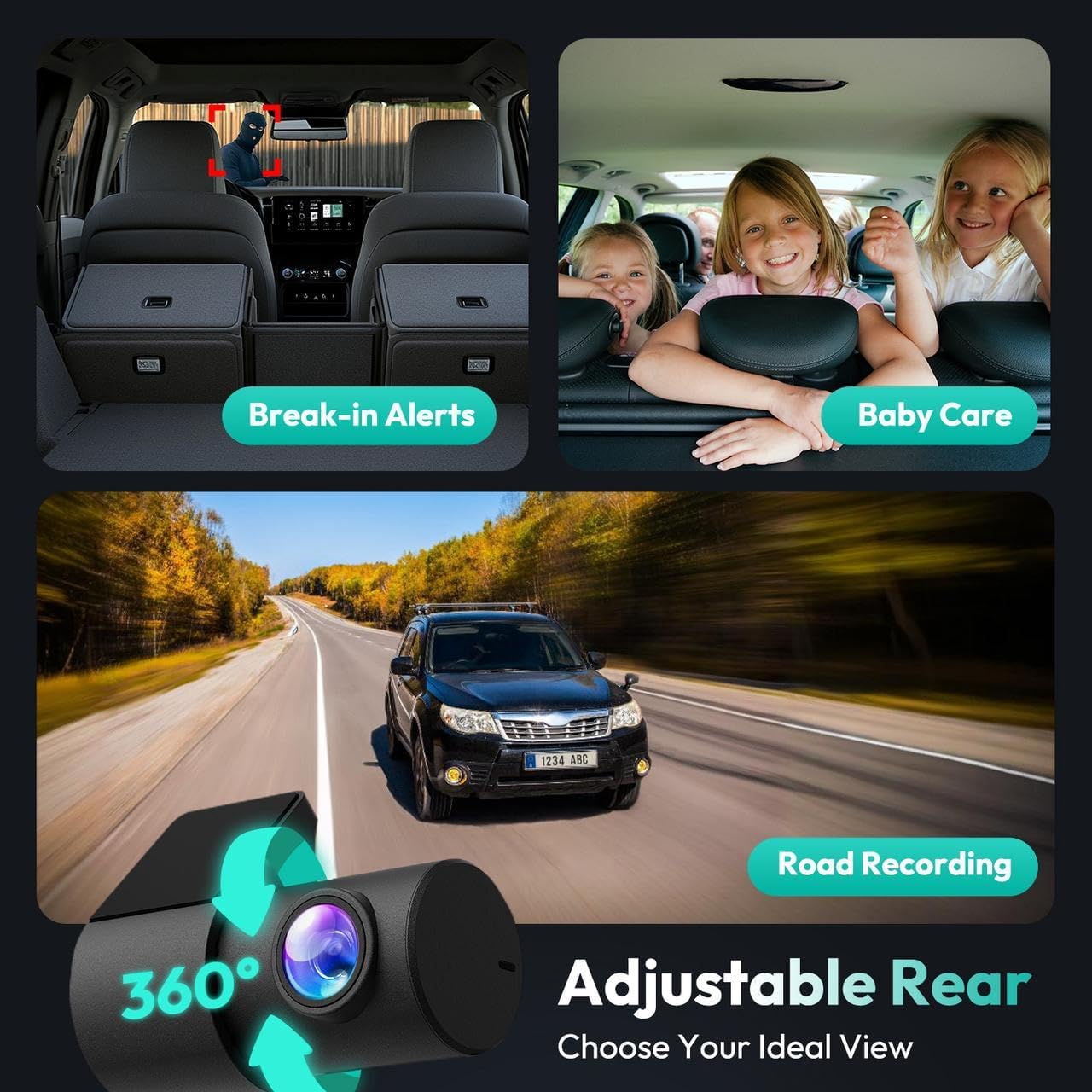
Image: The main dash cam unit installed on the vehicle's front windshield.
3.2 Rear Kamera Kuiswa
- Batanidza Cable yeKamera Yekumashure: Attach the rear camera's cable to the main unit.
- Kamera Yekumashure Yekuisa: Position the rear camera at the back of your car, ensuring the glass is clean for optimal adhesion. Tighten the screws to ensure the camera's image remains clear and stable.
- Cable Management: Use the pry tool to neatly route the power cable along the headliner and vehicle trim, avoiding any loose areas. Excess cable can be routed along the interior edge of the car's rear or coiled for tidy installation.

Image: Illustration of the front and rear dash cam installation process, showing cable routing.
3.3 Hardwired Kit Installation (for 24/7 Parking Mode)
The hardwired kit is included for continuous 24/7 parking surveillance. Professional installation is recommended.
- Tsvaga Bhokisi reFuse: Refer to your vehicle's manual to find the fuse box, typically located on the lower left or right side of the steering wheel.
- Test Power Sources: With a multimeter, check for a 12V constant power source (provides power even when the car is off) and an ACC power source (live only when the car is on) in your fuse box.
- Batanidza Waya: Connect the Yellow Wire (ACC) to the ACC power source, the Red Wire (VCC+) to the constant power source, and attach the Black Wire (GND-) to a suitable grounding point.
- Connect to the Dash Cam: Attach the kit's Type-C connector to your dash cam.
Video: Detailed guide on how to install the BOTSLAB Hardwired Kit for continuous power.
Video: Step-by-step instructions for installing the BOTSLAB 4K Dash Camera.
4. Operating Instructions
4.1 Basic Operation
- Batidza/Kudzima: The dash cam will automatically power on and begin recording when your vehicle starts, and power off when the engine is turned off (if hardwired).
- Kurekodha: The camera automatically records in a continuous loop. Older footage is overwritten by new recordings once the memory card is full. Emergency recordings triggered by the G-sensor are protected from being overwritten.
- Chiratidziro: The integrated screen displays live footage from the front and rear cameras, along with recording status and settings.
4.2 Smartphone App & Connectivity
Download the BOTSLAB app from your device's app store to access advanced features and manage your recordings.
- Kubatanidza Wi-Fi: The dash cam supports 5G/2.4G WiFi for ultra-fast transmission speed and stable connection to your smartphone.
- Rarama View & Kutamba: View rarama footage, replay recorded videos, and download files directly to your phone via the app.
- GPS Kutevera: The built-in GPS accurately records your driving track and real-time speed. Use compatible DV playback software on your computer to review complete trip routes.
- Kugadziridza Settings: Adjust various settings such as recording resolution, parking monitoring sensitivity, ADAS features, and more directly from the app.

Image: The BOTSLAB app displaying GPS tracking and route information.
4.3 Masisitimu Ekubatsira Vatyairi Epamusoro (ADAS)
The G980H dash cam is equipped with a 1.5TOPS AI NPU chip and BOTSLAB's AI algorithms to provide real-time warnings for potential hazards:
- Pedestrian Collision Warning: Alerts you to pedestrians in the vicinity.
- Front Vehicle Movement: Notifies you when the vehicle in front starts moving.
- Lane Deviation Warning: Alerts if your vehicle drifts from its lane.
- Vehicle Distance Warning: Warns if you are too close to the vehicle ahead.
- Fatigue Monitoring: Reminds you to take a break after continuous driving.

Image: Visual representation of the ADAS features provided by the dash cam.
4.4 Parking Monitoring
With the hardwired kit installed, the dash cam provides 24/7 parking monitoring:
- Nguva-Kupera Kurekodha: Records 1 frame per second for up to 24 hours, compressing long periods into short videos.
- Collision-Detected Recording: Automatically activates and records 1 minute of emergency footagkana waona kuroverana.

Image: Parking monitoring features, including time-lapse and collision-detected recording.
Video: Demonstration of the True 4K capabilities of the G980H dash cam.
Vhidhiyo: Pamusoroview of the Botslab G980H Set Dash Cam features and operation.
5. Kuchengeta
5.1 Memory Card Management
The included 64GB MicroSD card is pre-installed. For optimal performance, it is recommended to format the memory card periodically (e.g., once a month) using the dash cam's settings or the BOTSLAB app. This helps maintain recording quality and prevents data corruption.
5.2 Firmware Updates
Regular firmware updates ensure your dash cam has the latest features and bug fixes. Check for updates via the BOTSLAB app.
Video: Instructions on how to update the dash cam's firmware using the app.
6. Kugadzirisa matambudziko
If you encounter any issues with your BOTSLAB Dash Cam, please refer to the following common problems and solutions:
- Dash Cam Isina Kubatidzwa: Ensure the power cable is securely connected to both the dash cam and the power source (car charger or hardwired kit). Check the vehicle's cigarette lighter socket or fuse box for power.
- Kurekodha Nyaya: Format the MicroSD card. Ensure the card is inserted correctly. If issues persist, try a different compatible MicroSD card.
- Matambudziko ekubatana kweApp: Ensure Wi-Fi is enabled on both the dash cam and your smartphone. Restart both devices and try reconnecting. Check that the BOTSLAB app is updated to the latest version.
- Hunhu Hwakashata hweVhidhiyo: Clean the camera lenses. Ensure the dash cam is securely mounted and not vibrating. Check the recording resolution settings in the app.
- ADAS Warnings Not Functioning: Ensure ADAS features are enabled in the app settings. Verify the camera is correctly aligned according to the on-screen indicators.
For further assistance, please contact BOTSLAB customer support.
7. Zvinotsanangurwa
| Tsanangudzo | Detail |
|---|---|
| Product Dimensions | 1.6 x 4.5 x 2.6 inches |
| Item Weight | 1.83 makirogiramu |
| Vhidhiyo Capture Resolution | 4K (Front), 1080P (Rear) |
| Kubatana Technology | Bluetooth, Wi-Fi (5G/2.4G) |
| Mounting Type | Windshield Gomo |
| Operating Temperature | -20°C kusvika 70°C |
| Sensor | IMX 415 |
| Special Features | 24/7 Parking Monitor, ADAS, Night Vision, WDR, Loop Recording, GPS, Super Capacitor |
Image: The super capacitor, providing enhanced durability and stable operation in various temperatures.
8. Warranty & Tsigiro
BOTSLAB is a global tech company dedicated to creating top-tier AI-Vision security products. We are committed to enhancing home safety and providing reliable products.
Tsigiro yeVatengi:
- 24 Hours Live Chat: Download the Botslab APP, register and sign in, then navigate to Me > Support > Live Chat.
- Websaiti: Visit global.botslab.com
- Email: Service@botslab.com
- Social Media: Join the Botslab Users Group on Facebook.

Image: Botslab support channels including app live chat, website, email, and social media.
Ruzivo rwewaranti:
- 365-Day Quality Guarantee: Your product is covered by a quality guarantee for 365 days from the date of purchase.
- Lifetime Technical Help: Receive ongoing technical support for the lifespan of your product.
- Kudzoka Kwemazuva 30 Kwemahara: Nakidzwa nekudzoka kwemahara mukati memazuva makumi mapfumbamwe ekutenga.
- 48 Hours Fast Support: Expect prompt responses to your support inquiries within 48 hours.

Image: Botslab Care benefits, including quality guarantee, technical help, and return policy.