Nhanganyaya
Thank you for choosing the galphi M2 3-Channel WiFi Dash Cam. This device is designed to provide comprehensive video surveillance for your vehicle, capturing crisp and detailed footage from the front, rear, and inside of your car. Equipped with advanced features like G-Sensor, Loop Recording, 24-hour Parking Mode, and WiFi App Control, the M2 ensures reliable evidence for road incidents and disputes, enhancing your driving safety and peace of mind. This manual will guide you through the setup, operation, and maintenance of your new dash cam.
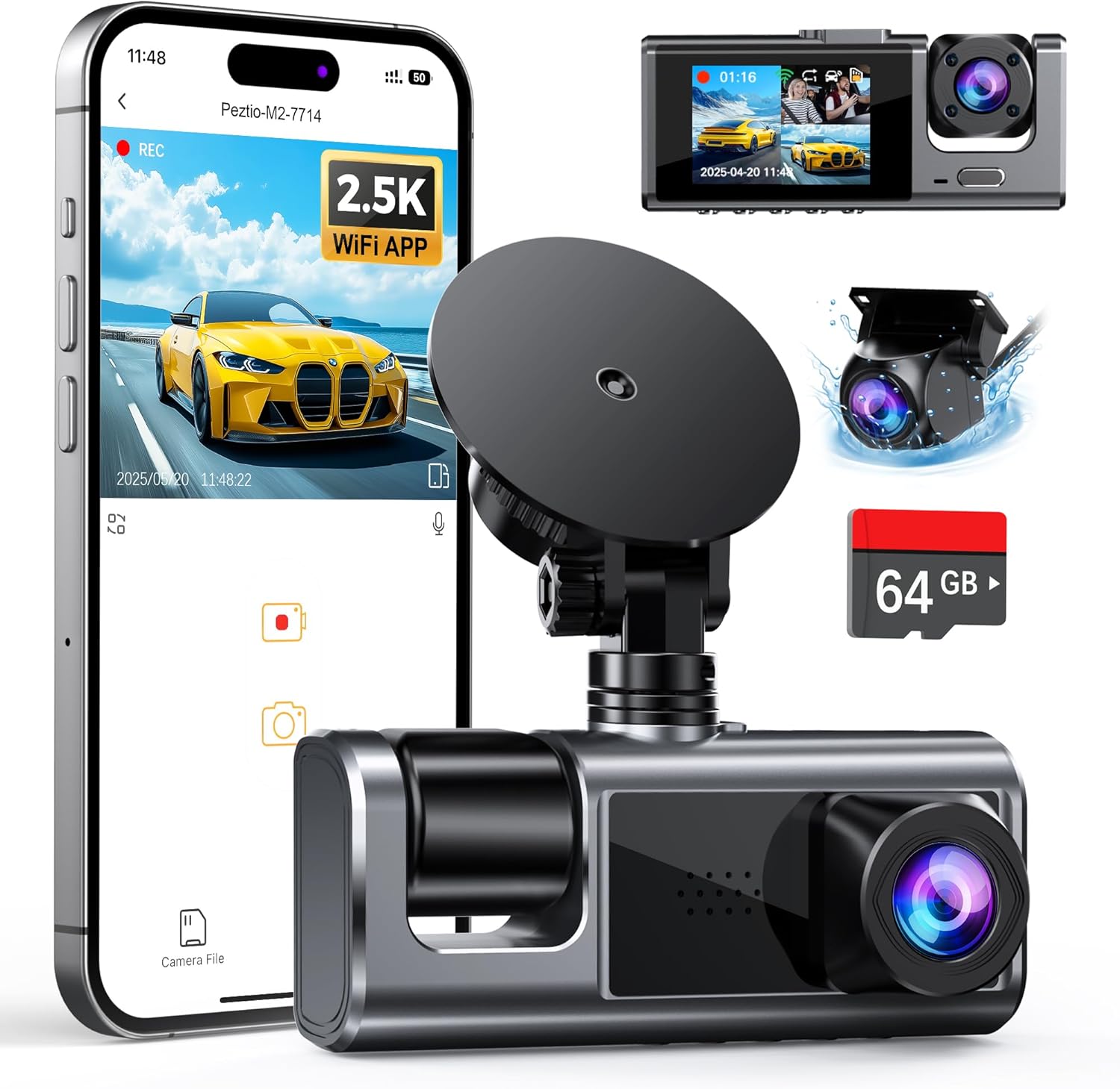
The galphi M2 3-Channel WiFi Dash Cam, showcasing its compact design, mobile app connectivity, and included 64GB SD card.
Chii chiri muBhokisi
Ndokumbira utarise zvirimo pasuru kuti uone kuti zvinhu zvese zviripo:
- 2.5K-M2 Dash Cam (Main Camera)
- Type C Cig Charger (with extra USB port)
- 1080P Rear Camera (IP67 Waterproof)
- 64GB SD card (Inserted into camera in advance)
- Wiring Straps (for wire management)
- Wiring Crow Bar (for wire management)
- User Manual
An overview of the items included with your galphi M2 Dash Cam.
Gadzirira
Kutanga Setup
- Isa SD Card: The 64GB SD card is pre-inserted into the camera. Ensure it is securely in place. The camera supports up to 512GB.
- Power Connection: Connect the dash cam to your vehicle's 12V power outlet using the provided Type-C cigarette lighter charger. The charger includes an extra USB port for charging other devices.
Installation
The M2 dash cam features a suction mount for easy installation on your windshield. The three adjustable cameras can be rotated to your preferred angle, making it compatible with a wide range of vehicles.
- Kukwidza: Attach the suction mount to a clean, dry area on your windshield, ensuring it does not obstruct your view.
- Adjust Camera Angles: Adjust the front, inside, and rear cameras to cover the desired viewing areas. The front camera captures 160°, and the inside and rear cameras capture 155° each.
- Cable Management: Use the provided wiring straps and crow bar to neatly tuck away the power cable and rear camera cable along the vehicle's trim.
Simplified installation steps for the galphi M2 Dash Cam, demonstrating its adaptability to various vehicle types.
WiFi App Control
Connect your M2 dash cam to the free mobile app for convenient control and access to footage.
- Dhaunirodha App: Tsvaga the official galphi app on the App Store (iOS) or Google Play (Android).
- Batanidza kuWiFi: Power on the dash cam. The WiFi will broadcast once the camera is powered on. Connect your smartphone to the dash cam's WiFi network (named 'Pezctio-M2-****') using the default password '12345678'.
- App Mabasa: Use the app to adjust settings, view mhenyu, kutamba zvakarekodhwa footage, and download videos or photos directly to your smartphone for easy sharing.

Seamless connectivity with the galphi app allows for easy management and sharing of your dash cam footage.
Kushanda
Recording Modes
The galphi M2 offers versatile recording options:
- Kurekodha kweNzira Nhatu: Simultaneously records 2.5K (Front), 1080P (Inside), and 1080P (Rear) footage, providing comprehensive coverage.
- Dual Dash Cam Mode: If preferred, you can set the M2 to record in dual mode, capturing 2.5K Front + 1080P Inside or 2.5K Front + 1080P Rear.

The M2 dash cam provides full protection by simultaneously recording from three cameras: front, rear, and inside.
G-Sensor (Collision Detection)
The built-in 3-axis gravity sensor automatically detects sudden shakes or collisions. When an impact is detected, the current video footage is automatically locked and saved to prevent it from being overwritten, serving as crucial evidence.

The G-Sensor automatically locks video footage upon detecting a collision, securing important evidence.
Loop Recording
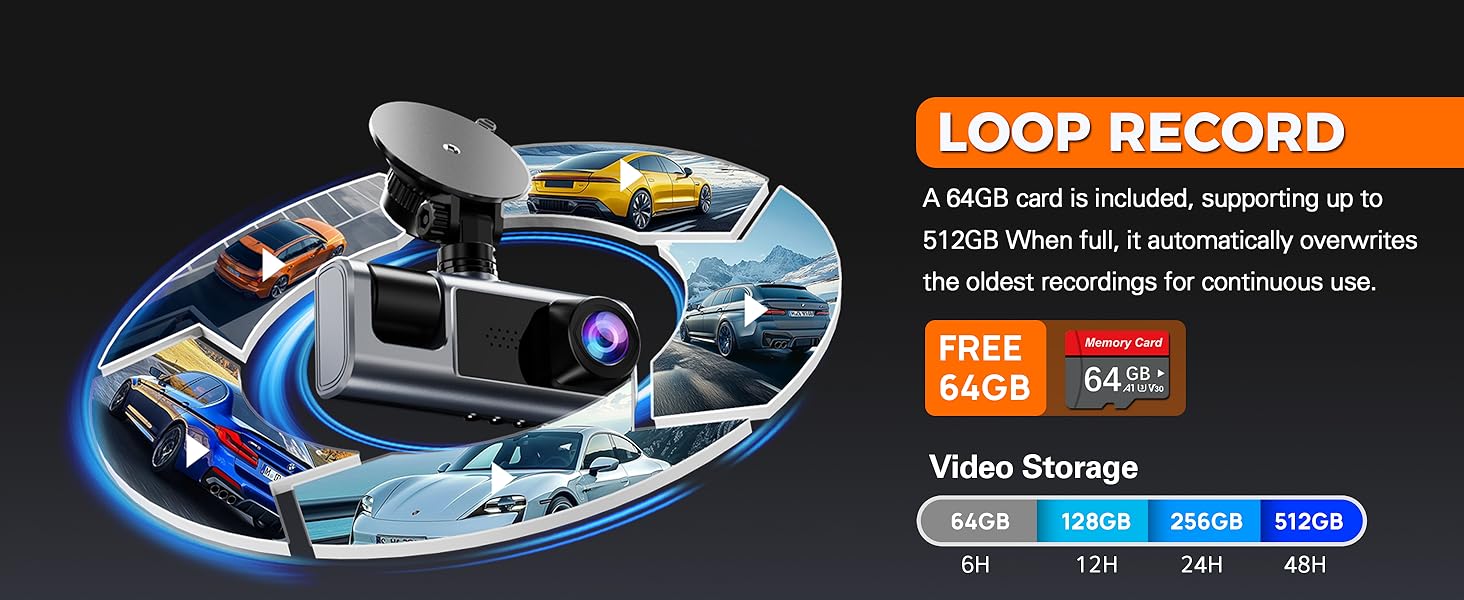
The dash cam continuously records, automatically overwriting the oldest unlocked files when the SD card is full. This ensures uninterrupted recording without manual management of storage space.

Loop recording ensures continuous operation by overwriting the oldest files kana chengetedzo yazara.
24-Hour Parking Mode
For continuous surveillance even when your car is off, the M2 dash cam supports 24-hour parking mode. This feature requires a dedicated Type-C hardwire kit (sold separately, ASIN: B09SPN811C). When connected, the dash cam records in low FPS mode, protecting your vehicle from suspicious activity or vandalism.

The 24-hour parking mode provides continuous surveillance, requiring a separate hardwire kit for activation.
Super Night Vision (WDR & IR)
The M2 dash cam delivers sharp video footage even in low-light conditions or at night, thanks to its Wide Dynamic Range (WDR) technology and infrared (IR) cabin lights. The auto IR cabin camera enhances visibility inside the vehicle.

Enhanced night vision capabilities ensure clear recordings in low-light environments.
Voice Notifications
The dash cam provides unique voice notifications to update you on its status, such as "Start Recording," "Mute ON," "Video Locked," and "Stop Recording." This allows you to stay informed without visual distractions while driving.

Voice notifications provide audio cues for important dash cam statuses, minimizing driver distraction.
One-Button Lock
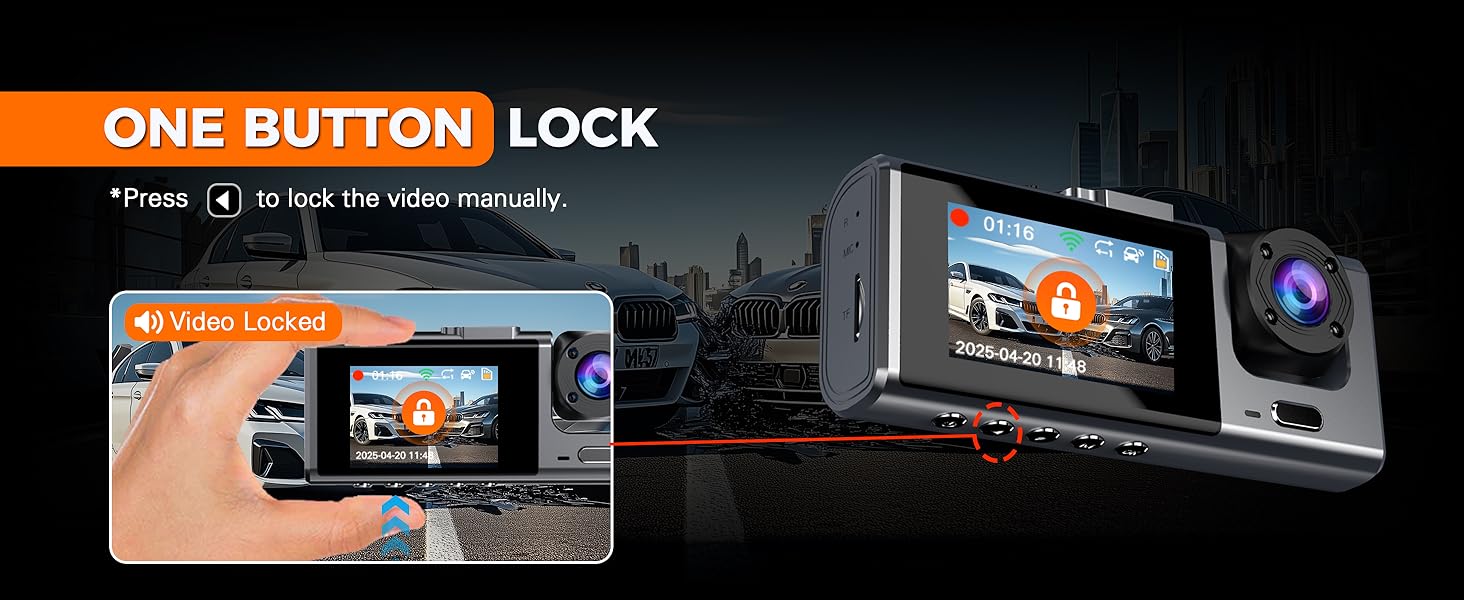
You can manually lock the current video recording by pressing a dedicated button on the dash cam. This prevents the file from being overwritten by loop recording, ensuring important moments are preserved.

Manually lock important video segments with a single button press to prevent overwriting.
Maintenance
- SD Kadhi Management: Periodically format the SD card (at least once a month) to maintain optimal performance and prevent data corruption. Back up any important files vasati vafomati.
- Kuchenesa: Use a soft, dry cloth to clean the dash cam lens and screen. Avoid using abrasive cleaners or solvents.
- Tembiricha: Avoid exposing the dash cam to extreme temperatures for prolonged periods, as this can affect battery life and performance.
Kugadzirisa matambudziko

Common questions and answers to assist with troubleshooting your dash cam.
Q: Can not find the 64GB Card from the package?
A: The 64GB card is inserted into the camera in advance. You can check if there is a SD card inserted in the card slot of M2 dash cam.
Q: Does it need to connect all time time to make sure it is recording?
A: No, WiFi connection is not required for recording. The dash cam will start recording once it is powered on and save the videos in the SD card even with no cellphone connected.
Q: How can I turn on the 24 HR parking mode?
A: To activate the 24-hour parking monitoring feature on this dash cam, you'll need a TYPE C hardwire kit (not included with the camera). You can find the recommended kit on Amazon by searching for B09SPN811C.
Q: How can I join the WiFi of this M2 dash cam?
A: The WiFi will broadcast once the camera is powered on and just join the wifi which named 'Pezctio-M2-****' with the default password '12345678'.
Zvinotsanangurwa
| Feature | Detail |
|---|---|
| Product Dimensions | 2 x 2 x 2 inches |
| Item Weight | 1.06 makirogiramu |
| Item Model Number | M2 |
| Mabhatiri | 1 Lithium Polymer mabhatiri anodiwa (akabatanidzwa) |
| Connectivity Technologies | Wi-Fi, Wireless |
| Special Features | G-Sensor, Loop Recording, Parking Mode, WiFi App Control |
| Color | Sirivha |
| Mugadziri | galphi |
| Vhidhiyo Capture Resolution | 2.5K+1080P+1080P |
| Mounting Type | Kubvisa Gomo |
| YeMotokari Sevhisi Type | Saloon, SUV, Truck, Mini Van |
Warranty uye Support
galphi is committed to providing excellent customer service and product reliability.
- Hunhu Hwaro: We provide 24 months quality assurance for the M2 dash cam.
- Hupenyu hwese Tsigiro yehunyanzvi: We offer lifetime technical support. A dedicated support team is available to assist with any after-sales issues and aims to reply to your questions within 24 hours.