1. Nhanganyaya
Ndatenda nekutengaasing the Generic 1080p Digital Camera. This manual provides essential information for setting up, operating, and maintaining your camera. Please read this manual thoroughly before using the product to ensure proper operation and to prevent damage.
Kuchengetedza:
- Usaise kamera munzvimbo ine mvura kana hunyoro hwakawandisa.
- Dzivisa kudonhedza kamera kana kuibaya zvine simba.
- Chengetedza pasingasvikirwi nevana.
- Shandisa tambo dzekuchaja nema adapter anotenderwa chete.
2. Chigadzirwa Pamusoroview
The Generic 1080p Digital Camera is a compact and portable device designed for capturing photos and videos. It features a 2.4-inch flip screen, 8X optical zoom, and various functions including filters and games.
2.1. Zvikamu zveKamera

Tsanangudzo yemufananidzo This diagram illustrates the camera's physical dimensions (117mm length, 64mm height, 29mm width) and labels key components. These include the Power button, T (Magnify) and W (Shrink down) buttons for zoom, an OK button, and directional buttons for navigation (upturning, right, on the left, flip down verify). The flip screen is shown in an open position.
- Bhatani reSimba: Inobatidza/dzima kamera.
- T/W Buttons: Control optical zoom (T for Magnify, W for Shrink down).
- Bhatani RAKANAKA: Confirms selections or takes a picture/starts recording.
- Mabhatani ekunanga: Navigate menus and settings.
- Flip Screen: 2.4-inch high-definition display that can be flipped for various shooting angles, including self-portraits.
- Lenzi: Periscope lens with 8X optical zoom.
- Flash Fill: Provides additional light in low-light conditions.
2.2. Key Features
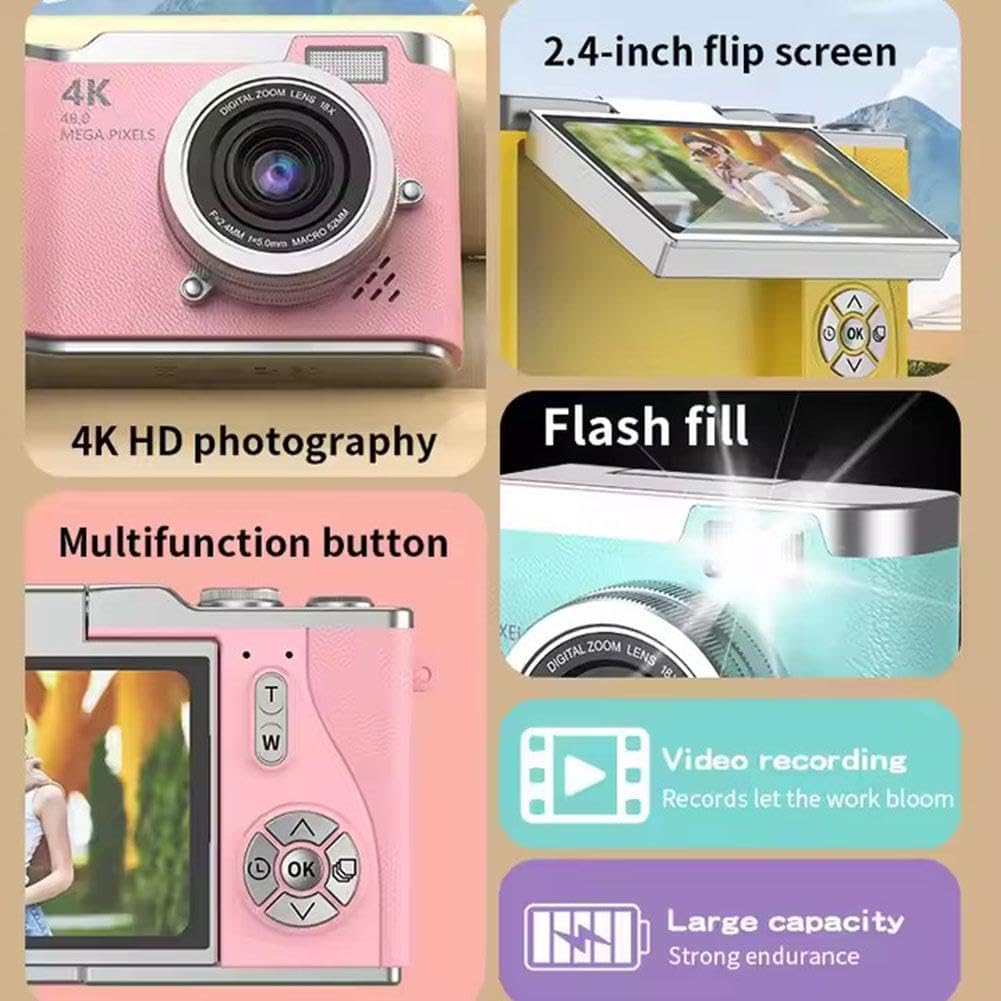
Tsanangudzo yemufananidzo A collage highlighting several camera features. It shows the 2.4-inch flip screen in action, mentions "4K HD photography" (note: actual video resolution is 1080p, effective still resolution is 0.31MP), indicates a flash fill, points to a multifunction button, and highlights video recording capabilities and a large capacity battery.
- Ratidza: 2.4-inch high-definition flip screen.
- Vhidhiyo Resolution: Supports 1080p video recording.
- Optical Zoom: 8X optical zoom for capturing distant subjects.
- Main Mabasa: Photo, video, filter effects, games, and MP3 playback.
- Bhatiri: 800mAh capacity Lithium Ion battery.
- Material: Durable ABS plastic and hardware construction.
3. Setup
3.1. Kuchaja Bhatiri
- Connect the provided charging cable to the camera's charging port.
- Connect the other end of the cable to the adapter, then plug the adapter into a power outlet.
- The charging indicator light will illuminate. Charging typically takes 1.5-2 hours.
- Kana chachajwa zvizere, rambi rechiratidzo rinogona kuchinja kana kudzima. Bvisa kamera kubva pachaja.
Cherechedza: The camera's average battery life is approximately 3-4 hours for photos and 2 hours for recording.
3.2. Kuisa Memory Card
This camera requires a memory card for storing photos and videos. A memory card is isina kubatanidzwa with the product and must be purchased separately.
- Tsvaga memori kadhi slot pane kamera.
- Insert a compatible memory card (e.g., microSD) into the slot until it clicks into place. Ensure the card is inserted in the correct orientation.
- To remove the card, gently push it in until it clicks, then release, and it will eject.
3.3. Chekutanga Power On
- Dzvanya wobata bhatani rePower kusvika skrini yapenya.
- The camera will boot up and display the main interface.
- If prompted, set the date and time using the directional buttons and the OK button.
4. Operating Instructions
4.1. Kutora Mapikicha
- Batidza kamera.
- Frame your shot using the 2.4-inch flip screen. You can flip the screen to face forward for self-portraits.
- Press the OK button to take a picture.
4.2. Kurekodha Mavhidhiyo
- Batidza kamera.
- Navigate to video mode using the menu or a dedicated button (refer to on-screen icons).
- Press the OK button to start recording. Press it again to stop recording.
4.3. Using Zoom
Use the 'T' button to zoom in (magnify) and the 'W' button to zoom out (shrink down). The camera features 8X optical zoom.
4.4. Autofocus and Anti-Shake
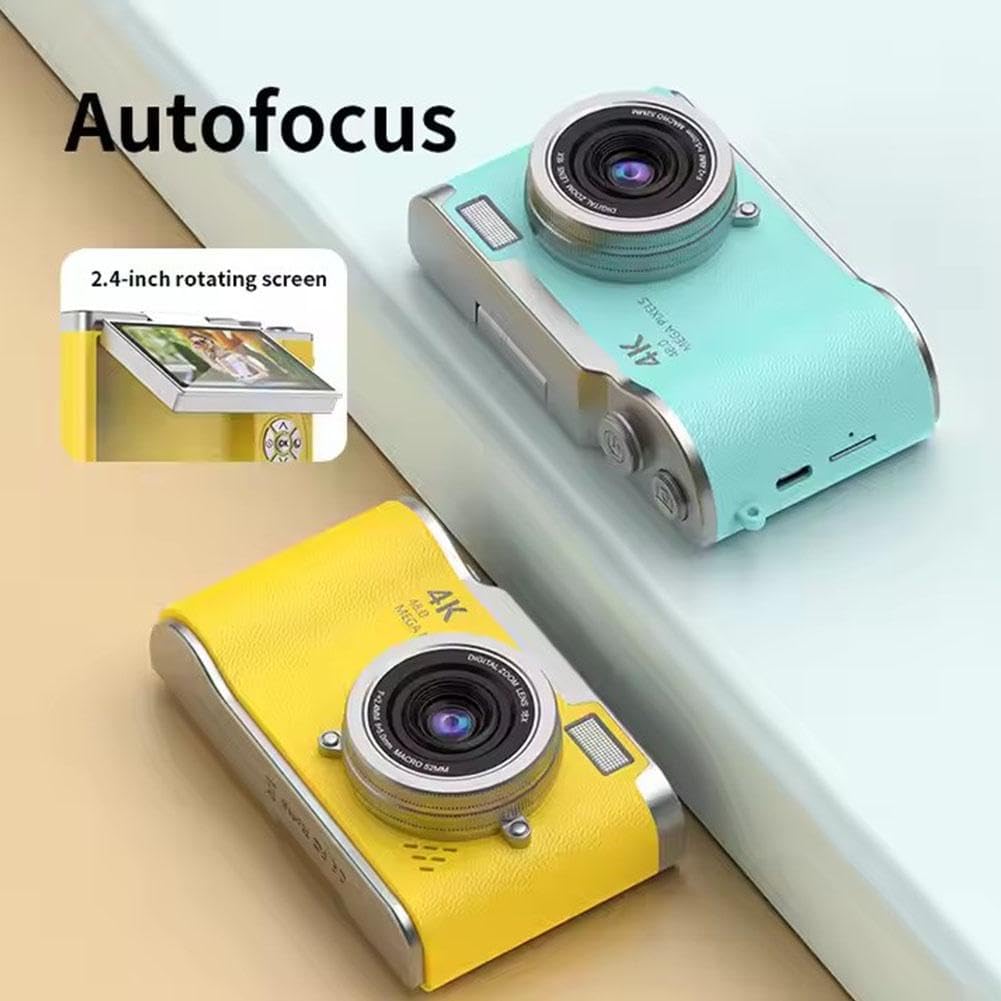
Tsanangudzo yemufananidzo This image highlights the camera's autofocus capability and its 2.4-inch rotating (flip) screen. The camera is shown in yellow and blue variants.

Tsanangudzo yemufananidzo This image demonstrates the camera's electronic anti-shake feature, indicating that it helps prevent blur and 'flutter' in photos and videos, even during dynamic movements.
The camera is equipped with autofocus technology to help achieve clear images. It also features electronic anti-shake to reduce blur caused by camera movement, particularly useful for active shots.
4.5. Reviewing Mifananidzo uye Mavhidhiyo
- Enter playback mode (usually via a dedicated button or menu option).
- Use the directional buttons to scroll through your captured media.
- Dzvanya bhatani re OK kuti view foto kana tamba vhidhiyo.
4.6. Kutamisa Files
The included multi-card reader allows for quick and easy transfer of files from your memory card to a computer, laptop, or other compatible devices.
- Remove the memory card from the camera.
- Isa memori kadhi muverengi wekadhi.
- Batanidza chiverengi chekadhi pachiteshi cheUSB chekombuta yako.
- Access the files on the memory card through your computer's file muongorori.
5. Kuchengeta
5.1. Kuchenesa Kamera
- Shandisa jira rakapfava, rakaoma kuchenesa muviri wekhamera.
- Pakushongedza lenzi nechidzitiro, shandisa jira rekuchenesa nejira remushonga rakanangana negirazi kuti usakwenya.
- Usashandise makemikari ane hasha kana abrasive zvinhu.
5.2. Kuchengeta
- Chengetedza kamera munzvimbo inotonhorera, yakaoma kure nechiedza chezuva uye tembiricha yakanyanyisa.
- If storing for an extended period, ensure the battery is partially charged (around 50%) and remove it if possible to prolong battery life.
6. Kugadzirisa matambudziko
| Dambudziko | Zvinogona Kukonzera | Solution |
|---|---|---|
| Kamera haibatike. | Bhatiri rapera kana kuti harina kuiswa nemazvo. | Chaja bhatiri zvizere. Ita shuwa kuti bhatiri rakapinzwa zvakanaka. |
| Haikwanise kutora mafoto/mavhidhiyo. | No memory card inserted or card is full/corrupted. | Insert a memory card. Delete unnecessary files or replace the card. Format the card if corrupted (this will erase all data). |
| Mifananidzo haina kujeka. | Camera shake, dirty lens, or out of focus. | Hold the camera steady. Clean the lens. Ensure autofocus is engaged. |
| Sikirini haina chinhu kana kuti yakaomeswa nechando. | Software glitch. | Turn off the camera and restart it. If unresponsive, remove and reinsert the battery. |
7. Zvinotsanangurwa
| Feature | Tsanangudzo |
|---|---|
| Model Name | B0F488P9MD |
| Display | 2.4-inch high-definition flip screen |
| Vhidhiyo Resolution | 1080p (AVI fomati) |
| Inoshanda Zvakadaro Resolution | 0.31 MP (Advertised as 4K HD photography and 48.0 Mega Pixels in some marketing materials) |
| Mufananidzo Sensor Technology | CMOS |
| Optical Zoom | 8X |
| Bhatiri Type | Lithium Ion |
| Battery Capacity | 800mAh |
| Hupenyu hwebhatiri (Avhareji) | 3-4 hours (photo), 2 hours (recording) |
| Kuchaja Nguva | 1.5-2 maawa |
| Kuwedzera Kwendangariro | Memory card haina kuiswa |
| Product Dimensions | 117mm x 64mm x 29mm |
| Product Weight | 140g |
| Material | ABS Plastic and Metal |
| Special Features | Flip Screen, Periscope Lens, Electronic Anti-shake, Autofocus |
8. Warranty uye Tsigiro
Kuti uwane ruzivo rwewarandi uye rutsigiro rwevatengi, ndapota tarisa magwaro akapihwa panguva yekutenga kana kuti bata mutengesi wako. Chengeta risiti yako yekutenga sehumbowo hwekutenga.