
Nhanganyaya
This manual provides detailed instructions for the assembly, operation, and maintenance of your FLEXISPOT Standing Desk with a 40x24 inch one-piece desktop. Please read this manual thoroughly before assembly and use to ensure proper function and safety.
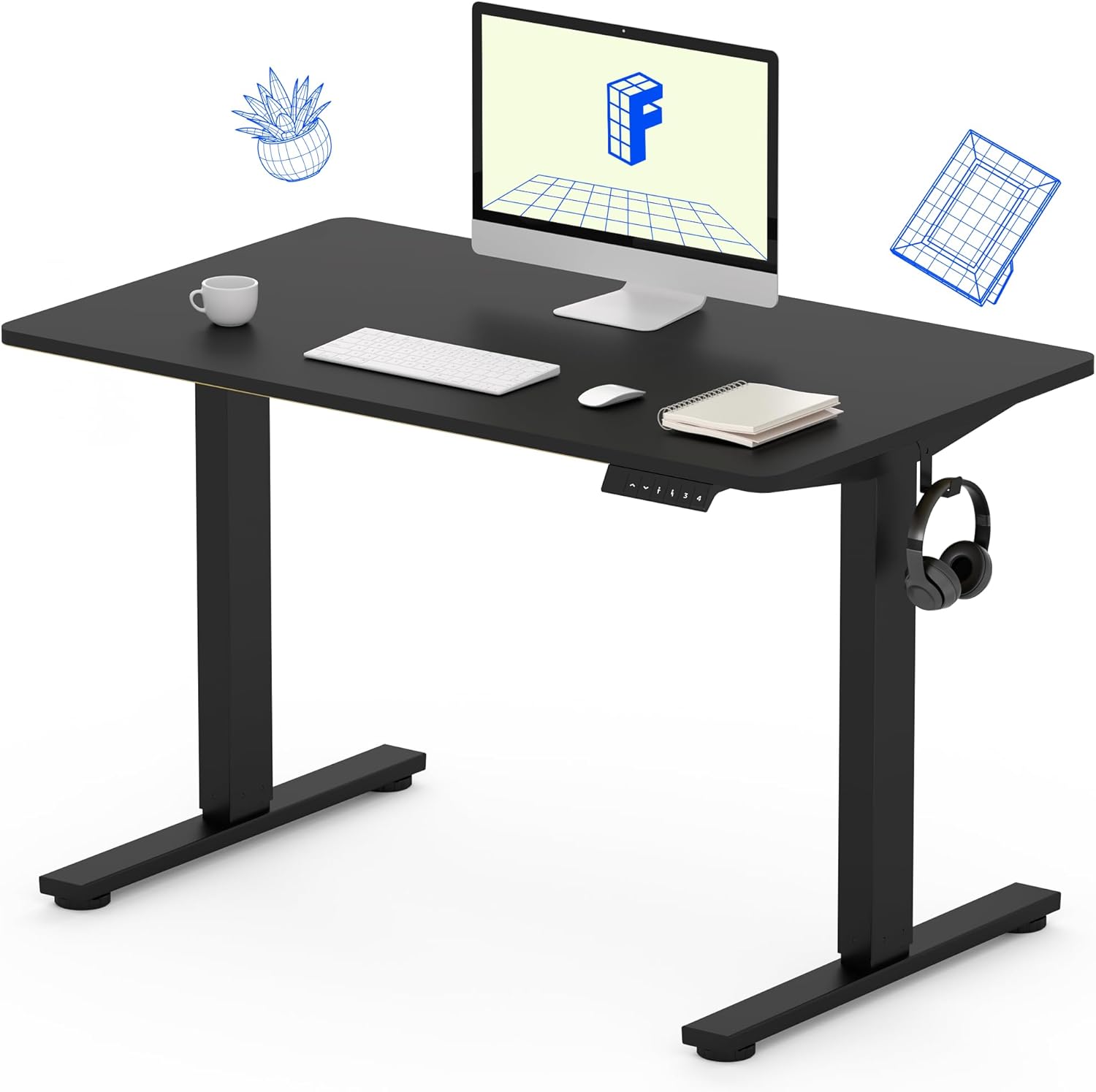
Image 1: The FLEXISPOT Standing Desk, showcasing its black desktop, black frame, and integrated control panel with a headphone hook.
Safety Information
YAMBIRO:
- Always use caution when assembling the desk, especially when using a drill.
- Usapfuure muganho wehuremu hwepamusoro hwe 154 lbs (70 kg).
- Keep hands and body parts away from moving parts during height adjustment to prevent injury.
- Iva nechokwadi chekuti tambo dzese dzakachengetedzwa zvakanaka kudzivirira kubatwa panguva yekufamba kwedhesiki.
Package Zviri mukati
Usati watanga kugadzira, tarisa kuti zvese zviriko zviripo uye hazvina kukuvara. Kana chero zvikamu zvisipo kana kukuvadzwa, ndapota taura nerutsigiro rwevatengi.
- One-Piece Desktop (40" x 24", Black)
- Desk Legs (Black Frame, Dual-Stage)
- Motor and Control Box
- Control Panel ine Memory Presets
- Headphone Hook
- Zvishandiso zveAssembly (screws, Allen wrench)
- Power Cable

Image 2: Illustration highlighting the seamless design of the FLEXISPOT one-piece desktop, contrasting it with multi-piece alternatives.
Setup uye Assembly
Assembly typically requires 30 minutes to an hour. It is recommended to have two people for assembly due to the weight of the package. A power drill (not included) may be needed for some steps.
- Unpack Components: Carefully remove all parts from the packaging. Inspect for any damage. Note that the packaging can be heavy.
- Unganidza Desk Furemu: Attach the crossbar to the lifting columns (legs) using the provided hardware. Ensure all screws are tightened securely.
- Batanidza Tsoka: Secure the desk feet to the bottom of the lifting columns.
- Kuisa Desktop: Carefully place the one-piece desktop upside down on a soft, clean surface. Position the assembled frame onto the desktop. Align the pre-drilled holes (if present) or mark positions for screws. Secure the frame to the desktop using the provided screws. A power drill may be helpful for this step.
- Install Control Box and Panel: Mount the control box and control panel to the underside of the desktop in the designated locations. Connect the motor cables and control panel cable to the control box.
- Natanidza Zvishandiso: Install the headphone hook to the side of the desktop as desired.
- Cable Management: Route all cables neatly using cable ties or management clips (not included) to prevent interference with desk movement.
- Kuiswa Kwekupedzisira: With assistance, carefully flip the desk upright and place it in its desired location. Ensure it is stable and level.

Image 3: The FLEXISPOT Standing Desk integrated into a home office setup, demonstrating its spacious desktop and functionality.
Operating Instruction
Your FLEXISPOT Standing Desk features an electric motor for smooth height adjustments and a control panel with memory presets.
Height Adjustment
- Press the kumusoro (▲) bhatani rekusimudza dhesiki.
- Press the Pasi (▼) bhatani rekudzikisa dhesiki.
- The desk moves smoothly and quietly (under 50 dB) between 28.7 inches (73 cm) uye 46.5 inches (118 cm).
Memory Presets
The control panel allows you to save up to four preferred height settings.
- Isa Kureba: Adjust the desk to your desired sitting or standing height using the Up/Down buttons.
- Sevha Preset: Press the "M" bhatani, wobva wadzvanya rimwe remabhatani akarongwa nenhamba ipapo ipapo (1, 2, 3, kana 4). The display will show "S-" followed by the number, indicating the height is saved.
- Recall Preset: Dzvanya bhatani rakagadziriswa rine nhamba rinoenderana (1, 2, 3, kana 4) kuti dhisiki riendeswe pakakwirira pakachengetedzwa otomatiki.

Image 4: Visual representation of the desk's adjustable height range, showing it at its lowest (29") and highest (46.6") positions.
Maintenance
- Kuchenesa: Pukuta desktop uye furemu nenyoro, damp jira. Dzivisa makemikari ane hasha kana abrasive cleaners.
- Cable Check: Periodically inspect all cables for wear or damage. Ensure they are securely connected and not pinched.
- Screw Tightness: Occasionally check and tighten any loose screws on the frame or desktop connections.
Kugadzirisa matambudziko
| Dambudziko | Zvinogona Kukonzera | Solution |
|---|---|---|
| Desiki harifambi. | Power cable disconnected, control box cable loose, overload. | Check power connection. Ensure all cables to the control box and motor are secure. Reduce weight on the desk if exceeding 154 lbs. |
| Desiki rinofamba zvisina kuenzana kana kuti rinoita ruzha rusingawanzoitiki. | Kubatana kusina kusimba, kuvharika, kupararira kwehuremu kusina kuenzana. | Check all assembly screws. Ensure no objects are obstructing the legs. Distribute weight evenly on the desktop. |
| Control panel display shows an error code. | Specific error condition. | Refer to the specific error code in the full product manual (if available) or contact customer support. Often, a power cycle (unplug for 10 seconds, then plug back in) can resolve temporary errors. |
Zvinotsanangurwa
| Feature | Detail |
|---|---|
| Brand | FLEXISPOT |
| Model | B0F747SWWB |
| Desktop Dimensions (D x W) | 24" x 40" (One-Piece) |
| Height Range | 28.7" - 46.5" (73 cm - 118 cm) |
| Maximum Weight Capacity | 154 lbs (70 kg) |
| Noise Level | Pasi pe50 dB |
| Frame Material | Alloy Steel |
| Top Material | Engineered Wood |
| Color | Black Frame / Black Top |
| Gungano Rinodiwa | Ehe |

Image 5: Details of the desk's construction, including the dual-stage lifting columns and the convenient backpack/headphone hook.
Warranty uye Support
Your FLEXISPOT Standing Desk is backed by a comprehensive warranty:
- Frame and Motor: 5-makore mashoma waranti.
- Zvemagetsi: 2-makore mashoma waranti.
For warranty claims, technical assistance, or any questions regarding your product, please contact FLEXISPOT customer support through their official webnzvimbo kana mutengesi uko chigadzirwa chakatengwa.