1. Nhanganyaya
Thank you for choosing the Generic Portable Air Conditioner M201. This compact and versatile device is designed to provide personal cooling, humidification, and a soothing night light, enhancing comfort in various personal spaces such as bedrooms, offices, dorm rooms, and during travel. Please read this manual thoroughly before operation to ensure proper use, maintenance, and safety.

Image 1.1: The Portable Air Conditioner M201 in operation, demonstrating its cooling function.
2. Mirayiridzo Yekuchengetedza
To prevent injury to yourself and others, or damage to the device, please observe the following safety precautions:
- Always place the unit on a stable, flat surface to prevent tipping.
- Usanyudza chinhu ichi mumvura kana zvimwe zvinwiwa.
- Ensure the power cord and plug are not damaged. Do not operate if damaged.
- Keep out of reach of children and pets. The unit features child-safe vents, but supervision is recommended.
- Use only clean tap water in the water tank. Do not add chemicals or other substances.
- Unplug the unit from the power source before cleaning or when not in use for extended periods.
- Usavharidze mweya inlet kana nzira yekubuda nayo.
- Dzivisa kuisa chikwata pedyo nezvinopisa kana muzuva rakananga.
3. Chigadzirwa Pamusoroview
3.1 Zvikamu
- Portable Air Conditioner Unit
- USB Power Tambo
- Mushandisi Chinyorwa (gwaro iri)
3.2 Mamiriro Akakosha
- Kukurumidza Kutonhodza: Delivers noticeable cooling relief within 90 seconds.
- 3-Speed Fan: Adjustable fan speeds for customized airflow.
- Humidification Function: Adds moisture to the air, combating dryness.
- Ultra-Quiet Operation: Designed for minimal noise, suitable for sleep and concentration.
- Chiedza cheusiku: Integrated soft, colorful night light for ambient illumination.
- USB Powered: Conveniently powered via any standard USB port (laptop, power bank, car charger).
- Inogadziriswa Tilt Head: Direct airflow precisely where needed.
- UV-C Sterilization: Helps ensure cleaner mist output.

Image 3.1: The unit's water mist function, which humidifies the air while cooling.

Image 3.2: The unit's quiet operation, suitable for use during sleep.
4. Setup
Follow these steps to set up your Portable Air Conditioner M201:
- Bvisa zvinhu: Carefully remove the unit and all components from the packaging. Retain packaging for future storage or transport.
- Kuiswa: Place the unit on a firm, level surface in your desired location. Ensure there is adequate space around the unit for proper airflow.
- Zadza Tangi Yemvura: Open the water tank cover. Fill the 300ml water tank with clean tap water. For enhanced cooling, you may add ice cubes to the water. Do not overfill. The unit has an auto shutoff feature when the tank is empty.
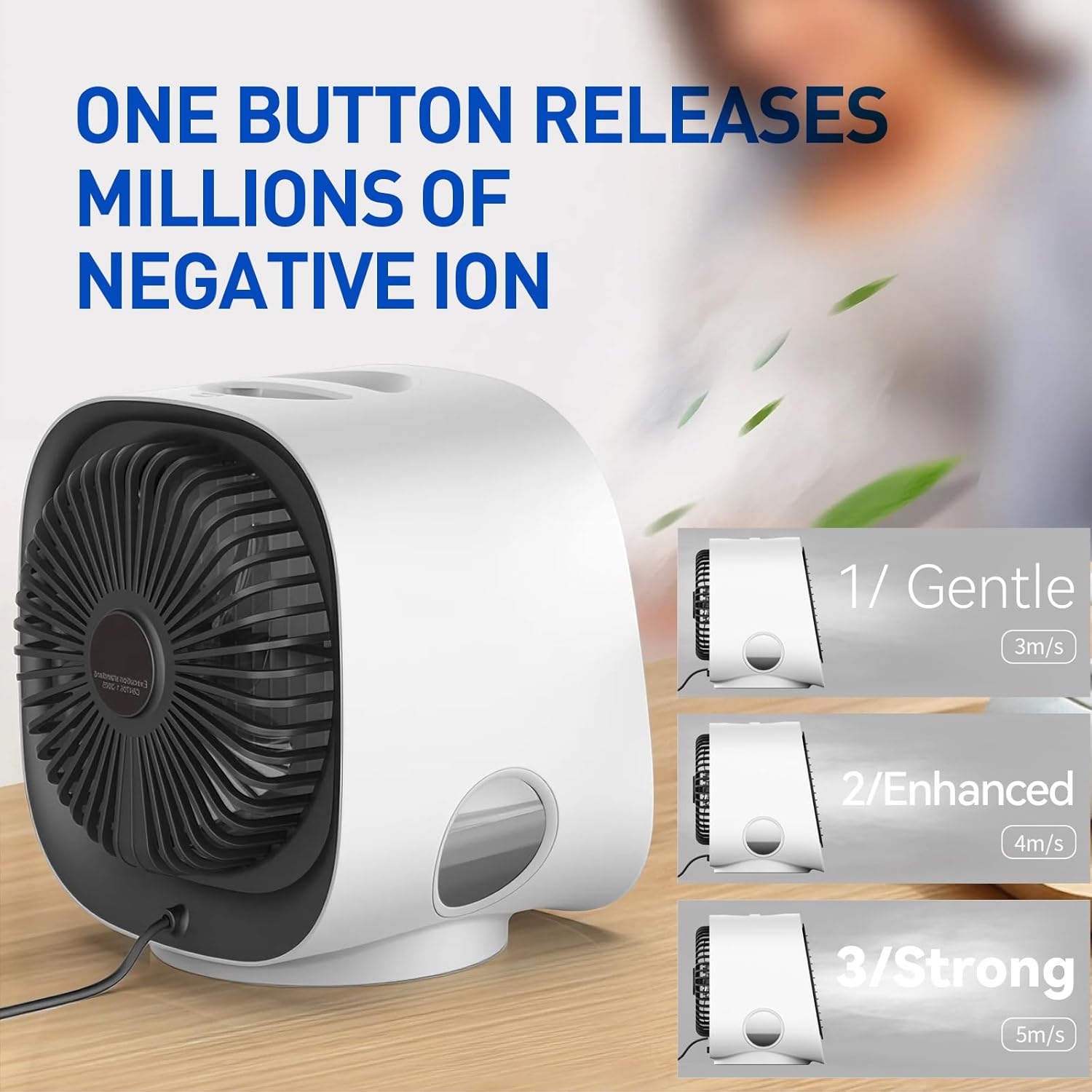
Image 4.1: Direct water addition into the top-fill water tank.
- Batanidza Simba: Insert the USB power cord into the unit's USB port, then connect the other end to a compatible USB power source (e.g., laptop, power bank, wall adapter).

Image 4.2: The unit features a standard USB port for power.
5. Operating Instructions
Once set up, operating your Portable Air Conditioner M201 is straightforward:
- Batidza/Kudzima: Press the power button (usually located on the front or top) to turn the unit on or off.
- Gadzirisa Kumhanyisa kweFani: The unit features 3 fan speeds. Press the fan speed button repeatedly to cycle through Gentle (1), Enhanced (2), and Strong (3) modes.
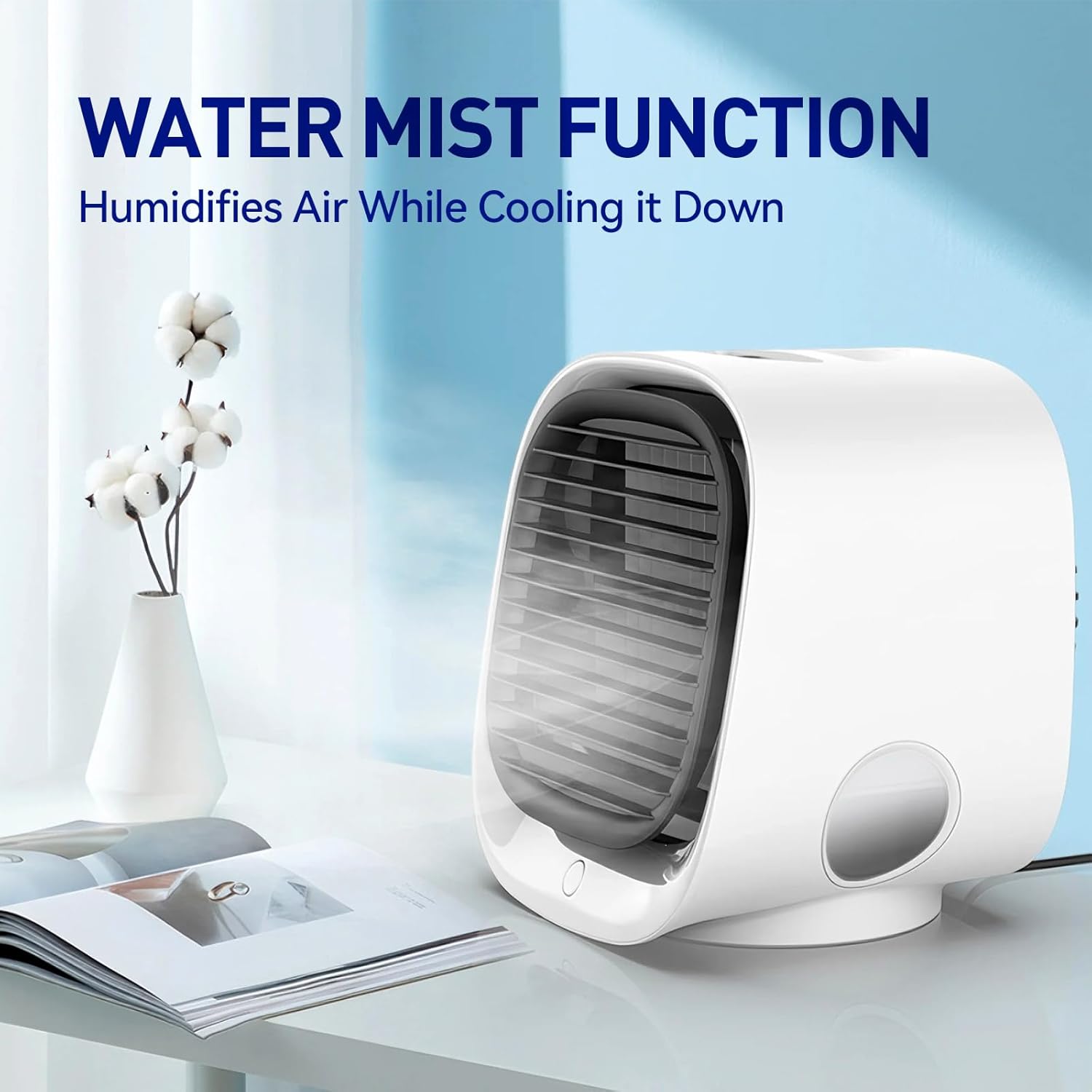
Image 5.1: Fan speed control with three distinct settings.
- Activate Mist Function: The mist function typically activates automatically when the unit is on and water is present. If there's a dedicated mist button, press it to toggle the mist on/off.
- Night Light Control: Press the night light button (if available) to turn the soft, colorful light on or off. Some models may cycle through colors or offer a single color option.

Image 5.2: The unit's soft, colorful night light feature.
- Gadzirisa Airflow Direction: Manually pivot the adjustable tilt head to direct the cool mist and airflow to your preferred area.
6. Kuchengeta
Kugadziriswa nguva dzose kunovimbisa kushanda zvakanaka uye kugara kwenguva refu kweyuniti yako:
- Empty and Clean Water Tank: It is recommended to empty and rinse the water tank daily, especially if using the mist function. This prevents mineral buildup and ensures fresh mist. Use a soft cloth or brush to clean the inside of the tank.
- Kucheneswa Kwekunze: Pukuta kunze kweyuniti nekanyoro, damp jira. Usashandise abrasive cleaners kana solvents.
- No Filter Replacement: This unit is designed without filters requiring replacement, simplifying maintenance.
- Kuchengeta: If storing the unit for an extended period, ensure the water tank is completely empty and dry. Store in a cool, dry place.
7. Kugadzirisa matambudziko
If you encounter issues with your Portable Air Conditioner M201, refer to the following common problems and solutions:
| Dambudziko | Zvinogona Kukonzera | Solution |
|---|---|---|
| Unit haibatike | No power connection or faulty cable. | Ensure USB cable is securely connected to both the unit and a working power source. Try a different USB port or power adapter. |
| No mist is being produced | Water tank is empty or mist function is off. | Refill the water tank. Ensure the mist function is activated (if applicable). |
| Cooling effect is weak | Low fan speed, warm water, or unit placement. | Increase fan speed. Add ice cubes to the water tank. Ensure unit is placed in a suitable area and not blocked. |
| Ruzha rusina kujairika | Unit not on a stable surface or internal obstruction. | Place the unit on a flat, stable surface. If noise persists, discontinue use and contact support. |
8. Zvinotsanangurwa
| Feature | Tsanangudzo |
|---|---|
| Model Number | M201 / Portable-Conditioner-01 |
| Dimensions (L x W x H) | 5.71 x 6.54 x 5.98 inches (145 x 166 x 152 mm) |
| Item Weight | 1.23 makirogiramu (558 gramu) |
| Mvura Tangi Kugona | 300 mamiriyoni |
| Voltage | 5 Volts |
| Wattage | 2 watts |
| Noise Level | 30 Decibel |
| Special Features | Fast Cooling, Humidification, Night Light, UV-C Sterilization |
| Certifications | CE / FCC / RoHS Compliant |

Image 8.1: Product dimensions for the Portable Air Conditioner M201.
9. Warranty uye Tsigiro
9.1 Ruzivo rweWaranti
This Generic Portable Air Conditioner M201 comes with a 365-day "Cool Breeze Guarantee." If you experience any issues with the product within this period, please contact our customer support for assistance.
9.2 Mutengi Tsigiro
For technical support, warranty claims, or any questions regarding your product, please refer to the contact information provided at the point of purchase or visit the manufacturer's websaiti. Ndapota ivai nenhamba yenyu yemuenzaniso (M201) uye zuva rekutenga zviripo kana muchibata rutsigiro.


