
1. Nhanganyaya
This manual provides detailed instructions for the assembly, operation, and maintenance of your FLEXISPOT Q5 Standing Desk with Drawer. Please read this manual thoroughly before assembly and use to ensure proper function and safety.
2. Safety Information
Yakakosha Mirayiridzo Yekuchengetedza:
- Always assemble the desk on a stable, level surface.
- Keep the desk away from heat sources and avoid placing heavy objects on the edges to prevent tipping.
- Be cautious when adjusting the desk's height to avoid injury.
- Always follow the assembly instructions carefully and use appropriate tools.
- Ensure all cables are properly managed to prevent entanglement during height adjustments.
- Musabvumira vana kushandisa dhesiki vasingatariswi nevakuru.
3. Package Zviri mukati
Verify that all components are present before beginning assembly. The FLEXISPOT Q5 Standing Desk typically ships in two separate packages. If any parts are missing or damaged, please contact customer support.
- Whole-piece desktop (55.1"x23.6")
- Desk frame (alloy steel)
- Motor and control panel
- Two wooden drawers
- Assembly hardware and tools (some tools may not be included, refer to instructions)
- Power adapter uye tambo
4. Mirayiridzo yeGungano
Assembly is required for the FLEXISPOT Q5 Standing Desk. It is recommended to have two people for assembly due to the size and weight of the components. Follow the step-by-step instructions provided in the separate assembly guide included with your product. Ensure all connections are secure before use.
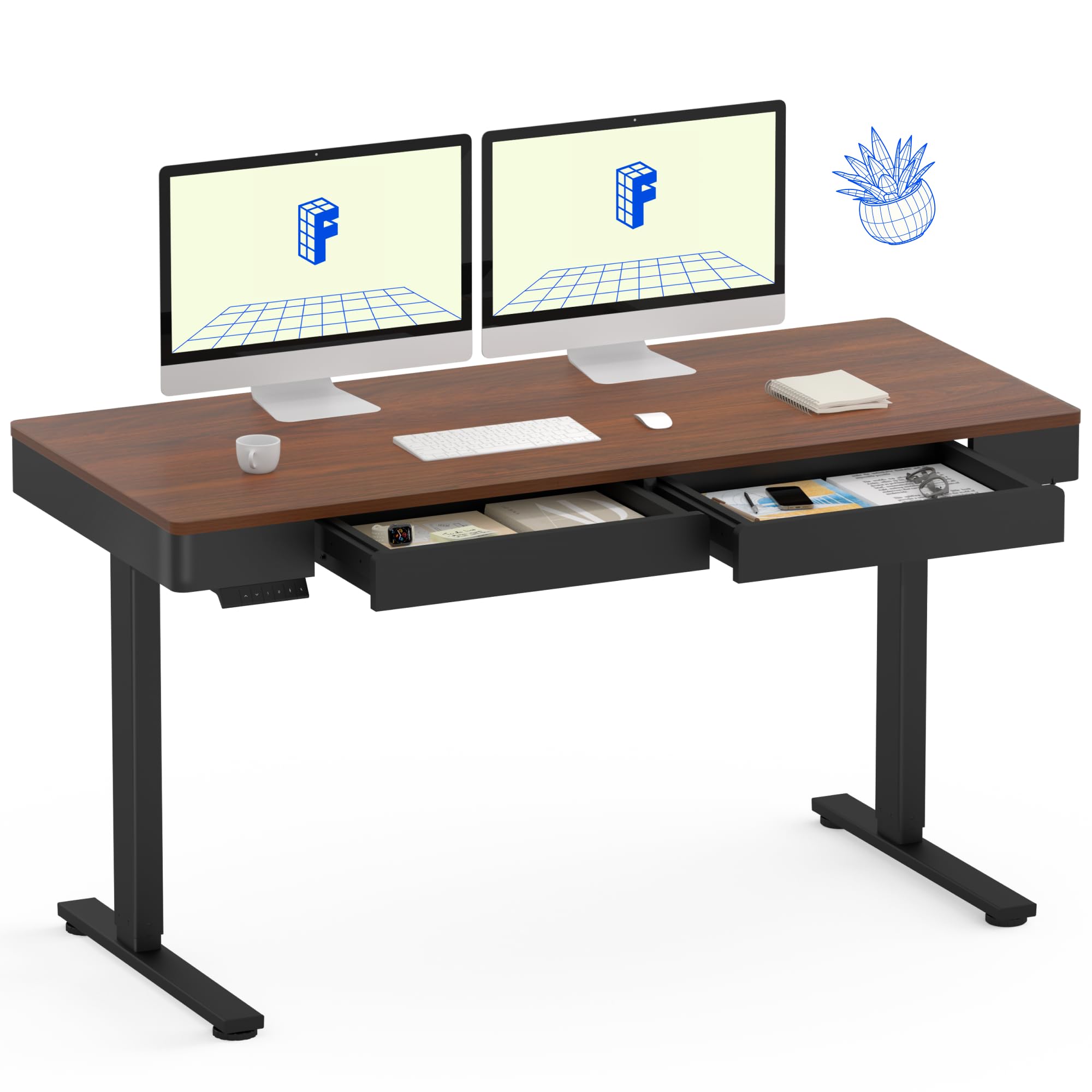
Image: The FLEXISPOT Q5 Standing Desk in Dark Walnut, featuring a spacious desktop, two open storage drawers, and a control panel on the left side. Two computer monitors are placed on the desk.
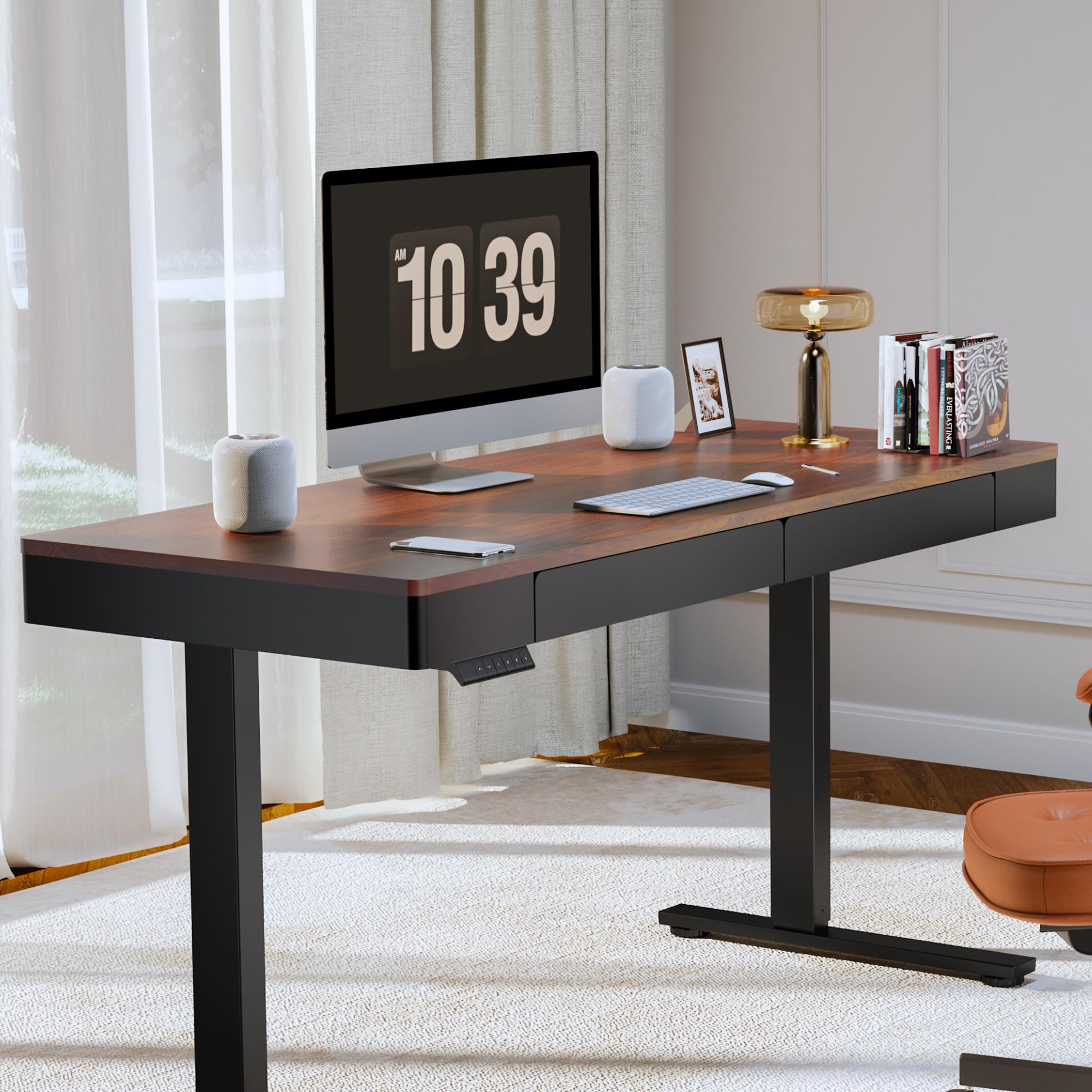
Image: The FLEXISPOT Q5 Standing Desk in a modern home office environment, showcasing its sleek design with a computer monitor, lamp, and books on the desktop.
5. Operating Instructions
5.1. Powering On
Connect the power cable to the desk's control box and then to a standard electrical outlet. The control panel should illuminate, indicating the desk is ready for operation.
5.2. Kugadzirisa Urefu

Image: Close-up of the smart control panel, highlighting the up/down movement buttons and the four height memory preset buttons (1, 2, F, 4).
- Up/Down Movement: Shandisa iyo Kumusoro (^) uye Pasi (v) arrow buttons on the control panel to manually adjust the desk height. The desk will move smoothly between 28.9 inches (minimum) and 46.5 inches (maximum).
- Height Memory Presets: The control panel features four memory buttons (1, 2, F, 4) to save your preferred sitting and standing heights.
- Gadzirisa dhesiki kune yako yaunoda kureba uchishandisa Up / Down mabhatani.
- Press and hold one of the memory buttons (1, 2, F, or 4) until you hear a beep or see the display flash, indicating the height has been saved.
- To recall a saved height, simply press the corresponding memory button. The desk will automatically move to that position.
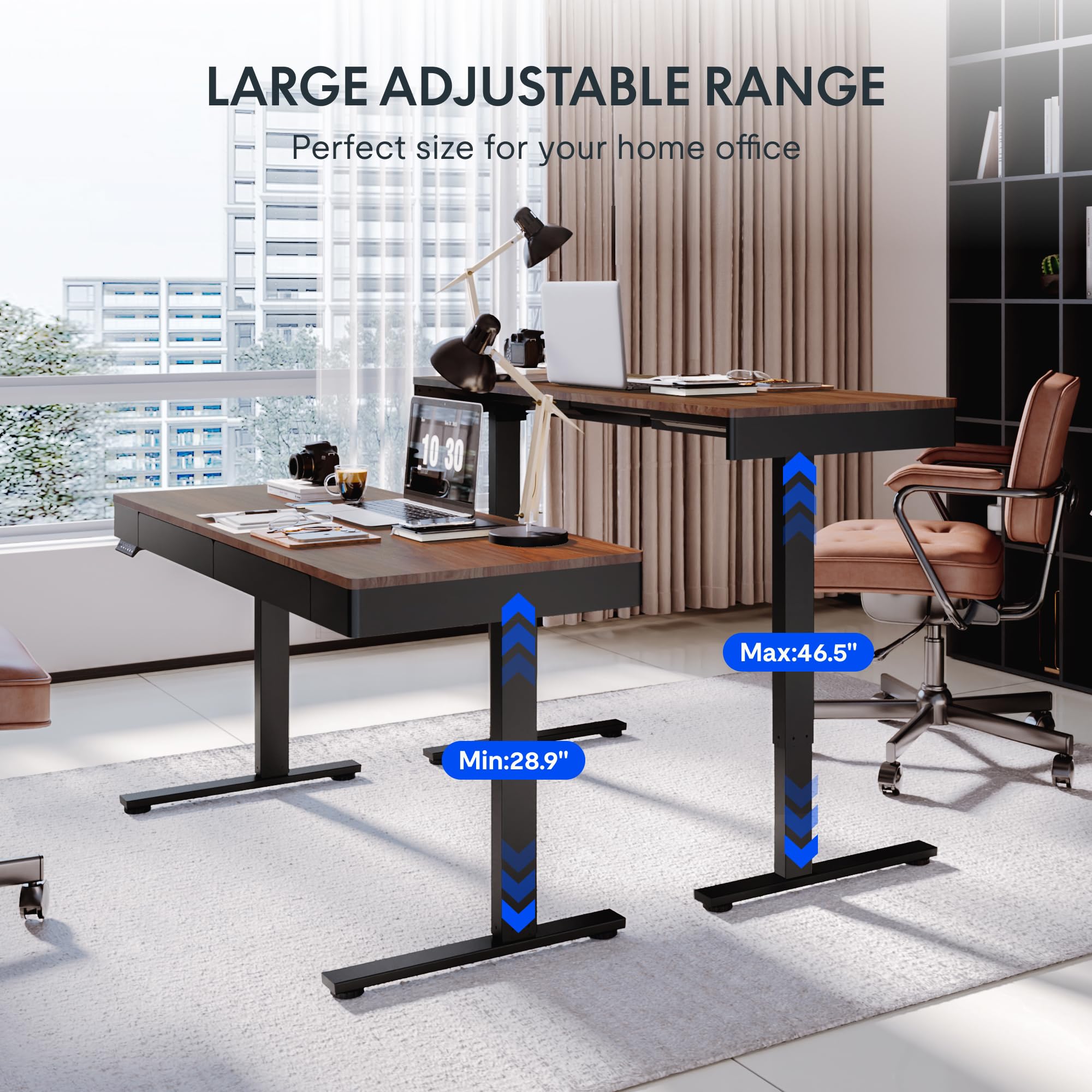
Image: Two FLEXISPOT Q5 desks side-by-side, illustrating the large adjustable height range from a minimum of 28.9 inches to a maximum of 46.5 inches.
5.3. Kushandisa Madhirowa
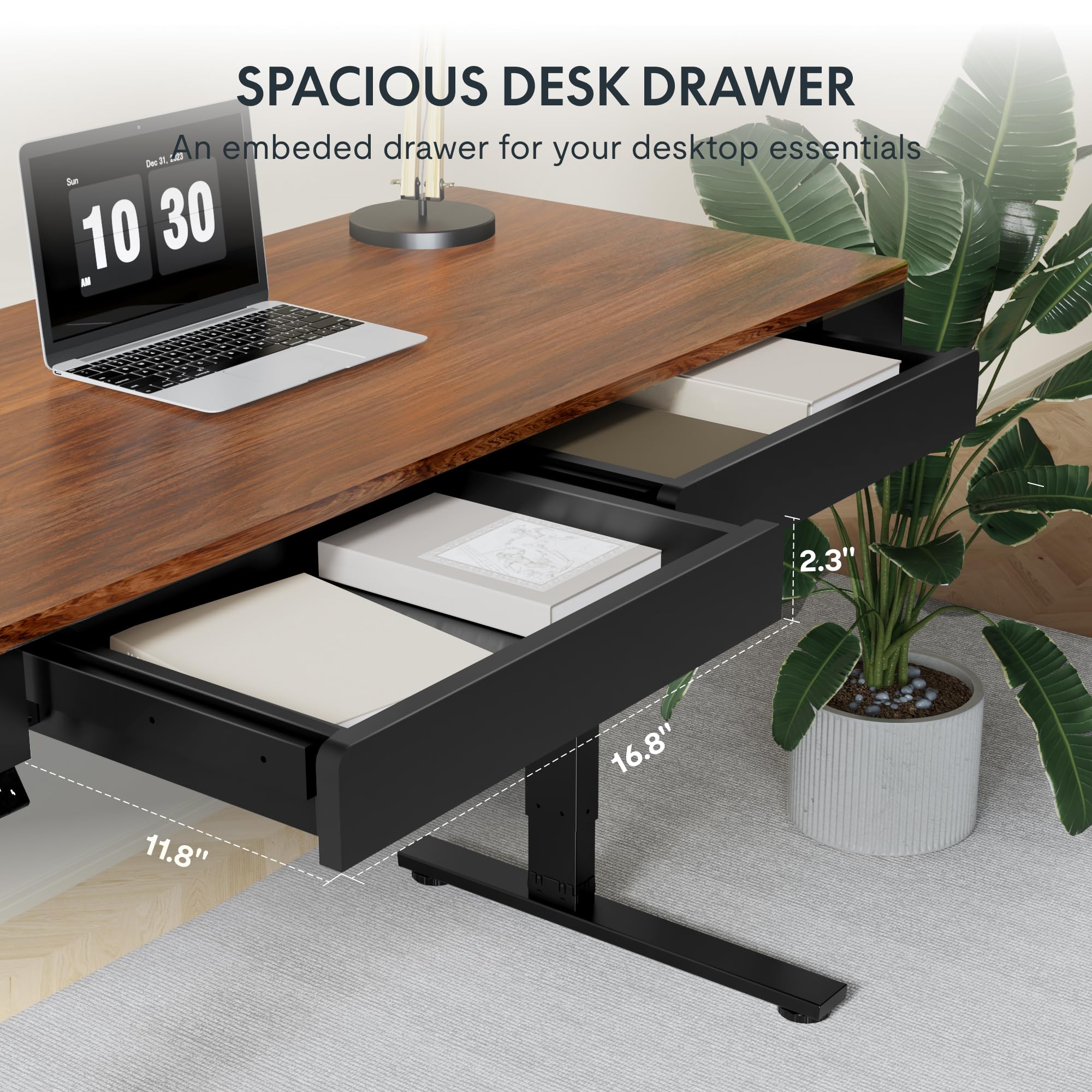
Mufananidzo: Kuvhara view of one of the spacious desk drawers, showing its internal dimensions of 16.8 inches in width, 11.8 inches in depth, and 2.3 inches in height.
The desk is equipped with two spacious wooden drawers for storage. Gently pull the drawer handles to open and push to close. Avoid overloading the drawers to ensure smooth operation of the sliding rails.
6. Kuchengeta
- Kuchenesa: Pukuta desktop uye furemu nenyoro, damp jira. Dzivisa abrasive cleaners kana makemikari ane hasha anogona kukuvadza kupera.
- Cable Management: Periodically check and organize cables to prevent them from getting pinched or tangled during height adjustments.
- Fasteners: Occasionally check all screws and bolts to ensure they are tight. Retighten if necessary.
- Weight Capacity: Do not exceed the maximum weight capacity of 110 lbs (50 kg) on the desktop.
7. Kugadzirisa matambudziko
If you encounter issues with your FLEXISPOT Q5 Standing Desk, refer to the following common troubleshooting steps:
- Desk Kwete Kufamba:
- Check if the power cable is securely connected to both the desk and the wall outlet.
- Ita shuwa kuti madziro emadziro ari kushanda nekubaya mune imwe mudziyo.
- If the control panel display shows an error code, consult the full troubleshooting guide available on the FLEXISPOT websaiti kana kubata rutsigiro rwevatengi.
- Uneven Height Adjustment:
- Perform a reset procedure (refer to the detailed assembly guide for specific steps, usually involves holding down certain buttons).
- Ensure no obstructions are preventing one leg from moving freely.
- Ruzha rusina kujairika:
- The motor operates quietly (under 50 dB). If loud or grinding noises occur, discontinue use and contact customer support.
- Check for loose components or obstructions under the desk.
8. Zvinotsanangurwa
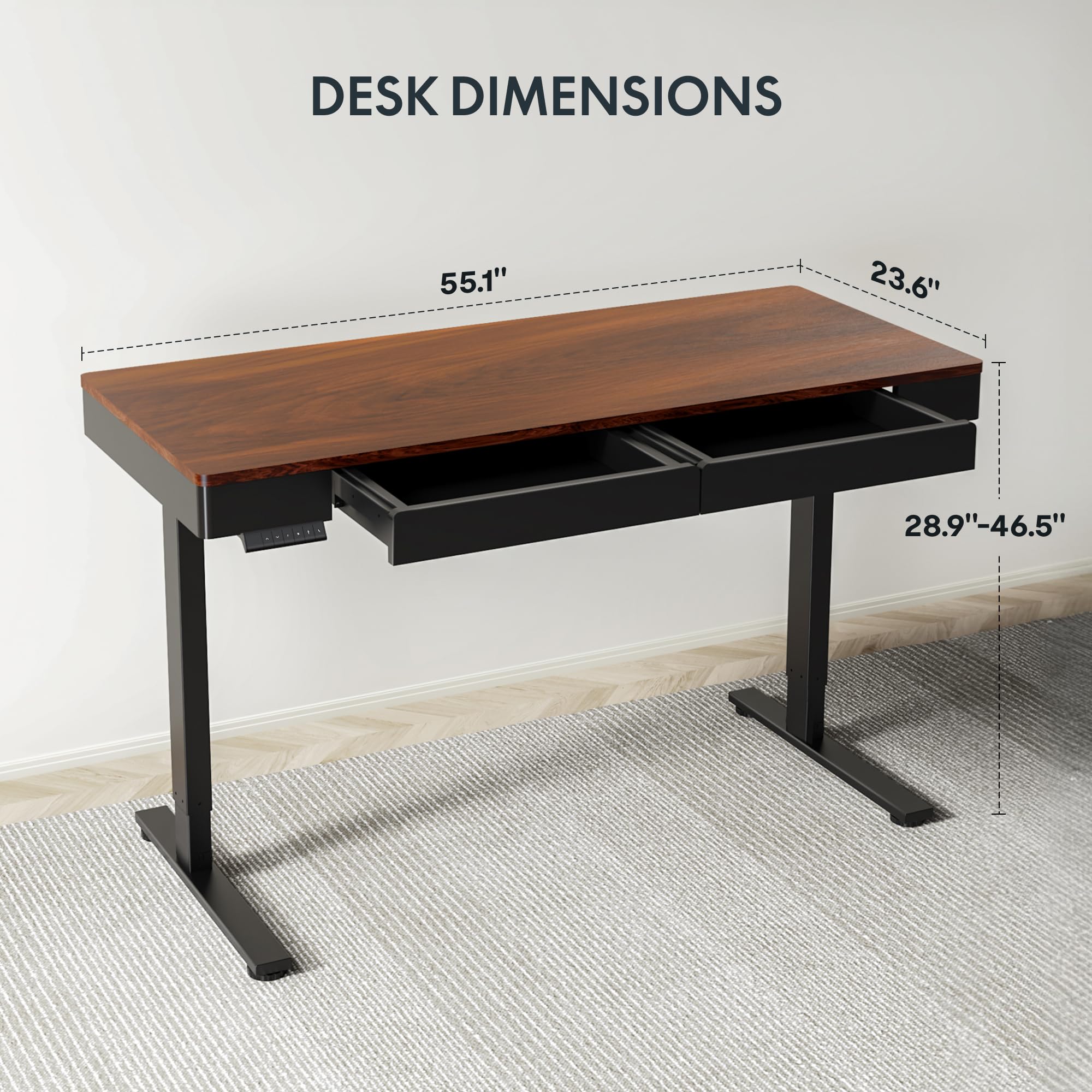
Image: Diagram illustrating the key dimensions of the FLEXISPOT Q5 Standing Desk: 55.1 inches in length, 23.6 inches in width, and an adjustable height range from 28.9 to 46.5 inches.
| Feature | Detail |
|---|---|
| Model | Q5 |
| Desktop Dimensions | 55.1" (W) x 23.6" (D) |
| Height Adjustment Range | 28.9" - 46.5" |
| Maximum Weight Capacity | 110 lbs (50 kg) |
| Noise Level | Pasi pe50 dB |
| Desktop Material | Wood (Whole-piece) |
| Frame Material | Alloy Steel |
| Drawer Inner Space | 16.8" (W) x 11.8" (D) x 2.3" (H) |
| Color | Walnut Yakasviba |
| UPC | 840460476911 |
9. Warranty uye Tsigiro
FLEXISPOT provides the following warranty coverage for the Q5 Standing Desk:
- 5-Yegore Guarantee: Applies to the desk frame and motor.
- 2-Year Protection: Applies to the control panel and electronics.
For warranty claims, technical support, or missing parts, please contact FLEXISPOT customer service. Refer to the contact information provided in your product packaging or on the official FLEXISPOT website.