Nhanganyaya
Thank you for choosing the Fisher Pro Active Noise Cancelling Headphones. This manual provides essential information for setting up, operating, and maintaining your headphones. Please read it thoroughly to ensure optimal performance and longevity of your device.
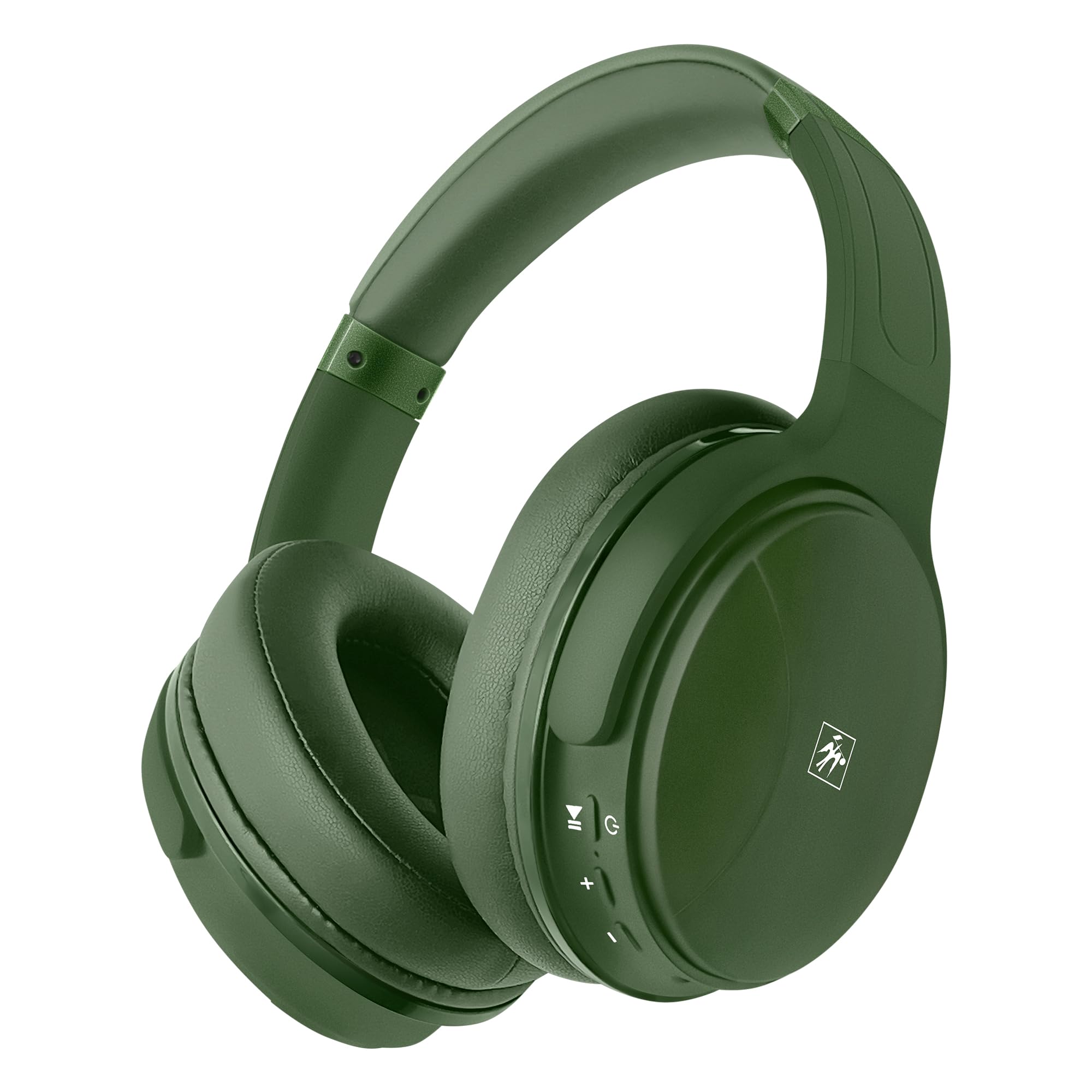
Mufananidzo: Mberi view of the Fisher Pro Active Noise Cancelling Headphones in dark green.
Package Zviri mukati
Ita shuwa kuti zvinhu zvese zviripo mupakeji:
- Fisher Pro Active Noise Cancelling Headphones
- USB-C Kuchaja Cable
- 3.5mm Stereo AUX Cable
- Mushandisi Chinyorwa (gwaro iri)
- Warranty Card
Zvinodzora uye Zvimiro
Familiarize yourself with the headphone controls and key features:

Image: Right earcup showing control buttons for power, volume, and ANC.
- Bhatani reSimba: Dzvanya uye ubate kuti ubatisise/kudzima.
- Vhoriyamu Kumusoro / Inotevera Track: Kudzvanya kupfupi kukwidza vhoriyamu, dzvanya kwenguva refu kune inotevera track.
- Vhoriyamu Pasi / Yakapfuura Rondedzero: Dzvanya kwenguva pfupi kuti vhoriyamu ideredzwe, tinya kwenguva refu kuti uone rwiyo rwekare.
- Multi-function Bhatani (MFB): Tamba / kumbomira mimhanzi, pindura / kupedza mafoni, shandisa izwi mubatsiri.
- ANC Bhatani: Toggle Active Noise Cancellation on/off.
- USB-C Chiteshi: Zvekuchaja mahedhifoni.
- 3.5mm Audio Jack: Zvekubatanidza newaya.
- Maikorofoni: Zvekufona pasina maoko.

Mufananidzo: Pamusoroview of headphone features including Active Noise Cancellation, 16-hour battery life, voice assistant support, premium sound, device compatibility, foldable design, adjustable headband, easy-access buttons, hands-free microphone, and comfort cushions.
Gadzirira
1. Kuchaja mahedhifoni
Before first use, fully charge the headphones.
- Connect the provided USB-C charging cable to the headphone's USB-C port.
- Batanidza imwe mugumo wetambo kune USB magetsi sosi (semuenzaniso, madziro adapta, komputa USB port).
- Chiratidzo che LED chinoratidza mamiriro ekuchaja (semuenzaniso, tsvuku yekuchaja, bhuruu yekuchaja zvizere).
A full charge provides up to 16 hours of playback. Quick charging is supported.

Image: Visual representation of the 16-hour battery life feature.
2. Simba On / Off
- Kubatidza: Dzvanya wobata bhatani rePower kwemasekondi matatu kusvika chiratidzo che LED chapenya bhuruu.
- Kudzima: Dzvanya uye bata bhatani reSimba kweanenge masekonzi matatu kusvika chiratidzo che LED chadzima.
3. Bluetooth Kubatanidza
Pair your headphones with a Bluetooth-enabled device:
- Ita shuwa kuti mahedhifoni akadzimwa.
- Dzvanya wobata bhatani rePower kwemasekondi mashanu kusvika manomwe kusvika chiratidzo che LED chapenya dzvuku nebhuruu zvichichinjana, zvichiratidza nzira yekuwiriranisa.
- On your device (smartphone, laptop, tablet), enable Bluetooth and search for available devices.
- Select "Fisher Pro" from the list of devices.
- Kana yangobatana chete, iyo LED chiratidzo ichapenya bhuruu zvishoma nezvishoma.
Mahedhifoni anozoedza otomatiki kubatana kune yekupedzisira paired mudziyo kana yabatidzwa.

Image: Illustration showing the headphones' compatibility with various devices via Bluetooth 5.3.
4. Wired Connection (AUX Mode)
Use the included 3.5mm AUX cable for a wired connection:
- Plug one end of the 3.5mm AUX cable into the headphone's audio jack.
- Plug the other end into your audio source's 3.5mm audio output.
- The headphones will automatically switch to AUX mode. Bluetooth functionality is disabled in this mode.
Operating Instruction
1. Active Noise Cancellation (ANC)
The Fisher Pro headphones feature Active Noise Cancellation to reduce ambient sounds.
- To Activate/Deactivate ANC: Press the dedicated ANC button. The LED indicator for ANC will illuminate when active.

Image: Diagram illustrating how Active Noise Cancellation works by generating anti-phase sound waves to cancel ambient noise.
2. Mumhanzi Playback
- Tamba/Kumbomira: Dzvanya iyo MFB kamwe chete.
- Next Track: Dzvanya kwenguva refu bhatani reVolume Up.
- Previous Track: Dzvanya kwenguva refu bhatani reVolume Down.
- Vhoriyamu Kumusoro: Dzvanya pfupi bhatani reVolume Up.
- Vhoriyamu Pasi: Dzvanya pfupi bhatani reVolume Down.
3. Call Management
- Pindura/Pedzisa Kufona: Dzvanya iyo MFB kamwe chete.
- Ramba Kufona: Dzvanya uye ubate iyo MFB kwemasekonzi mashanu.
- Dhonzazve Nhamba Yekupedzisira: Dzvanya kaviri MFB.

Image: Icon indicating the presence of a hands-free microphone for calls.
4. Voice Assistant
Svitsa mubatsiri wako wezwi (Siri, Google Mubatsiri, nezvimwewo):
- Shandisa Izwi Mubatsiri: Triple-press the MFB.
Maintenance
Kuti uve nechokwadi chehupenyu hurefu uye kuita kwakakwana kwemahedhifoni ako, tevera iyi nhungamiro yekugadzirisa:
- Kuchenesa: Shandisa jira rakapfava, rakaoma kuchenesa mahedhifoni. Usashandise abrasive cleaners kana solvents.
- Kuchengeta: Kana isiri kushandiswa, chengeta mahedhifoni munzvimbo inotonhorera, yakaoma, kure nechiedza chezuva uye tembiricha yakanyanyisa. Iyo foldable dhizaini inobvumira kuchengetedza compact.
- Dzivisa Unyoro: Usaise mahedhifoni mumvura kana muhunyoro hwakawandisa.
- Bata Nekungwarira: Dzivisa kudonhedza kana kuisa mahedhifoni pasi kune akasimba maitiro.

Image: Detail of the earcup, showing the comfortable memory foam cushions and foldable design for easy storage.
Kugadzirisa matambudziko
Kana ukasangana nematambudziko nemahedhifoni ako, tarisa kune anotevera akajairika mhinduro:
| Dambudziko | Possible Solution |
|---|---|
| Mahedhifoni haabatike. | Iva nechokwadi chekuti mahedhifoni akazara. Batanidza kune simba remagetsi uchishandisa tambo yeUSB-C. |
| Haikwanise kubatanidza kuburikidza neBluetooth. | Iva nechokwadi chekuti mahedhifoni ari muchimiro chekuwirirana (kupenya kutsvuku/bhuruu). Dzima wobva wavhura Bluetooth pamudziyo wako. Swedera pedyo nemudziyo. |
| Hapana ruzha kana vhoriyamu yakaderera. | Check volume levels on both headphones and connected device. Ensure headphones are properly paired or AUX cable is fully inserted. |
| ANC haisi kushanda nemazvo. | Ensure ANC is activated via the ANC button. Adjust headphone fit to ensure a good seal around your ears. |
| Maikorofoni haisi kushanda. | Ensure headphones are connected via Bluetooth (microphone functionality is not available in AUX mode). Check device settings for microphone input. |
Zvinotsanangurwa
| Feature | Detail |
|---|---|
| Model Name | SBHP550ADG |
| Kubatana Technology | Waya isina waya (Bluetooth 5.3), Yakabatana newaya (3.5mm AUX) |
| Bluetooth Version | 5.3 |
| Noise Control | Active Noise Cancellation (ANC) |
| Audio Driver Type | Dynamic Driver, 40mm |
| Frequency Response | 15Hz - 20kHz |
| Impedance | 32 Ohms |
| Hupenyu hwebhatiri | Kusvikira kumaawa makumi maviri nemashanu |
| Kuchaja Port | USB-C |
| Maikorofoni | Yakavakirwa-mukati yemafoni-emahara mafoni |
| Kudzora Nzira | Bata/Bhatani |
| Earpiece Shape | Over-Nzeve |
| Dimensions | 8.1 x 7.5 x 3.15 inches |
| Item Weight | 6.6 ounces |
| Material | Plastiki |

Mufananidzo: Zvakadzama view of the 40mm Hi-Res Audio driver, responsible for clear and immersive sound.
Warranty uye Support
Warranty Information
Your Fisher Pro Active Noise Cancelling Headphones come with a limited warranty. Please refer to the included Warranty Card for detailed terms and conditions, including coverage period and how to make a claim.
Mutengi Support
For technical assistance, troubleshooting beyond this manual, or warranty inquiries, please contact Fisher customer support. Contact details can be found on the Warranty Card or the official Fisher website.