1. Nhanganyaya
Welcome to the user manual for your new Generic T900 Ultra 3 Smartwatch. This guide provides essential information on how to set up, operate, maintain, and troubleshoot your device. Please read this manual thoroughly before using your smartwatch to ensure proper function and to maximize your user experience.
The T900 Ultra 3 Smartwatch is designed to integrate seamlessly with your daily life, offering features such as Bluetooth calling, health monitoring, and notification synchronization, all accessible via a vibrant 2.08-inch HD display.
2. Package Zviri mukati
Ndapota simbisai kuti zvinhu zvese zviripo mupakeji yenyu yechigadzirwa:
- Generic T900 Ultra 3 Smartwatch
- Chaja Cable
- User Manual
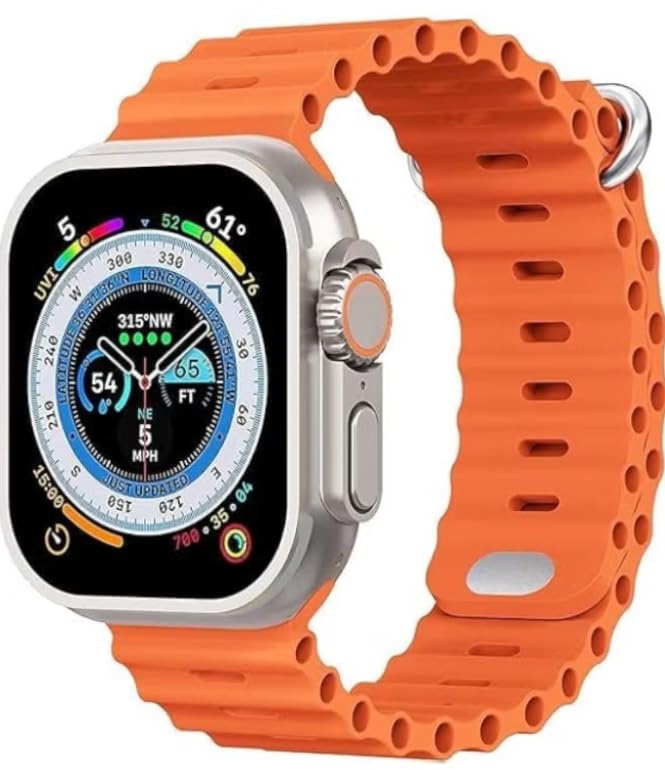
Image: The retail box of the Generic T900 Ultra 3 Smartwatch, indicating the product and its packaging.
3. Mudziyo Pamusoroview
Familiarize yourself with the physical components of your T900 Ultra 3 Smartwatch:
- Ratidza: 2.08-inch HD touchscreen for interaction and information display.
- Side Button(s): Typically used for power on/off, menu access, or back functions.
- Maikorofoni: For voice commands and Bluetooth calls.
- Mutauri For audio output, including call audio and alerts.
- Mwoyo Wekunzwa Sensor: Located on the back of the watch, for health monitoring.
- Kuchaja Mazita: On the back, for connecting the charging cable.

Image: The T900 Ultra 3 Smartwatch displaying a compass interface, showcasing the screen and side buttons.
4. Setup
4.1. Kutanga Kuchaja
Before first use, fully charge your smartwatch. Connect the charging cable to the charging contacts on the back of the watch and plug the USB end into a standard USB power adapter (not included) or a computer USB port. The watch display will indicate charging status. A full charge typically takes 1-2 hours.
4.2. Simba On / Off
- Kubatidza: Dzvanya uye bata bhatani reparutivi kusvika skrini yavheneka.
- Kudzima: Dzvanya uye bata bhatani repadivi, wobva wasarudza iyo 'Simba Kudzima' sarudzo pachiratidziri.
4.3. Kubatanidza neSmartphone Yako
To unlock the full functionality of your smartwatch, pair it with your smartphone:
- Download the companion application (e.g., 'HiWatch' or similar, refer to the watch screen or packaging for the exact app name) from your phone's app store (Google Play Store for Android, Apple App Store for iOS).
- Ita shuwa kuti Bluetooth yakagoneswa pane yako smartphone.
- Open the companion app and follow the on-screen instructions to add your device.
- The app will search for your smartwatch. Select 'T900 Ultra 3' from the list of available devices.
- Confirm the pairing request on both your phone and smartwatch.
5. Kushandisa Smartwatch
5.1. Navigation
- Swipe Kumusoro/Kudzika: Skrora kuburikidza nemamenyu kana zviziviso.
- Swipe Kuruboshwe/Kurudyi: Wana mawidget akasiyana kana marongero anokurumidza.
- Top: Sarudza chinhu kana vhura application.
- Side Button: Press to return to the home screen or access the app menu.
5.2. Core Functions
- Nguva uye Zuva: Otomatiki inowiriraniswa neyako peiri smartphone.
- Zviziviso: Gamuchira zviziviso zvekufona, mameseji, uye zviziviso zveapp zvakananga paruoko rwako.
- Kufona kweBluetooth: Make and receive calls using the watch's built-in microphone and speaker once paired via Bluetooth.
- Kudzora Mumhanzi: Dzora kutamba kwemimhanzi pane yako smartphone (tamba, imbomira, svetuka mateki).
5.3. Kutevera Hutano
The T900 Ultra 3 Smartwatch includes several health monitoring features:
- Heart Rate Monitor: Measures your heart rate throughout the day. Access this feature from the main menu.
- Step Counter (Pedometer): Tracks your daily steps, distance, and estimated calories burned.
- Kurara Tracker: Monitors your sleep patterns, including deep and light sleep stages. Wear the watch during sleep for accurate data.
5.4. Kugadzirisa
- Zviso zvekutarisa: Change the watch face from the watch settings or through the companion app to personalize your device.
- App Management: Manage and organize applications via the companion app on your smartphone.
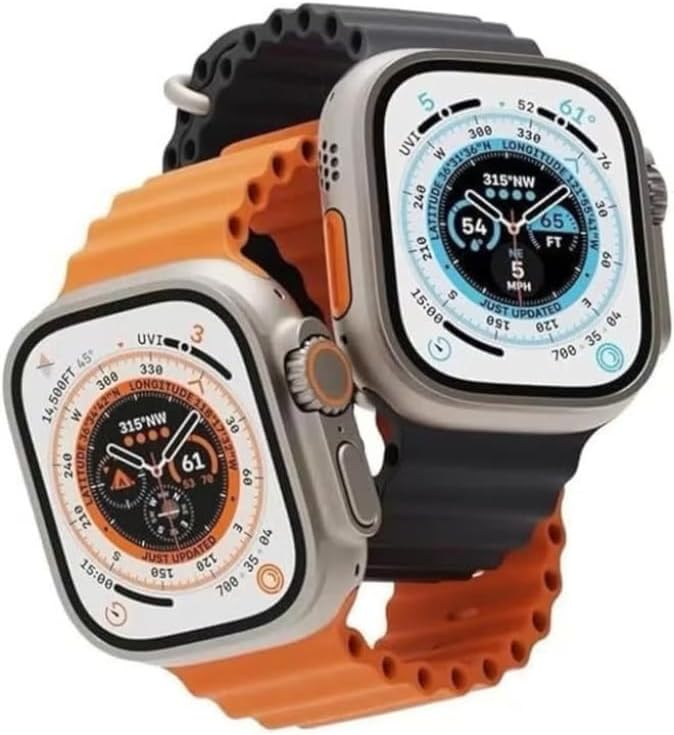
Image: Two T900 Ultra 3 Smartwatches, one showing a compass and the other displaying fitness data, illustrating various display options.
6. Kuchengeta
6.1. Kuchenesa
Regularly clean your smartwatch to ensure optimal performance and hygiene:
- Pukuta sikirini wobva watarisa muviri nejira rakapfava, risina jira.
- Patsvina yakasindimara, zvishoma dampen jira nemvura. Dzivisa kushandisa makemikari ane hasha kana abrasive zvinhu.
- Ita shuwa kuti macontacts ekuchaja akachena uye akaoma usati wachaja.
6.2. Kuramba Mvura
The T900 Ultra 3 Smartwatch may offer basic splash resistance. Avoid submerging the watch in water, showering, or swimming with it, as this can cause damage not covered by warranty. Ensure the watch is dry before charging.
6.3. Battery Care
- Dzivisa kuburitsa bhatiri zvakazara nguva zhinji.
- Do not expose the watch to extreme temperatures, as this can degrade battery life.
- Shandisa chete tambo yekuchaja yakapihwa.
7. Kugadzirisa matambudziko
If you encounter issues with your smartwatch, refer to the following common solutions:
| Dambudziko | Solution |
|---|---|
| Wachi haibatidzi | Iva nechokwadi chekuti wachi yakachajwa zvizere. Dzvanya wobata bhatani reparutivi kwemasekondi gumi. |
| Haikwanise kubatana ne smartphone | Ensure Bluetooth is enabled on your phone and the watch. Restart both devices. Check that the companion app is installed and updated. |
| Kuverenga kwehutano kusina kururama | Ensure the watch is worn snugly on your wrist, not too tight or too loose. Clean the sensor area. Avoid excessive movement during readings. |
| Hupenyu hupfupi hwebhatiri | Reduce screen brightness. Turn off unnecessary notifications. Limit continuous heart rate monitoring. Ensure background apps are closed on the watch. |
| Wachi haina kupindura | Perform a force restart by pressing and holding the side button for approximately 15 seconds until the device reboots. |
8. Zvinotsanangurwa
| Feature | Detail |
|---|---|
| Brand | Generic |
| Model Name | T900 Ultra 3 |
| Screen Size | 2.08 inches |
| Display Type | HD Touchscreen |
| Kubatana Technology | Bluetooth |
| Wireless Kutaurirana Standard | Bluetooth |
| Operating System | Android Wear 1.0 (Compatibility with Android & iOS devices) |
| Special Features | Screen protector, Health Monitoring (Heart Rate, Step Counter, Sleep Tracker) |
| GPS | Pasina GPS |
| Item Shape | Rectangular (based on product images) |
| Nyika Yekwakabva | China |
| Shipping Dimensions | 20.2 x 7.2 x 3.1 cm |
| Item Weight | 180 grams (shipping weight) |
9. Safety Information
- Do not attempt to disassemble or modify the smartwatch. This will void the warranty and may cause damage.
- Chengetedza mudziyo kure nekupisa kwakanyanya, kupenya kwezuva, uye kuvhurika marimi.
- Avoid exposing the watch to strong magnetic fields.
- If you experience skin irritation, discontinue use and consult a physician.
- Rasa mudziyo uye bhatiri rayo zvine hungwaru maererano nemitemo yenzvimbo.
10. Warranty uye Tsigiro
Your Generic T900 Ultra 3 Smartwatch is covered by a standard manufacturer's warranty against defects in materials and workmanship. Please retain your proof of purchase for warranty claims. For specific warranty terms and conditions, refer to the documentation provided at the time of purchase or contact your retailer.
For technical support or further assistance, please contact the retailer or manufacturer through their official support channels. Details are typically available on the product packaging or the retailer's website.


