1. Nhanganyaya
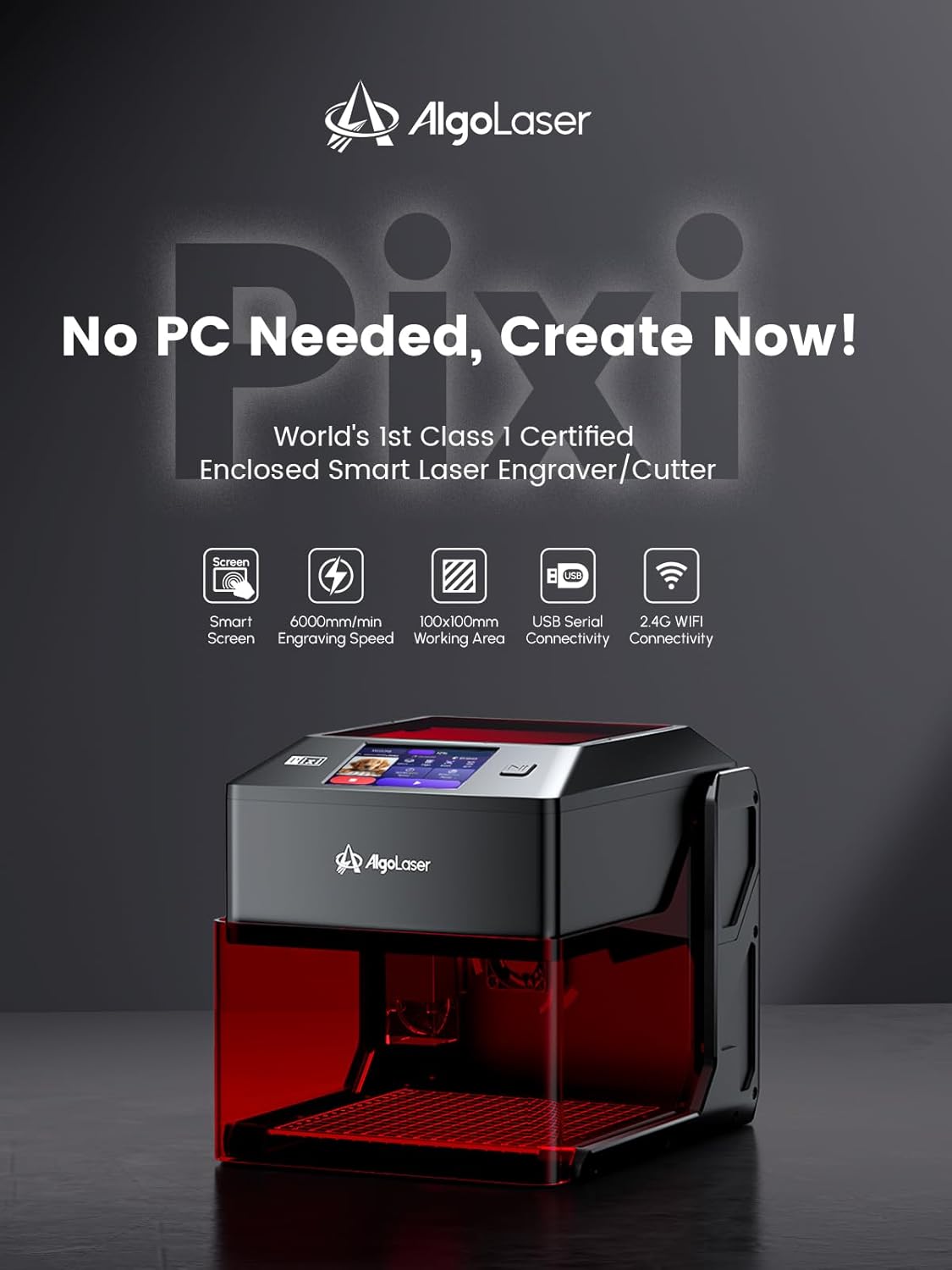
This manual provides essential information for the safe and effective operation of your AlgoLaser Pixi 10W Portable Laser Engraver Machine. The AlgoLaser Pixi is designed for smart laser engraving and cutting, featuring an intuitive 3.5" touchscreen and the AlgoOS system for a user-friendly experience.
Zvinokosha:
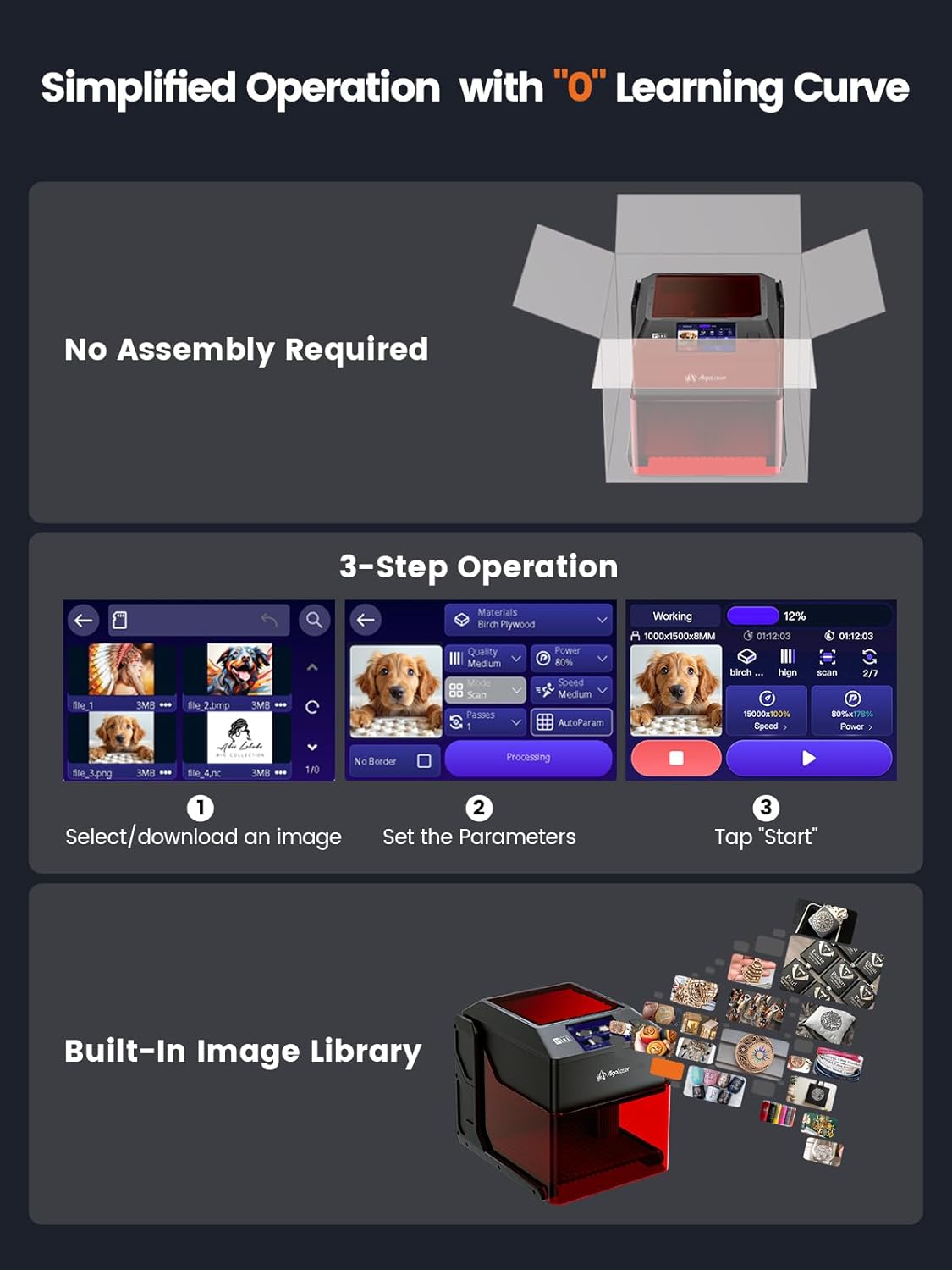
- Smart Laser Engraving with No Technical Barriers: Powered by the AlgoOS system, allowing direct design input via touchscreen without a computer.
- Creative Freedom: Features AlgoSketch for hand-drawn artwork and AlgoType for crisp text input. Supports reverse engraving for high-contrast results.
- Built-In Safety and Professional Quality: Includes an auto-pause safety door, certified Class 1 laser system, password-protected lock screen, and real-time fault alerts.
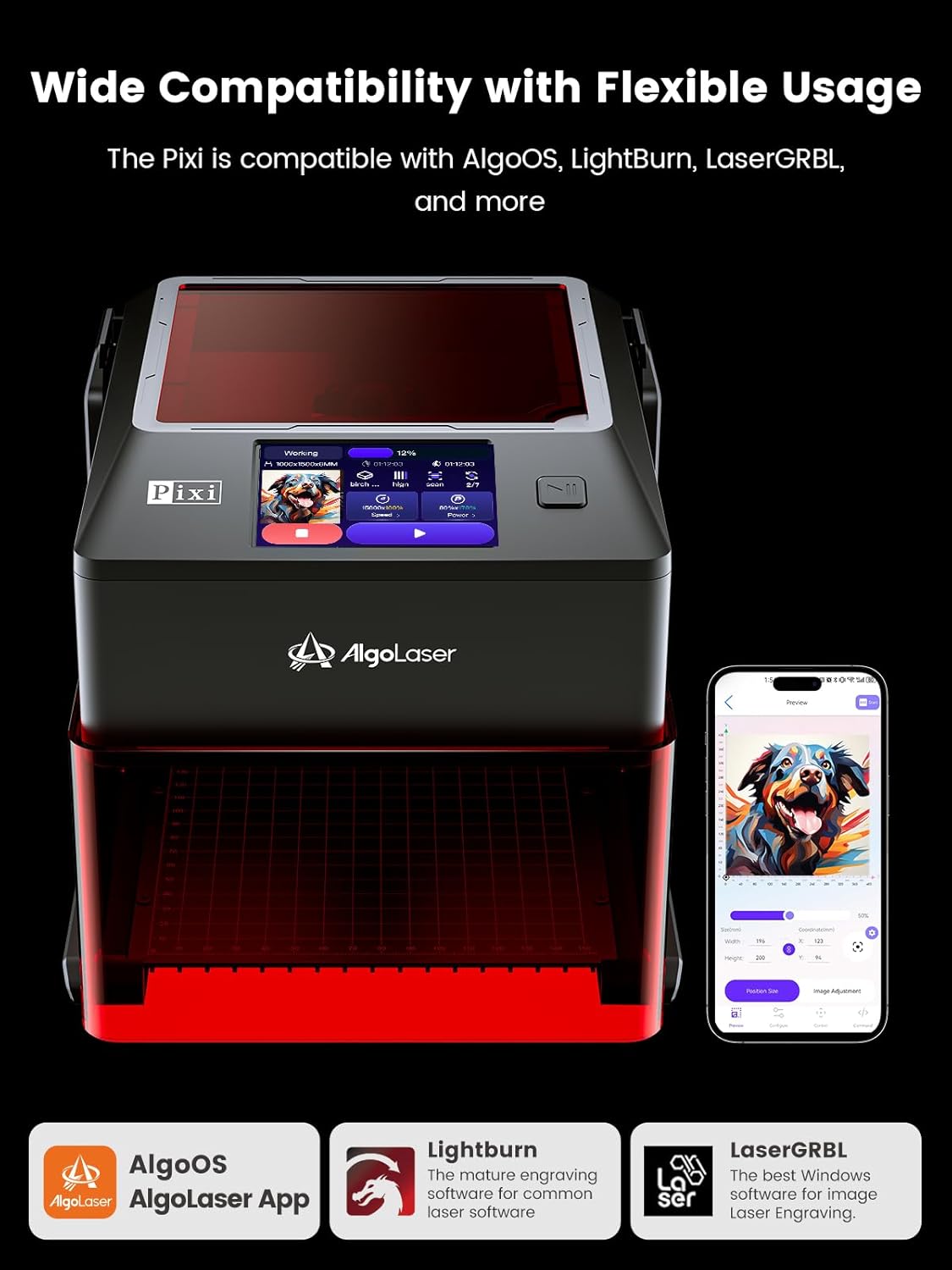
- Plug-and-Play Nyore: No assembly required. Connects via USB-C, WiFi, or accessory ports. Compatible with popular design software, smartphones, and tablets.
- Versatile Material Kuenderana: Engraves and cuts a wide range of materials including wood, metal, glass, acrylic, leather, and more.
2. Setup
2.1. Package Zviri mukati

- Pixi 10W Unit
- Power Adapter
- Type-C Cable
- Type-C to Type-A Adapter
- Focal Gauge
- Dual-Tip Stylus
- Allen Key
- Brush
- Flange Interface
- Kusvuta Pipe
- Material Kit
2.2. Physical Assembly & Adjustments
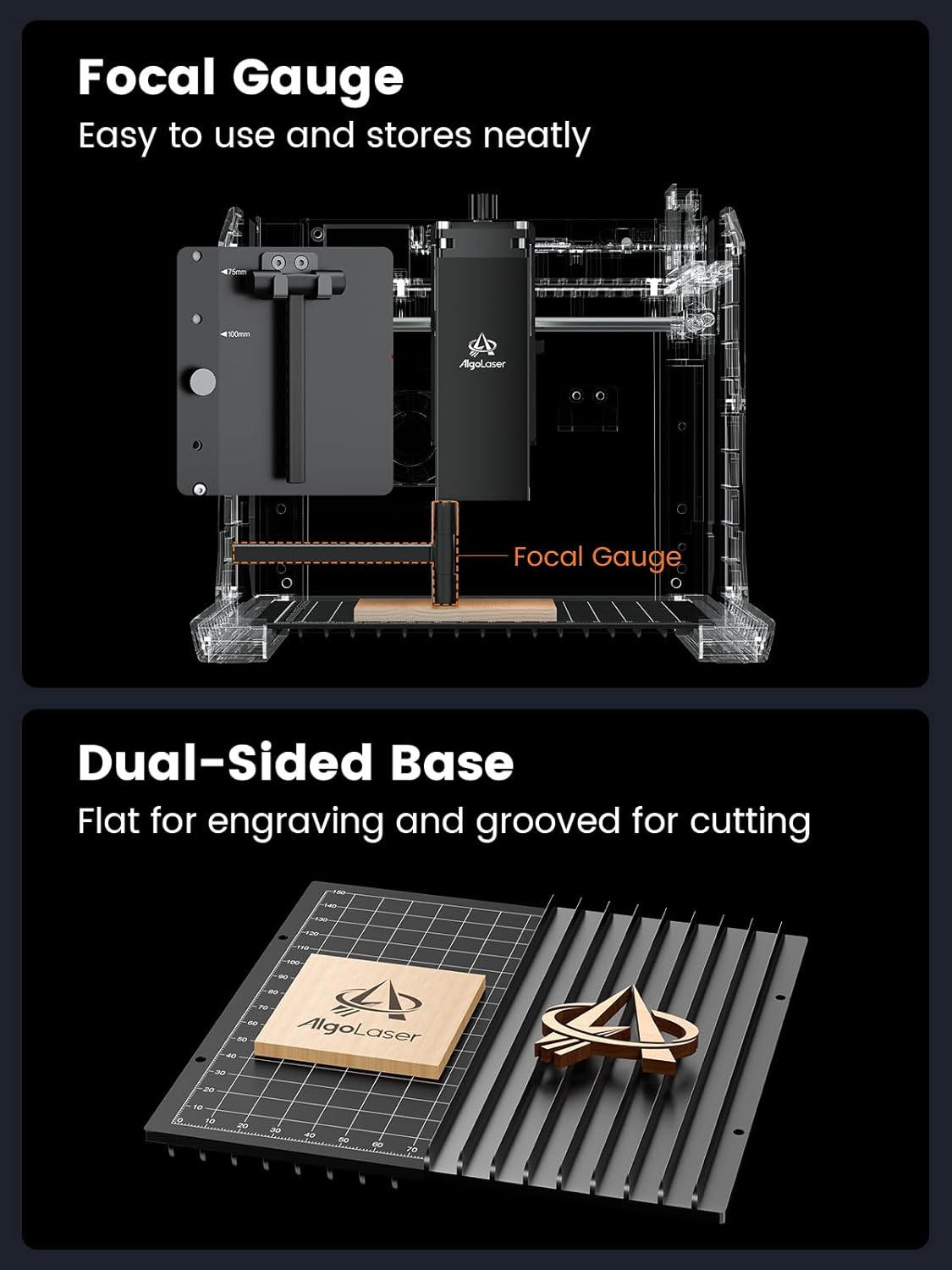
Adjustable Z-Axis
The AlgoLaser Pixi features an adjustable Z-axis, allowing you to raise or lower the laser module to accommodate materials of varying thicknesses. This is crucial for maintaining proper focus and achieving optimal engraving or cutting results.
Dual-Sided Base
The machine includes a dual-sided base. One side is flat for general engraving, while the other features grooves to facilitate better airflow during cutting operations, minimizing burn marks on the underside of the material.
Connections
Connect the power adapter to the DC 24V port. For data transfer or external device connection, use the USB-C port. An expansion port is available for connecting optional accessories like a rotary attachment.

3. Kushanda
3.1. AlgoOS Touchscreen Interface
The AlgoLaser Pixi features a 3.5" full-color touchscreen with the AlgoOS system, providing a direct and intuitive way to control the machine without needing an external computer.

3.2. Design Creation & Input
AlgoSketch (Hand Drawing)
Utilize the AlgoSketch feature to draw directly on the touchscreen using the provided stylus. Your hand-drawn designs can then be instantly engraved onto your chosen material.

AlgoType (Text Input)
The AlgoType function allows you to input custom text directly on the touchscreen. Choose from various fonts and adjust the size to personalize your engravings with precision.
Image Library & Templates
Access a built-in library of preloaded images and templates directly from the touchscreen. This feature allows for quick project starts and inspiration.

3.3. Material & Effect Selection
The AlgoOS system provides preset parameters for over 300 materials. Select your material type and desired effect directly on the touchscreen to optimize engraving or cutting quality.
3.4. Positioning & Preview
The two-step positioning system allows you to accurately drag and fine-tune your image's position on the material before starting the engraving process, ensuring precise alignment.
3.5. Reverse Engraving
The reverse engraving feature allows for high-contrast results, particularly effective on materials like acrylic, glass, wood, and leather. For transparent materials, colored backers are recommended to enhance visibility.
3.6. Glass Engraving
For engraving on transparent glass, it is recommended to place a dark-colored paper on the glass surface. This allows the laser to be absorbed by the paper, creating a clear engraving on the glass.
4. Safety Features
The AlgoLaser Pixi is designed with multiple safety features to ensure a secure operating environment:
- Auto-Pause Safety Door: The laser automatically stops the instant the lid is lifted, preventing accidental exposure. Operation resumes only when the lid is securely closed.
- Certified Class 1 Laser System: Adheres to strict safety standards for laser products.
- Password-Protected Lock Screen: Secures the device from unauthorized access.
- Real-time Fault Alerts: Provides immediate notifications for any operational issues.
- Tilt Protection: The machine is equipped with sensors that detect tilting and automatically pause operation to prevent accidents.
Mazano Akakosha Ekuchengetedza:
- Always wear protective laser safety goggles during operation.
- Ensure your workspace is well-ventilated.
- Usambofa wakasiya muchina usina kutarisirwa paunenge uchimhanya.
5. Kuchengeta
5.1. Kufefetedza
When engraving or cutting, especially materials that produce smoke or fumes, connect the provided smoke pipe to an exhaust system or vent it outdoors to maintain air quality in your workspace.
5.2. Software Updates
The AlgoLaser Pixi supports Over-The-Air (OTA) updates. The system will automatically detect and install new versions of AlgoOS, ensuring you always have the latest features and improvements.

6. Zvinotsanangurwa
| Feature | Detail |
|---|---|
| Product Dimensions | 10.5 x 8.5 x 7.7 inches |
| Item Model Number | Pixi-10W |
| Item Weight | 4.4 makirogiramu |
| Mugadziri | AlgoLaser |
| Zuva Rokutanga Kuwanikwa | Chikunguru 1, 2025 |
7. Warranty uye Tsigiro
The AlgoLaser Pixi 10W Portable Laser Engraver Machine comes with a 1-year warranty. For any setup assistance, technical support, or inquiries, please contact AlgoLaser customer support, available 24/7.