
1. Nhanganyaya
This manual provides essential information for the safe and efficient operation of your SWOFY M503Pro MP3 Player. Please read it thoroughly before using the device to ensure optimal performance and longevity.
2. Safety Information
- Use ONLY the 5V/1A USB-C charger provided or a compatible charger. Fast chargers may cause overheating or permanent battery damage.
- Avoid charging in direct sunlight, humid environments, or near heat sources.
- If the device becomes hot during charging, unplug immediately and let it cool in a well-ventilated area.
- Operating Temperature: 0°C to 35°C. Storage Temperature: -10°C to 45°C.
- Do not expose to liquids, sand, or extreme pressure (e.g., sitting on the device).
3. Package Zviri mukati
Tarisa uone kuti zvinhu zvese zviripo mupakeji:
- SWOFY M503Pro MP3 Player
- USB-A kune USB-C yekuchaja Cable
- Wired Earphones (3.5mm jack)
- Protective Case
- Screen Protector
- User Manual
- Kadhi reMicro SD re64GB (rakaiswa kare kana kuti rakaiswa zvakasiyana)
4. Mudziyo Pamusoroview

Mufananidzo 1: Mberi uye kumashure view of the SWOFY M503Pro MP3 Player, showcasing its sleek design and 4-inch touch screen.
Mabhatani enyama uye Ports
- Bhatani reSimba: Located on the side, press and hold to power on/off or short press to lock/unlock the screen.
- Mabhatani eVolume: Located on the side, use to adjust audio volume.
- Reset Hole: A small pinhole for resetting the device if it becomes unresponsive.
- USB-C Chiteshi: Yekuchaja uye kutumira data.
- 3.5mm Audio Output: Yekubatanidza mahedhifoni ane waya.
- Micro SD Kadhi Slot: Yekuwedzera nzvimbo yekuchengetera kusvika ku512GB.
- Mutauri Built-in speaker for audio playback without headphones.

Mufananidzo 2: Rutivi view of the MP3 player, highlighting the power button, volume controls, and Micro SD card slot.
Mufananidzo 3: Pazasi view of the MP3 player, showing the USB-C port, 3.5mm audio jack, and speaker grille.
5. Setup
5.1 Kutanga Kuchaja
Before first use, fully charge the device. Connect the provided USB-C cable to the player and a 5V/1A USB charger. A full charge typically takes approximately 2.5 hours.
5.2 Simba On/Kudzima
- Power On: Dzvanya uye bata Bhatani reSimba kwemasekonzi matatu.
- Power Off: Press and hold the Power Button, then select 'Power Off' on the screen.
- Screen Lock/Vhura: Muchidimbu dzvanya Bhatani reSimba.
5.3 Magadzirirwo ekutanga
Upon first power-on, follow the on-screen prompts to set up the device:
- Sarudza mutauro waunoda.
- Set the time zone and date.
- Accept Google Terms of Service and Privacy Policy to activate Google Play services.
5.4 Kubatanidza kuWi-Fi
- Enda ku Settings > Network & Internet > Wi-Fi.
- Batidza Wi-Fi ON.
- Sarudza network yaunoda kubva pane rondedzero uye isa password kana zvichidikanwa.
- The device supports dual-band Wi-Fi (2.4G/5G) for stable connectivity.
5.5 Kubatanidza kuBluetooth Devices
- Enda ku Settings > Zvishandiso zvakabatana > Bluetooth.
- Batidza Bluetooth.
- The device will scan for available Bluetooth devices.
- Select your Bluetooth headphones, speaker, or other device to pair.
- The player automatically connects to the last paired device.
Video 1: Demonstrates the Bluetooth and Wi-Fi connectivity features of the SWOFY M503Pro MP3 Player, showing how to pair with external devices.
5.6 Inserting Micro SD Card
The device comes with 80GB of internal storage (2GB RAM + 16GB ROM + 64GB card). You can expand storage up to 512GB using a Micro SD card.
- Locate the Micro SD card slot on the side of the device.
- Isa zvinyoro nyoro Micro SD kadhi mune slot kusvika yadzvanya panzvimbo.
- Kuti ubvise, dzvanya kadhi racho zvinyoro-nyoro kusvika rabuda pachena.

Figure 4: Illustrates the large capacity memory of the MP3 player, including the Micro SD card slot for expandable storage.
6. Operating Instructions
6.1 Navigation
The device features a 4-inch 1080P HD full-color touch screen for intuitive navigation. Swipe left/right to browse apps and tap to select.
6.2 Kuridza Mumhanzi
The SWOFY M503Pro supports various music formats including MP3, OGG, FLAC, AAC, WAV, WMA, and APE. Use the pre-installed HiByMusic app for offline playback or streaming apps like Spotify and Amazon Music.
- HiFi Lossless Sound: Enjoy premium audio quality.
- Mutauri Akavakirwa-mukati: Play music or videos without headphones.
- Chiyereso Chekuenzanisa Chakagadzirwa: Adjust sound settings to your preference.
- Playlist Creation: Organize your music into custom playlists.
- Synchronized Lyrics: View lyrics while music plays.
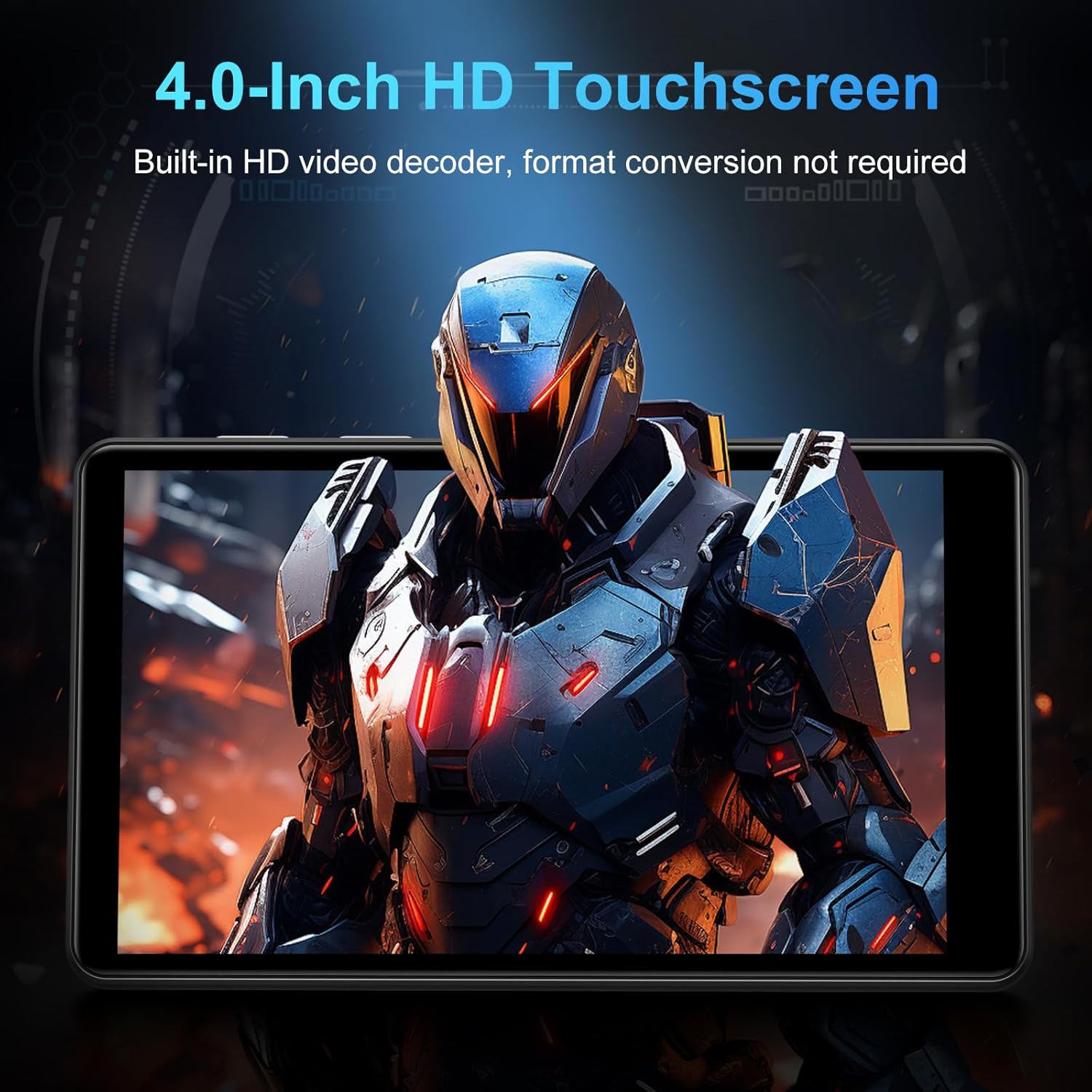
Figure 5: The MP3 player displaying music playback on its screen, with a user wearing headphones, emphasizing HiFi lossless sound quality.
6.3 Vhidhiyo Kutamba
The 4-inch 1080P HD screen allows direct online or offline playback of 720P and 1080P videos without format conversion. Supported video formats include RM, RMVB, FLV, MP4, DAT, MKV, MPG, MOV, and TS.

Figure 6: The MP3 player displaying a video on its 4-inch HD screen, demonstrating its video playback capabilities.
6.4 Pre-yakaiswa Zvishandiso
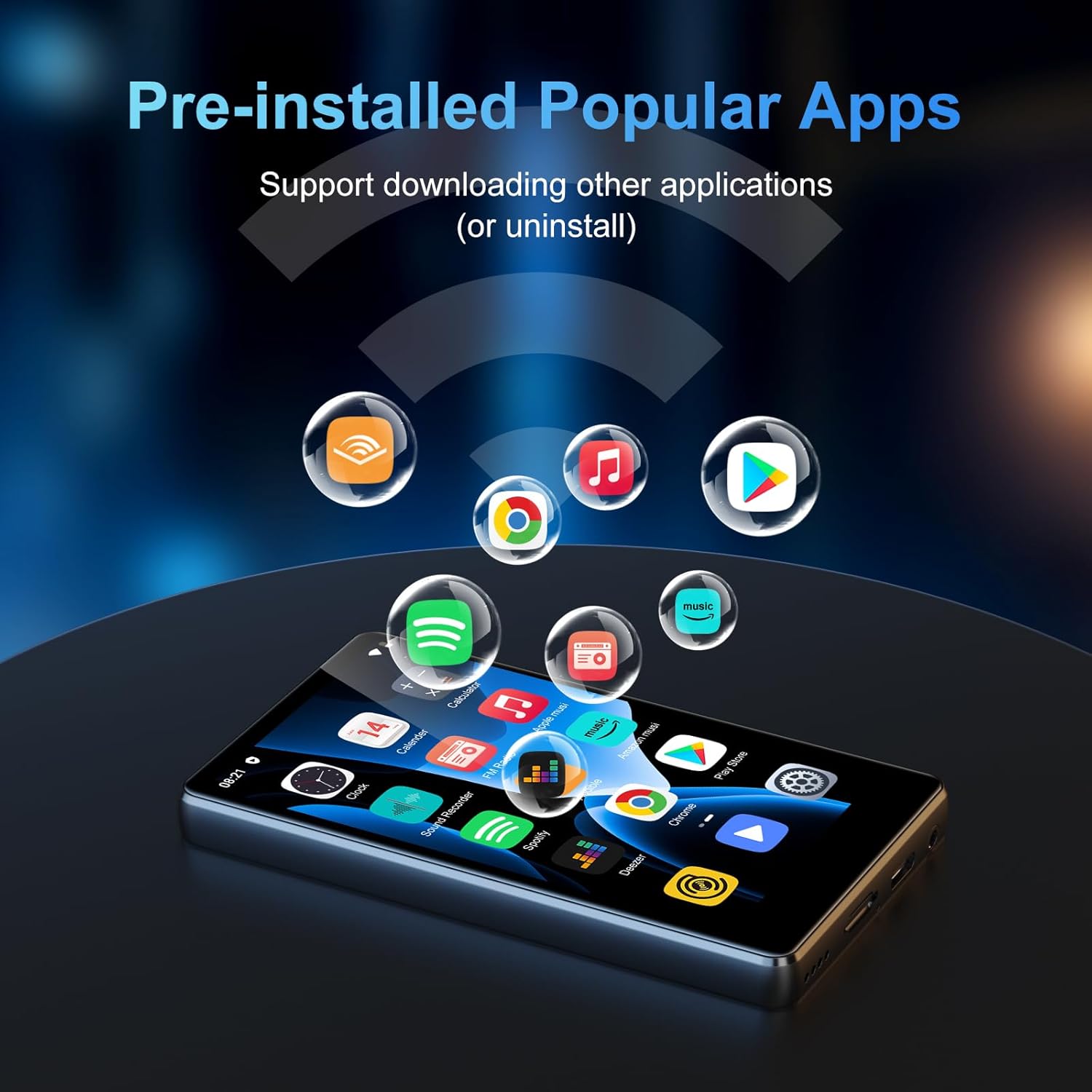
The device comes with a rich lineup of pre-installed mainstream media apps and practical tools:
- Apple Music, Spotify, Audible, Amazon Music, Deezer
- FM Radio, Video Player, Calendar, Sound Recorder
- Browser (Chrome)
- Google Play Store (for downloading additional apps)

Figure 7: The MP3 player's screen displaying various pre-installed applications like Spotify, Amazon Music, and Audible.
Video 2: A seller video showcasing the SWOFY M503Pro MP3 Player's interface and various pre-installed applications.
6.5 One-Key Lock Screen and Screenshot
- Lock Screen: Short press the Power Button to prevent accidental touches.
- Mufananidzo: Press and hold the Power Button to capture a screenshot.
7. Zvinotsanangurwa
| Feature | Detail |
|---|---|
| Model Name | M503Pro |
| Item Model Number | M503 pro-80GB |
| Brand | SWOFY |
| Memory Storage Capacity | 80 GB (2GB RAM + 16GB ROM + 64GB card) |
| Expandable Storage | Up to 512GB via Micro SD card |
| Screen Size | 4 inches |
| Display Technology | 1080P HD LCD Touch Screen |
| Operating System | Android 9.0 |
| processor | Advanced CPU (Octa-Core) |
| Kubatana Technology | Bluetooth, Wi-Fi (Dual-band 2.4G/5G) |
| Battery Capacity | 2000mAh |
| Mumhanzi Nguva Yekutamba | Kusvikira kumaawa makumi maviri nemashanu |
| Standby Time | 3-5 Mwedzi |
| Kuchaja Port | USB-C |
| Vadivelu Comedy Audio Formats | MP3, OGG, FLAC, AAC, WAV, WMA, APE |
| Vhidhiyo Formats | RM, RMVB, FLV, MP4, DAT, MKV, MPG, MOV, TS |
| Item Weight | 8.4 ounces |
8. Kugadzirisa matambudziko
8.1 Device Won't Turn On/Is Unresponsive
- Iva nechokwadi chekuti mudziyo wachajwa zvizere. Batanidza pachaja kwemaminitsi makumi matatu.
- Perform a soft reset: Use a thin pin to press the reset hole on the side of the device.
8.2 Hapana Inzwi
- Check the volume level using the side buttons or on-screen controls.
- Ensure headphones are properly connected if using them. Try a different pair of headphones to rule out faulty earphones.
- If using Bluetooth, ensure the device is properly paired and connected. Try unpairing and re-pairing.
8.3 Mapurogiramu Anoputsika kana Kuomesa nechando
- Bvisa cache yeapp: Enda ku Settings > Zvishandiso & zviziviso, select the problematic app, then Kuchengetedza & cache > Bvisa cache.
- Ensure sufficient storage space is available. Delete unnecessary files kana mapurogiramu.
- Tangazve mudziyo.
8.4 Matambudziko eKubatana (Wi-Fi/Bluetooth)
- Ensure Wi-Fi/Bluetooth is enabled in Settings.
- Restart the device and your router/Bluetooth accessory.
- Kanganwa network/mudziyo wobatanidza zvakare.
9. Kuchengeta
- Clean the screen and body with a soft, dry cloth. Avoid abrasive cleaners.
- Chengetedza mudziyo kure nemasimba ane magineti.
- Chengetedza munzvimbo inotonhorera, yakaoma kana isiri kushandiswa.
10. Warranty uye Tsigiro
Your SWOFY M503Pro MP3 Player comes with a standard manufacturer's warranty. For detailed warranty information, technical support, or service inquiries, please refer to the contact information provided in your product packaging or visit the official SWOFY website.