1. Nhanganyaya
This manual provides detailed instructions for the safe and effective use of your generic POV Pro 4K Camera. Please read this manual thoroughly before operating the device and retain it for future reference. This camera is designed for capturing high-quality video and photos during various activities, including cycling, pet walking, and other outdoor adventures.
2. Chigadzirwa Pamusoroview
The POV Pro 4K Camera is a compact, high-definition action camera featuring 4K video recording, night vision capabilities, and a waterproof design. It is equipped with a 120° wide-angle lens for comprehensive coverage.
2.1 Package Zviri mukati
Ona kuti zvinhu zvese zviripo mupasuru yako:
- POV Pro 4K Camera
- USB Type-C Yekuchaja Cable
- Magnetic Lanyard
- Rotatable Spring Back Clip
- Ngowani Inokwira
- Bicycle Mounts
- Waterproof Shell (if included in your specific package)
- Bhuku reMirayiridzo

Image: The POV Pro 4K Camera shown with its various accessories, including mounting kits, charging cable, and lanyard.
2.2 Zvimiro zvekamera
- 4K HD Kurekodha Vhidhiyo: Capture crisp, high-resolution footage.
- 120° Wide-Angle Lenzi: Inopa munda wakafara we view for immersive recordings.
- Night Vision: Enhanced low-light recording capabilities.
- 30-meter Waterproof Design: Suitable for use in various wet environments.
- Yakavakwa-mukati Wi-Fi: Connects to a dedicated app for real-time preview uye kugoverana.
- Multiple Mounting Options: Magnetic base, rotatable clip, helmet, and bicycle mounts.
- Yakareruka uye Inotakurika: Designed for comfortable, all-day wear.

Image: A hand holding the compact black POV Pro 4K Camera, highlighting its small size.
3. Setup
3.1 Kuchaja Kamera
- Locate the Type-C interface on the camera. This is typically protected by a small cover.
- Open the cover and connect the provided USB Type-C cable to the camera and a power source (e.g., computer USB port, wall adapter).
- The charging indicator light will illuminate. Once fully charged, the light will change or turn off.
Video: This video demonstrates the camera's features, including the Type-C interface, accessory package, helmet mounting, magnetic lanyard, and rotatable back clip. (Note: Video source URL is a placeholder as it was not provided in the JSON data.)
3.2 Kuisa MicroSD Kadhi
A MicroSD card (not always included) is required for storing recordings. The camera supports up to 128GB or 256GB, depending on the model variant.
- With the camera powered off, open the cover protecting the Type-C interface.
- Carefully insert the MicroSD card into the designated slot until it clicks into place. Ensure the correct orientation.
- Close the cover to protect the ports from dust and water.
4. Operating Instructions
4.1 Kubatidza/Kudzima
- Kubatidza: Press and hold the power button for a few seconds until the indicator light illuminates.
- Kudzima: Dzvanya wobata bhatani rekudzima zvakare kusvika rambi rechiratidzo radzima.
4.2 Yekutanga Kurekodha
- Tanga Kurekodha: With the camera powered on, press the record button once. The indicator light will typically flash to indicate recording is in progress.
- Misa Kurekodha: Press the record button again to stop recording. The indicator light will return to a steady state.
4.3 Maitiro Ekupfura
The camera supports various shooting modes, including Night, Action, and Sports. Refer to the camera's on-screen menu or companion app for specific mode selection and settings.

Image: Visual comparison demonstrating the clarity of 4K high-definition recording compared to lower resolutions.
5. Mounting Options
The POV Pro 4K Camera offers versatile mounting solutions for various activities.
- Magnetic base: The camera features a strong magnetic base for quick attachment to metallic surfaces.
- Rotatable Spring Back Clip: Attach the camera to clothing, backpack straps, or other gear for hands-free recording. The clip allows for 360° rotation.
- Zvigadziko zveNgowani: Use the provided kits to securely attach the camera to helmets for activities like cycling, skiing, or climbing.
- Bicycle Mounts: Mount the camera to bicycle handlebars or other parts for capturing rides.
- Magnetic Lanyard: Wear the camera around your neck for convenient, hands-free recording, especially useful for pet walking or daily vlogging.

Image: Demonstrates various installation methods, including top of helmet, side of helmet, and handlebar mounting.

Image: Illustrates the use of the magnetic lanyard and portable back clip for hands-free operation.
6. Kubatana
6.1 Wi-Fi neApp Connection
The camera features built-in Wi-Fi for seamless connection to a dedicated mobile application. This allows for:
- Real-time Preview: View rarama footage from your camera on your smartphone.
- Remote Control: Start/stop recording, change settings, and switch modes from your phone.
- File Chinjana: Download recorded videos and photos directly to your mobile device.
- Kugovera: Easily share your content to social media platforms.
- Download the official companion app from your device's app store.
- Power on the camera and activate its Wi-Fi mode (refer to the camera's specific instructions or app for details).
- On your smartphone, go to Wi-Fi settings and connect to the camera's Wi-Fi network.
- Open the app and follow the on-screen prompts to connect to your camera.
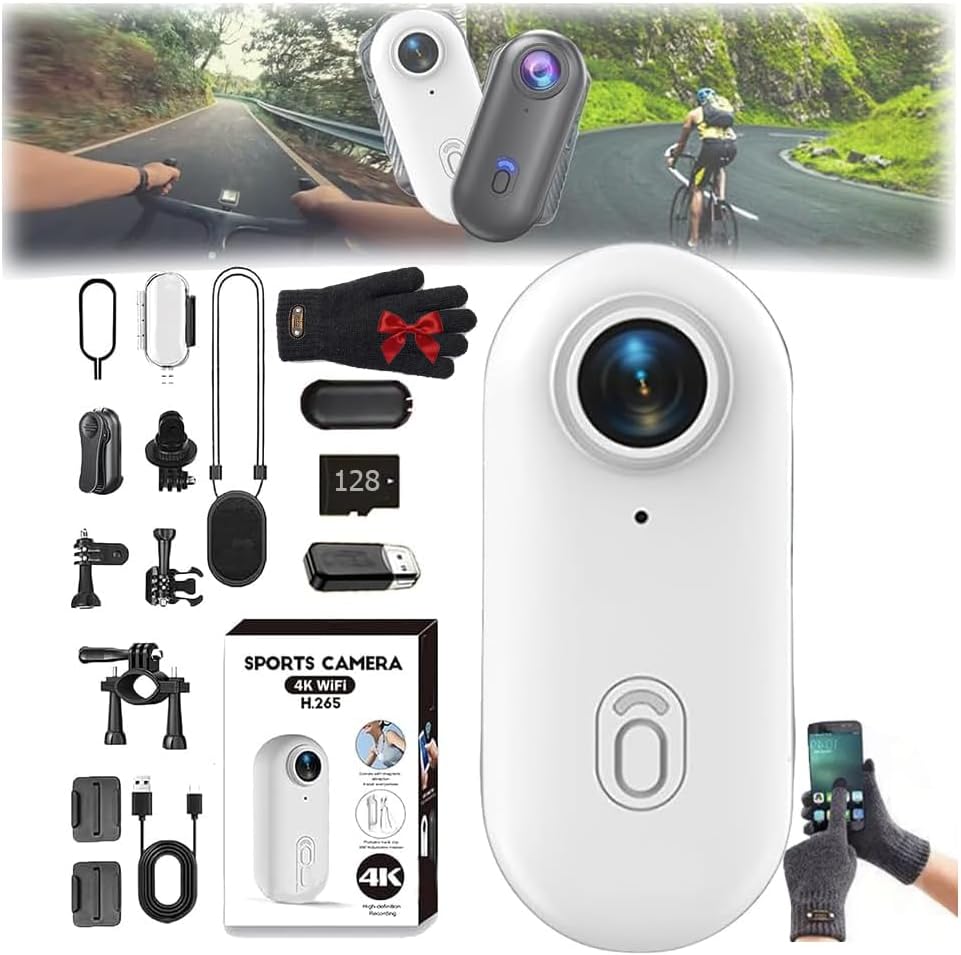
Image: Illustrates the camera's built-in Wi-Fi functionality for one-click download and sharing via a mobile phone app.
7. Kudzivirira mvura
The POV Pro 4K Camera is designed to be waterproof up to 30 meters. For underwater activities, it is recommended to use the camera with its dedicated waterproof shell (if included) to ensure maximum protection and performance.
- Ensure all port covers are securely closed before exposing the camera to water.
- If using a waterproof shell, ensure it is properly sealed according to its instructions.
- After use in saltwater, rinse the camera and/or waterproof shell with fresh water and allow it to dry completely before opening any compartments.
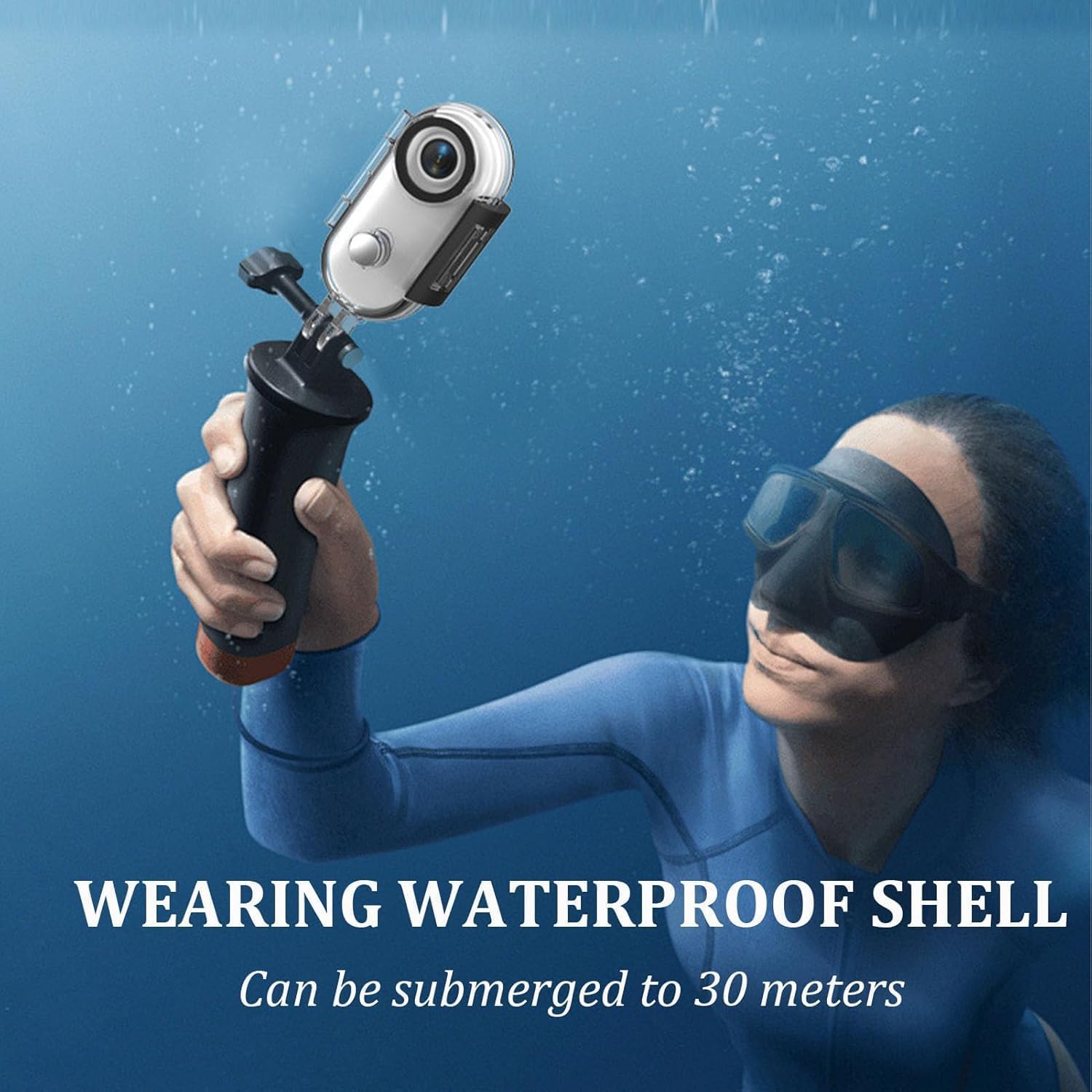
Image: A person using the camera with a waterproof shell while submerged, demonstrating its 30-meter waterproof capability.
8. Kuchengeta
- Kuchenesa: Shandisa jira rakapfava, rakaoma kuchenesa muviri wekamera. Kune lenzi, shandisa jira rekuchenesa nerakagadzirwa negirazi. Dzivisa zvinhu zvinokwesha.
- Kuchengeta: Chengetedza kamera munzvimbo inotonhorera, yakaoma kure nechiedza chezuva uye tembiricha yakanyanyisa.
- Battery Care: Kuti bhatiri rigare kwenguva refu, dzivisa kuburitsa bhatiri rakazara nguva nenguva. Chaja kamera nguva dzose, kunyangwe kana isingashande kwenguva yakareba.
- Firmware Dzokorora: Tarisa mugadziri wacho website or the companion app for any available firmware updates to ensure optimal performance and new features.
9. Kugadzirisa matambudziko
- Kamera Haisi Kubatidzwa: Ita shuwa kuti bhatiri rachajwa. Batanidza kune sosi yemagetsi uye edza zvakare.
- Kurekodha Nyaya: Check if the MicroSD card is properly inserted and has sufficient free space. Ensure the card is formatted correctly (FAT32 or exFAT).
- Matambudziko ekubatana kweWi-Fi: Ensure the camera's Wi-Fi is enabled. Restart both the camera and your mobile device. Verify you are connecting to the correct Wi-Fi network.
- Hunhu Hwakashata hweVhidhiyo: Check your recording settings (resolution, frame rate). Ensure the lens is clean and free from smudges.
- Kupisa zvakanyanya: Prolonged recording, especially in high resolutions or warm environments, can cause the camera to heat up. If it becomes excessively hot, stop recording and allow it to cool down.
Kana matambudziko akaramba aripo, bvunza rubatsiro rwemugadziri kana kuti taura nevatengi.
10. Zvinotsanangurwa
| Feature | Tsanangudzo |
|---|---|
| Model | B0FLY14VMV |
| Vhidhiyo Capture Resolution | 4K |
| Lens Angle | 120° Wide-Angle |
| Kudzika Kwemvura | Kusvika 30 metres |
| Shooting Modes | Night, Action, Sports |
| Exposure Control Type | Manual, Aperture-Priority, Shutter-Priority, Automatic |
| Kubatana | Wi-Fi |
| Media Type | Digital8 (Internal processing, uses MicroSD for storage) |
| Color | Nhema |
11. Warranty uye Tsigiro
Your generic POV Pro 4K Camera comes with a standard manufacturer's warranty. Please refer to the warranty card included in your package or visit the manufacturer's official websaiti kune akadzama mazwi uye mamiriro.
For technical support, troubleshooting assistance, or warranty claims, please contact the seller or manufacturer directly using the contact information provided with your purchase or on their official support channels.