
1. Nhanganyaya uye Pamusoroview
Ndatenda nekutengaasing the CIO SMARTCOBY SLIM II Wireless 2.0 8K mobile battery. This device is designed to provide convenient and efficient power on the go, featuring Qi2 wireless charging, a slim profile, and versatile wired charging capabilities. Please read this manual carefully before use to ensure proper operation and safety.

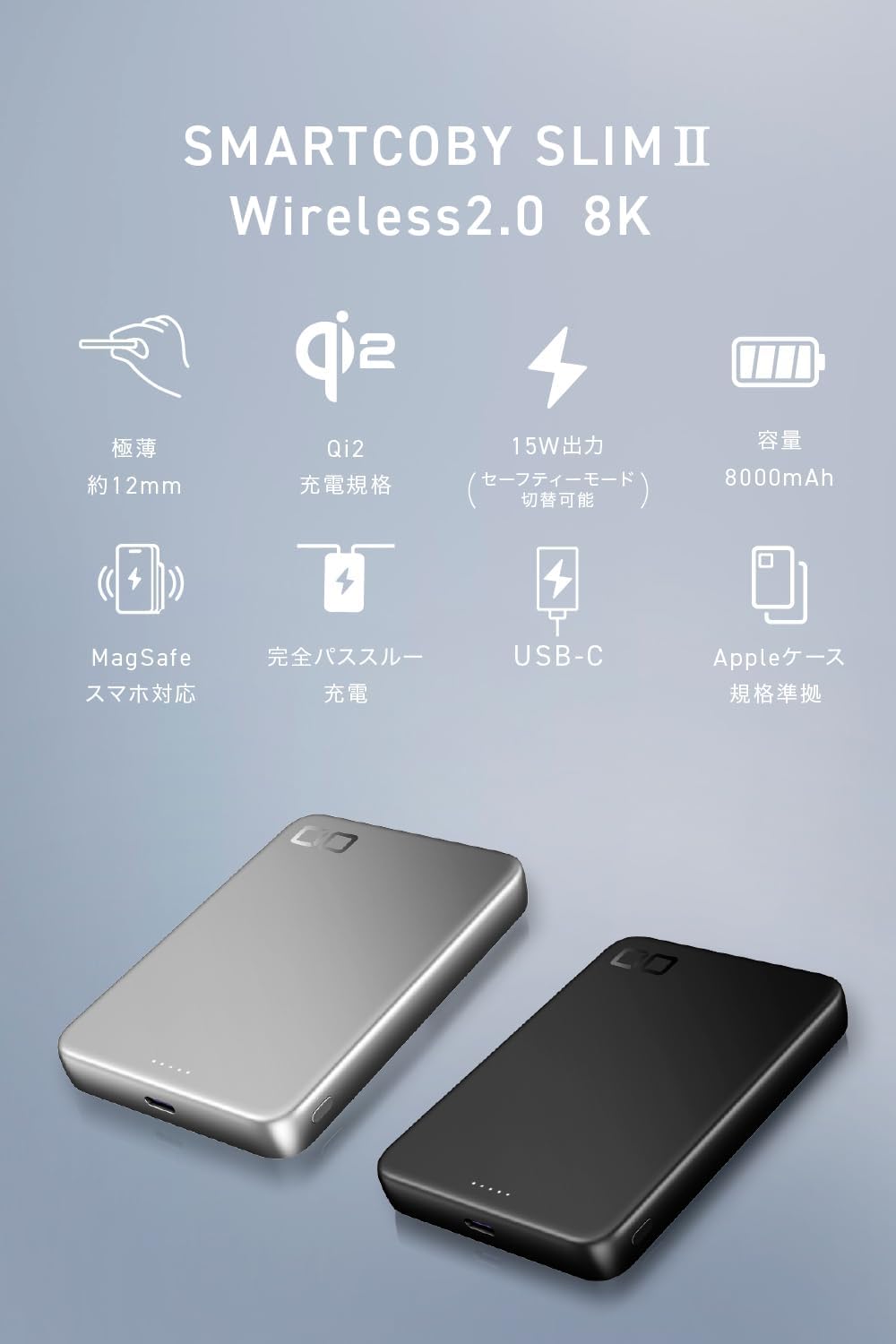
The CIO SMARTCOBY SLIM II Wireless 2.0 8K mobile battery, shown in black.
Official product video demonstrating the thinness, magnetic attachment, and wireless charging capabilities of the CIO SMARTCOBY SLIM II Wireless 2.0 8K mobile battery.
2. Zvigadzirwa zveChigadzirwa
- Optimal Capacity: 8000mAh battery, providing approximately one full iPhone charge via both wired and wireless methods.
- Ultra-Mutete uye Akareruka: Measures approximately 12mm thick and weighs around 162g for maximum portability.
- Qi2 Certified Wireless Kuchaja: Supports up to 15W Qi2 wireless charging with magnetic alignment, ensuring compatibility and safety.
- Dual Wireless Charging Modes: Switch between 'High Performance Mode' for faster charging and 'Safety Mode' for stable charging with reduced heat generation.
- Powerful Wired Charging: USB-C port offers up to 20W input and up to 33W output for fast charging various devices.
- NovaSafety 2.0: Advanced temperature monitoring and power adjustment system for enhanced safety and battery longevity.
- Kupfuura-Kuchaja: Charge the power bank and a connected device simultaneously.
- Liquid Silicone Finish: Provides a smooth and comfortable tactile experience.
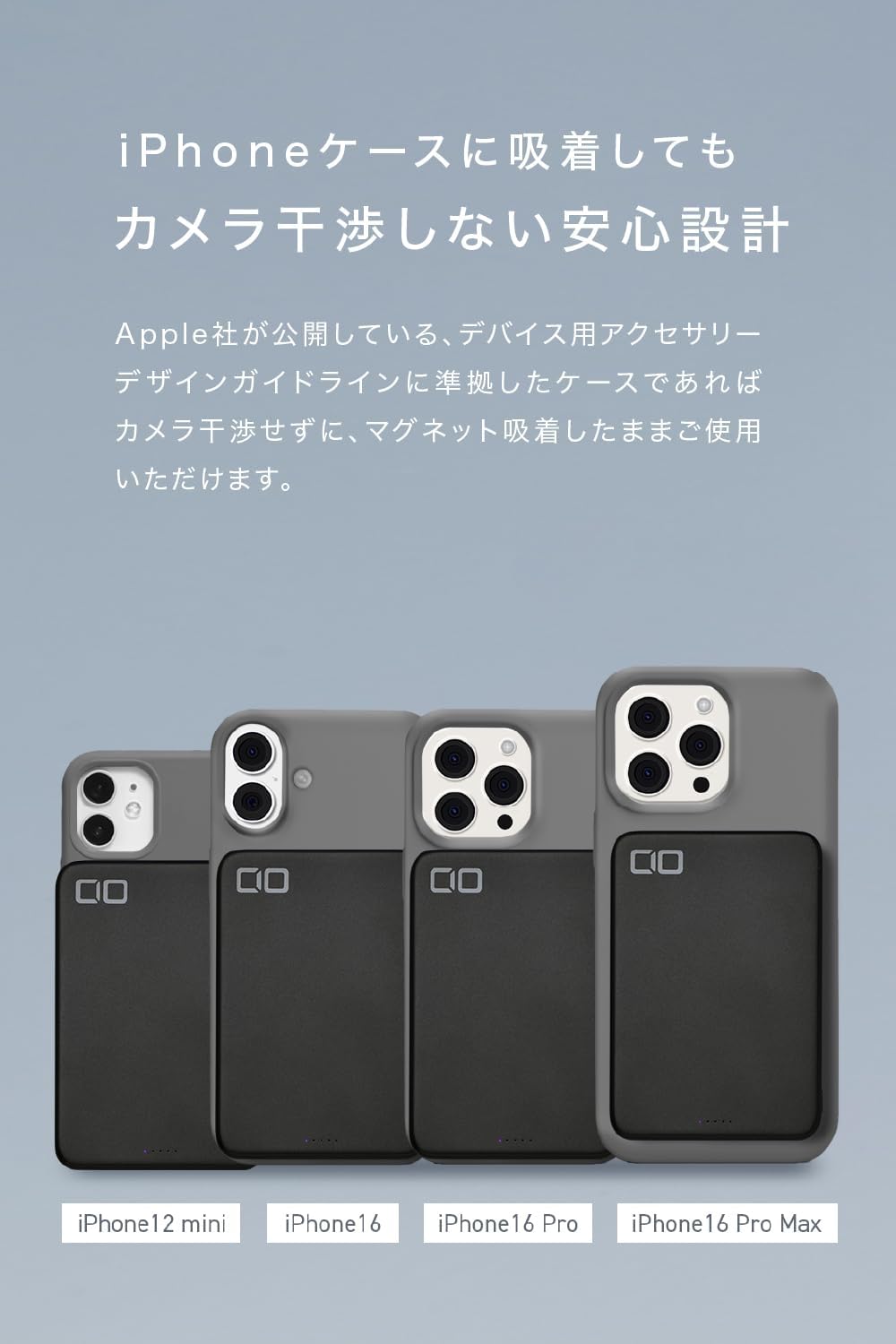
- Camera Interference-Free Design: Compatible with Apple's accessory guidelines, allowing magnetic attachment without obstructing the camera.

The device is designed to be extremely thin (approx. 12mm) and lightweight (approx. 162g), making it highly portable.

With an 8000mAh capacity, the battery can provide approximately 1.1 charges via Qi2 and 1.2 charges via USB-C for an iPhone 16 Pro.
3. Kugadzirisa uye Kutanga
3.1 Kutanga Kuchaja
Before first use, it is recommended to fully charge the mobile battery. Connect the included USB-C to USB-C cable to the power bank's USB-C port and to a compatible USB power adapter (20W or higher recommended for fastest charging).

The mobile battery itself can be fully recharged in approximately 120 minutes using a 20W fast charger connected to its USB-C port.
3.2 Kutarisa Battery Level
The LED indicator lights on the side of the power bank show the remaining battery capacity in 25% increments. Press the power button briefly to check the current charge level.

The LED lights indicate the remaining battery capacity in 25% increments. The leftmost light illuminates during Qi2.2 charging.
4. Operating Instructions
4.1 Wireless Charging (Qi2)
- Ensure the mobile battery is sufficiently charged.
- Press the power button on the side of the power bank to activate wireless charging. The product is shipped in sleep mode, which is deactivated by pressing the power button.
- Align your MagSafe-compatible device (e.g., iPhone 12 series or later) with the magnetic charging area on the power bank. The magnets will snap into place.
- Charging will begin automatically. The leftmost LED light will illuminate during Qi2.2 charging.

To begin wireless charging, press the power button. The product is shipped in sleep mode, which is deactivated by pressing the power button.
The mobile battery supports Qi2 wireless charging, allowing magnetic attachment and up to 15W output.
4.2 Switching Wireless Charging Modes
The power bank offers two wireless charging modes: 'High Performance Mode' and 'Safety Mode'.
- High Performance Mode: Prioritizes charging speed (up to 15W). Ideal for quick charges or in cold environments. Indicated by a solid left LED light.
- Safety Mode: Prioritizes heat suppression for stable charging. Best for warmer environments or when charging overnight. Indicated by a blinking left LED light.
To switch between modes, press and hold the power button for approximately 5 seconds. The LED indicator will change to confirm the mode selection.
Note for Google Pixel devices: Pixel series devices are not compatible with Safety Mode (low output). Please use only High Performance Mode. If you accidentally switch to Safety Mode, please detach the device once and then re-charge after returning the main unit's mode to High Performance.

To switch between modes, press and hold the power button for 5 seconds. A blinking left LED indicates Safety Mode, while a solid left LED indicates High Performance Mode.

Choose between 'Safety Mode' for stable charging with suppressed heat, ideal for high temperatures or overnight charging, and 'High Performance Mode' for faster charging, suitable for quick power-ups or colder environments.
4.3 Wired Charging (USB-C)
- Batanidza mugumo mumwe wetambo yeUSB-C kuUSB-C kune chiteshi cheUSB-C chebhengi remagetsi.
- Connect the other end of the cable to your device's USB-C charging port.
- Charging will begin automatically. The power bank supports up to 33W output via USB-C.
Cherechedza: When a cable is inserted into the USB-C port, the power bank automatically switches to wired charging. Simultaneous wireless and wired charging is not possible. The mode switching function is not available for wired charging.
4.4 Kupfuura-Nekuchaja
The power bank supports pass-through charging. You can charge the power bank itself while it simultaneously charges a connected device.
- Connect the power bank to a power adapter using the USB-C cable to charge the power bank.
- Batanidza mudziyo wako kubhengi remagetsi (zvisina waya kana ne USB-C tambo).
- Both the power bank and your device will charge. When the power bank is fully charged, it will automatically switch to direct charging for your device.

This product supports pass-through charging, allowing you to charge both the mobile battery and your device simultaneously. When fully charged, it automatically switches to direct charging for the device.
5. Ruzivo Rwekuchengetedza uye Kuchengetedza
To ensure safe operation and prolong the life of your mobile battery, please observe the following precautions:
- Tembiricha: Avoid placing the product in high-temperature environments such as inside a car, in direct sunlight, or near windows. High temperatures can degrade the battery and cause overheating. Charging is recommended at an ambient temperature of 25°C.
- Kuratidzwa kwemvura: Usaisa chigadzirwa kumvura kana zvimwe zvinwiwa.
- Kukuvadza Pamuviri: Do not drop, disassemble, or attempt to repair the product yourself.
- Zvekune dzimwe nyika: Do not place metal objects or foreign materials between the charging surface and your device during wireless charging.
- Vana: Chengetedza pasingasvikirwi nevana.
- Kurasa: Rasa chigadzirwa ichi zvichienderana nemitemo yemuno yekurasira marara emagetsi.
Avoid placing the product in high-temperature environments such as inside a car, in direct sunlight, or near windows, as this can degrade the battery and cause overheating. Charging is recommended at an ambient temperature of 25°C.
5.1 NovaSafety 2.0
This product incorporates CIO's proprietary NovaSafety 2.0 technology. This system continuously monitors the product's temperature and automatically adjusts power output during high loads to control heat generation. This feature aims to provide a safer and longer-lasting user experience.

The integrated NovaSafety 2.0 system continuously monitors product temperature and automatically adjusts power output to control heat generation, ensuring safe and prolonged use.
6. Zvinotsanangurwa
| Model Number | CIO-MB30W1C-8K-S2W25 |
| Battery Capacity | 8000mAh |
| Kurema | Approx. 162g |
| Dimensions | Approx. 102 x 70 x 12mm |
| Ports | 1 x USB-C |
| Power Bank Charging Time | Approx. 120 minutes (with 20W fast charger) |
| USB-C Input | Max 20W (5V/3A, 9V/2.22A, 12V/1.67A) |
| USB-C Kubuda | Max 33W (5V/3A, 9V/3A, 12V/2.5A, 15V/2A, 20V/1.5A; PPS 5-11V/3A) |
| Wireless Output | Max 15W (Qi2 certified), up to 25W (Qi2.2 compatible) |
| Compatible Fast Charging Standards | Qi2.2 (25W), USB Power Delivery 3.0 |
| Battery Cycle Life | Approx. 300 kutenderera |
| Available Colors | Dema, Sirivha |
| Included Accessories | Instruction Manual (Japanese/English), USB-C to USB-C cable |

A comprehensive table outlining the model, battery capacity, weight, dimensions, ports, charging times, input/output specifications, compatible standards, cycle life, colors, and included accessories.
7. Kugadzirisa matambudziko
7.1 Chishandiso Chisingachaji zvisina Wireless
- Ensure the power bank is turned on by pressing the power button.
- Verify your device is Qi2/MagSafe compatible.
- Check for proper alignment between your device and the power bank's charging surface.
- Bvisa chero makesi akakora kana zvinhu zvesimbi zvinogona kukanganisa kuchaja isina waya.
- Ita shuwa kuti bhangi remagetsi rine mari yakakwana.
7.2 Slow Charging or Overheating
- Switch to 'Safety Mode' if you experience excessive heat during wireless charging.
- Ensure the charging environment is not too hot (ambient temperature of 25°C is recommended).
- For wired charging, ensure you are using a compatible cable and power adapter that supports fast charging.
- Avoid using the device in direct sunlight or enclosed spaces.
7.3 Power Bank Haisi Kuchaja
- Check that the USB-C cable is securely connected to both the power bank and the power adapter.
- Ensure the power adapter is functioning correctly and plugged into a live power outlet.
- Edza kushandisa tambo ye USB-C yakasiyana neadapter yemagetsi.
8. Warranty uye Tsigiro
This product comes with a standard manufacturer's warranty. Please refer to the warranty card included in the packaging for specific terms and conditions.
For technical support, troubleshooting assistance, or warranty claims, please contact CIO customer service through their official website or the retailer where you purchased the product. Please have your model number (CIO-MB30W1C-8K-S2W25) and proof of purchase ready.


