📘 iOS 11 manuals • Free online PDFs

Mabhuku ekushandisa e iOS 11 & Gwaro reVashandisi

Mabhuku ekushandisa, nhungamiro dzekugadzirisa, rubatsiro rwekugadzirisa matambudziko, uye ruzivo rwekugadzirisa zvigadzirwa zve iOS 11.

Zano: isa nhamba yakazara yemuenzaniso yakadhindwa pane yako iOS 11 label kuti uwane machisi akakodzera.

About iOS 11 manuals on Manuals.plus

Mabhuku ekushandisa e iOS 11

Mazuvano mabhuku kubva manuals+ yakarongedzwa kune iyi brand.

Tsigiro yeTTY uye RTT pa iPhone iOS 11

Chivabvu 11, 2018
If you have hearing or speech difficulties, you can communicate by telephone using Teletype (TTY) or real-time text (RTT)—protocols that transmit text as you type and allow the recipient to…

Apple Kamera Rubatsiro pane iOS 11

Chivabvu 11, 2018
Take photos You can take photos and videos with the front-facing and rear cameras. To quickly get to the camera, swipe left from the Lock screen. Choose a photo mode.…

Usavhiringidze Paunenge Uchityaira

Chivabvu 11, 2018
Do Not Disturb while driving When “Do Not Disturb while driving” is activated, it helps you stay focused on the road. Text messages and other notifications are silenced or limited.…

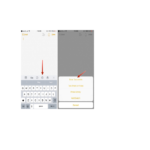
Skena gwaro mune iOS 11 manotsi

Chivabvu 11, 2018
Scan a document You can use the camera to scan documents into Notes, then add markup or signatures. Scan documents. Tap , then choose Scan Documents. When you position iPhone…