1. Ruzivo Rwakakosha Chekuchengetedza
Please read all instructions carefully before operating your Thomson RR 68 M clock. Keep this manual for future reference.
- Usaise wachi munzvimbo dzinopisa zvakanyanya, pachiedza chezuva chakananga, kana pahunyoro hwakawanda.
- Dzivisa kukanda wachi pasi kana kuiisa panjodzi dzakasimba.
- Usaedze kupatsanura kana kugadzirisa wachi. Izvi zvinoita kuti garandi isashande.
- Shandisa rudzi rwebhatiri rwakatarwa chete. Iva nechokwadi chekuti polarity yakarurama paunoisa mabhatiri.
- Bvisa mabhatiri kana wachi yacho isingazoshandiswi kwenguva yakareba kudzivirira kubuda kwemvura.
2. Chigadzirwa Pamusoroview
Familiarize yourself with the components of your Thomson RR 68 M clock.
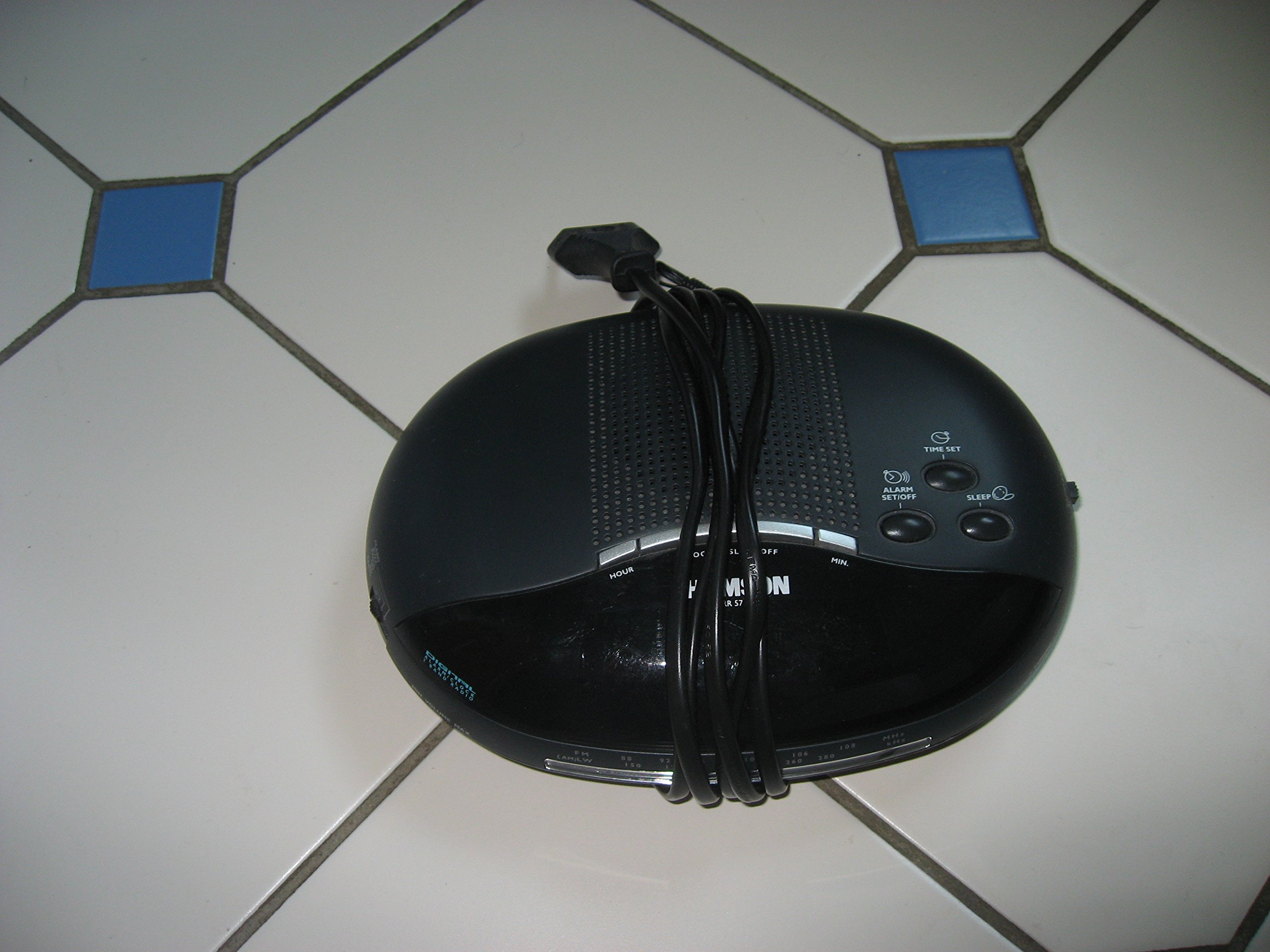
Mufananidzo 1: Mberi view of the Thomson RR 68 M clock, showing the digital display and control buttons. This image illustrates the compact design suitable for tabletop placement.
2.1 Package Zviri mukati
- Thomson RR 68 M Clock Unit
- Mushandisi Chinyorwa (gwaro iri)
3. Setup
3.1 Powering the Clock
The Thomson RR 68 M clock operates on batteries (not included). Ensure you have the correct type and quantity of batteries before proceeding.
- Tsvaga chifukidziro chebhatiri kumashure kana pasi pewachi.
- Remove the battery compartment cover by sliding or unlatching it.
- Insert the required batteries, paying close attention to the polarity markings (+ and -) inside the compartment.
- Replace the battery compartment cover securely. The clock display should now illuminate.
4. Operating Instructions
4.1 Kuisa Nguva
To set the current time on your Thomson RR 68 M clock:
- Locate the 'SET' or 'MODE' button, usually on the back or side of the clock. Press and hold this button for a few seconds until the hour digits begin to flash.
- Use the '+' or 'HOUR' button to adjust the hour. Press repeatedly to advance the hour.
- Press the 'SET' or 'MODE' button again. The minute digits will begin to flash.
- Use the '+' or 'MINUTE' button to adjust the minutes. Press repeatedly to advance the minutes.
- Press the 'SET' or 'MODE' button one last time to confirm the time setting and exit the setting mode. The display will stop flashing.
Note: This model does not feature an alarm function.
5. Kuchengeta
5.1 Kuchenesa
Kuti wachi yako irambe ichitaridzika zvakanaka:
- Pukuta chitarisiko chekunze chewachi nejira rakapfava, rakaoma.
- Usashandise zvinochenesa zvinogumbura, zvinonyungudutsa, kana zvinopfapfaidza zvemakemikari, sezvo izvi zvinogona kukuvadza kupedzisa.
5.2 Kutsiviwa kwebhatiri
When the display dims or the clock stops functioning, it is time to replace the batteries. Follow the steps in Section 3.1 to replace the old batteries with new ones. Dispose of used batteries responsibly according to local regulations.
6. Kugadzirisa matambudziko
If you encounter issues with your Thomson RR 68 M clock, refer to the following common problems and solutions:
6.1 Clock Display is Blank or Dim
- Tarisa Mabhatiri: Iva nechokwadi chekuti mabhatiri akaiswa nemazvo ne polarity yakakodzera. Tsiva nemabhatiri matsva kana zvichidikanwa.
- Battery Compartment: Iva nechokwadi chekuti chifukidziro chebhatiri chakavharwa zvakanaka.
6.2 Nguva Haisi Yakarurama
- Reset Nguva: Follow the instructions in Section 4.1 to manually set the time.
- Battery Power: If the time frequently resets or loses accuracy, the batteries may be low and require replacement.
7. Zvinotsanangurwa
| Model Number | RR 68 M |
| Brand | THOMSON |
| Mounting Type | Tabletop |
| Simba Source | Mabhatiri (asina kuisirwa) |
| Alarm Basa | Aihwa |
8. Ruzivo rweWaranti
Specific warranty details for the Thomson RR 68 M clock are not provided within this user manual. Please refer to the product packaging, the point of purchase, or the official Thomson websaiti yemitemo nemirau yakazara yewarandi.
9. Mutengi Tsigiro
For further assistance, technical support, or inquiries regarding your Thomson RR 68 M clock, please visit the official Thomson website or contact their customer service department. Contact information is typically available on the manufacturer's webnzvimbo kana chigadzirwa kurongedza.


