Nhanganyaya
This manual provides detailed instructions for the setup, operation, and maintenance of your Supersonic SC371 Digital Projection Alarm Clock with AM/FM Radio. Please read this manual thoroughly before using the device to ensure proper function and to maximize your user experience.
Safety Information
- Usaburitse chinzvimbo kune tembiricha yakanyanyisa, zuva rakananga, guruva, kana mwando.
- Ensure the power adapter is compatible with your local power supply (AC 120V, 60Hz).
- Usaedze kuparadzanisa kana kugadzirisa iyo unit. Tumira masevhisi ese kuvashandi vanokwanisa.
- Keep the unit away from water or other liquids.
- Use only the specified battery type for backup (9V, not included).
Package Zviri mukati
Ndapota tarisai kuti zvinhu zvese zviripo mupakeji:
- Supersonic SC371 Digital Projection Alarm Clock with Radio
- AC Simba Adapter
- Mushandisi Chinyorwa (gwaro iri)
Product Overview
The Supersonic SC371 is a versatile digital alarm clock featuring a clear LED display, built-in time projection, and an integrated AM/FM radio. It includes an alarm with sleep/snooze timers and a 3.5mm audio input for external devices.
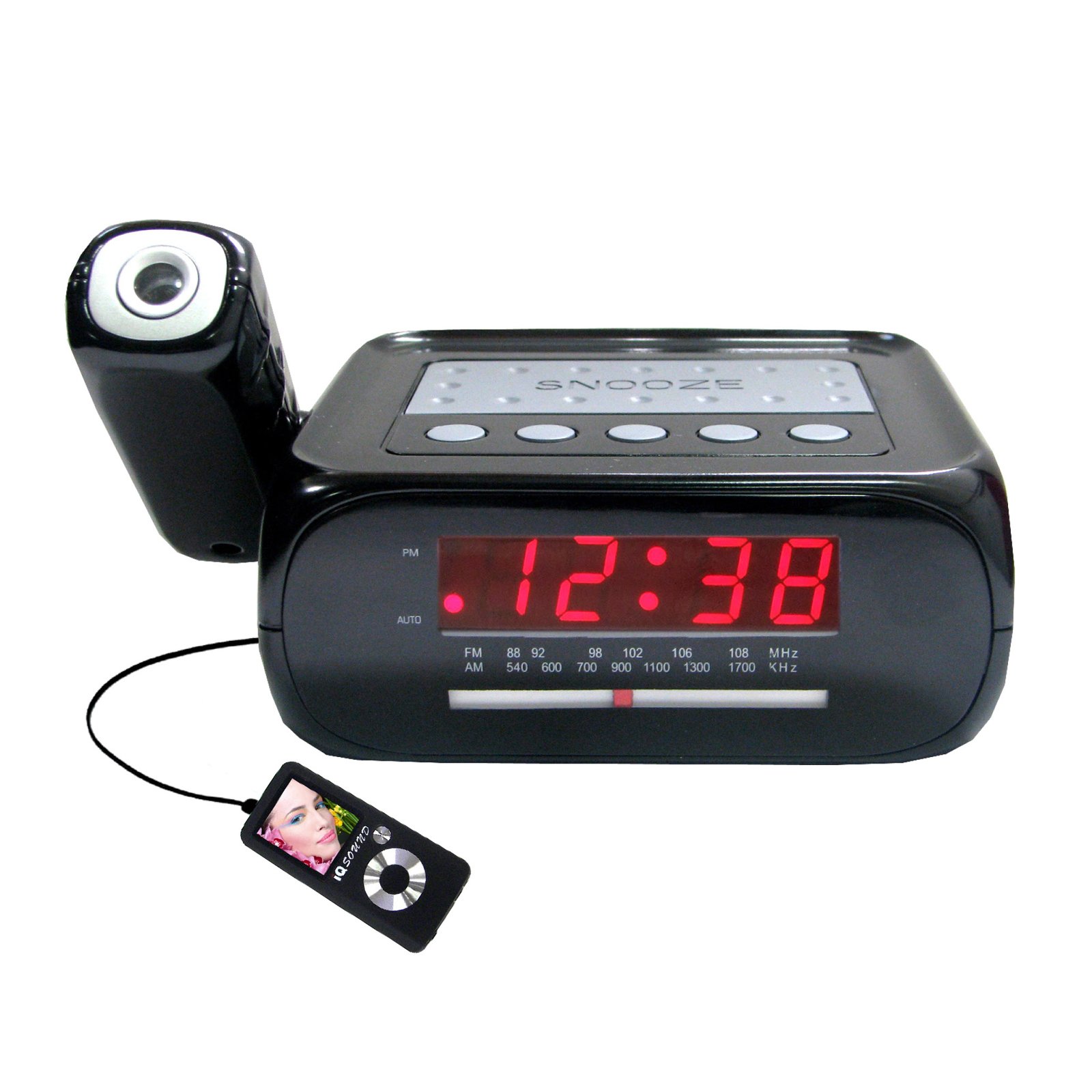
Mufananidzo: Mberi view of the Supersonic SC371 Digital Projection Alarm Clock, showing the LED display and control buttons.
Zvinokosha:
- Digital Clock with LED Display
- Built-in Time Projection
- Chinotunura Redhiyo yeAM/FM
- Alarm Clock with Sleep/Snooze Timers
- Wake Up to Music or Buzzer
- 3.5mm Audio Input Jack for Portable Audio Players
Gadzirira
1. Simba Connection
Connect the AC power adapter to the DC IN jack on the back of the unit, then plug the adapter into a standard AC 120V, 60Hz wall outlet. The unit will power on and the LED display will illuminate.
2. Kuchengetedza Bhatiri (Sarudzo)
For battery backup functionality, insert one 9V battery (not included) into the battery compartment located on the bottom of the unit. This battery will preserve time and alarm settings during a power outage, but the display and projection will not operate.
Operating Instruction
Kuronga Nguva
- Dzvanya uye ubate iyo NGUVA ISETA bhatani. Manhamba eawa achatanga kupenya.
- Shandisa iyo AWA bhatani kugadzirisa iyo nguva.
- Shandisa iyo MINETI bhatani kugadzirisa miniti.
- Press NGUVA ISETA zvakare kusimbisa nekubuda mumodhi yekuisa nguva.
Kuseta Alarm
- Dzvanya uye ubate iyo ALARAMU SETA bhatani. Nhamba dzeawa yekuyambira dzichapenya.
- Shandisa iyo AWA bhatani rekuseta yaunoda alarm awa.
- Shandisa iyo MINETI bhatani kumisikidza aramu yaunoda mineti.
- Press ALARAMU SETA zvakare kusimbisa nguva yekuridza alarm.
- Press the ALARAMU ON / OFF button to activate or deactivate the alarm. An indicator will appear on the display when the alarm is active.
Snooze Basa
Kana alarm yarira, tinya pa KUSVIRA bhatani rekunyaradza alarm kwenguva pfupi kweinenge maminetsi mapfumbamwe. Alarm icharira zvakare mushure menguva yekurara.
Kushanda kweRedhiyo (AM/FM)
- Press the RADIO ON/OFF bhatani rekubatidza redhiyo.
- Press the BAND bhatani rekuchinja pakati pemabhendi eAM neFM.
- Shandisa iyo TUNING knob or buttons (if available) to select your desired station.
- Chinja vhoriyamu uchishandisa iyo VOLUME knob.
- Kuti udzime redhiyo, dzvanya pa RADIO ON/OFF bhatani zvakare.
Time Projection
The unit features a built-in projector to display the time on a wall or ceiling. Locate the PROJECTION button or switch. Press or slide it to activate the projection. You may be able to adjust the focus and angle of the projection using dedicated controls on the unit.
Kushandisa iyo Aux Input
Connect an external audio device (e.g., MP3 player, smartphone) to the 3.5mm Audio Input Jack using a standard 3.5mm audio cable (not included). The unit will automatically switch to AUX mode, allowing you to play audio from your connected device through the clock's speaker.
Maintenance
Kuchenesa
To clean the unit, gently wipe the surfaces with a soft, dry cloth. Do not use abrasive cleaners, waxes, or solvents, as these can damage the finish. Ensure the unit is unplugged before cleaning.
Kutsiviwa kwebhatiri
If the battery backup feature is used, replace the 9V battery annually or when the unit fails to retain settings during a power interruption.
Kugadzirisa matambudziko
| Dambudziko | Zvinogona Kukonzera | Solution |
|---|---|---|
| Unit haibatike. | Power adapter haina kubatana kana kukanganisa. | Ensure the AC adapter is securely plugged into the unit and a working wall outlet. |
| Projection does not work or is dim. | Projection feature not activated; unit too far from surface; projector lens obstructed. | Activate the projection feature. Adjust the unit's distance from the projection surface. Clean the projector lens if necessary. |
| Kusagadzikana kweredhiyo kana kusagamuchirwa zvakanaka. | Chiratidzo chisina kusimba; antenna haina kuwedzerwa. | Wedzera antenna yewaya yeFM zvizere. Isazve mudziyo wacho kuti ugone kugamuchira zviri nani. |
| Alarm hainzwi. | Alarm not set or deactivated; volume too low. | Ensure the alarm is set and activated (check display indicator). Increase the volume. |
Zvinotsanangurwa
| Feature | Tsanangudzo |
|---|---|
| Model Number | SC371 |
| Display Type | Digital LED |
| Simba Source | AC 120V, 60Hz (Corded Electric) |
| Battery Backup | 1 x 9V (haisipo) |
| Special Features | Alarm, Audio Input, Projection Clock, Radio, Snooze |
| Dimensions (LxWxH) | 18.52 x 9.42 x 8.71 masendimita (7.29 x 3.71 x 3.43 inches) |
| Item Weight | 517 g (1.14 lbs) |
| Mounting Type | Tabletop |
Warranty uye Support
Supersonic products are designed for reliability and performance. For warranty information or technical support, please refer to the warranty card included with your purchase or visit the official Supersonic website. Chengetedza risiti yako yekutenga sehumbowo hwekutenga kune chero vimbiso yewaranti.


