1. Nhanganyaya
Ndatenda nekutengaasing the Onkyo C-7030 CD Player. This manual provides essential information for the proper setup, operation, and maintenance of your device. Please read it thoroughly before use to ensure optimal performance and longevity of your CD player.
2. Chigadzirwa Pamusoroview
The Onkyo C-7030 is a high-quality CD player designed for music enthusiasts, featuring robust construction and advanced audio technology for excellent sound reproduction. It supports standard audio CDs and offers various connectivity options.
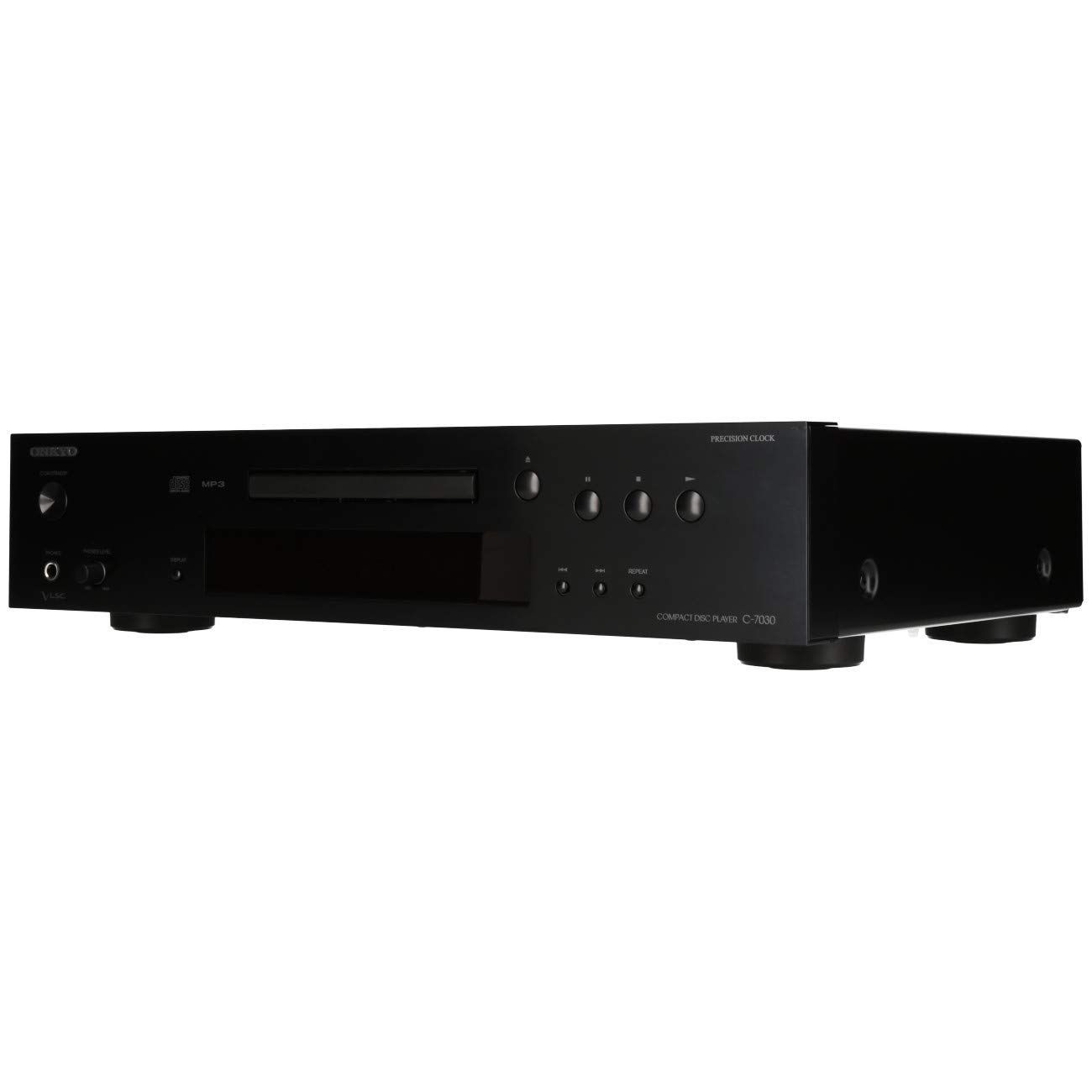
Mufananidzo 1: Mberi view of the Onkyo C-7030 CD Player. This image shows the sleek black finish, disc tray, display, and control buttons.

Mufananidzo 2: Angled kumberi view of the Onkyo C-7030 CD Player, highlighting the power button, headphone jack, and volume control.

Mufananidzo 3: Kumashure view of the Onkyo C-7030 CD Player, displaying the analog RCA, coaxial digital, and optical digital audio output ports, along with the remote control input.

Figure 4: The remote control for the Onkyo C-7030 CD Player, featuring various playback and function buttons.
3. Setup
- Kuburitsa: Carefully remove the CD player and all accessories from the packaging. Retain the packaging for future transport or storage.
- Kuiswa: Place the CD player on a stable, level surface away from direct sunlight, heat sources, and excessive dust or moisture. Ensure adequate ventilation around the unit.
- Connections:
- Audio Output: Connect the CD player to your amplifier or receiver using one of the following methods:
- Analogi (RCA): Use RCA cables (red for right, white for left) to connect the AUDIO OUTPUT ANALOG jacks on the CD player to the corresponding input jacks on your amplifier.
- Kubatanidza kwedhijitari: Use a digital coaxial cable to connect the COAXIAL DIGITAL AUDIO OUTPUT jack on the CD player to a coaxial digital input on your amplifier/receiver.
- Digital Optical: Use an optical digital cable to connect the OPTICAL DIGITAL AUDIO OUTPUT jack on the CD player to an optical digital input on your amplifier/receiver.
- Simba: Connect the power cord to the AC inlet on the rear of the CD player, then plug it into a suitable wall outlet.
- Remote Control (Sarudzo): If using an Onkyo system with RI (Remote Interactive) compatibility, connect the RI cable from the CD player to your amplifier/receiver for integrated control.
- Audio Output: Connect the CD player to your amplifier or receiver using one of the following methods:
4. Operating Instructions
- Batidza/Kudzima: Press the KUGARA/KUTI bhatani riri pamberi pepaneru kana remote control yekubatidza kana kudzima unit.
- Kuisa CD: Press the Vhura/VHARA button to open the disc tray. Place a CD with the label side up in the tray. Press Vhura/VHARA zvakare kuvhara tray.
- Kutamba After loading a CD, the player will automatically begin playback. If not, press the ITAMBA bhatani.
- Imbomira: Press the PAUSE button to temporarily stop playback. Press it again to resume.
- Mira: Press the MIRA bhatani rekumisa kutamba.
- Skip Tracks: Shandisa iyo SKIP (▶▶| / |◀◀) mabhatani ekufambisa pakati pemakwara.
- Fast Forward/Rewind: Bata pasi SKIP (▶▶| / |◀◀) mabhatani panguva yekutamba kumhanyisa kumberi kana kudzosera kumashure mukati metrack.
- Dzokorora Playback: Press the REPEAT button to cycle through repeat modes (e.g., repeat current track, repeat all tracks).
- Kutamba Kwese Kwese: Press the RANDOM bhatani rekutamba nziyo nenzira isina kurongeka.
- Ratidza: Press the RATIDZA button to change the information shown on the front panel display (e.g., track number, elapsed time, remaining time).
- Dimmer: Shandisa iyo DIMMER button to adjust the brightness of the front panel display.
Cherechedza paVhidhiyo: No official product videos specifically for the Onkyo C-7030 CD Player from a 'Seller' creator type were available in the provided data. The videos found were for different brands or models, and thus are not included to maintain relevance and accuracy for this specific instruction manual.
5. Kuchengeta
- Kuchenesa Chikamu: Use a soft, dry cloth to wipe the exterior of the unit. For stubborn stains, dampen the cloth with a mild, non-abrasive cleaner. Avoid using harsh chemicals or abrasive materials.
- Cleaning Discs: Wipe CDs with a soft, lint-free cloth from the center outwards. Do not use solvents or abrasive cleaners.
- Disc Tray: Keep the disc tray clean and free of dust. Avoid placing heavy objects on the tray or forcing it open/closed.
- Kufefetedza Ita shuwa kuti mavhuriro ekufemesa payuniti haana kuvharika kudzivirira kupisa.
6. Kugadzirisa matambudziko
| Dambudziko | Zvinogona Kukonzera | Solution |
|---|---|---|
| Hapana simba | Tambo yemagetsi haina kubatana kana kubuda haashande. | Tarisa kubatana kwetambo yemagetsi. Edza imwe nzira yekubuditsa magetsi. |
| Hapana ruzha | Incorrect audio cable connection or wrong input selected on amplifier. | Verify audio cable connections. Select the correct input on your amplifier. Check amplifier volume. |
| Disc not playing/Disc error | Disc is dirty, scratched, or inserted incorrectly. | Clean the disc. Try a different disc. Ensure the disc is inserted correctly with the label side up. |
| Remote control haisi kushanda | Batteries are dead or remote is not aimed at the unit. | Replace batteries (2 AA required). Point the remote directly at the CD player's sensor. |
7. Zvinotsanangurwa
- Zviyero zvechigadzirwa: 17.13 x 12.05 x 3.98 inches
- Chinhu Weight: 11.66 makirogiramu
- Mugadziri: ONKYO
- Zita remuenzanisi: C-7030
- Kubatana Technology: Auxiliary
- Nhamba Yemadhisiki: 1
- Mabhatiri: Mabhatiri maviri eAA anodiwa (ekushandisa remote control)
- Zuva Rokutanga Kuwanikwa: Nyamavhuvhu 7, 2012
8. Warranty uye Tsigiro
For warranty information and technical support, please refer to the warranty card included with your product or visit the official Onkyo website. Chengetedza risiti yako yekutenga sehumbowo hwekutenga kwezvichemo zvewaranti.


