1. Nhanganyaya
This manual provides instructions for the setup, operation, maintenance, and troubleshooting of your Rollei Designline 3080 Digital Photo Frame. Please read this manual carefully before using the device to ensure proper functionality and longevity.
The Rollei Designline 3080 is an 8-inch digital photo frame designed to display your digital photos, play videos, and audio files. It features an 800 x 600 pixel display with a 4:3 aspect ratio, integrated stereo speakers, and a lithium-ion battery for portable use.
2. Package Zviri mukati
- Rollei Designline 3080 Digital Photo Frame
- Power Adapter (100-240V, 50-60Hz, DC 5V/1.5A)
- Lithium-ion Battery (yakafanoiswa kana yakaparadzana)
- Mushandisi Chinyorwa (gwaro iri)
3. Setup
3.1. Simba Connection
Connect the provided power adapter to the DC 5V input port on the photo frame and then plug the adapter into a standard electrical outlet. The device will begin charging its internal lithium-ion battery. A full charge provides up to 2 hours of operation.
3.2. Kuisa Memory Card
The photo frame supports SD, SDHC, MS, and MMC memory cards. Locate the memory card slot on the side or back of the frame. Insert your memory card with the metal contacts facing the correct direction until it clicks into place. Do not force the card.

Mufananidzo 1: Mberi view of the Rollei Designline 3080 Digital Photo Frame displaying an image. This image illustrates the device's appearance and its primary function of displaying digital photographs.
3.3. Kubatanidza kuburikidza ne USB
You can connect the photo frame to a computer using a USB cable (not included) via the USB 2.0 or Mini-USB port. This allows you to transfer files directly to a connected memory card or the frame's internal memory (if available). The frame will appear as a removable disk drive on your computer.
4. Operating Instructions
4.1. Powering On / Off
Press and hold the power button (usually located on the back or side) for a few seconds to turn the device on or off.
4.2. Kufambisa Menyu
Use the directional buttons (Up, Down, Left, Right) and the 'OK' or 'Enter' button on the frame or remote control to navigate through the on-screen menu. The 'Menu' or 'Exit' button typically returns you to the previous screen or the main menu.
4.3. Photo Playback
- From the main menu, select "Photo" or "Image".
- Choose the desired memory source (e.g., SD card, USB drive).
- Browse through your JPEG images.
- Sarudza mufananidzo ku view it individually or start a slideshow.
The frame supports JPEG image format. You can configure slideshow settings such as interval time and transition effects in the system settings.
4.4. Vhidhiyo Playback
- Kubva pane huru menyu, sarudza "Vhidhiyo".
- Choose the desired memory source.
- Sarudza vhidhiyo file kutanga kutamba.
Supported video formats include MPEG1, MPEG2, MPEG4 (Divx 4.0, Divx 5.0), M-JPEG, Xvid, and AVI.
4.5. Audio Kutamba
- From the main menu, select "Music" or "Audio".
- Choose the desired memory source.
- Sarudza ruzha file to begin playback through the integrated stereo speakers.
Supported audio formats include MP3 and WMA. Audio can also be played during photo slideshows.
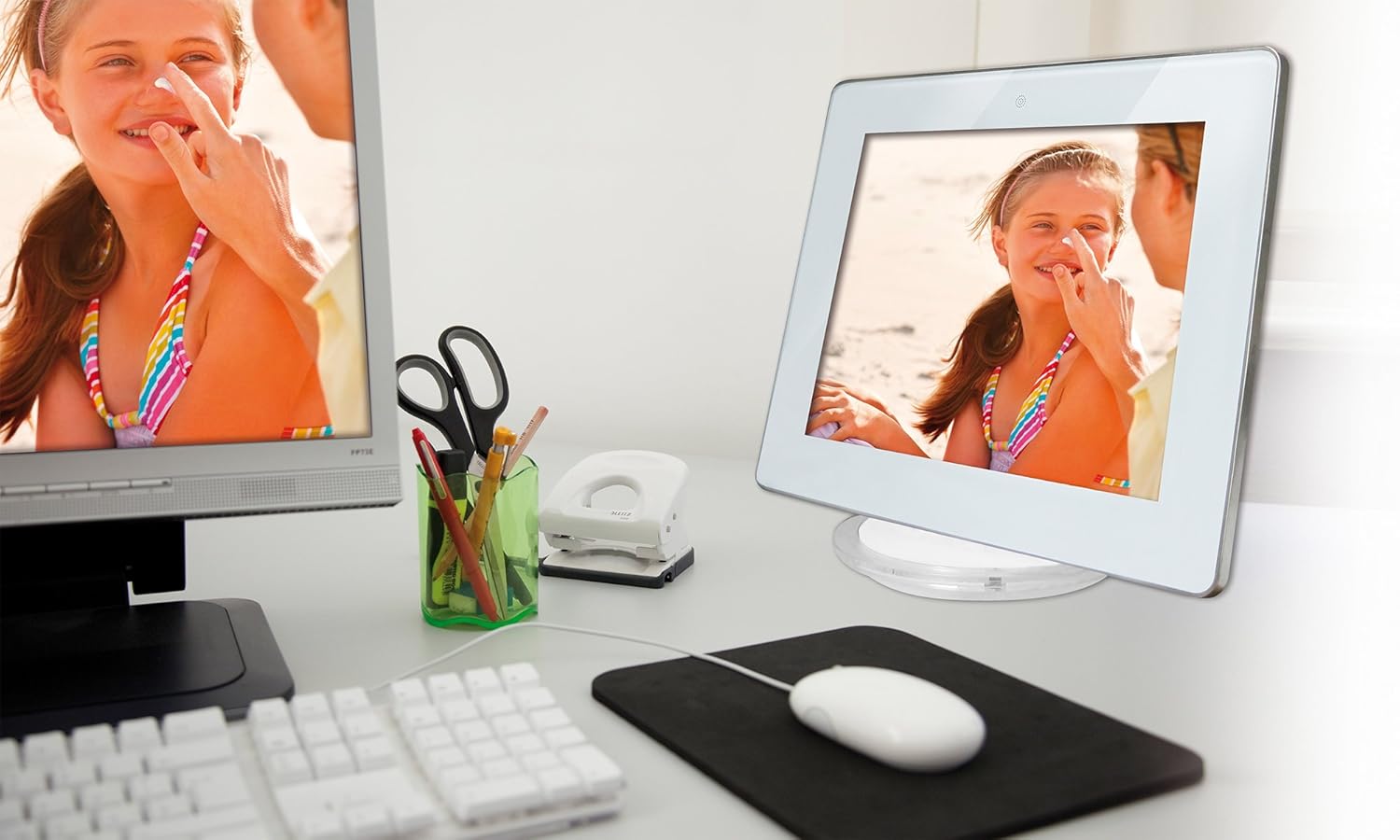
Mufananidzo 2: The Rollei Designline 3080 Digital Photo Frame positioned on a desk, demonstrating its integration into a typical home or office environment.
4.6. Clock and Alarm Function
The device includes an integrated clock and a programmable alarm function. Access these settings through the main menu to set the time and configure alarms as needed.
5. Kuchengeta
5.1. Kuchenesa Chigadzirwa
- Ita shuwa kuti mudziyo wakadzimwa uye wakaburitswa usati wachenesa.
- Shandisa jira rakapfava, rakaoma, risina ruvara kuti upukute zvinyoro nyoro sikirini nefuremu.
- Pazvibodzwa zvakasindimara, zvishoma dampen the cloth with water; avoid harsh chemicals or abrasive cleaners.
5.2. Battery Care
- Kurebesa bhatiri, dzivisa kuburitsa bhatiri zvakazara nguva zhinji.
- If storing the device for an extended period, charge the battery to approximately 50% before storage.
- Chengetedza munzvimbo inotonhorera, yakaoma.
6. Kugadzirisa matambudziko
| Dambudziko | Zvinogona Kukonzera | Solution |
|---|---|---|
| Mudziyo haubatike. | Bhatiri shoma kana adapta yemagetsi hazvina kubatana. | Connect the power adapter and allow the battery to charge. Ensure the power outlet is functional. |
| No image/video displayed. | No memory card inserted, card not recognized, or unsupported file format. | Insert a compatible memory card with supported files. Iva nechokwadi files are in JPEG, MPEG, or AVI format. Reinsert the card. |
| No sound from videos/music. | Volume too low or audio file fomati haina kutsigirwa. | Increase the volume using the controls. Ensure audio files are MP3 or WMA. |
| Remote control haisi kushanda. | Battery depleted or obstruction between remote and frame. | Replace the remote control battery. Ensure a clear line of sight to the frame's IR receiver. |
If you encounter issues not listed here or if the problem persists, please contact Rollei customer support.
7. Zvinotsanangurwa
| Model Number | 30149 |
| Brand | Rollei |
| Kukura Kwekuratidza | 8.0 inches (20.32 cm) |
| Resolution | 800 x 600 pixels |
| Aspect ratio | 4:3 |
| Akatsigira Photo Mafomati | JPEG |
| Inotsigirwa Audio Formats | MP3, WMA |
| Inotsigirwa Vhidhiyo Mafomati | MPEG1, MPEG2, MPEG4 (Divx 4.0, Divx 5.0), M-JPEG, Xvid, AVI |
| Memory Card Slots | SD/SDHC/MS/MMC |
| Kubatana | USB 2.0, Mini-USB |
| Magetsi | Net adapter 100-240 V, 50-60 Hz, DC 5 V/1.5 A |
| Bhatiri | Lithium-ion (up to 2 hours runtime) |
| Zviyero (W x H x D) | 21.69 cm x 17.3 cm x 2.54 cm (approx. 217 x 173 x 25.5 mm) |
| Kurema | 199.58 g |
8. Warranty uye Tsigiro
Your Rollei Designline 3080 Digital Photo Frame comes with a 24-month exchange service. For technical assistance, warranty claims, or any other inquiries, please contact the Rollei Service Hotline.
Please refer to your product packaging or the official Rollei website for the most current contact information for the service hotline in your region.


