Nhanganyaya
This manual provides essential information for the safe and effective operation of your Laserliner SoundTest-Master 082.070A Noise Level Meter. Please read these instructions carefully before using the device and keep them for future reference. The SoundTest-Master 082.070A is designed for precise measurement of noise levels, featuring integrated long-term memory and PC connectivity for comprehensive documentation.
Mirayiridzo Yekuchengetedza
- Always operate the device within its specified environmental conditions.
- Usaisa mudziyo kune tembiricha yakanyanyisa, mwando, kana zuva rakananga.
- Dzivisa kudonhedza mudziyo kana kuzviisa pasi pesimba rakasimba.
- Usaedze kuvhura kana kugadzirisa mudziyo. Kugadzirisa kunofanira kuitwa chete nevashandi vane mvumo.
- Chengetedza mudziyo kure nemasimba ane magineti.
- Ensure the microphone is clean and free from obstructions for accurate measurements.
Product Overview
The Laserliner SoundTest-Master 082.070A is a handheld noise level meter equipped with a sensitive electret condenser microphone and a clear, illuminated display. It features various controls for measurement settings and data management.

Mufananidzo 1: Mberi view of the SoundTest-Master 082.070A, showing the display, microphone with windshield, and control buttons.
Zvikamu Zvikuru:
- Electret Condenser Microphone: For capturing sound. Includes a removable windshield.
- Ratidzo Yakavhenekerwa: Shows measurement values, settings, and status.
- Mabhatani ekudzora: Power, Setup, Max, Record, A/C weighting, Fast/Slow time weighting, Level adjustment, Data send.
- Analog Outputs: DC and AC outputs for external connections.
- RS232 Interface: Optoisolated port for PC connection and data transfer.
Gadzirira
1. Kuiswa kwebhatiri
The device requires batteries for operation. Ensure correct polarity when inserting batteries into the compartment, typically located on the rear of the unit.
2. Simba rekutanga-Kubatidza
Press the Simba button to turn on the device. The display will illuminate and show initial readings.
3. Windshield Attachment
Attach the removable windshield to the microphone to minimize wind noise interference during outdoor measurements.
Operating Instruction
1. Kuyera Kwepakutanga
- Turn on the device using the Simba bhatani.
- Point the microphone towards the sound source.
- The current noise level will be displayed in decibels (dB).
2. Frequency Weighting (dB(A), dB(C))
Shandisa iyo A/C button to switch between frequency weighting curves:
- dB (A): Inotevedzera maitiro anoita nzeve yemunhu kunzwi, iyo inowanzoshandiswa pakuyera ruzha rwezvakatipoteredza.
- dB(C): Provides a flatter response, suitable for measuring peak sound pressure levels or low-frequency noise.
3. Time Weighting (Fast/Slow)
Press the KUDYA/KUNONONOKA button to select the desired time weighting:
- FAST (125 ms): For measuring rapidly changing noise levels.
- SLOW (1 second): For measuring average noise levels over a longer period, suitable for stable noise sources.
4. Data Logging and PC Connection
The device features a long-term recording function with 16,000 memory points and real-time logging capabilities when connected to a PC.
- Internal Data Logging: Press the RECORD button to start/stop internal data recording. The device can store up to 16,000 measurement points.
- PC Kubatanidza: Connect the device to a computer using the provided RS232 cable.
- Software: Install the provided software on your PC. This software allows for real-time data display, analysis, and download of recorded data.
- Kutumira Data: Shandisa iyo SEND DATA button to initiate data transfer to the connected PC.
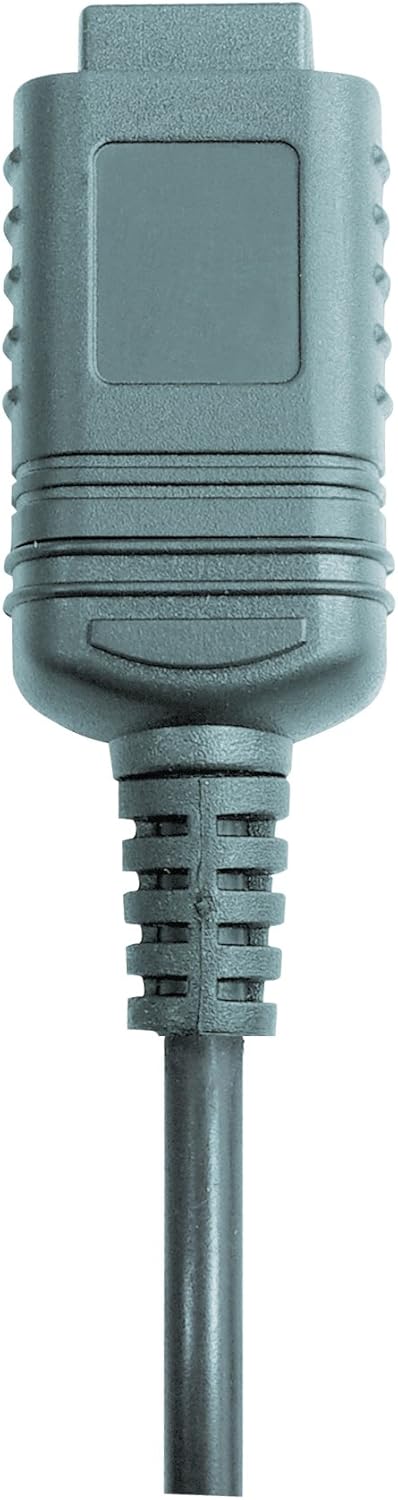

Mufananidzo 2: RS232 cable connectors used for connecting the SoundTest-Master to a PC.
5. Calibration
The device can be calibrated and adjusted using a standard noise level calibrator (94 dB / 1 kHz). Refer to the calibrator's instructions for the specific calibration procedure.
Maintenance
1. Kuchenesa
- Pukuta mudziyo casing nejira rakapfava, rakaoma.
- Usashandise abrasive cleaners kana solvents.
- Ensure the microphone is kept clean and free of dust or debris.
2. Kuchengeta
When not in use, store the SoundTest-Master in its protective case in a cool, dry place, away from direct sunlight and extreme temperatures. Remove batteries if storing for extended periods.
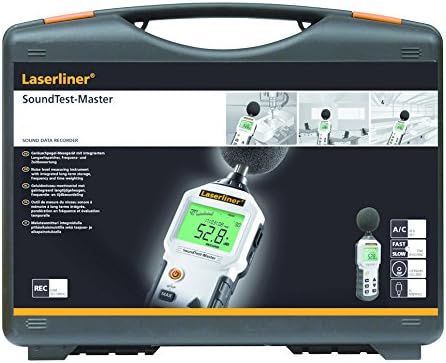
Mufananidzo 3: The SoundTest-Master 082.070A stored in its protective carrying case.
Kugadzirisa matambudziko
| Dambudziko | Zvinogona Kukonzera | Solution |
|---|---|---|
| Mudziyo haubatike. | Mabhatiri akafa kana kuti akaiswa zvisirizvo. | Tsiva mabhatiri, kuve nechokwadi chechokwadi polarity. |
| Kurava kusina kururama. | Microphone obstructed or dirty; device needs calibration. | Clean microphone; perform calibration with a standard calibrator. |
| No data transfer to PC. | Incorrect cable connection; software not installed or configured. | Check RS232 cable connection; ensure PC software is correctly installed and running. |
| Chiratidziro chakaderera kana kuti hachiverengeki. | Low battery power; display backlight off. | Replace batteries; check device settings for backlight control. |
Zvinotsanangurwa
| Feature | Detail |
|---|---|
| Model Name | SoundTest-Master |
| Chikamu Nhamba | 082.070A |
| Mugadziri | Umarex |
| Brand | laserliner |
| Frequency Weighting | dB(A), dB(C) |
| Nguva Kurema | FAST (125 ms), SLOW (1 second) |
| Dhata Ndangariro | 16,000 mapoinzi ekuyera |
| Interface | Optoisolated RS232 |
| Analog Outputs | DC uye AC |
| Calibration | Adjustable with 94 dB / 1 kHz standard calibrator |
| Maikorofoni | Sensitive electret condenser with removable windshield |
| Display | Illuminated, clear display |
| Item Weight | 1.18 Makirogiramu (2.6 makirogiramu) |
| Product Dimensions | 10.33 x 5.51 x 13.78 inches |
| Material | Metal (Frame, Barrel) |
| Color | Dema uye Gray |
| Mabhatiri Anodiwa | Yes (not included, type not specified in data) |
Warranty uye Support
For warranty information and technical support, please refer to the documentation included with your purchase or visit the official Laserliner website.


